
Port Forwarding for Valorant & CS2 Guide
Port forwarding is one of the most searched networking topics among competitive shooter players, and one of the most misunderstood. Many guides tell you to open a list of ports and expect a lower ping. For Valorant and Counter-Strike 2, the reality is more limited. This guide explains when port forwarding matters, when it does not, and how to make a safe change if you need one.
We have not tested these games on a specific router, and we do not claim any measured improvement from port forwarding. The points below are based on how these games are generally designed to connect and on common networking practice. Port numbers change over time, so always check the official support pages from each game publisher before you change anything on your router.
The listings below were returned for this search. The first is the primary pick and the others are close alternatives. The listing above may not match the exact router model you own, so check the card for the model, the features and the price before ordering.


What Port Forwarding Does and Does Not Do
Port forwarding tells your router to send incoming traffic on a given port to a specific device on your home network. It is useful when you run a server, host a private lobby or use an application that must accept connections from outside. It does not give you a faster connection, and it does not reduce the distance your traffic travels to a game server.
Client Traffic Versus Hosted Traffic
Most players connect to a game server that the publisher runs. In that case your PC opens outgoing connections, and your router usually allows those without any forwarding rule. Forwarding matters when another device must reach your PC directly, which is rare for ranked matchmaking in these two games. Confirm whether your game is client-server or peer-based before you spend time on router settings.
Why Forwarding Rarely Lowers Ping
Ping is the time for a packet to travel to the server and back. A forwarding rule does not shorten that route, and it does not change which server the matchmaking system picks. If your ping is high, the cause is more likely to be a distant server, a congested link, Wi-Fi interference or an ISP routing issue. Forwarding a port will not fix any of these.

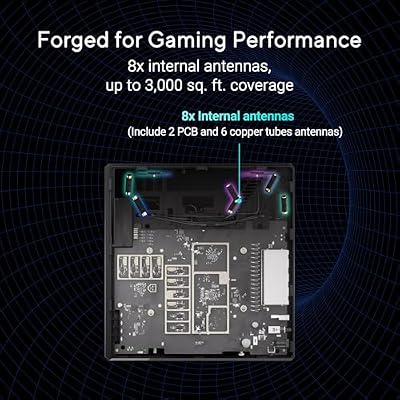
ASUS ROG Strix GS-BE12000 WiFi 7 Gaming Router - Tri-Band, 12Gbps, Mesh | Coverage up to 3,300 Sq. Ft., 2.5G Port x8. Game Boost for Low Latency Gaming & Streaming. VPN support




As an Amazon Associate we earn from qualifying purchases. Product prices and availability are accurate as of the date/time indicated.
When Port Forwarding Is Worth Trying
There are a few situations where a targeted forwarding rule is useful. The most common is a private server or community lobby that you host for friends. Another is a voice or streaming tool that needs an inbound connection. In these cases you create a rule for the exact port the software asks for, not a broad range, and you assign a fixed local address to the machine so the rule keeps working.
Assign a Fixed Local Address First
Port forwarding only works if the gaming PC keeps the same local address. Use a DHCP reservation in your router to pin the PC to one address, then point the forwarding rule at that address. Without this step, the rule may send traffic to the wrong device after a restart. This is the most common reason a rule that looked correct stops working.
Keep the Rule Narrow
Open only the ports you need, for only as long as you need them. A wide range of forwarded ports makes the device easier to reach from outside your network, which is a security risk. Avoid placing your gaming PC in a DMZ, because that exposes every port on the device. A narrow rule with the right game settings does the same job with less risk.

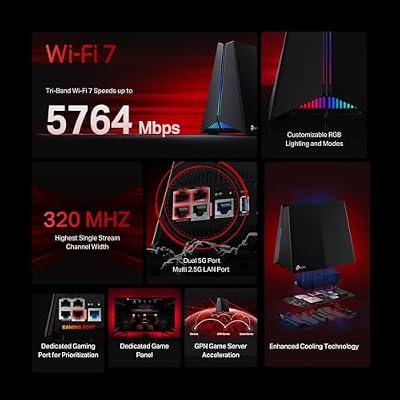
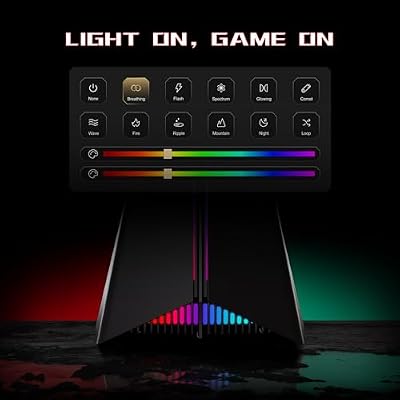
TP-Link Tri-Band BE11000 Wi-Fi 7 Gaming Router (Archer GE650) | 6-Stream, 11 Gbps, 320MHz, 2×5G + 3×2.5G Ports, USB 3.0, Game Acceleration, Gaming Port & Panel, RGB Lighting, HomeShield



As an Amazon Associate we earn from qualifying purchases. Product prices and availability are accurate as of the date/time indicated.
Comparison Table: Router Options for Port Control
The table compares the five listings by the role they play for a player who wants more control over ports. It does not rank them. The features that matter most are the ones on the right-hand column, so check them against the router’s menus before buying.
| Option | ASIN | Best for | Price guidance | Check before buying |
|---|---|---|---|---|
| Primary pick (hero) | B0FTP4PMYX | Players who want manual port control | Check current price | Port forwarding menu, DHCP reservation support |
| Alternative 1 | B0DVV9KJSN | Home users with a simple setup | Check current price | Firmware update policy and admin interface |
| Alternative 2 | B0CPQYSXCW | Households with several gaming and streaming devices | Check current price | Wi-Fi standard and device priority options |
| Alternative 3 | B0FB8X43KJ | Players who host private lobbies | Check current price | Rule limits and UPnP controls |
| Alternative 4 | B0DW1M1S71 | Buyers who want a mesh-ready system | Check current price | Mesh support and backhaul options |
Safe Setup Steps
Start by confirming that you need a rule at all. Check the game’s official support page for the current port list and the network requirements. Then set a fixed local address for the PC, add the rule and test the connection. Record the change, so you can undo it if something breaks. Keep the router firmware up to date, because security fixes matter more than any single port setting.
If your problem is a strict or closed network type rather than a missing rule, the router settings for gaming guide explains the common menus. For a wider view of how these rules fit into a full network setup, the port forwarding guide covers the general steps and the risks in more depth. Use the rule only for the port your software asks for.
Do not rely on a port number from an old forum post. Port lists change with game updates, and a copied list can open ports you do not need. If you run a community server, the gaming router article discusses the features that help with hosting, including device priority and firewall controls.
If you want to widen the picture, these related guides cover neighbouring parts of the setup: ethernet settings for gaming gaming VPN guide gaming DNS server guide router for gaming and streaming gaming internet guide.
Frequently Asked Questions
Do I need port forwarding to play Valorant or CS2?
For normal matchmaking, most players do not need a manual forwarding rule. Check the official support pages for the current network requirements, and only add a rule if the publisher or the software you use says it is required.
Will port forwarding lower my ping?
Not in general. Ping depends on distance, routing and congestion. A forwarding rule only allows inbound traffic to reach a device, so it does not shorten the route to a server. If your ping is high, look at your connection type, your router placement and the server region you select.
Is it safe to open ports on my router?
It is safe when you open only the ports you need, keep the firmware up to date and use a fixed local address for the target device. Avoid a DMZ, avoid broad port ranges and close any rule you no longer use. Safety depends on keeping the exposed surface small.
Final Verdict
Port forwarding is a targeted tool, not a standard fix for Valorant or CS2. Most players will get the best results from a wired connection, a sensible server region and a router with clear settings. If you host a private lobby or run a specific tool, add one narrow rule, pin the PC to a fixed address and test it. Choose the listing that gives you clear control of ports, and confirm the features on the card before you buy.


