
NAT Type Fix Gaming PC Guide 2026
NAT type is the label that console and PC players see when a network setting blocks some kinds of connection. The usual labels are Open, Moderate and Strict, and a restrictive label can mean slow matchmaking, failed voice chat or a party that will not connect. This guide explains what NAT type means, why it changes, and the safe steps that usually fix it without opening your network to risk.
We have not reviewed every router or game for this guide, so we do not quote results. The advice reflects how network address translation works and the common causes of restrictive labels in home networks. Settings names change between firmware versions, so use the explanations here to find the right menu on your own router.
The listings below were returned for this search. The first is the primary pick and the others are close alternatives. The listing above may not be the exact model you need, so confirm the features, the firmware support and the price on the card before ordering.


What NAT Type Means on a Gaming PC
Network address translation, or NAT, lets many devices in your home share one public address from your internet provider. The router keeps a table of which internal device made which outgoing connection, and it sends replies back to the right device. NAT type is a shorthand for how freely outside connections can reach your device. Open means almost all connection types work. Strict means some do not, and a game may struggle to set up a session.
Why the Label Changes
NAT type depends on the router, the firmware, the number of NAT layers and the features turned on. A new router with a default firewall may show a stricter type until you change a setting. A second router behind the first, often called double NAT, can also restrict connections even when each device seems correct. The label is a symptom, so the fix depends on the cause.
Console Labels Versus PC Behaviour
Consoles show a NAT type in their network test, and PC games often rely on the same underlying behaviour without a visible label. The fixes are the same. Make the path between the internet and your device as direct as possible, and allow the connection types your game needs. If your PC and console share a router, a fix for one usually helps the other.

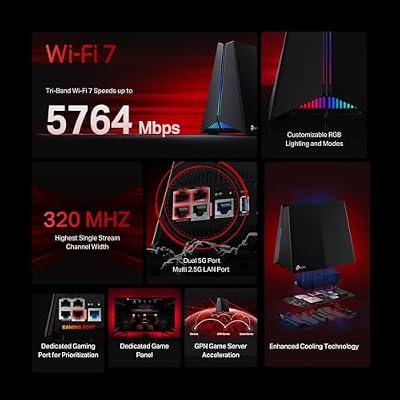
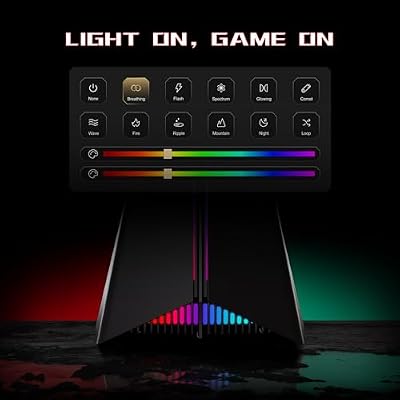
TP-Link Tri-Band BE11000 Wi-Fi 7 Gaming Router (Archer GE650) | 6-Stream, 11 Gbps, 320MHz, 2×5G + 3×2.5G Ports, USB 3.0, Game Acceleration, Gaming Port & Panel, RGB Lighting, HomeShield



As an Amazon Associate we earn from qualifying purchases. Product prices and availability are accurate as of the date/time indicated.
Common Causes and Safe Fixes
Most restrictive labels come from a short list of causes. Work through them in order, and change one thing at a time so you know which step helped. This avoids the common mistake of changing five settings at once and then being unable to tell what worked.
Double NAT From Two Routers
A modem that also acts as a router, plugged into your own router, creates double NAT. The fix is to put the provider device into bridge mode, or to use your own router as the only router on the network. Bridge mode lets your router handle all the address translation. Check whether your provider allows this change before you make it, because some provider devices have limits on bridge mode.
UPnP and Automatic Port Rules
Universal Plug and Play, usually called UPnP, lets devices request port rules from the router automatically. Turning it on can help a game set up a connection without manual work. It can also open ports you did not expect. Enable it if you need it, and review the active rules after you play. Turn it off if your router shows rules you do not recognise.
Manual Port Forwarding
When a game names the ports it needs, a narrow forwarding rule can fix the issue. Pin the gaming device to a fixed local address with a DHCP reservation, then add the rule for the named port. Avoid the DMZ setting, which exposes every port on the device to the internet. A narrow rule keeps the rest of your network protected.

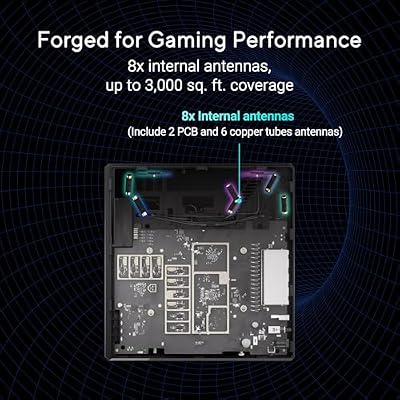
ASUS ROG Strix GS-BE12000 WiFi 7 Gaming Router - Tri-Band, 12Gbps, Mesh | Coverage up to 3,300 Sq. Ft., 2.5G Port x8. Game Boost for Low Latency Gaming & Streaming. VPN support




As an Amazon Associate we earn from qualifying purchases. Product prices and availability are accurate as of the date/time indicated.
Comparison Table: Router Options for NAT Control
The table compares the five listings by the role each one plays when you try to fix NAT type. It does not rank them. Check the features in the right-hand column against your current router before you buy.
| Option | ASIN | Best for | Price guidance | Check before buying |
|---|---|---|---|---|
| Primary pick (hero) | B0DVV9KJSN | Replacing a provider router that causes double NAT | Check current price | Bridge mode support and UPnP controls |
| Alternative 1 | B0FTP4PMYX | Players who need manual port rules | Check current price | DHCP reservation and port forwarding menus |
| Alternative 2 | B0CPQYSXCW | Homes with several gaming and streaming devices | Check current price | Device priority and firewall options |
| Alternative 3 | B0FX9C5QVJ | Buyers who may add mesh nodes later | Check current price | Mesh support and access point mode |
| Alternative 4 | B0FB8X43KJ | Users who host private lobbies | Check current price | Rule limits and firmware update policy |
Step-by-Step Checklist
Start by checking the NAT type on your console or in your game’s network test. Note the label, then check whether your modem and router are separate devices. If they are combined, enable bridge mode if your provider allows it, then restart both devices and test again. If the label is still restrictive, enable UPnP for a short test and retest. Only add a manual rule if the game names specific ports.
Keep the router firmware current. Old firmware can carry bugs in address translation that look like a setting problem. For the wider view of router menus, the router settings for gaming guide explains which options matter. If you use a separate modem, the modem and router combo article covers the trade-offs of each layout.
Wired connections give the steadiest result. If your console or PC sits far from the router, the ethernet for gaming guide explains when a cable run is worth the effort. For Wi-Fi-only setups, the Wi-Fi router for gaming article helps you match the router to your home layout.
If you want to widen the picture, these related guides cover neighbouring parts of the setup: port forwarding guide ZenWiFi BT10 review gaming routers roundup gaming internet provider guide.
Frequently Asked Questions
Is a strict NAT type always a problem?
Not always. A strict label can be harmless if the game you play works through relays or if you only play solo. It becomes a problem when a game cannot set up sessions, when party chat fails or when matchmaking is slow. Test the games you actually play before you change anything.
Is it safe to turn on UPnP?
UPnP is convenient, but it lets devices open ports without your direct approval. Use it only if you trust the devices on your network, and check the active rules from time to time. If you prefer tighter control, use a manual rule for the specific port instead.
Will a new router fix NAT type?
A new router only helps if the old one is causing the issue. If your modem is also a router, or if the new router has better firewall and bridge options, the label may improve. If the cause is a game server or a provider limit, a new router will not change it.
Final Verdict
Fixing NAT type is usually about removing double NAT, allowing the right connection types and keeping rules narrow. Do the simple steps first, test each one, and avoid the DMZ. Use a fixed address and a manual rule when a game names ports. Choose the listing that gives you bridge mode and clear rule controls, and confirm those features on the card before you buy.


