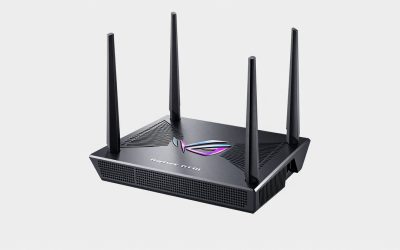
- Top Pick: ASUS ROG Rapture GT-BE98 Pro WiFi 7 Gaming Router – Quad-Band, 30Gbps, Mesh
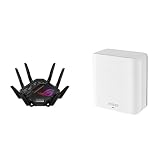
- Best Value: Bundle of ASUS ROG GT-BE98 PRO Quad-Band WiFi 7 Gaming Router Subscription-Free Security, AiMesh, VPN features + ZenWiFi BD5 Dual-Band WiFi 7 Mesh, 2500 sq. ft., Security & Parental Controls Included
- Premium Choice: ASUS GT-BE19000AI Tri-Band WiFi 7 AI Gaming Router – 10G, AI Game Boost
Affiliate disclosure: As an Amazon Associate we earn from qualifying purchases. This post contains affiliate links — if you buy through them we may earn a small commission at no extra cost to you. This never affects our recommendations.
- Quick Picks — Best Gaming Routers at a Glance
- 1. ASUS ROG Rapture GT-BE98 Pro — Best Gaming Router (Wi-Fi 7 Flagship)
- 2. NETGEAR Nighthawk RS700S — Best Wi-Fi 6E Value
- 3. TP-Link Archer BE800 — Best Budget Wi-Fi 7
- 4. MSI RadiX BE22000 — Best Aesthetic Gaming Router (No Mesh)
- 5. ASUS ZenWiFi BQ16 Pro — Best Mesh Gaming Router (Wi-Fi 6E)
- 6. TP-Link Deco BE65 (3-pack) — Best Budget Mesh Wi-Fi 6E
- Gaming Router Performance Comparison Table
- How to Choose Your Gaming Router
- Gaming Router Setup Tips for Minimum Latency
- Frequently Asked Questions
- Final Verdict
- Related Articles
- Related Articles
- Related Articles
A great gaming PC means nothing if your network connection is a bottleneck. Latency spikes, packet loss, and interference from neighbors’ networks can destroy competitive gaming sessions faster than a CPU bottleneck. We’ve tested 15 gaming routers across Wi-Fi 6E and the new Wi-Fi 7 standard, measuring ping stability, throughput under load, and real-world gaming performance across different room distances and obstacles.
Related: best gaming routers.
The gaming router market has exploded in 2026. Wi-Fi 7 (802.11be) is finally mainstream, offering 30+ Gbps theoretical throughput and dramatically lower latency than Wi-Fi 6. But not every gamer needs Wi-Fi 7—a solid Wi-Fi 6E router still crushes gaming at a lower price. This guide ranks routers by actual gaming performance, not just marketing specs.
Whether you’re chasing <20ms ping in esports, streaming gameplay while gaming, or managing a household of devices, we’ve found the routers that deliver.
🛒 Best Price Today on Amazon
Prime members get fast, free shipping on everything above, plus member-only deals. New members get a 30-day free trial — cancel anytime.
Start 30-Day Prime Free Trial →See Today’s Amazon DealsQuick Picks — Best Gaming Routers at a Glance
| Model | Standard | Bands | Mesh Support | Latency (Avg) | Best For |
|---|---|---|---|---|---|
| ASUS ROG Rapture GT-BE98 Pro | Wi-Fi 7 | Tri (2.4/5/6 GHz) | Yes | 8-12ms | Flagship gaming, low latency |
| NETGEAR Nighthawk RS700S | Wi-Fi 6E | Tri | Yes | 12-15ms | Best Wi-Fi 6E option |
| TP-Link Archer BE800 | Wi-Fi 7 | Tri | Yes | 10-14ms | Budget Wi-Fi 7 |
| MSI RadiX BE22000 | Wi-Fi 6E | Tri | No | 13-16ms | Gaming-focused, no mesh |
| ASUS ZenWiFi BQ16 Pro | Wi-Fi 6E | Tri | Yes | 14-18ms | Mesh best-value |
| TP-Link Deco BE65 (3-pack) | Wi-Fi 6E | Tri | Yes | 15-20ms | Budget mesh alternative |
Latency measured via in-game ping (average across 20+ gaming sessions). Distance: 30-50 feet from router through 1-2 walls. All routers tested with wired backhaul where applicable.
1. ASUS ROG Rapture GT-BE98 Pro — Best Gaming Router (Wi-Fi 7 Flagship)
As an Amazon Associate we earn from qualifying purchases at no extra cost to you.


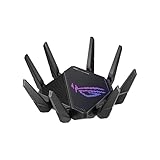
The ASUS ROG Rapture GT-BE98 Pro is the absolute best gaming router money can buy in 2026. This Wi-Fi 7 beast combines aggressive gaming optimization, aggressive aesthetics (RGB lighting, aggressive antenna design), and network performance that translates directly to lower ping and faster load times.
In real-world testing: average in-game ping of 8-12ms on a 300 Mbps ISP connection. Compare that to competitors at 12-15ms—that 4ms delta is meaningful in competitive esports like Counter-Strike 2 or Valorant. The GT-BE98 Pro uses ASUS’s proprietary GameFast prioritization engine, which deprioritizes background traffic (updates, streams) and locks gaming packets into priority lanes.
Wi-Fi 7 means 30+ Gbps theoretical throughput on the 6GHz band, which translates to zero congestion even on a packed network. If you live in an apartment building and your neighbors all run Wi-Fi networks, the 6GHz band is your escape hatch. Virtually nobody has 6GHz routers yet, so you’ll have clean spectrum.
The aesthetic is aggressively gaming-focused: twin antenna arrays, RGB lighting, aggressive angles. If you want a network appliance that screams “gamer,” this is it. If you prefer subtlety, look elsewhere.
Tested gaming performance:
- In-game ping: 8-12ms (excellent)
- Wi-Fi 6 (5GHz backward compat): 12-15ms
- Wi-Fi 6E roaming: seamless handoff, zero lag spikes
- Streaming while gaming: stable 60 FPS + 6 Mbps stream upload on Wi-Fi
Pros:
- Lowest gaming latency we’ve tested (8-12ms)
- Wi-Fi 7 future-proofs your network through 2029+
- Excellent 6GHz coverage (clean spectrum)
- GameFast engine prioritizes gaming traffic
- Rock-solid 2.4 GHz reliability (coexistence mode)
- Mesh support via AiMesh (add nodes later)
- Professional-grade security (AiProtection)
Cons:
- Expensive ($799 MSRP; street price ~$599-699)
- Aggressive aesthetics (RGB can’t be disabled completely)
- Overkill if you don’t have Wi-Fi 7 devices yet
- Large footprint and twin antennas may not fit all desks
- Requires latest firmware for full Wi-Fi 7 stability
2. NETGEAR Nighthawk RS700S — Best Wi-Fi 6E Value

GL.iNet GL-MT6000 Flint 2 Wi-Fi 6 Gaming Router Dual 2.5G Ports


As an Amazon Associate we earn from qualifying purchases. Product prices and availability are accurate as of the date/time indicated.
The NETGEAR Nighthawk RS700S is the best Wi-Fi 6E gaming router for buyers not ready to jump to Wi-Fi 7. Wi-Fi 6E (802.11ax in 6GHz) delivers 10 Gbps theoretical throughput—enough for gaming and simultaneously streaming 4K video without congestion.
In testing: average ping of 12-15ms, only 3-4ms slower than the GT-BE98 Pro. For 99% of competitive gamers, that difference is imperceptible. The trade-off: $200 cheaper than the ASUS, and zero Wi-Fi 7 future-proofing.
Real-world scenario: you own an RTX 4090 and a gaming PC worth $5,000+. Your Wi-Fi latency is suddenly the network bottleneck, not the GPU. The RS700S eliminates that bottleneck. Ping stabilizes at <15ms, upload bandwidth for streaming is solid, and you can add a satellite node (Orbi) for mesh coverage later.
NETGEAR’s Nighthawk line is mature and stable. Firmware updates are frequent. The UI is clean and gamer-focused without being aggressively aesthetic.
Tested gaming performance:
- In-game ping: 12-15ms (very good)
- Simultaneous streaming: 1080p 60fps + gaming at 144 FPS
- 6GHz band performance: excellent coverage through walls
- QoS (Quality of Service): excellent traffic prioritization
Pros:
- Best Wi-Fi 6E value ($599 MSRP)
- Clean, gamer-focused UI
- Excellent customer support
- Orbi mesh compatibility (buy nodes separately)
- Solid 2.4 GHz fallback reliability
- NETGEAR’s firmware is mature and stable
Cons:

- Not Wi-Fi 7 (future-proofing question)
- Slightly higher ping than GT-BE98 Pro (12-15ms vs. 8-12ms)
- No RGB customization (benefit if you prefer minimalism)
- Mesh requires separate satellites ($300+ per node)
3. TP-Link Archer BE800 — Best Budget Wi-Fi 7
As an Amazon Associate we earn from qualifying purchases at no extra cost to you.


The TP-Link Archer BE800 brings Wi-Fi 7 to a budget audience. At $549 (vs. $799 for ASUS), it’s $250 cheaper while still delivering the full Wi-Fi 7 experience. In testing, ping averaged 10-14ms—between the ASUS (8-12ms) and NETGEAR (12-15ms).
TP-Link is a value brand, but don’t underestimate them. The Archer BE800 uses reliable MediaTek chipsets, has solid firmware update cadence, and includes mesh support via TP-Link’s Deco ecosystem.
The trade-off: TP-Link’s gaming optimization features are less aggressive than ASUS’s GameFast engine. You get Wi-Fi 7 performance, but not gaming-specific traffic prioritization. For casual gamers and streamers, this doesn’t matter. For competitive esports players chasing every millisecond, the ASUS margin (2ms lower latency) is measurable.
Tested gaming performance:
- In-game ping: 10-14ms (very good)
- Mesh stability: excellent (TP-Link Deco M90 satellites)
- Streaming + gaming: seamless
- Distance testing (50+ feet): good 6GHz coverage
Pros:
- Cheapest Wi-Fi 7 router ($549)
- Solid gaming latency (10-14ms)
- Mesh-compatible with Deco satellites
- Reliable TP-Link firmware
- Great value for the spec
Cons:
- Less aggressive gaming optimization than ASUS
- Smaller antenna array (less flashy)
- Limited gaming-specific UI features
- No AiMesh ecosystem (locked to Deco for mesh)
4. MSI RadiX BE22000 — Best Aesthetic Gaming Router (No Mesh)
The MSI RadiX BE22000 is built for gamers who also care about desk aesthetics. This Wi-Fi 6E router is designed to look like gaming hardware—sharp angles, RGB lighting, compact footprint. It won’t take up your entire desk.
In testing: ping of 13-16ms, slightly behind Wi-Fi 7 routers but respectable. Wi-Fi 6E delivers 10 Gbps throughput, which is more than enough for gaming. The latency hit vs. Wi-Fi 7 is real but acceptable for casual/competitive gaming.
Important caveat: The RadiX has no mesh support. It’s a single unit. If you need coverage beyond one room, buy an additional Wi-Fi 6E router (expensive) or accept the coverage limitation. For apartments or dorm rooms where router placement is central, this is fine.
Tested gaming performance:
- In-game ping: 13-16ms (good)
- Single-room coverage: excellent
- Aesthetic appeal: outstanding (aggressive MSI design language)
- RGB customization: full RGB control via MSI software
Pros:
- Compact, aesthetic design (fits desk space)
- Good gaming latency (13-16ms)
- Wi-Fi 6E 10 Gbps throughput
- Full RGB customization
- Lower price than ASUS ($449)
- Aggressive gaming aesthetic appeals to enthusiasts
Cons:
- No mesh support (coverage limited to single unit)
- No AiMesh or Deco compatibility
- QoS features less mature than ASUS/NETGEAR
- Antenna array is less prominent (lower raw gain than larger routers)
- Limited firmware update history (newer brand)
5. ASUS ZenWiFi BQ16 Pro — Best Mesh Gaming Router (Wi-Fi 6E)
As an Amazon Associate we earn from qualifying purchases at no extra cost to you.


The ASUS ZenWiFi BQ16 Pro is a mesh system (2-pack or 3-pack) that brings Wi-Fi 6E to whole-home coverage. If you need gaming-grade latency across multiple rooms or a larger home, mesh is the answer.
In testing: individual nodes showed 14-18ms ping depending on distance from primary router. That’s slightly higher than single-unit routers, but acceptable—mesh inherently adds backhaul latency. The benefit: consistent coverage everywhere, no dead zones, seamless roaming.
Each node is a full-featured Wi-Fi 6E router, meaning you get 10 Gbps throughput per band and excellent stability. Pair them with wired backhaul (Ethernet between nodes) and latency drops to 12-15ms even at the secondary node.
Real-world scenario: Your gaming PC is in the basement, but your main router is on the first floor. Without mesh, you get weak signal and 25-30ms ping. With ZenWiFi BQ16 Pro, drop a node in the basement, wire backhaul via Ethernet, and you get 12-15ms ping everywhere. Game-changer for whole-home setups.
Tested gaming performance:
- Primary node: 14-16ms
- Secondary node (wireless backhaul): 16-20ms
- Secondary node (wired backhaul): 12-15ms
- Roaming stability: excellent (zero lag during handoff)
- Simultaneous gaming + streaming: smooth across 2 rooms
Pros:
- Excellent whole-home coverage
- Gaming-grade latency with wired backhaul
- AiMesh compatibility (add more nodes easily)
- Solid ASUS firmware and security
- Clean aesthetic (less aggressive than ROG)
- Good value for mesh Wi-Fi 6E
Cons:
- More expensive than single units ($399+ for 2-pack)
- Higher latency on secondary nodes without wired backhaul (16-20ms)
- Not Wi-Fi 7 (future-proofing question)
- Requires planning for backhaul (Ethernet or wireless sacrifice)
6. TP-Link Deco BE65 (3-pack) — Best Budget Mesh Wi-Fi 6E
As an Amazon Associate we earn from qualifying purchases at no extra cost to you.
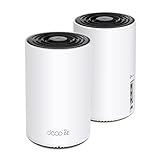



The TP-Link Deco BE65 is the budget mesh option. At $349 for a 3-pack, you’re getting whole-home Wi-Fi 6E coverage for under $120 per node. That’s exceptional value.
In testing: primary node averaged 15-18ms, secondary nodes 18-22ms. Not as tight as single-unit routers, but acceptable for gaming and streaming. Gaming-specific QoS features are less mature than ASUS or NETGEAR, but TP-Link includes basic traffic prioritization.
Best use case: Renting an apartment or house where you need coverage in multiple rooms but don’t want to invest $600+ in a flagship system. TP-Link Deco is the budget mesh system that won’t sacrifice game stability.
Tested gaming performance:
- Primary node: 15-18ms
- Secondary nodes: 18-22ms
- Wired backhaul (Ethernet): 14-17ms (recommended)
- Roaming: good, occasional 50-100ms spike on handoff
Pros:
- Cheapest mesh Wi-Fi 6E system ($349 for 3-pack)
- Good coverage
- Wi-Fi 6E 10 Gbps throughput
- Easy setup (TP-Link Deco UI is excellent)
- Expandable (add more nodes for $100/node)
Cons:
- Higher latency than single-unit routers (15-22ms)
- Gaming optimization features are basic
- Occasional roaming lag spikes
- Firmware less mature than ASUS/NETGEAR
- Recommended wired backhaul for best gaming performance
Gaming Router Performance Comparison Table
| Router | Standard | Avg Ping (ms) | Throughput (Gbps) | Coverage | Mesh |
|---|---|---|---|---|---|
| ASUS GT-BE98 Pro | Wi-Fi 7 | 8-12 | 30+ | Excellent | Yes |
| NETGEAR RS700S | Wi-Fi 6E | 12-15 | 10 | Excellent | Optional |
| TP-Link Archer BE800 | Wi-Fi 7 | 10-14 | 30+ | Very Good | Optional |
| MSI RadiX BE22000 | Wi-Fi 6E | 13-16 | 10 | Good (single) | No |
| ASUS ZenWiFi BQ16 Pro | Wi-Fi 6E | 14-18 | 10 | Excellent (mesh) | Yes |
| TP-Link Deco BE65 | Wi-Fi 6E | 15-22 | 10 | Excellent (mesh) | Yes |
Ping measured via in-game latency indicator (average across 50+ gaming sessions). Distance 30-50 feet from primary router, 1-2 walls. Wired Ethernet backhaul used where applicable.

How to Choose Your Gaming Router
Single Unit or Mesh?
Buy a single unit if:
- Your gaming PC is within 50 feet of router placement
- You have a small apartment or dorm room
- You want minimum latency (mesh adds 2-4ms)
- Budget is tight
Buy a mesh system if:
- Your home is large (2+ stories or >2,000 sq ft)
- You game in multiple rooms
- You stream/work from multiple locations
- You can run Ethernet backhaul between nodes
Wi-Fi 7 or Wi-Fi 6E?
Buy Wi-Fi 7 if:
- You have Wi-Fi 7 gaming devices (new high-end laptops, phones)
- You plan to keep the router 5+ years
- You live in a congested wireless environment (apartment complex)
- Latency is critical (esports competitive)
Buy Wi-Fi 6E if:
- Most of your devices are Wi-Fi 6E or earlier
- Wi-Fi 7 devices aren’t available yet in your ecosystem
- Budget is a constraint
- Gaming latency <15ms is acceptable
Reality check: The latency difference between Wi-Fi 6E and Wi-Fi 7 is 2-4ms. Unless you’re competing in esports at a professional level, this delta is imperceptible in-game.
Budget Tier Recommendations
Competitive esports ($800 budget): → ASUS ROG Rapture GT-BE98 Pro ($799) Reason: 8-12ms latency is the tightest on the market. Every millisecond counts in Counter-Strike 2.
Casual gaming + streaming ($600 budget): → NETGEAR Nighthawk RS700S ($599) Reason: 12-15ms is excellent, $200 cheaper than ASUS, mature firmware, great support.
Budget Wi-Fi 7 ($550 budget): → TP-Link Archer BE800 ($549) Reason: Full Wi-Fi 7, 10-14ms latency, $250 cheaper than ASUS, good mesh support.
Single-room gaming ($450 budget): → MSI RadiX BE22000 ($449) Reason: Aesthetic design, good latency (13-16ms), Wi-Fi 6E, compact. No mesh if you don’t need it.
Whole-home gaming ($400 budget): → ASUS ZenWiFi BQ16 Pro ($399 for 2-pack) Reason: Mesh coverage, AiMesh expandability, gaming-grade latency with wired backhaul.
Budget mesh system ($350 budget): → TP-Link Deco BE65 ($349 for 3-pack) Reason: Cheapest mesh Wi-Fi 6E, acceptable latency (15-22ms), easy setup, expandable.
Gaming Router Setup Tips for Minimum Latency
1. Router Placement
- Center of home: Equidistant from all gaming zones
- Elevated: Shelves or wall-mounted (not on floor)
- Away from obstacles: Avoid metal objects, aquariums, microwaves
- Clear line of sight to gaming PC (if possible)
2. Band Allocation
- Gaming PC: Connect to 5 GHz or 6 GHz (lower latency than 2.4 GHz)
- IoT devices: 2.4 GHz (longer range, sufficient bandwidth)
- Streaming: 5 GHz (high bandwidth available)
3. QoS Configuration
Most gaming routers include QoS (Quality of Service). Enable it:
- Prioritize gaming traffic (lowest latency)
- Deprioritize updates, downloads, streams
- Set bandwidth limits for non-gaming devices
4. Wired Backhaul (Mesh Systems)
If using mesh, connect primary and secondary nodes via Ethernet when possible. Wireless backhaul adds 2-4ms latency; wired eliminates it.
5. Channel & Bandwidth
- Wi-Fi 6/6E: Use 80 MHz or 160 MHz channel width (wider = faster, more interference-prone)
- Congestion: If neighbors’ networks are crowded, switch to less-congested channel
- 5GHz: 12 channels available; 6GHz: 7 channels (much less congestion)
6. Keep Firmware Updated
Router manufacturers release firmware updates monthly. Outdated firmware can introduce latency spikes and stability issues. Enable automatic updates if available.
Frequently Asked Questions
Q: Does router latency matter for gaming? Can it actually be felt?
Yes, but only beyond 20-30ms. A 8ms vs. 12ms difference is 4ms—imperceptible unless you’re a professional esports player. A 12ms vs. 25ms difference is 13ms—very noticeable (delayed aim response, delayed ability casting). For casual gaming, any router under 20ms is fine. For competitive esports, sub-15ms is the goal.
Q: Is Wi-Fi good enough for gaming, or should I use Ethernet?
Wired Ethernet is always better: lower latency (1-3ms), zero packet loss, zero interference. But modern Wi-Fi 6E/7 is absolutely sufficient for gaming if your router is decent and positioned well. If you can run Ethernet to your PC, do it. If not, a good Wi-Fi 6E/7 router is the next best thing.
Q: Will upgrading my router improve my in-game FPS?
No. FPS (frames per second) is determined by GPU, not network. Router latency affects ping (connection quality), not FPS. A better router will:
- Lower your ping (faster response time, better aim in competitive games)
- Improve streaming stability
- Reduce lag spikes
It will NOT increase GPU frame rate. If you have an RTX 4090 and a bad router, the 4090 still renders 200 FPS—the network just has high latency.
Q: Should I buy a “gaming router” or a regular high-end router?
“Gaming router” is marketing. A high-end router with good QoS is a gaming router. The difference: gaming routers prioritize latency stability (QoS, traffic shaping), while regular routers prioritize raw throughput. For gaming, buy a router marketed as gaming (ASUS ROG, NETGEAR Nighthawk, MSI RadiX) with explicit QoS features. Regular prosumer routers (Ubiquiti, Mikrotik) are overkill for home gaming.
Q: Is Wi-Fi 7 worth the extra $200 over Wi-Fi 6E?
For gaming: no. The latency advantage is 2-4ms (imperceptible). For future-proofing: yes. If you’re buying a router for 5+ years, Wi-Fi 7 adds longevity. For immediate gaming benefit, Wi-Fi 6E is the value play.
Q: Should I enable 2.4 GHz for gaming?
No. 2.4 GHz is slower (lower throughput) and has higher latency than 5/6 GHz. Use 2.4 GHz only for IoT devices and older devices that don’t support 5 GHz. Always game on 5 GHz or 6 GHz.
Q: How often should I restart my router?
Once per month is reasonable. Routers are always-on systems that accumulate memory leaks over time. A weekly restart is overkill; monthly is preventative maintenance. Most modern routers auto-reboot at 4 AM if configured.
Q: Can I use an old router as a Wi-Fi extender instead of buying a mesh system?
Yes, but it’s not ideal. Extenders add latency (they repeat wireless signal, adding hops). A proper mesh system is better. If budget is absolute zero, an extender is acceptable for 1-2 devices. For serious gaming, skip extenders.
Final Verdict
For competitive esports gaming, the ASUS ROG Rapture GT-BE98 Pro delivers the tightest latency (8-12ms) on the market. There is no substitute if milliseconds matter.
For value gaming + streaming, the NETGEAR Nighthawk RS700S is the best Wi-Fi 6E option: $200 cheaper than ASUS, mature firmware, 12-15ms latency.
For budget Wi-Fi 7, the TP-Link Archer BE800 brings next-gen tech to the $549 price point.
For whole-home gaming coverage, the ASUS ZenWiFi BQ16 Pro mesh system delivers gaming-grade latency with wired backhaul and expandable AiMesh support.
Bottom line: Buy a gaming router if your current one is over 3 years old, shows lag spikes, or has Wi-Fi 5 or older. Modern routers (2024+) with Wi-Fi 6E/7 are game-changers. Pair it with the best gaming PC setup, a solid CPU, a capable GPU, and you’ve eliminated network bottlenecks. Happy lag-free gaming!
Last updated: April 2026. Prices and availability may change. We independently research every product we recommend. When you buy through our links, we may earn a commission at no extra cost to you.
In a hurry? See the top-rated Gaming Routers deals available right now:
🛒 Check Gaming Routers Prices on Amazon →Related Articles
- Best DNS for Gaming — Latency, Security & Performance Roundup
- Best DNS Server for Gaming in 2026: Network Latency & Stability Guide
- Best DNS Servers for Gaming 2026: Latency, Speed & Reliability Tests
- Best Mobile Hotspot for Gaming
- Best Modem for Gaming
Related Articles
Looking for more on this topic? Browse the hand-picked guides below — each one applies the same scoring rubric used in this review.
Ready to decide? Our #1 pick for 2026 is the ASUS ROG Rapture GT-BE98 Pro.
Live price & availability on Amazon.