

The NETGEAR GS305 is NETGEAR’s most popular small home unmanaged gigabit switch — the direct rival to TP-Link’s TL-SG105. At around $25 it is genuinely cheap, and it brings NETGEAR’s long networking pedigree into a sturdy metal-cased, silent, plug-and-play box. This NETGEAR GS305 review covers the specifications, real-world performance and value.

NETGEAR 5-Port Gigabit Ethernet Unmanaged Network Switch (GS305) | Home Network Hub, Office Ethernet Splitter, Plug-and-Play, Silent Operation, Desktop or Wall Mount, Essentials Model


As an Amazon Associate we earn from qualifying purchases. Product prices and availability are accurate as of the date/time indicated.
🛒 Best Price Today on Amazon
Prime members get fast, free shipping on everything above, plus member-only deals. New members get a 30-day free trial — cancel anytime.
As an Amazon Associate we earn from qualifying purchases.


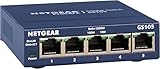


NETGEAR GS305 at a Glance
| Component | Specification |
|---|---|
| Port count | 5 ports |
| Port speed | 10/100/1000 Mbps (Gigabit Ethernet) |
| Switching capacity | 10 Gbps non-blocking |
| Management | Unmanaged (plug-and-play) |
| PoE support | No |
| SFP uplinks | None |
| Form factor | Desktop / wall-mount, steel case |
| Cooling | Fanless (silent) |
| Approx price | around $25 |
Throughput & Real-World Speed
The GS305 is a true gigabit switch — each of its five ports runs at up to 1 Gbps full-duplex, hitting the gigabit Ethernet ceiling of roughly 117 MB/s of real-world file transfer. The 10 Gbps non-blocking switching fabric means all five ports can run at full gigabit simultaneously without internal bottlenecks. For most home networks, gigabit is well ahead of what online games need (a few megabits per second), but it makes a real difference for NAS file copies and large game downloads. The GS305’s value is consistent low-latency, zero-packet-loss wired connections rather than raw bandwidth — exactly what you want for a gaming PC, console or streaming device that benefits from the stability WiFi can never quite match. Practical wired latency on a switch like this is sub-millisecond port-to-port, which is fundamentally a different experience to even a strong WiFi connection where queueing, retransmissions and roaming events can introduce visible jitter. For the network basics, see our low-latency gaming network guide.
Managed vs Unmanaged Capabilities
The GS305 is fully unmanaged. There is no web interface, no VLAN, no QoS, and no monitoring — you plug a cable in and the switch works. That is precisely the appeal: at $25 it is the simplest possible network upgrade, and there is genuinely nothing to learn, nothing to configure and nothing that can be wrong on first power-on. NETGEAR’s range steps up to managed and ‘Plus’ (Smart Managed) variants for users who need VLANs or QoS — for example the GS305E adds web management with VLAN, QoS and port-mirroring features — but the base GS305 is the no-config option for buyers who simply need more wired ports. For the great majority of home users that is the correct answer; the management features in higher-tier models are useful only if you actually intend to use them.
PoE Power for IP Cameras / APs
The GS305 does not provide PoE. For powering an access point or IP camera over the Ethernet cable you need a separate injector or a PoE-capable switch. NETGEAR’s range includes PoE variants such as the GS305P at a higher price — that is the right pick for a small camera or AP deployment, because a single PoE switch is tidier and usually cheaper than retrofitting individual injectors. For the typical home network of PCs, consoles, smart TVs and a NAS, the base GS305’s lack of PoE is not an issue, since none of those devices use PoE. WiFi access points are the main edge case to think about, as some ceiling-mounted units expect PoE rather than a wall-wart power adapter.
Build Quality, Heat & Noise
NETGEAR houses the GS305 in a sturdy steel case, which is the right call at this price — the metal shell helps with heat dissipation, gives the unit some weight to stay put, and feels durable. The switch is fanless and therefore silent, well suited to a bedroom, living room or quiet office desk where any whir would be intrusive. Even with multiple ports busy at full gigabit it runs only mildly warm to the touch. The chassis includes wall-mount holes for tidy installations behind a desk, inside a cupboard or in a small media cabinet, which is useful for keeping the cable run neat. NETGEAR’s hardware build and long-term reliability are widely regarded — the GS305 follows that tradition, and the unit’s long market presence and large positive buyer-review base speak to that. For cable choice, see our best Ethernet cables for gaming guide.
Best For – Gaming Home / SMB / Pro
The GS305 is squarely a home and small-office switch. For the gamer it is ideal: take one cable from the router and add four more wired ports for a gaming PC, console, smart TV and a streaming box, eliminating WiFi variability from the latency-sensitive devices. For a one-person home office it is equally suitable — printer, NAS, desktop and an extra device for testing or guests. It is not the right tool for environments that need VLAN segmentation, monitoring or PoE — but at $25 it was never built for that role. Buyers who need more ports should consider the GS308 or the 16-port GS316 in NETGEAR’s range; buyers who need management features should look at the GS305E or the GS308E Smart Managed Plus variants. For the wider network, see our best gaming routers guide.
Verdict
At around $25 the NETGEAR GS305 is an easy network purchase to recommend. It is a sturdy, silent, fully gigabit plug-and-play 5-port switch from a brand with deep networking roots, and it is the natural rival to TP-Link’s TL-SG105 at almost identical price. Either is a sound choice; brand loyalty, aesthetic and what is in stock locally are usually the deciding factors. NETGEAR’s wider range — managed Plus models, PoE variants, larger 8 and 16 port models — gives an easy upgrade path if needs grow over time. For the typical buyer who simply wants four extra wired ports behind a router, the GS305 is the default answer and it does exactly what is asked of it. For the wireless side of the network, see our best WiFi 7 routers guide.
Frequently Asked Questions
Is the NETGEAR GS305 a managed switch?
No. The GS305 is fully unmanaged — plug and play with no web interface or settings. NETGEAR’s GS305E variant adds basic web management for users who need it.
Does the GS305 support PoE?
No. For Power-over-Ethernet support, NETGEAR offers the GS305P PoE variant, which is the right pick for a small AP or camera install.
Is the NETGEAR GS305 good for gaming?
Yes. As a true gigabit switch with low internal latency, it is ideal for wiring a gaming PC, console or streaming device — far more stable than WiFi for competitive play.
Should I buy the NETGEAR GS305 or the TP-Link TL-SG105?
Both are excellent at the same price. Performance and reliability are very similar; brand loyalty, aesthetic and what is in stock locally are usually the deciding factors.
More Network Switch Reviews
- NETGEAR GS308 Review: 8-Port Gigabit Switch (2026)
- NETGEAR GS316 Review: 16-Port Gigabit Switch (2026)
- TP-Link TL-SG105E Review: 5-Port Easy Smart Switch (2026)
- D-Link DGS-105 Review: 5-Port Gigabit Switch (2026)
- TP-Link SG2428LP Review: 24-Port PoE+ Gigabit Switch (2026)
- Tenda 8-Port 2.5G Switch Review: Multi-Gigabit Network (2026)
- TP-Link TL-SG108 Review: 8-Port Gigabit Switch (2026)
- TP-Link TL-SG105 Review: 5-Port Gigabit Switch (2026)
Affiliate Disclosure: As an Amazon Associate, we earn from qualifying purchases. If you click a link and make a purchase, we may earn a small commission at no extra cost to you. Prices and availability are accurate as of publication and may change.
Related Articles
Looking for more on this topic? Browse the hand-picked guides below — each one applies the same scoring rubric used in this review.










