The real decision is not which panel technology is “better” in the abstract, but which panel behaviour matches the games you play and the room you play them in. OLED switches each pixel off for true black, which transforms dark scenes in a dim room, while IPS keeps a backlight running, which holds brightness steady in daylight and never worries about static screen elements. Pick the behaviour that fits your evenings, and the spec sheets mostly fall into place behind it.


This comparison serves four groups: competitive players chasing clean motion, story-game players who game in the dark, mixed work-and-play users who read text all day, and bright-room players on a tighter budget class. The four example monitors, two IPS and two OLED, were chosen from the names and specifications on their Amazon product pages, so every quoted figure can be checked against the listing before you order.
Quick Picks
As an Amazon Associate we earn from qualifying purchases.
| Product | Best for | Key spec from title |
|---|---|---|
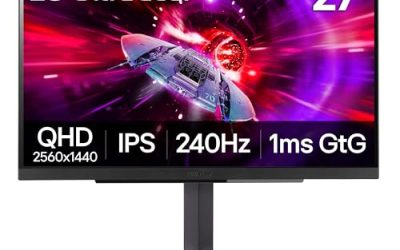
| LG UltraGear 27GR83Q-B | Fast IPS motion at 1440p for competitive play in normal room light | 27-inch QHD IPS, 240Hz, 1ms |
| ASUS ROG Strix XG27ACS | A mixed work-and-play desk that needs USB-C and sharp text | 27-inch QHD Fast IPS, 180Hz, USB-C |
| Alienware AW2725DF | Maximum motion clarity and true black for dark-room esports | 26.7-inch QD-OLED QHD, 360Hz, 0.03ms |
| LG UltraGear 27GS95QE-B | Cinematic HDR gaming in a light-controlled room | 27-inch OLED QHD, 240Hz, DisplayHDR True Black 400 |
How to Choose
Contrast and HDR behaviour
Contrast is where the two technologies genuinely diverge. An IPS panel uses one backlight behind every pixel, so black is really a dark grey, and typical IPS contrast sits near the 1000:1 figure ASUS lists for the XG27ACS. OLED lights each pixel individually and can switch it off completely, so a starfield or a night scene in a horror game holds real depth instead of a grey wash. HDR follows the same split: per-pixel dimming lets OLED place a bright highlight beside true black, while most IPS monitors in this class carry only DisplayHDR 400, an entry-level badge with limited local dimming or none at all.
Motion clarity and response time
Refresh rate alone does not decide how clean motion looks, because the pixels also have to change colour inside each frame window. IPS panels in this guide quote 1ms grey-to-grey, which at 240Hz leaves little visible ghosting in fast pans. OLED pixel transitions are near-instant by comparison; Dell rates the AW2725DF at 0.03ms, and that speed is why a 240Hz OLED can look as clear as a faster IPS screen when you flick across a map. Variable refresh support matters on both sides, so confirm G-Sync or FreeSync certification on the listing rather than assuming it. Our OLED versus IPS gaming monitor comparison walks through the same trade-off from the OLED side.
Brightness, room light and burn-in habits
Room light flips the ranking. IPS backlights hold a steady full-screen brightness, which suits a desk facing a window or shared office lighting, and the panel cannot retain an image no matter how long a spreadsheet sits open. OLED brightness is more variable: LG rates the 27GS95QE at 275 nits typical brightness, and large white windows dim further under automatic brightness limiting. Burn-in is the other honest caveat. Modern OLEDs include pixel-refresh cycles and panel-care routines, and varied gaming content is low risk, but a static HUD, taskbar or news ticker left glowing for many hours a day, every day, is exactly the pattern that wears OLED pixels unevenly.
Size, text clarity and budget class
Both technologies cluster at 27 inches and 2560 x 1440 in this guide, a density of about 109 pixels per inch that keeps game detail and desktop text comfortable at a normal desk distance. Text rendering is the subtle difference: standard IPS uses a familiar RGB stripe layout that operating systems handle perfectly, while QD-OLED’s triangular subpixel arrangement and the white subpixel in LG’s WOLED panels can add faint colour fringing on fine text edges. Budget class is the blunt difference. IPS delivers high refresh rates in a lower price band, while OLED sits a class above; decide the panel first, then shop inside that class.
The 4 Best Options
LG UltraGear 27GR83Q-B
This is the IPS pick for players who want competitive speed without giving up resolution. The 240Hz refresh rate pairs with a 1440p panel, so fast shooters stay fluid while strategy and RPG views still look detailed, and the height, tilt and pivot stand makes it easy to square the screen to your seat. Its DisplayHDR 400 badge should be read as basic tone mapping rather than true HDR, and blacks will look grey in a dark room. For a bright or shared space where the monitor also handles everyday desktop work, that trade is usually the sensible one.
Specs
- 27-inch QHD (2560 x 1440) IPS panel
- 240Hz refresh rate with 1ms response time
- DisplayHDR 400
- NVIDIA G-Sync and AMD FreeSync Premium
- HDMI 2.1 and DisplayPort inputs
- Tilt, height and pivot adjustable stand
Best for: Competitive 1440p players in normally lit rooms who also use the desk for everyday work.
Watch out for: DisplayHDR 400 is not true HDR, so check the listing’s HDR wording before expecting an HDR upgrade.
ASIN: B0C63HDHPR
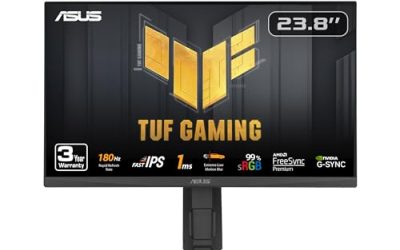
ASUS ROG Strix XG27ACS
Choose this one when the same screen has to earn its keep during the day. The Fast IPS panel runs at 180Hz, fast enough for smooth competitive play, while the USB-C input lets a laptop drive the display and peripherals over one cable. Text stays crisp thanks to the standard subpixel layout, and the wide 133% sRGB gamut keeps colours lively for photo and video hobbies. Extreme Low Motion Blur Sync adds a strobed clarity mode for players who want it. It gives up some refresh headroom to the LG above, but it is the more rounded desk citizen of the two IPS picks.
Specs
- 27-inch QHD (2560 x 1440) Fast IPS panel
- 180Hz refresh rate with 1ms (GTG) response time
- DisplayHDR 400
- 133% sRGB colour gamut
- Extreme Low Motion Blur Sync
- G-Sync Compatible
- USB Type-C port
Best for: Mixed work-and-play desks where one USB-C cable should carry a laptop’s picture and the evenings belong to gaming.
Watch out for: Confirm the USB-C power delivery suits your laptop, since the listing’s charging figure decides whether a separate laptop charger can be retired.
ASIN: B0CV24GQ9W
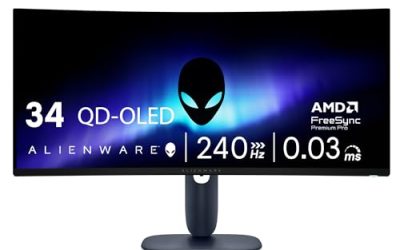
Alienware AW2725DF

This is the OLED argument at full strength. The QD-OLED panel refreshes at 360Hz with a rated 0.03ms response, so motion stays clean at frame rates where most IPS screens start to smear, and per-pixel light control gives night scenes and space games a depth no backlit panel in this guide can match. Colours are vivid without looking strained, helped by the 99.3% DCI-P3 coverage in the listing. The costs are the familiar OLED ones: a premium price class, brightness that suits a controlled room better than a sunlit one, and the need to let the panel run its refresh routines.
Specs
- 26.7-inch QD-OLED panel, QHD (2560 x 1440)
- 360Hz refresh rate with 0.03ms response time
- AMD FreeSync Premium Pro
- 99.3% DCI-P3 colour gamut, HDR400
- HDMI and two DisplayPort inputs
- USB 3.2 Gen 1 hub ports
- Height, tilt, swivel and pivot adjustability
Best for: Serious competitive players and dark-room gamers who want the cleanest motion and the deepest blacks in this comparison.
Watch out for: Read the listing’s warranty wording for burn-in cover, and plan to vary content and use the built-in panel refresh.
ASIN: B0CZSGWLD5
LG UltraGear 27GS95QE-B

LG’s WOLED entry is the cinematic pick. At 240Hz it is fast enough for any competitive title most players will run, and DisplayHDR True Black 400 certification reflects what the panel actually does well: bright highlights against genuinely black backgrounds, which makes HDR films and atmospheric games look striking after dark. The matte anti-glare finish takes the edge off reflections in a room that is dim rather than fully dark. Full-screen brightness is the compromise, since LG rates typical brightness at 275 nits, so a bright office will flatten its advantage over the IPS models.
Specs
- 27-inch OLED panel, QHD (2560 x 1440)
- 240Hz refresh rate with 0.03ms response time
- DisplayHDR True Black 400
- AMD FreeSync Premium Pro and NVIDIA G-Sync
- HDMI 2.1 and DisplayPort inputs
- Tilt, height and swivel stand
Best for: Story-driven and HDR gaming in a light-controlled room, with competitive speed kept in reserve.
Watch out for: Check the rated typical brightness against your room, because 275 nits can look muted opposite a bright window.
ASIN: B0CSGWXVBN
Which One Fits Your Situation
You play competitive shooters after work
Take the LG 27GR83Q-B if your room stays lit and the desk doubles as a workspace, since its 240Hz IPS panel keeps motion clean without any panel-care habits. If you play in the dark and your graphics card can feed very high frame rates, the Alienware AW2725DF is the step up, with 360Hz and near-instant pixel response turning fast pans into readable detail.
Your evenings are story games and films
The LG 27GS95QE-B fits this pattern best. Per-pixel black makes caves, night drives and space scenes look layered instead of washed out, and its HDR presentation is the most convincing in this group. Keep the room dim, vary what you watch, and let the panel’s refresh cycle run when prompted, and the OLED trade-offs stay theoretical rather than practical.
One screen covers workdays and game nights
The ASUS ROG Strix XG27ACS is the natural fit. Its standard subpixel layout keeps spreadsheets and code free of colour fringing, USB-C simplifies a laptop dock, and 180Hz still feels properly quick when the workday ends. IPS also removes the static-content question entirely, which matters when the same taskbar and toolbars sit on screen for eight hours at a stretch.
Your desk faces a window
Stay with IPS. A backlit panel holds its brightness across a full white document or a bright game scene, and neither pick here will punish you for leaving static content open all afternoon. Between the two, the LG 27GR83Q-B suits pure gaming hours, while the ASUS adds the USB-C convenience that a laptop-based bright desk usually appreciates more.
Common Mistakes
- Buying OLED for a bright, window-facing desk, then blaming the panel for a picture that looks flat at midday.
- Treating a DisplayHDR 400 badge on an IPS monitor as true HDR, when the panel has little or no local dimming behind it.
- Comparing quoted response times across brands as if they were measured the same way, instead of weighing refresh rate and panel type together.
- Ignoring static-content habits: an OLED left on the same HUD, taskbar or ticker for most of every day is the one realistic burn-in pattern.
- Choosing 1440p at 32 inches or larger without checking pixel density, then finding desktop text softer than the 27-inch screen it replaced.
Frequently Asked Questions
Is OLED always better than IPS for gaming?
No. OLED wins on contrast, black depth and pixel response, which suits dark rooms and cinematic games. IPS wins on steady full-screen brightness, carefree static content and price class. The better panel is the one whose strengths match your room, your games and your daily habits, not the one with the longer feature list.
Will an OLED monitor burn in if I game on it every day?
Varied gaming content is a low-risk pattern, because the image changes constantly and built-in refresh cycles even out pixel wear. Risk rises with static elements shown for many hours daily, such as a fixed taskbar or a single game’s HUD. Using the panel-care features, hiding the taskbar and varying content keeps the risk small.
Why does text look slightly fringed on some OLED monitors?
QD-OLED and WOLED panels arrange their subpixels differently from the RGB stripe layout that operating systems expect, so fine text edges can show faint colour outlines. Standard IPS panels use the familiar layout and render text cleanly. If you read and write all day, weigh this alongside gaming performance before choosing OLED.
Does 360Hz matter if my PC cannot reach 360 frames per second?
Partly. Variable refresh keeps motion smooth at whatever frame rate your PC sustains, and the OLED’s fast pixel response still reduces blur below the maximum refresh rate. Even so, the Alienware’s advantage grows as frame rates climb, so a mid-range PC that sits near 144 frames per second will see a smaller gap over the 240Hz picks.