Why a monitor desk is a reasonable place to put one
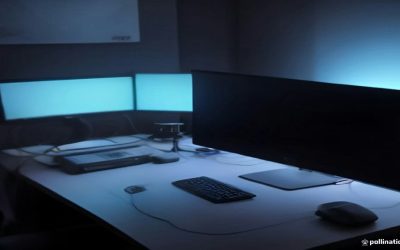
If you’re reading a site about displays and panel types, you probably spend hours a day a foot and a half from a glowing rectangle, often in a small room with the door shut and a PC exhausting warm air into it. That’s exactly the kind of space where an air quality monitor earns its keep. It won’t fix anything by itself, but it tells you whether your “stuffy afternoon headache” is actually a CO2 problem, a dust problem, or just you needing a walk.
I’ll be upfront about the limits here: consumer air quality monitors are useful for spotting trends and bad habits (closed doors, dead HVAC filters, a new rug off-gassing), not for diagnosing health symptoms. If you have ongoing respiratory issues or you’re worried about something in your home affecting your health, that’s a conversation for a doctor or an indoor air quality professional, not a $70 sensor.
What’s actually worth measuring at a desk
Not every sensor matters equally in an office or gaming room. Here’s what tends to be relevant versus what’s mostly marketing noise for this specific use case.
| Metric | Why it matters at a desk | Worth paying extra for? |
|---|---|---|
| CO2 | Rises fast in small, closed rooms with poor airflow; directly tied to that “foggy brain” afternoon feeling | Yes, this is the one that matters most |
| PM2.5 (fine particulate) | Relevant if you’re near a street, have pets, or run a 3D printer/soldering iron nearby | Yes, if any of those apply to you |
| VOCs | Picks up new furniture, cleaning products, that scented candle you forgot about | Nice to have, less critical than CO2 |
| Temperature/humidity | Useful context, barely a reason to buy on its own | No, almost every monitor includes this free |
| “AQI score” / proprietary index | Marketing simplification of the above | No, ignore it, look at raw numbers instead |
If you only care about one number, make it CO2. A closed-door gaming room with two people and a PC pushing heat can hit 1,500-2,000 ppm within a couple hours, well past the point where concentration studies (limited and debated, but consistent in direction) suggest cognitive performance drops off. The fix is usually just “open the door” or “crack a window,” which is almost funny given how much people spend trying to diagnose the feeling instead of just ventilating.
What you get at each price point
These monitors aren’t tied to refresh rate or panel tech, obviously, but the same “spend proportional to what you’ll act on” logic applies as it does with displays.
Under $50, you’re mostly buying a CO2 ballpark and maybe temperature/humidity. Accuracy drifts over time, there’s no calibration option, and the app is usually an afterthought. That’s fine if your only goal is “tell me when the room feels stale,” which, honestly, is most people’s actual goal. If that’s you, a basic budget CO2 monitor will do the job without pretending to be a lab instrument.
In the $80-150 range you start getting real multi-sensor units: CO2, PM2.5, and VOCs together, logged over time with an app or companion display, sometimes with a swappable sensor module so the thing isn’t junk in two years when the sensor degrades. This is the sweet spot for anyone who actually wants to correlate “I feel bad” with a specific number instead of guessing. Look at a multi-sensor air quality monitor if you want data you can actually trust for pattern-spotting.
Above $200 you’re paying for NDIR CO2 sensors (more stable and accurate long-term than the cheaper photoacoustic or estimated sensors), laser particle counters instead of estimated PM2.5, and sometimes third-party calibration certificates. That’s genuinely better hardware, but it’s overkill unless you have a specific reason: a health condition where you want more confidence in the numbers, a home office you’re trying to professionally certify, or a 3D-printing/soldering hobby room where particulate accuracy actually matters.
Where these things go wrong
The most common complaint isn’t inaccuracy, it’s sensor drift. Cheap CO2 sensors (the NDIR-lite or electrochemical kind) tend to read fine out of the box and then quietly drift upward or downward over 6-12 months. If your monitor suddenly claims your room is always “poor” even with the window open, that’s drift, not a sudden change in your air. Some units let you force a calibration by putting them outside for 15 minutes; cheaper ones don’t, and at that point you’re better off replacing it than trusting it.
VOC readings are the other common source of false alarm. They spike on cooking, cleaning sprays, nail polish, even a new mouse pad off-gassing, and then settle within hours. If you see a VOC spike and panic, wait it out before assuming something’s wrong with your space.
And a basic one people miss: don’t put the monitor right next to your PC’s exhaust fan or directly under an air vent. You’ll either measure your tower’s heat output or your HVAC system’s fresh air, not the room you’re actually sitting in.
FAQ
Will an air quality monitor actually make my gaming or work setup healthier?
It can prompt you to ventilate more, which has reasonable (if not exhaustively proven) evidence behind it for comfort and focus. It won’t filter or clean anything by itself; it’s a measurement tool, not a purifier.
Do I need one if I already have a smart thermostat with air quality tracking?
Thermostats are usually mounted centrally, often in a hallway, so they won’t reflect conditions in a closed-door office or gaming room. A dedicated desk unit gives you the number where you’re actually sitting.
Should I buy a monitor with a built-in air purifier?
Generally no. Combo units compromise on both halves: weaker sensors than dedicated monitors and weaker filtration than dedicated purifiers. Buy them separately if you want both.
How often do these need to be replaced or recalibrated?
Budget sensors are often good for 1-2 years before drift becomes noticeable. Mid-range and higher units with swappable sensor modules or self-calibration routines can last considerably longer if you follow the manufacturer’s calibration steps.