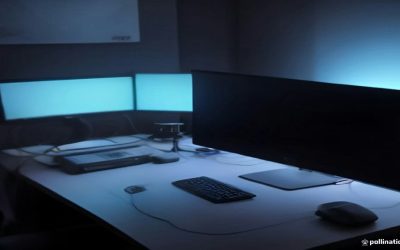
A dual-screen portable monitor setup is one of those upgrades that sounds niche until you’ve worked a full day with one. Whether you’re bolting two 13-15″ panels to a laptop or carrying a single foldable dual-screen unit, the gains are real for spreadsheet work, trading, video editing timelines, or just not alt-tabbing all day. But this category has more quality variance and more ways to end up disappointed than almost any other monitor segment, so it’s worth knowing what you’re actually buying.
What counts as a “portable 2 screen monitor”
There are really two different products hiding under this name, and they solve different problems.
The first is a pair of standalone portable monitors, each 13-16″, connected to your laptop via USB-C or mini-HDMI, usually held up by a folding smart cover or a separate stand. You buy two of the same model, or two different panels if you’re mixing and matching. This is the flexible option: you can use one screen, two screens, or detach them entirely.
The second is a single hinged dual-screen unit, like a laptop-style clamshell with two displays and no keyboard, often marketed as a “mobile monitor” or “dual screen extender.” These dock onto the back of a laptop lid or stand on their own with a kickstand. They’re more compact to travel with as one object, but you lose the ability to use just one screen without carrying the whole rig.
Neither is better in the abstract. It depends on whether you want modularity (two separate monitors) or a single travel-ready object (one hinged unit).
Panel type, resolution, and refresh rate: what actually matters here
Almost everything in this category uses IPS panels, which is the right call for productivity work. IPS gives you consistent color and wide viewing angles, which matters a lot when a second screen is often tilted at an awkward angle relative to your eyes. Avoid any portable monitor that doesn’t specify panel type at all, since that usually means a cheaper VA or TN panel with worse off-angle performance, and off-angle performance is exactly what you need in a side monitor.
Resolution is typically 1920×1080 or 1920×1200 on 13-16″ panels, which is plenty sharp at normal viewing distance. Some higher-end options go to 2.5K or 4K; it looks nicer but drains your laptop’s battery and GPU faster over USB-C, and on a 13-14″ screen the difference versus 1080p is subtle unless you’re doing color-critical photo work.
Refresh rate is the one spec where this category genuinely doesn’t need to compete with gaming monitors. 60Hz is standard and fine for spreadsheets, email, code, and video review. A handful of portable monitors now advertise 120Hz or even 144Hz, and if you want to game off a dual-screen rig occasionally, that’s a legitimate reason to pay more. But for pure productivity use, a 120Hz portable panel is paying for a spec you won’t notice, while a 60Hz panel noticeably saves battery drain through USB-C, which matters more on the road.
| Feature | Standalone pair (2 separate monitors) | Single hinged dual-screen unit |
|---|---|---|
| Flexibility | Use 1 or 2 screens independently | Both screens always travel together |
| Setup time | Two stands/cables to manage | One object, faster setup |
| Weight to carry | Often lighter per unit, heavier combined | Usually lighter overall |
| Typical panel | IPS, 1080p/1200p, 60Hz common | IPS, 1080p common, less resolution variety |
| Best for | Desk-based hybrid workers, occasional travel | Frequent travelers, minimal desk setups |
| Failure point | Cables/power delivery across two units | Hinge mechanism and single point of failure |
The part nobody mentions until it bites you: power
Running two external displays off a laptop’s USB-C port is the single biggest practical problem in this category. Most portable monitors draw power through the same USB-C cable carrying video, and a lot of laptops can’t comfortably power two external panels plus themselves without a dedicated power source for at least one monitor. If your laptop has only one or two USB-C ports total, running two displays plus charging the laptop itself can mean you need a USB-C hub with its own power delivery, or monitors with a separate power input. Check this before buying rather than after, since dim or flickering portable monitors are almost always a power delivery issue, not a defective unit.
Also check your laptop’s video output capability. Not every USB-C port supports DisplayPort Alt Mode, and if yours doesn’t, you’ll need a dock or adapter that handles video conversion, which adds cost and another thing that can fail.
Who actually benefits from this setup
People doing financial analysis, data entry, coding, or multi-document writing get the clearest benefit, since the second screen holds reference material or a second application full-time. Video editors benefit less than you’d expect from small 13″ portable panels, since timeline work wants more horizontal real estate than a second 13″ screen gives you; a single larger external monitor is often the better buy there. If you’re mostly consuming content or doing light browsing, a dual-screen rig is overkill and a single 15.6″ portable monitor covers most needs without the extra cables and weight.
If you do want the full dual-screen setup, look at dual screen portable monitor extenders for the single-unit option, or a pair of 13.3″ IPS portable monitors if you want the flexibility of separate units. Either way, confirm the return window before travel, since the only real way to know if your laptop can power two external screens cleanly is to test it at your desk first.
FAQ
Will a portable dual-screen setup drain my laptop battery fast?
Yes, noticeably. Driving two external panels through USB-C typically cuts unplugged laptop battery life substantially, often by half or more depending on panel brightness and laptop model. Plan to work near an outlet, or buy monitors with a separate power input so the laptop battery only handles the laptop.
Can I use these with a phone or tablet instead of a laptop?
Many portable monitors work with phones that support USB-C video output (DisplayPort Alt Mode or Samsung DeX-style modes), but check your specific phone model first since not all Android phones support it and iPhones have limited support outside of mirroring. Don’t assume compatibility from the box alone.
Is 60Hz actually fine, or should I pay more for 120Hz?
For office work, writing, and browsing, 60Hz is genuinely fine and you won’t miss anything. Pay for 120Hz only if you specifically plan to game on the portable screens or do fast-scrolling work where motion smoothness matters to you.
Do these cause eye strain more than a regular monitor?
There’s no solid evidence that portable monitors specifically cause more eye strain than any other screen; it comes down to brightness, viewing distance, and how long you look at any screen without breaks. If you’re having eye discomfort regularly, it’s worth checking in with an eye care professional rather than assuming it’s the hardware.