As an Amazon Associate we earn from qualifying purchases.


A console deserves a monitor built around how consoles actually work. PlayStation 5 and Xbox Series X output up to 4K at 120Hz, support variable refresh rate, and lean on HDR for bright highlights and dark shadows in the same scene. A monitor that only checks the PC boxes can leave those console features unused, so the best ASUS monitor for console gaming pairs the right HDMI port with the right panel. This guide compares five ASUS monitors sold on Amazon US.
What Consoles Need From a Monitor
The most important port on a console monitor is HDMI 2.1. A full-bandwidth HDMI 2.1 connection carries 48 Gbps, letting a console send a native 4K signal at 120Hz without chroma subsampling. An older HDMI 2.0 port tops out at 4K at 60Hz, so it cannot unlock the 120Hz modes competitive console games offer. Every 4K monitor in this guide has HDMI 2.1.
Variable refresh rate matters just as much. VRR lets the display match its refresh to the frame output of the console, which smooths out the stutter that appears when a game drops below its target frame rate. PlayStation 5 supports VRR over HDMI 2.1 on compatible displays, and Xbox Series X supports VRR through FreeSync over HDMI. All five monitors here support VRR through FreeSync Premium, FreeSync Premium Pro, or G-SYNC Compatible certification.
Panel type decides the look. QD-OLED panels switch pixels in 0.03 ms, produce perfect blacks, and cover 99 percent of the DCI-P3 color space. Fast IPS panels answer with higher brightness in bright rooms, no burn-in worries, and wide viewing angles. Size is a matter of distance: at a desk, a 27-inch 4K panel reaches 166 pixels per inch; at a couch, a 32-inch screen keeps HUD elements readable.
The Five Picks at a Glance
| Monitor | Size and Panel | Resolution and Refresh | Console Ports | VRR |
|---|---|---|---|---|
| ASUS ROG Swift PG32UCDM | 32-inch QD-OLED | 4K, 240Hz | HDMI 2.1 | FreeSync Premium Pro, G-SYNC Compatible |
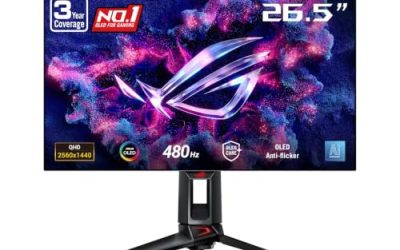
| ASUS ROG Swift PG27UCDM | 26.5-inch QD-OLED | 4K, 240Hz | 2x HDMI 2.1 | FreeSync Premium Pro, G-SYNC Compatible |
| ASUS ROG Strix XG32UQ | 32-inch Fast IPS | 4K, 160Hz OC | HDMI 2.1 | FreeSync Premium Pro, G-SYNC Compatible |
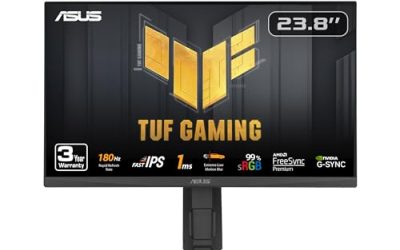
| ASUS TUF Gaming VG28UQL1A | 28-inch Fast IPS | 4K, 144Hz | HDMI 2.1 | FreeSync Premium, G-SYNC Compatible |
| ASUS TUF Gaming VG27AQ3A | 27-inch Fast IPS | 1440p, 180Hz | HDMI, DisplayPort | FreeSync Premium, G-SYNC Compatible |
1. ASUS ROG Swift PG32UCDM — Best 4K OLED Console Monitor Overall
The PG32UCDM is the flagship pick for console players who want the best image first. Its 32-inch QD-OLED panel runs native 4K at up to 240Hz with a 0.03 ms response time, so motion stays clean in fast shooters and racing games. The panel covers 99 percent of the DCI-P3 color space with true 10-bit color, and its DisplayHDR 400 True Black certification means HDR highlights punch against genuinely black shadows rather than dark grey. HDMI 2.1 inputs support 4K at 120Hz from PlayStation 5 and Xbox Series X, and FreeSync Premium Pro and G-SYNC Compatible support mean VRR works across both console platforms. A custom heatsink and graphene film manage panel temperature, ASUS OLED Care features reduce image retention from static HUD elements, and a 90W USB-C port adds a one-cable laptop connection.
Specs
- 32-inch (31.5-inch viewable) QD-OLED panel; 3840 x 2160 resolution; 240Hz refresh rate; 0.03 ms response time; 99% DCI-P3, true 10-bit color; VESA DisplayHDR 400 True Black; HDMI 2.1 inputs; DisplayPort 1.4 with DSC; USB-C with 90W power delivery; custom heatsink and graphene film; FreeSync Premium Pro and G-SYNC Compatible; ASIN B0CV26XVMD — https://www.amazon.com/dp/B0CV26XVMD
2. ASUS ROG Swift PG27UCDM — Best 27-Inch 4K OLED for Console
The PG27UCDM packs the same fourth-generation QD-OLED technology as its 32-inch sibling into a 27-inch screen, making it the sharpest monitor in this guide. Its 26.5-inch viewable panel delivers 166 pixels per inch at 4K, so fine detail and small HUD text stay crisp at desk distance. It runs at 240Hz with a 0.03 ms response time, covers 99 percent of DCI-P3 and 145 percent of sRGB, and reaches 1,000 nits peak HDR brightness, according to the published ASUS specifications. OLED Anti-Flicker 2.0 and OLED Care Pro, including a Neo Proximity Sensor, handle burn-in protection.
Two HDMI 2.1 inputs take two consoles at once, DisplayPort 2.1a with UHBR20 gives a full 80 Gbps for a PC, and USB-C carries video and up to 90W of power to a laptop. FreeSync Premium Pro and G-SYNC Compatible cover VRR on both consoles and PC, and a KVM switch lets one keyboard and mouse serve a PC and a second device.
Specs
- 26.5-inch viewable 4K QD-OLED panel; 3840 x 2160 resolution; 240Hz refresh rate; 0.03 ms response time; 99% DCI-P3, 145% sRGB, true 10-bit color; 1,000 nits peak HDR brightness; VESA DisplayHDR 400 True Black; 2x HDMI 2.1, DisplayPort 2.1a UHBR20, USB-C 90W; FreeSync Premium Pro and G-SYNC Compatible; 3-year warranty; ASIN B0DM6SHQTN — https://www.amazon.com/dp/B0DM6SHQTN
3. ASUS ROG Strix XG32UQ — Best 4K IPS Console Monitor

The XG32UQ suits console players who want a big 4K screen with strong HDR and no OLED care routine. Its 32-inch Fast IPS panel runs 4K at up to 160Hz with overclocking and a 1 ms response time, and its DisplayHDR 600 certification beats the HDR 400 models in this guide for peak HDR brightness. The panel covers 96 percent of DCI-P3, with a 1,000,000:1 dynamic contrast figure listed by ASUS. Variable Overdrive adjusts overdrive as frame rates change, keeping motion clean without the ghosting a fixed setting can cause.
For consoles, the headline is the HDMI 2.1 port with full 48 Gbps bandwidth, supporting native 4K at 120Hz on both consoles without chroma subsampling. FreeSync Premium Pro and G-SYNC Compatible cover VRR, and the monitor includes a DisplayPort 1.4 input with DSC for a PC running 4K at 144Hz. An Ultra High Speed HDMI cable ships in the box, so the cable for 4K 120Hz console play is already included. Buy this one for a bright room or a shared screen.
Specs
- 32-inch Fast IPS panel; 3840 x 2160 resolution; 160Hz refresh rate with overclocking; 1 ms response time; 96% DCI-P3; VESA DisplayHDR 600; HDMI 2.1 with 48 Gbps bandwidth; DisplayPort 1.4 with DSC; FreeSync Premium Pro and G-SYNC Compatible; Variable Overdrive; ASIN B0BGYZXHVH — https://www.amazon.com/dp/B0BGYZXHVH
4. ASUS TUF Gaming VG28UQL1A — Best Value 4K Console Monitor
The VG28UQL1A is the most accessible route to native 4K 120Hz console gaming here, and its 28-inch size fits a standard desk. Its Fast IPS panel runs 4K at 144Hz with a 1 ms response time, and its HDMI 2.1 input with DSC supports 4K at 120Hz from current consoles. DisplayHDR 400 covers HDR, the panel covers 90 percent of DCI-P3, and ELMB Sync combines blur reduction with VRR so fast motion stays clear. FreeSync Premium and G-SYNC Compatible cover VRR on both console platforms.
At 28 inches, this monitor sits between the desk-friendly 27-inch class and the room-filling 32-inch class, and 4K still looks sharp at normal desk distance. It suits players who want every console feature that matters — 4K, 120Hz, HDMI 2.1, VRR, HDR — without paying for OLED or a 240Hz panel consoles cannot use. One note: a third-party tracker showed this model as unavailable at one point, while an Amazon US price tracker showed it listed on Amazon US in November 2026. Confirm current availability on the listing before buying.
Specs
- 28-inch Fast IPS panel; 3840 x 2160 resolution; 144Hz refresh rate; 1 ms response time; 90% DCI-P3; VESA DisplayHDR 400; HDMI 2.1 with DSC; DisplayPort 1.4; FreeSync Premium and G-SYNC Compatible; ELMB Sync and Variable Overdrive; ASIN B09FP3J623 — https://www.amazon.com/dp/B09FP3J623
5. ASUS TUF Gaming VG27AQ3A — Best 1440p Console Monitor

The VG27AQ3A is the value pick for players who prefer a high refresh rate and a lower spend over native 4K. Its 27-inch Fast IPS panel runs 1440p at 180Hz with a 1 ms response time, covers 130 percent of sRGB, and carries FreeSync Premium and G-SYNC Compatible support for VRR. ELMB Sync keeps motion clear in fast games, and built-in speakers cover casual play.
It works on consoles because PlayStation 5 supports 1440p output and Xbox Series X can output 1440p, so the console sends a signal the panel shows natively at a high refresh rate. Games that offer a 120Hz mode can use it here, and the 180Hz ceiling leaves headroom for PC play on the same screen. The trade-off is sharpness: a 1440p image is visibly softer than native 4K, and HDR support is basic next to the DisplayHDR 600 model above. For competitive players who value smooth motion over pixel density, that trade is often worth making.
Specs
- 27-inch Fast IPS panel; 2560 x 1440 resolution; 180Hz refresh rate; 1 ms response time; 130% sRGB; HDR support; HDMI and DisplayPort inputs; built-in speakers; FreeSync Premium and G-SYNC Compatible; ELMB Sync; ASIN B0BZR9TMBJ — https://www.amazon.com/dp/B0BZR9TMBJ
1440p or 4K for Console Gaming
Native 4K shows more detail in textures, distant scenery, and small interface text, and it matches current console output exactly, so nothing is scaled. A 4K monitor suits cinematic games, players who sit far enough back for a 32-inch screen, and anyone who also uses the monitor for media. A 1440p monitor makes sense on a tighter budget, for competitive games where refresh rate beats pixel density, or for players who sit close and value smooth motion above all else. Either resolution works well with VRR and benefits from a game mode that skips extra image processing.
VRR and ALLM, Explained Simply
Variable refresh rate does the most quiet work in console gaming. Without it, a game dropping from 60 frames per second to 48 shows visible stutter as the display repeats frames. With VRR active, the display adjusts its refresh to match the console, and the dip is far less noticeable. PlayStation 5 enables VRR over HDMI 2.1, and Xbox Series X supports VRR through FreeSync. Every monitor in this guide supports VRR, so the choice is which panel and resolution to pair it with. Auto Low Latency Mode is the companion feature: when a console sends a game signal, ALLM switches the display into its lowest-latency mode automatically. If a monitor ever feels laggy on a console, check the game mode is on and the console output is set to 120Hz where the game supports it.
Setup Tips for a Console Monitor
Connect the console with the Ultra High Speed HDMI cable from the console or the monitor, plugged into the HDMI 2.1 port, since only the 2.1 port carries the full 48 Gbps signal. In the console settings, enable 120Hz output and VRR, then run the HDR calibration tool. On the monitor, turn on game mode and enable VRR in the on-screen menu if it is not on by default. See our guide to the best monitor for console for a wider look at console monitors across brands.
FAQ
Do I need HDMI 2.1 for PS5 or Xbox Series X?
HDMI 2.1 is needed for native 4K at 120Hz and VRR on PlayStation 5. Without it, a console still works at 4K 60Hz or 1440p 120Hz, but the 120Hz modes in supported games stay locked away, so the four 4K monitors here all include HDMI 2.1.
Is a 1440p monitor good enough for console gaming?
A 1440p monitor is good enough when smooth motion and value matter more than maximum sharpness. PlayStation 5 supports 1440p output and Xbox Series X can output 1440p, so the VG27AQ3A runs natively with both consoles, though its image is softer than native 4K.
Does VRR work on every ASUS monitor in this guide?
VRR works on all five monitors here through FreeSync Premium or FreeSync Premium Pro, plus G-SYNC Compatible support. PlayStation 5 uses VRR over HDMI 2.1 and Xbox Series X uses VRR through FreeSync, so both consoles are covered.
Is OLED safe for long console sessions?
OLED is safe for long sessions when burn-in protection is left on. The two OLED models here include OLED Care features, pixel refresh cycles, and a proximity sensor on the PG27UCDM, and varying on-screen content keeps static HUD elements from leaving a mark.
Conclusion
The best ASUS monitor for console gaming depends on the room and how the player sits. The PG32UCDM gives the strongest HDR image at 32 inches, the PG27UCDM gives the sharpest 4K OLED image at desk distance, the XG32UQ gives bright 4K HDR without OLED care habits, the VG28UQL1A gives native 4K 120Hz play at the most accessible tier, and the VG27AQ3A gives high refresh rate 1440p play for competitive games. Pick the size first, then the panel, and make sure HDMI 2.1 and VRR are in place before anything else.