Every other key on the board is quiet. Then your thumb lands on the spacebar and it answers with a squeak, a small dry chirp that repeats on press after press. The key is not loose. It does not rattle, rock, or feel soft. It registers perfectly and lands level. It simply makes a noise none of the letter keys make, every single time. That is the fingerprint of a friction fault. Somewhere in the travel, two surfaces that should glide past each other are sliding dry, and dry surfaces grip, slip, grip, slip, hundreds of times a second. That stick-slip cycle is exactly what a squeak is. Find which pair of surfaces is singing, put a film of lubricant between them, and the noise stops at its source.
As an Amazon Associate, we earn from qualifying purchases.
Quick Answer
A squeaking spacebar is dry friction, not looseness. Press the left end, center, and right end slowly: squeaks at the ends mean dry stabilizer stems, a squeak at the center means a dry switch stem, and a squeak from one side only means the stabilizer wire is dry in its tunnel. Lubricate the surface the map names.
The Three-Zone Squeak Map
Do not pull the keycap yet. The spacebar has three press zones, and each loads a different sliding surface, so the zone that squeaks names the part that is dry. Press each zone slowly, down and back up, and listen to where the noise lives and when it happens.
- Both ends squeak, the center is silent. The stabilizer stems are sliding dry in their housings. Each end press drives one stem down its housing walls, the loudest friction surface under the bar. This is the most common map result.
- The center squeaks, the ends are quiet. The center switch’s stem is dry where it slides against its housing rails. The stabilizers are innocent; the switch under your thumb is the singer.
- Only one end squeaks. The stabilizer wire is dry where its leg turns inside that side’s stem tunnel, or that side’s stem alone is dry. One-sided noise means one-sided friction.
- The squeak sounds on the way up, not on the way down. The surfaces are gripping during the return slide, confirming friction in the travel rather than a bottom-out noise. A noise only at the very bottom, with silent travel, is the cap or stem feet striking, covered in the last cause below.
Note the pitch too: a high, thin chirp is plastic on plastic, while a lower creak is the wire. Keep your map result in hand, because each cause below is worked in a different place.
Cause One: Dry Stabilizer Stems in Their Housings
Each stabilizer stem is a small plunger that spends the whole press sliding inside a housing clipped or screwed to the board, guided by its flat sides. From the factory, those sides carry a thin film of grease. Over months of presses the film thins, migrates, and picks up dust, until the stem slides on bare plastic, with exactly the grip-slip behavior that squeaks. The spacebar’s stems travel further and carry more side load than any other part of the board, which is why this key complains first.
Pull the cap by lifting both ends evenly, a little at a time, so the wire is not bent. With the cap off, press each stem with a fingertip: a dry stem often squeaks under your finger alone, which convicts it without the cap involved. The fix is a thin film of thick switch lubricant or dielectric grease on the flat sides of the stem, worked in by pressing the stem a dozen times. Thin is the whole instruction. A film silences the slide; a blob packed into the housing turns the press sluggish, the drag fault covered by the mushy spacebar guide on this site. If your map said both ends, treat both stems: the quieter one is usually only weeks behind the louder one.
Cause Two: A Dry Center Switch Stem
If the map convicted the center, the stabilizers never need to come apart. The switch stem slides on rails inside its housing, and a stem that left the factory dry, or whose lube has worn through, chirps on every travel. The spacebar’s switch is the most-pressed on the board, so it wears its lube out years ahead of the letter keys.
On a hot-swappable board the test and the fix are the same motion: pull the center switch and swap in one from a quiet corner key. If the squeak leaves with the old switch, lube its stem rails and refit it, or leave the fresh switch in place and put the serviced one in the corner. On a soldered board, a drop of thin switch lubricant worked down the stem rails from above, followed by fifty presses to spread it, reaches the same surfaces without opening the switch. What does not help is lubing the spring: a ringing spring is a different noise with its own guide on this site, and oil on it does nothing for a stem squeaking on its rails.
Cause Three: The Wire Turning Dry in Its Tunnel
Each stabilizer wire leg passes through a tunnel in its stem, and every press rotates that leg slightly inside the tunnel. Seated correctly and greased, the rotation is silent. Dry, the metal leg grips and releases against the plastic tunnel wall, producing the lower creak from the map, usually on one side because the two legs never wear at the same rate. This is the one squeak that lives in the wire contact rather than a sliding face.
The fix is placement, not quantity: a small dab of thick grease inside each tunnel and along the last stretch of each wire leg, then work the bar twenty times to spread it. Note how this differs from a rattle. A rattling bar has play, free movement that lets parts strike each other, and it ticks. A squeaking bar can be perfectly tight and still sing because the contact is dry. If your bar also rocks or ticks at one end, that looseness has its own fix order in the spacebar rattle guide; cure the play first, then map the squeak again, because a tight bar is far easier to listen to.
Cause Four: Contact at the Bottom of the Travel
If the map showed silent travel and a noise only at the very bottom of the press, the sliding surfaces are fine and something is being struck or rubbed at the end of the stroke. The usual finds are the tiny feet molded under the stabilizer stems, which can chirp as they meet the board, a keycap socket with a polished wear spot where it rubs the stem cross, or case foam the cap’s underside grazes at full depth. Clip the stem feet if your design has them. A rubbing socket quiets with the same thin film of grease on the stem cross. Grazed foam should be trimmed back a few millimeters around the spacebar span. This is the only cause here where the fix is removing contact rather than adding lubricant.
How to Choose a Keyboard That Stays Quiet
If your stabilizers are worn past what lube can save, or you are buying anyway, choose by the parts that decide spacebar noise. Factory-lubricated stabilizers and switches arrive with the sliding surfaces already filmed. Screw-in stabilizers hold their housings dead still, so the stems slide true instead of at a rubbing angle. Hot-swappable sockets turn a dry center switch into a two-minute swap. The five boards below were picked on those traits.
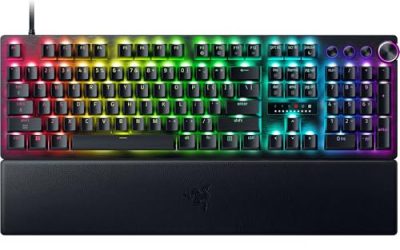
Razer Huntsman V3 Pro 8KHz

Optical analog switches with factory-smooth stems and firmly fitted stabilizers, and no contact leaves in the center switch adding noise of their own.
Specs
- Analog optical switches, adjustable actuation, rapid trigger, 8000 Hz polling, wired USB-C, full-size layout.
Tier: premium
SteelSeries Apex Pro Gen 3

Magnetic switches with per-key actuation and a stiff chassis that keeps the stabilizer housings planted, so the stems slide straight.
Specs
- OmniPoint 3.0 adjustable magnetic switches, rapid trigger, per-key RGB, OLED Smart Display, wired USB-C, full-size layout.
Tier: premium
Corsair K70 RGB PRO
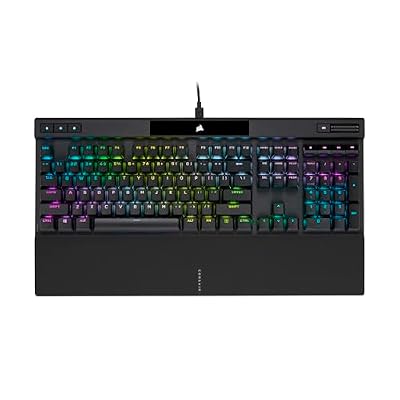
An aluminum frame that does not flex under the spacebar, so the stabilizer stems never pick up a rubbing angle from a bending deck.
Specs
- Cherry MX mechanical switches, 8000 Hz polling, per-key RGB, detachable USB-C cable, aluminum frame, full-size layout.
Tier: mid-range
Logitech G PRO X TKL Lightspeed

A compact esports board with a short, rigid deck, consistent factory switch feel across the whole board, and little frame flex.
Specs
- GX mechanical switches, LIGHTSPEED wireless and Bluetooth, tenkeyless layout, rechargeable over USB-C, carry case included.
Tier: mid-range
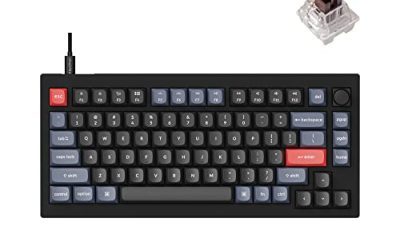
Keychron V1

The serviceability pick: hot-swappable switches and accessible stabilizers, so a dried-out surface is a puller-and-lube fix, not a new board.
Specs
- Hot-swappable switches, 75 percent layout, QMK and VIA support, south-facing RGB, wired USB-C, Windows and macOS keycaps included.
Tier: budget
Who Should Skip This Guide
Skip this guide if your spacebar also rocks, ticks, or dips at one end, because that is free play in the stabilizer, a rattle fault with its own fix order in the spacebar rattle guide on this site. Skip it if the noise is a ringing note that lingers after the press ends, since a vibrating spring is resonance, covered by the keyboard ping guide. Skip it if the bar feels soft and padded rather than noisy, because drag and squeak are opposite faults and the mushy spacebar guide owns the silent one. And skip it if the bar double fires or misses presses, since those are electrical faults lube cannot reach.
Frequently Asked Questions
Why does only the spacebar squeak when the letter keys are quiet?
Because the spacebar is the only key with stabilizer stems sliding in housings, a wire turning in tunnels, and the heaviest cap loading its center switch. It has more sliding surfaces than any letter key, travels under more side load, and is pressed more often, so its lubricant wears out first.
Can I fix a squeaky spacebar without removing the keycap?
Only the center-switch cause, and only partially: thin switch lubricant worked down the stem rails from above can reach a dry stem. The stabilizer stems and wire tunnels sit under the cap, and there is no path to them that does not start with pulling the bar, lifting both ends evenly so the wire stays true.
How much lubricant does a squeaking stabilizer actually need?
A film, not a filling. The flat sides of each stem should carry a visible sheen and no more. Excess grease packed into the housings resists the press on the way down and the spring on the way back up, trading a squeak for a sluggish bar, a worse fault than the one you started with.
Will the squeak come back after I lube it?
Eventually, yes, because lubricant thins and migrates with use, and the spacebar works its surfaces harder than any other key. A careful first application usually lasts a long stretch of daily play. When the chirp returns, the squeak map takes a minute to rerun, and the same surface will almost always be the one that dried out again.
Final Verdict
A squeaking spacebar is a tight, healthy key with one dry sliding surface, and the Three-Zone Squeak Map finds it without a guess: ends for the stabilizer stems, center for the switch stem, one side for the wire in its tunnel, the bottom of the travel for contact noises. Lube the surface the map names, keep the film thin, and leave every other part alone. Worked in that order, the loudest key on the board lands as quietly as the letters around it.
Product and ASIN Reference
| Product | ASIN |
|---|---|
| Razer Huntsman V3 Pro 8KHz | B0FRPHGXJZ |
| SteelSeries Apex Pro Gen 3 | B0D4RKYZJ5 |
| Corsair K70 RGB PRO | B09NCMHTSB |
| Logitech G PRO X TKL Lightspeed | B0BQBSH6NQ |
| Keychron V1 | B09NLWG6X1 |