

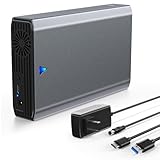
- Top Pick: INDMEM SAS to USB 3.0 Adapter, SAS/SATA Hard Drive Enclosure Reader Converter Docking Station for 2.5/3.5 inch Server HDD SSD with 12V/2A Power Adapter,Support up to 24TB(New Upgrade)
- Best Value: MAIWO SAS SATA Hard Drive Enclosure, SAS to USB C Adapter, External Hard Disk Reader for 2.5 3.5 Inch SSD HDD, 30TB Capacity, 12V 2A Power, Aluminium Case
- Premium Choice: SAS to USB 3.0 Adapter, SAS Hard Drive Docking Station for 2.5/3.5 Inch SSD HDD,Tool -Free External Enclosure with 12V/2A Power Adapter and Cooling Fan,Support up to 24TB
SAS drives show up in used server listings and enterprise storage gear, often dirt cheap compared to their SATA or NVMe equivalents. If you’ve stumbled onto a pile of 10K or 15K RPM SAS drives for a few bucks each and are wondering whether they’re worth building a system around versus just buying an SSD, the short answer is: almost never, unless you specifically need bulk capacity on a budget and already have (or are willing to buy) the right controller. Here’s the actual breakdown.
As an Amazon Associate we earn from qualifying purchases at no extra cost to you.




What SAS actually is
SAS (Serial Attached SCSI) is an interface, not a drive technology on its own — you can get SAS hard drives and SAS SSDs, though SAS SSDs are rare outside enterprise arrays. What people usually mean by “SAS vs SSD” is spinning SAS hard drives, the 10K/15K RPM ones pulled from decommissioned servers, versus a SATA or NVMe solid state drive. SAS drives need a SAS controller or HBA — your average desktop motherboard SATA port won’t talk to one. That’s the first cost most people forget to budget for.
Performance reality check
A 15K RPM SAS drive is fast for a mechanical disk. Sequential reads land around 200-280 MB/s and random 4K performance is noticeably better than a 7200 RPM SATA drive because of the higher rotational speed and shorter seek times. But it’s still a spinning platter. A budget SATA SSD does 500-550 MB/s sequential and random 4K IOPS that are 20-50x higher than any SAS mechanical drive. An NVMe SSD isn’t even in the same conversation — we’re talking 3,000-7,000 MB/s and IOPS in the hundreds of thousands.
If you’re running a database, a VM host, or anything latency-sensitive, SAS hard drives will feel sluggish compared to SSD no matter the RPM. The one place SAS mechanical drives still win is sustained large-file throughput per dollar at high capacity, and even that gap has narrowed as SSD prices have dropped.
Side by side
| Factor | SAS HDD (10K/15K RPM) | SATA SSD | NVMe SSD |
|---|---|---|---|
| Sequential speed | 150-280 MB/s | 500-550 MB/s | 3,000-7,000+ MB/s |
| Random 4K IOPS | ~200-400 | ~90,000 | 300,000+ |
| Typical used price (used, per TB) | $5-15 | $30-40 | $35-60 |
| Needs special controller | Yes (SAS HBA) | No | No (if M.2 slot available) |
| Noise/heat/power draw | High | None/negligible | Low, can run hot under load |
| Failure mode | Mechanical wear, bearing failure, clicking | Controller failure, flash wear-out | Controller failure, flash wear-out |
| Best use today | Bulk archival/cold storage on existing hardware | General desktop upgrade | OS drive, gaming, workstation |
The hidden costs of going SAS
Those cheap enterprise SAS drives usually come from decommissioned servers with thousands of power-on hours already on them. They’re often fine — enterprise drives are built for 24/7 duty — but you’re buying unknown remaining lifespan. You also need a SAS HBA card, which runs $30-80 used, plus often a specific drive caddy or backplane depending on the drive’s connector and form factor (2.5″ SFF vs 3.5″ LFF matters here). Add a PCIe slot requirement and sometimes a server-style cooling setup since 15K RPM drives run hot and loud — these aren’t drives you want spinning in a living room PC.
By the time you’ve bought the HBA, cables, and caddies, the “cheap” SAS storage isn’t actually that cheap unless you’re filling multiple bays. For a single or dual drive setup, you’ll spend more on infrastructure than the drives themselves.
When SAS mechanical still makes sense
If you already own a server or NAS chassis with a SAS backplane and HBA built in, and you need high-capacity bulk storage for backups, media archives, or cold data that doesn’t need fast random access, used SAS drives at $5-15/TB are legitimately good value. This is a narrow case: you need the hardware ecosystem already in place, and the workload needs to be sequential or low-priority. For anything that’s your boot drive, your working set, or anything latency-sensitive, don’t do this.
What to actually buy
For most people asking this question, the right move is simpler than it sounds: skip SAS entirely unless you’re specifically building out server-grade bulk storage with hardware you already have. For a desktop or workstation upgrade, a SATA SSD handles OS and general use duty with no compatibility headaches and no noise. If you want a meaningful speed jump for gaming or content work and your board has an M.2 slot, an NVMe SSD is the better dollar-for-performance pick today than it was even two years ago.
If your actual goal is cheap bulk capacity — media libraries, backups, archival storage — and you’re not locked into SAS hardware, a standard 7200 RPM SATA hard drive gets you there without needing an HBA card or server chassis. You lose the 15K RPM speed bump, but you gain plug-and-play compatibility with literally any desktop motherboard, and SATA drives are quieter and run cooler.
The honest takeaway: SAS mechanical drives are a solution to a problem most home builders don’t have. They made sense in server racks where the controller infrastructure already existed and capacity density mattered more than per-drive cost. On a desktop, the controller tax and noise usually eat whatever you saved on the drives themselves.














