

- Top Pick: InnoView Portable Monitor, 15.6 Inch FHD 1080P HDMI USB C Second External Monitor for Laptop, Desktop, MacBook, Phones, Tablet, PS5/4, Xbox, Switch, Built-in Speaker with Protective Case
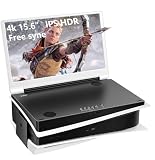
- Best Value: G-STORY 15.6" IPS 4K 60Hz Portable Gaming Monitor for PS5, 2 HDMI Speakers
- Premium Choice: VisionOwl Portable Monitor 15.6 Inch 1080P FHD 85% sRGB Second Screen, USB-C HDMI HDR External Travel Monitor for Laptop PC MacBook PS5 Xbox, VESA Mountable, with Speakers, Cover Stand, Silver
The PS5’s GPU can push up to 4K at 120Hz in a handful of games, and HDMI 2.1 unlocks variable refresh rate, so the monitor you pair it with actually matters more than it did on PS4. But most of the “best PS5 monitor” advice online just lists expensive 4K panels without talking about the trade-offs you’re actually making. Here’s what matters in practice.
As an Amazon Associate we earn from qualifying purchases at no extra cost to you.



Resolution vs. refresh rate: pick one priority
The PS5 can’t reliably do native 4K at 120fps in most demanding titles. Something has to give. In practice you get one of three outcomes: 4K at 60fps with better visuals, 1440p at 120fps with smoother motion, or a dynamic resolution that bounces between the two depending on scene load. Games like Call of Duty and Fortnite support 120Hz output; big single-player titles like Spider-Man 2 or God of War Ragnarök often cap at 40-60fps even in performance mode.
If you mostly play fast multiplayer games, a 1440p monitor with a genuine 120Hz+ panel will feel better than a 4K screen running the same games at 60. If you mostly play story-driven single-player games, 4K’s visual upgrade is more noticeable than the frame rate difference, since you’re not hitting 120fps in those games anyway.
Panel types: what you’re trading off
Three panel types show up in this price range, and each has a specific failure mode worth knowing before you buy.
- VA panels have the best contrast and deepest blacks of the LCD options, but they smear in fast dark scenes. If you play a lot of horror games or anything with low-light stealth sections, you’ll notice trailing behind moving objects.
- IPS panels have better color accuracy and viewing angles, with less smearing than VA, but blacks look more gray, especially in a dark room. IPS glow (a hazy brightening in the corners on dark scenes) is the main annoyance.
- OLED panels have near-instant pixel response and true blacks, which makes motion look exceptional and HDR genuinely impressive. The trade-offs are price and the small risk of static-element burn-in if you leave HUDs or UI elements on screen for extended periods at high brightness. Modern OLEDs mitigate this with pixel shifting and dimming, but it’s not zero risk.
For most PS5 owners, a solid VA or IPS panel is the sensible default. OLED is worth the premium if you care about HDR and fast-motion clarity and you’re not worried about leaving a static scoreboard or map overlay on screen for hours at a time.
HDMI 2.1 and VRR aren’t optional checkboxes
This trips people up: not every monitor labeled “4K 120Hz” actually has a full-bandwidth HDMI 2.1 port. Some only support 120Hz at lower resolutions or require DisplayPort for the full feature set, which the PS5 doesn’t use for video. Confirm the monitor explicitly lists HDMI 2.1 with 4K/120 support, not just “up to 120Hz” in fine print. Also check for VRR (variable refresh rate) support with HDMI, since that’s what eliminates screen tearing when the PS5’s frame rate fluctuates below the panel’s max refresh. Without VRR, dips below 60fps or 120fps show up as visible tearing or stutter rather than smooth motion.
Size and viewing distance
Monitors are viewed much closer than TVs, so the common jump from a 24-27″ monitor to a 42-48″ “monitor-TV hybrid” OLED needs a desk setup that actually supports the distance. At 27 inches, 1440p looks sharp from a normal desk distance. At 4K, you get more benefit from a 32″ or larger screen, since the extra pixels become harder to resolve the smaller the panel. If you’re sitting 2-3 feet from the screen, going bigger than 32″ at desk distance usually means more neck movement to see the edges, not a better experience.
Quick comparison
| Setup | Resolution | Refresh rate | Best for | Main trade-off |
|---|---|---|---|---|
| Budget 1440p IPS | 1440p | 120-144Hz | Fast multiplayer games | Lower pixel density than 4K, mediocre contrast |
| Mid-range 4K IPS/VA | 4K | 120Hz (HDMI 2.1) | Mixed single-player and multiplayer | PS5 rarely hits native 4K/120 in demanding games |
| OLED monitor or TV-monitor hybrid | 1440p-4K | 120-144Hz | HDR, visual quality, fast motion | Higher cost, mild burn-in risk with static UI |
What to actually buy
If you want a straightforward upgrade over a TV without spending OLED money, look at 27-inch 1440p 144Hz monitors with HDMI 2.1. These hit the refresh rate sweet spot for competitive games and cost noticeably less than 4K panels with the same features.
If you specifically want the full 4K/120 experience and plan to play visually heavy single-player games, go with a 4K 120Hz monitor with confirmed HDMI 2.1 support, and double check the spec sheet for VRR before buying, not just the box art.
If motion clarity and HDR contrast matter most to you and burn-in risk doesn’t bother you, a 32-inch OLED gaming monitor is the biggest visible upgrade you can make, more noticeable day-to-day than going from 1440p to 4K.
Don’t buy based on resolution alone. A cheaper 1440p 120Hz monitor with VRR will often feel better to play on than a 4K 60Hz monitor without it, because motion smoothness and lack of tearing matter more moment-to-moment than extra pixel count.














