

- Top Pick: Dell 24 240Hz Gaming Monitor – SE2426HG – 23.8-inch FHD (1920×1080) 240Hz Display, in-Plane Switching (IPS) Technology, AMD FreeSync™ Premium, TÜV 3-Star, 2X HDMI, DisplayPort 1.4, Tilt
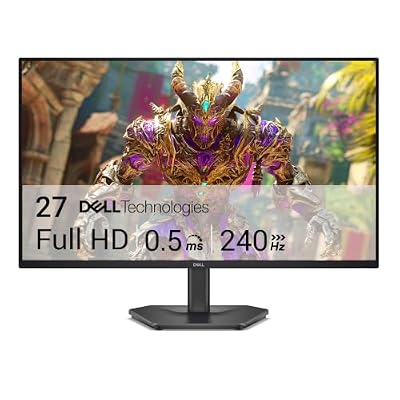
- Best Value: Dell 27 240Hz Gaming Monitor – SE2726HG – 27-inch FHD (1920×1080) Display, in-Plane Switching (IPS) Technology, AMD FreeSync Premium, TÜV 3-Star, 2X HDMI, DisplayPort 1.4, Tilt
- Premium Choice: Dell 27 Monitor S2725QS, 4K UHD IPS, 120Hz, 5ms, FreeSync Premium
Dell doesn’t make a dedicated “PS5 monitor,” and that’s actually fine. What Dell has is a strong lineup of gaming monitors under its Alienware and newer Dell Gaming badges that happen to hit everything the PS5 needs: HDMI 2.1, 4K at 120Hz, and VRR support. The trick is knowing which Dell models actually have the right ports, because Dell sells a lot of monitors that look similar on a spec sheet but quietly leave out the one connector that matters.
As an Amazon Associate we earn from qualifying purchases at no extra cost to you.



What the PS5 actually needs from a monitor
The PS5 can output up to 4K at 120Hz, and it supports VRR (variable refresh rate) over HDMI 2.1. That’s the whole ballgame. If a monitor only has HDMI 2.0, you’re capped at 4K60 or 1440p120, which isn’t a disaster but it means you’re not getting the full benefit of the hardware you paid for. Sony also locked VRR to HDMI, so a DisplayPort-only monitor won’t do you any good here even if it’s a great PC gaming display.
Panel type matters less than people think for console gaming specifically. IPS panels give you better color and viewing angles, which helps in story-driven games and anything with a lot of HDR. VA panels get you deeper blacks and better contrast, good for horror and dark atmospheric games, but they can smear a bit in fast motion. OLED is the best of both in theory, but on a budget it introduces its own risk: burn-in from static HUD elements, which the PS5’s UI and many game overlays are full of.
Size and resolution trade-offs
A 27-inch 4K monitor sitting at normal desk distance (24-30 inches) is the sweet spot for PS5 use. Go to 32 inches and 4K starts looking a little soft up close because pixel density drops; go below 27 inches and 4K is arguably wasted since you can’t resolve the extra detail without sitting uncomfortably near the screen. If you’re monitor shopping specifically to pair with a PS5 and don’t already own something in the 27-32 inch range, that’s the window to shop in.
If budget is tight, dropping to 1440p is a legitimate choice, not just a compromise. The PS5 handles 1440p natively in a lot of titles and will often hit higher, steadier frame rates there than it does pushing 4K. A 1440p 165Hz monitor will feel smoother in fast multiplayer games than a 4K60 one, even though the resolution number is lower.
The Dell lineups worth knowing
Dell splits its gaming monitors into a few families, and the naming is where people get tripped up:
| Line | What it’s aimed at | HDMI 2.1 availability |
|---|---|---|
| Alienware (AW-series) | High-end gaming, often OLED or fast IPS | Yes on most 4K/120 and newer QD-OLED models |
| Dell Gaming (G-series) | Mid-range gaming, usually 1440p or 4K IPS/VA | Varies by model, check specs carefully |
| Dell UltraSharp | Productivity, color accuracy, office use | Rare, these are not built for console gaming |
UltraSharp monitors show up a lot in searches because they’re well reviewed and color-accurate, but most are 60Hz with no VRR and limited HDMI bandwidth. They’re excellent for photo editing and spreadsheets, bad for PS5 gaming. Don’t buy one for this purpose just because the brand reputation is good.
OLED vs IPS for console use specifically
Alienware’s QD-OLED monitors are genuinely great with a PS5: near-instant pixel response, excellent HDR, perfect blacks. The catch is price and burn-in risk. If you leave a game paused with a bright HUD on screen for hours regularly, or you use the monitor for desktop work with a taskbar in the same spot all day, OLED can develop faint permanent ghosting over a year or two. Dell’s OLED warranties typically cover burn-in for a limited period, but it’s worth checking the current warranty terms before buying since that policy has shifted over time.
A fast IPS panel doesn’t have that risk and costs less. For most people who play a mix of games and don’t leave static images on screen for extended stretches, IPS is the sensible default rather than the compromise. If you’re browsing options, this is a reasonable way to start comparing Dell Alienware 4K gaming monitors against each other on price and panel type.
What to actually check before buying
Specs pages get copy-pasted and outdated, so verify these three things on the actual product listing, not just a review from a year ago:
- HDMI 2.1 is listed explicitly, not just “HDMI.” A lot of 2021-2022 Dell models have HDMI 2.0 ports labeled generically.
- VRR or “AMD FreeSync Premium Pro” is mentioned, since that’s usually how Dell signals HDMI VRR support rather than calling it VRR directly.
- Refresh rate at 4K, not just the headline refresh rate. Some panels advertise 144Hz but only reach that at 1440p or lower, dropping to 120Hz or less at native 4K.
If you want a wider net than just Dell, it’s worth cross-shopping against other HDMI 2.1 options in the same price range, since several competitors use similar panels at different price points. A broad look at HDMI 2.1 4K 120Hz gaming monitors will usually turn up the same panel from two or three brands at noticeably different prices.
Bottom line on budget
If you’ve got $300-400 to spend, a 1440p IPS monitor with HDMI 2.1 is the honest answer, not a consolation prize. Step up to $500-700 and 4K120 IPS becomes realistic. OLED starts around $800-900 for Dell’s QD-OLED models and is worth it mainly if HDR and black levels matter more to you than saving money or avoiding burn-in risk. There’s no wrong tier here, just a different set of trade-offs at each price, and the HDMI 2.1 requirement is the one thing you can’t compromise on regardless of budget.














