

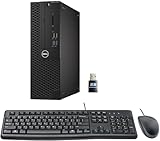
- Top Pick: Dell Optiplex 7050 SFF Desktop PC Intel i7-7700 4-Cores 3.60GHz 32GB DDR4 1TB SSD WiFi BT HDMI Duel Monitor Support Windows 11 Pro Excellent Condition(Renewed)
- Best Value: Dell OptiPlex 7070 SFF Desktop Computer PC, Intel 8 Core i7-9700 3.0GHz up to 4.70GHz,32GB DDR4 Ram New 1TB NVMe M.2 SSD,AX210 Built-in WiFi 6E,Windows 11 Pro, Wireless Keyboard & Mouse (Renewed)
- Premium Choice: Dell Optiplex 3050 SFF Desktop Computer PC, Intel Quad Core i5-6500 up to 3.6GHz, 16GB DDR4, 256GB SSD, WiFi, 4K Support, DP, HDMI, Windows 11 Pro 64 Bit (Renewed)
There’s no single “best” desktop PC because the right machine depends entirely on what you’re doing with it. A video editor and a casual gamer have almost nothing in common in terms of hardware priorities, and buying based on a generic “best of” list is how people end up with a $2,000 PC that bottlenecks on the one task they actually care about. This guide breaks it down by real use cases so you can match the build to the job instead of the hype.
As an Amazon Associate we earn from qualifying purchases at no extra cost to you.




How to actually decide
Before looking at specific machines, figure out which of these describes you, because it changes almost every component decision:
- Gaming first: GPU matters more than anything else. CPU only matters if you’re also streaming or running CPU-heavy sim games.
- Productivity/creative work: CPU core count and RAM matter more than GPU, unless you’re doing GPU-accelerated rendering (Premiere, DaVinci, Blender).
- General use/budget: Almost any modern mid-range box is fine. Don’t overspend here.
- Workstation/multitasking: RAM capacity and fast storage matter more than raw CPU speed once you’re past a reasonable baseline.
Best for gaming
For gaming, the GPU is 70-80% of the experience. A mid-tier CPU paired with a strong GPU will outperform a top-tier CPU paired with a weak GPU in almost every game. The failure mode here is buyer’s over-focus on CPU specs because they’re easier to compare on paper, while the GPU (the thing that actually renders your frames) gets shortchanged.
If you’re buying prebuilt, check the GPU model number specifically, not just “comes with a dedicated graphics card.” Some prebuilts pair a decent CPU with a low-end GPU to hit a price point, which looks fine in a spec sheet but performs poorly in actual games. Browse gaming desktop PCs and cross-reference the GPU model against current benchmarks before buying, rather than trusting the “gaming” label alone.
If you already have a case, PSU, and storage from an older build, buying just a graphics card find alternatives upgrade is usually the better value move than a whole new system, assuming your PSU has enough headroom (check wattage and connector types first).
Best for creative and productivity work
Video editing, 3D work, and heavy multitasking live and die on CPU cores, RAM, and fast storage, in that order of importance for most workflows. A 6-core CPU feels fine for browsing and office work but chokes on timeline scrubbing in a 4K video project. 16GB of RAM is the realistic minimum for serious multitasking in 2024; 32GB removes most of the anxiety about running out mid-project.
Storage speed matters here more than people expect. Working directly off a slow hard drive (or even a budget SATA SSD) adds real friction to large file workflows. An NVMe drive isn’t a luxury for this use case, it’s closer to a requirement.
Best budget option
If you’re mostly doing browsing, email, streaming, and light office work, you genuinely don’t need to spend much. This is the category where “best” and “most expensive” diverge the hardest. A modest CPU, 8-16GB RAM, and an SSD (not a hard drive) will feel snappy for everyday tasks. The SSD matters more than almost any other spec at this tier, since it’s the difference between a system that feels instant and one that feels like it’s thinking about every click.
Resist the upsell to a discrete GPU if you’re not gaming or doing GPU-accelerated creative work. Integrated graphics on modern CPUs handle video playback, multiple monitors, and office work fine, and that’s money better spent on RAM or storage.
Quick comparison by use case
| Use case | Priority spec | Secondary spec | Where people overspend | Where it’s safe to cut corners |
|---|---|---|---|---|
| Gaming | GPU | CPU (mid-range is fine) | Top-tier CPU | RAM beyond 16GB for most titles |
| Video/creative | CPU cores + RAM | Fast NVMe storage | GPU, unless render-heavy | Case aesthetics, RGB |
| General/office | SSD | 8-16GB RAM | Discrete GPU | CPU core count |
| Workstation/multitask | RAM capacity | Storage speed | GPU (unless specifically needed) | Top-bin CPU clock speed |
Don’t neglect storage
Whatever category you fall into, storage is the component people most often get wrong by buying too little or too slow. A single small SSD fills up fast once you install a few modern games or start a video project, and running low on free space slows down even a fast drive. If you’re building or upgrading, pairing a fast but smaller NVMe drive for your OS and active projects with a larger, cheaper drive for storage is usually smarter than one midsize expensive drive. Look at 1TB NVMe SSDs as a reasonable baseline for a primary drive in 2024, with a secondary larger drive added if you’re a gamer with a big library or a creator with large media files.
Prebuilt or build your own?
Prebuilts save time and come with a warranty on the whole system, which matters if something fails and you don’t want to troubleshoot which component is at fault. The trade-off is you often pay for a brand name case, a bundled OS, and sometimes a weaker component hidden in an otherwise good spec sheet (commonly the PSU or the GPU, as mentioned above).
Building your own saves money if you value your time at $0/hour and don’t mind troubleshooting your own hardware issues. It’s not actually hard for a straightforward build, but it does mean you’re your own warranty department when something doesn’t post on first boot. If you’ve never built a PC and don’t want to learn, that’s a completely reasonable reason to buy prebuilt. There’s no shame tax here.
FAQ
How much RAM do I actually need?
16GB is the realistic baseline for most people in 2024, including light gaming and general productivity. 8GB is workable for pure browsing/office use but feels tight. 32GB is for heavy multitasking, video editing, or running multiple VMs, not for casual use.
Is a prebuilt PC a ripoff compared to building my own?
Not necessarily. You’re paying partly for your time and partly for a bundled warranty. The actual ripoff risk is a prebuilt pairing a flashy CPU with a weak GPU or PSU to hit a price point. Check individual component models, not just the overall spec sheet summary.
Do I need a dedicated graphics card?
Only if you’re gaming, doing GPU-accelerated creative work, or running multiple high-res displays with heavy content. For browsing, office work, and streaming video, integrated graphics on a modern CPU are genuinely fine.
SSD or hard drive for a new build?
SSD, no real debate here anymore. Hard drives are only worth considering as cheap bulk secondary storage for files you don’t access often, like backups or a media archive. For your OS and anything you actively use, an SSD makes a bigger day-to-day difference than almost any other single upgrade.

















