Buy the things they would never buy for themselves: a full-desk mousepad, a monitor light bar, a decent mic arm, a proper cleaning kit, a fast microSD card, or a spare NVMe drive. Skip keyboards, mice and chairs — those are personal-fit items, and a gift card beats a guess every time.
- Why “Has Everything” Usually Means “Has All the Obvious Things”
- Safe vs Risky Gifts for the PC Gamer Who Already Has Everything
- The Things People Never Replace Until They Break
- Comfort and Ergonomics They Keep Postponing
- Desk Quality-of-Life Upgrades Nobody Buys Themselves
- Maintenance and Cleaning Kits
- “Upgrade One Notch” Gifts That Are Genuinely Felt
- Consumables, Subscriptions, and Experience Gifts
- Budget Tiers: What to Get at Each Price Point
- Two Rules That Prevent Most Bad Gaming Gifts
- Frequently Asked Questions


Quick answer: Our top pick in 2026 is the Large desk mousepad / deskmat — our #1 rated choice. See the full ranked comparison, alternatives and buying advice below.
Why “Has Everything” Usually Means “Has All the Obvious Things”
The PC gamer who seems impossible to shop for almost never actually has everything. What they have is every headline item: the GPU, the monitor, the mechanical keyboard, the headset, the chair they researched for three weeks. Those are the purchases enthusiasts happily make for themselves, and they are exactly the purchases you should not try to top.
What they are missing sits one layer down — the unglamorous, quietly annoying stuff. The mousepad fraying at the corner. The USB cable that only works at a certain angle. The surge protector from a previous apartment. The desk that goes dark at 11pm because the monitor is the only light source. Enthusiasts under-buy here because money always feels better spent on performance. That is exactly what makes it a good gift: you are buying the thing they decided to keep tolerating.
Safe vs Risky Gifts for the PC Gamer Who Already Has Everything
Sort your idea into one of two buckets first. Some gaming gear is universal — it works regardless of hand size, taste or posture. The rest is a fit problem disguised as a product.
| Category | Safe or risky | Why | Better move if risky |
|---|---|---|---|
| Large desk mousepad / deskmat | Safe | One size fits all; theirs is probably worn | — |
| Monitor light bar | Safe | Universal benefit, almost nobody buys one first | — |
| Cable management kit | Safe | Every desk needs it; no compatibility risk | — |
| Headphone stand / hook | Safe | Fits any headset | — |
| Cleaning and maintenance kit | Safe | Consumable, always useful | — |
| microSD / external SSD | Safe | Capacity is never unwelcome | — |
| Surge protector / UPS | Safe | Protects hardware they already love | — |
| Mechanical keyboard | Risky | Switch feel, layout and sound are deeply personal | Gift card, or a keycap set in their stated theme |
| Gaming mouse | Risky | Grip style and hand size decide everything | Gift card, or PTFE skates for the mouse they own |
| Gaming chair | Risky | Body-dependent, expensive, hard to return | Seat cushion or lumbar support instead |
| Internal GPU / CPU | Risky | Compatibility, power supply, and their own upgrade plan | Gift card toward the part they picked |
| RGB “gamer” decor | Risky | Taste-dependent and often clutter | Ask, or choose a neutral desk item |
If your idea landed in the risky column and you cannot confirm the exact model, do not gamble. A gift card with a note saying “for the keyboard you keep talking about” reads as attentive, not lazy.
The Things People Never Replace Until They Break
Start here, because the hit rate is highest. A frayed cloth mousepad degrades so gradually the owner never notices, and a fresh extended deskmat changes how the whole setup feels for very little money. If you have a photo of their desk, the edges of the pad tell you everything. See our notes on picking a mousepad surface that matches how you play.
Cables are the second reliable gap. Most enthusiasts are running at least one sketchy USB-A cable or a USB-C cable that charges but will not carry video. A small set of braided, correctly-specified cables — DisplayPort 1.4 or 2.1 for high-refresh monitors, USB-C with full data and power delivery — removes irritation they stopped registering.
Power protection is the third, and it guards everything else. Plenty of people run a $1,500 build off a $12 power strip from a decade ago. A surge protector with a real joule rating, or a small line-interactive UPS that carries the PC through a brownout long enough to save and shut down, pays for itself the first time the power flickers mid-raid.
Comfort and Ergonomics They Keep Postponing
Gamers spend on frame rates and neglect the hours their body spends in the chair. You do not need to replace the chair — and you shouldn’t, since chairs are body-specific and awkward to return. Target what makes the existing chair better: a memory-foam or gel seat cushion, a lumbar pillow, a footrest, or a padded wrist rest.
Monitor height is the other silent problem: most desks put the screen too low, dragging the neck forward for hours a day. An arm or a riser fixes that permanently and frees space underneath. Check the VESA pattern (100x100mm is typical), the monitor’s weight, and desk thickness for the clamp. Our guide to a desk layout that does not wreck your neck pairs well with any of these.
Desk Quality-of-Life Upgrades Nobody Buys Themselves
This is the sweet spot for the “has everything” recipient, because every item here is genuinely useful and almost nobody prioritizes it.
- Monitor light bar. Clips to the top bezel, lights the desk and keyboard without glare on the screen. Late-night players notice it immediately. Best for anyone gaming in a dark room; skip if their desk already has good bias lighting.
- Cable management kit. Under-desk trays, adhesive raceways, velcro ties and a magnetic cable catch for the charging cables that fall behind the desk. Cheap, high satisfaction, zero compatibility risk.
- Headphone stand or under-desk hook. Frees desk space and stops the headset from getting knocked around. A hook is the better pick for small desks.
- USB switch or KVM. For anyone running a work laptop alongside a gaming PC, a switch that moves keyboard, mouse and webcam between machines with one button removes a daily chore. Confirm how many devices and which ports before buying.
- Powered USB hub. Desktop ports run out faster than people expect; a powered hub with fast-charge ports solves it for years.
Maintenance and Cleaning Kits
Every gaming PC accumulates dust, and almost nobody owns the right tools for it. A rechargeable electric air duster is the anchor item, paired with anti-static brushes, microfiber cloths, screen-safe cleaning solution and a keycap puller. Add switch lubricant only if you know they enjoy tinkering — otherwise it becomes homework rather than a gift.
Thermal paste is a genuinely useful stocking item for a PC over three years old. If they complain about noise or temperatures, quality case fans plus paste is a thoughtful pairing — see our walkthrough on getting airflow right before buying more fans.
“Upgrade One Notch” Gifts That Are Genuinely Felt
These are components, but the safe kind: capacity and convenience rather than taste or compatibility gambles.
A fast microSD card is the single best gift for anyone with a Steam Deck, ROG Ally, Legion Go or Nintendo Switch. Handheld owners are perpetually out of space, and a high-speed A2-rated card in 512GB or 1TB terms is felt within minutes. More ideas in our handheld accessories rundown.
A spare NVMe SSD works if you can confirm a free M.2 slot — a PCIe 4.0 drive runs in a 3.0 slot at reduced speed, which is fine, but the slot has to exist. When in doubt, an external USB-C SSD sidesteps every compatibility question. Our SSD buying notes cover which specs actually matter for gaming.
A better mic arm is the underrated one. Plenty of people own a good microphone sitting on the stock desk stand, picking up every keyboard press through the desk. A shock-mounted boom arm makes an existing mic sound dramatically better for zero change in gear. Same logic applies to a headset they already like — replacement earpads restore comfort and isolation on a well-used pair.
Consumables, Subscriptions, and Experience Gifts
Consumables are quiet winners: coffee, snacks, or a water bottle that fits the desk. They get used and add no clutter. Subscriptions and store credit are the honest answer for a recipient with full shelves — just watch for region-locked cards and subscriptions they already hold.
Experience gifts are the strongest option for someone who owns everything: esports tickets, a racing-sim or VR arcade session, a tournament entry. If they make content, a gift that buys capability — a capture card, a second monitor arm — beats another peripheral. See our first streaming setup guide.
Budget Tiers: What to Get at Each Price Point
| Budget | Best picks | Why it works | Avoid |
|---|---|---|---|
| Under $25 | Keycap puller and cleaning kit, cable ties and raceways, PTFE mouse skates, headphone hook, thermal paste | Small, consumable, no fit risk | Cheap no-name RGB strips, generic “gamer” novelty items |
| $25–$60 | Extended deskmat, monitor light bar, powered USB hub, electric air duster, seat cushion, replacement earpads | The classic under-bought category | Budget headsets, no-name mice |
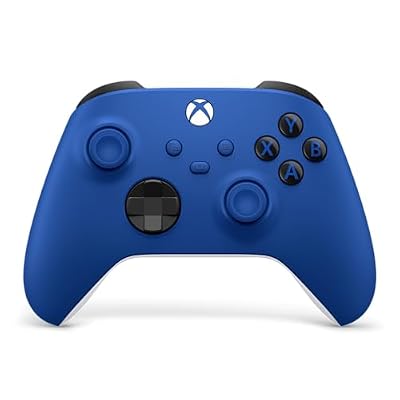
| $60–$150 | Monitor arm, mic boom arm, 1TB microSD or external SSD, surge protector or small UPS, USB switch, controller | Real capability upgrades with low compatibility risk | Keyboards, chairs, anything sized to the body |
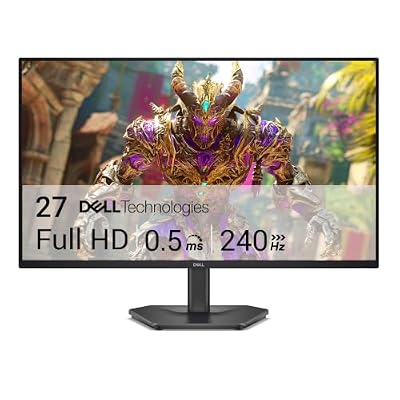
| $150+ | Second monitor, capture card, internal NVMe (slot confirmed), quality microphone, esports tickets, store credit | Meaningful, but confirm details first | GPU or CPU chosen without asking |
During the holiday rush the good deskmats, light bars and high-capacity cards sell out first, so buy the accessory early in a peak week and keep the gift card as the backup for anything risky.
Two Rules That Prevent Most Bad Gaming Gifts
First: never buy something that must be tuned to a body — hand size, grip style and sitting posture decide whether a mouse, keyboard or chair works, and none of that is visible from outside. Second: never buy a component without confirming the slot, socket or bracket it needs. If either rule is in play, a gift card is not a cop-out; it is the correct product.
Frequently Asked Questions
What do you get a PC gamer who genuinely owns everything?
Target the categories enthusiasts under-buy for themselves: desk quality-of-life items like a monitor light bar and cable management, comfort accessories like a seat cushion or monitor arm, maintenance gear like an electric air duster, and capacity upgrades like a fast microSD card or external SSD. These get used daily and almost nobody buys them first, because the money always feels better spent on performance parts instead.
Is a gaming keyboard or mouse a bad gift?
Usually, yes, unless they have named the exact model. Mechanical keyboards vary enormously in switch feel, sound, layout and size, and mice are chosen around hand dimensions and grip style. What feels perfect to one person is unusable to another, and returning a keyboard after it has been typed on is often awkward. A gift card, a keycap set in a theme they already like, or replacement mouse skates for their current mouse are all safer ways to hit the same idea.
How much should I spend on a gift for a PC gamer?
Spend based on category fit rather than a target number. Under $25 buys genuinely useful consumables like cleaning kits and cable management; $25 to $60 covers the highest-hit-rate items such as deskmats, monitor light bars and powered hubs; $60 to $150 gets monitor arms, mic arms and storage. Above that you should confirm compatibility or switch to store credit, because the risk of a mismatch rises much faster than the perceived value does.
Are gift cards a lazy gift for gamers?
Not for this recipient. Someone who already owns the obvious gear has strong, specific preferences and often a shortlist they are waiting to buy. Store credit lets them get exactly the switch type, sensor, or panel they want, and it avoids the return hassle entirely. The trick is presentation: pair the card with a small physical item from the safe list, and name what it is for, so it reads as targeted rather than generic.
What is the best gift for someone with a Steam Deck or handheld PC?
Storage first. A high-speed A2-rated microSD card at 512GB or 1TB is the upgrade handheld owners feel immediately, because modern game installs fill internal storage within a handful of titles. After that, consider a better carrying case, a dock for TV play, a screen protector, or a grip attachment for longer sessions. All of these are universal to the device rather than fitted to the person, which makes them low-risk choices.
Ready to decide? Our #1 pick for 2026 is the Large desk mousepad / deskmat.
Live price & availability on Amazon.