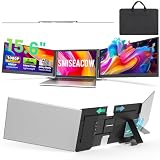
- Top Pick: 15.6" Laptop Screen Extender, 1080P FHD Triple Portable Monitor for Laptops, Ultra-Slim Travel Dual Monitor Fit for 12"-17.3" Laptops, USB-C Plug&Play Extended Screen Compatible with Win/Mac/Android
- Best Value: Laptop Screen Extender, 15.6'' 1080P FHD Laptop Monitor Extender with 235°Rotation Detachable Dual Monitor, Plug & Play, Triple Screen for 13"-17.3" Laptops Compatible with Mac/Wins/Android/Dex
- Premium Choice: KEFEYA Laptop Screen Extender, 14" FHD 1080P IPS Laptop Monitor Extender Dual Screen, Portable Monitor for Laptops 13-17" with USB-C/HDMI Port, Plug n Play for Windows/Mac/Android/Switch/PS5
The pitch behind folding laptop screen extenders is genuinely appealing: clip a set of portable panels onto the back of your laptop lid, unfold them, and suddenly your single display becomes a triple-monitor command center you can pack into a bag. For remote workers, traders, coders, and anyone tired of squinting at one cramped screen on the road, these attachable extenders promise desktop-style multitasking anywhere.
We evaluated a range of laptop screen extenders, from single-panel add-ons to full triple-screen rigs, to see whether the reality lives up to the promise. Here is our honest review of this fast-growing accessory category.
As an Amazon Associate we earn from qualifying purchases at no extra cost to you.






🎮 Get More From Your Setup — Free
Prime Gaming gives you free PC games every month, in-game loot, and a free Twitch channel sub — plus fast free shipping on all the gear above. New members get a 30-day free trial.
Watch: Folding Laptop Screens: Review & Buyer’s Guide — Video Review
Design & Build
These extenders mount to your laptop lid and fold out to the sides, and build quality varies with weight and hinge design. Triple-monitor models like the Synnov 15.6-inch, the Venraty detachable 15.6-inch, and the 15.6-inch triple extender add the most screen area but also the most bulk, so lightweight construction matters. Detachable designs and rotating hinges, seen on the 235-degree rotation model and the KEFEYA 14-inch, add flexibility. Smaller 14-inch options like the APILDELLA dual extender favor portability and even include speakers.
Performance
Image quality is consistent across the group, with 1080p FHD panels and, in some cases, IPS technology for better viewing angles. Connectivity is refreshingly simple: most are plug-and-play over USB-C or HDMI and work with Windows, macOS, Android, and even handhelds like the Switch or PS5 in some cases. The extra screens are excellent for spreadsheets, reference documents, chat windows, and monitoring feeds. Just be aware that driving multiple external panels draws power and can tax lighter laptops, so a capable machine helps.
Pros & Cons
- Pro: Turns a single-screen laptop into a portable dual or triple-monitor setup.
- Pro: Plug-and-play over USB-C or HDMI with broad device compatibility.
- Pro: Excellent for multitasking, monitoring, and productivity on the go.
- Pro: Detachable and rotating designs add real flexibility.
- Con: Adds noticeable weight and thickness to your laptop lid.
- Con: Multiple panels draw power and can strain lighter or older laptops.
Alternatives to Consider
If you mostly work at a fixed location, a pair of standalone portable monitors on small stands offers more flexibility and no lid-mounting bulk. Travelers who need just one extra screen will find a single slim portable monitor lighter and cheaper. And for a permanent home office, traditional desktop monitors deliver far more screen area and better ergonomics than any attachable extender.
Frequently Asked Questions
Do laptop screen extenders work with any laptop?
Most are plug-and-play with Windows and macOS over USB-C or HDMI, but check that your laptop supports video output over its USB-C port and can drive multiple external displays.
Will they slow down my laptop?
Driving extra panels uses GPU and power resources. Modern laptops handle it well, but older or low-power machines may feel the strain with a full triple setup.
Are triple-screen extenders too heavy?
They add meaningful weight to the lid. Lightweight triple models mitigate this, but if portability is your priority, a dual or single-panel extender is more comfortable.
Can I use them with a Switch or PS5?
Some models support consoles and handhelds over HDMI, which is handy for gaming on the move, though you should confirm compatibility for your specific device.
Verdict
Folding laptop screen extenders are a legitimately useful tool for mobile multitaskers, and the best pick depends on your balance of screen area and portability. Power users who want maximum real estate should choose a lightweight triple model like the Synnov 15.6-inch, while travelers prioritizing weight will prefer a compact 14-inch dual extender. Just pair them with a capable laptop for the smoothest experience.