

The ELECOM EX-G is a Japanese-engineered thumb-operated trackball that has built a devoted following among trackball enthusiasts for its eight-button layout, smooth bearings and high-quality build at a sensible price. ELECOM is the leading trackball brand in Japan and the EX-G is its mid-range workhorse. This ELECOM EX-G review covers ergonomics, cursor precision, programmable buttons, battery and value at around $50.

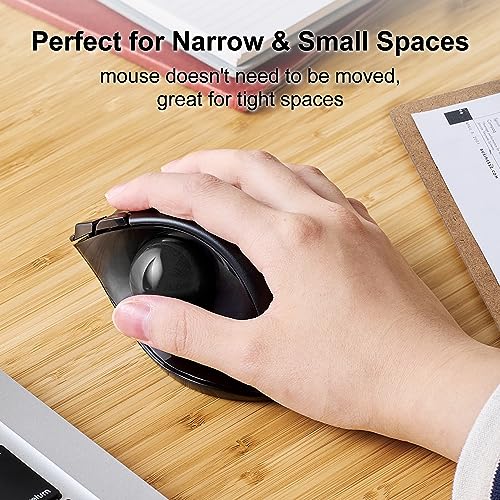
Prime ELECOM EX-G Trackball Mouse, 2.4GHz USB Wireless, Ergonomic Design, Thumb Control, Smooth Roller Ball, Optical Tracking, 6 Programmable Buttons, Tilt Scroll, Computer Mice for Laptop PC, Windows & Mac


As an Amazon Associate we earn from qualifying purchases. Product prices and availability are accurate as of the date/time indicated.
Quick answer: Our top pick in 2026 is the Ball position — our #1 rated choice. See the full ranked comparison, alternatives and buying advice below.
ELECOM EX-G at a Glance
| Component | Specification |
|---|---|
| Ball position | Thumb-operated, right-hand (left-hand version sold separately) |
| Ball size | 34mm removable ball with three artificial-ruby support bearings |
| DPI / tracking | 500 / 1000 / 1500 DPI (button-switchable) |
| Sensor type | Optical |
| Wireless / wired | Wireless: 2.4GHz USB-A receiver |
| Battery type | 1x AA alkaline |
| Programmable buttons | 8 buttons (2 main, scroll click, DPI, 2 thumb forward/back, 2 additional function buttons) — remappable in ELECOM Mouse Assistant |
| Tilt scroll | Yes — left/right tilt scroll on the wheel for horizontal scrolling |
| Approx price | around $49.99 |
Ergonomics & Wrist Strain Relief
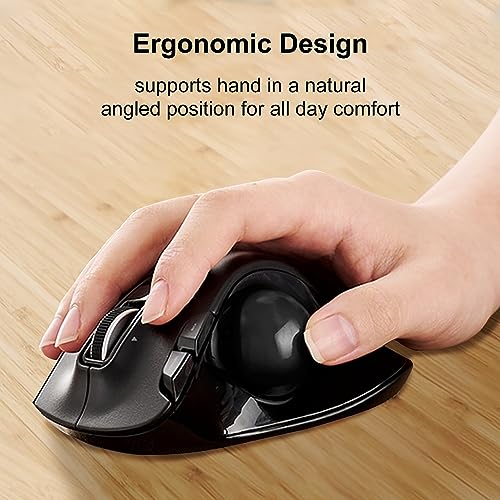
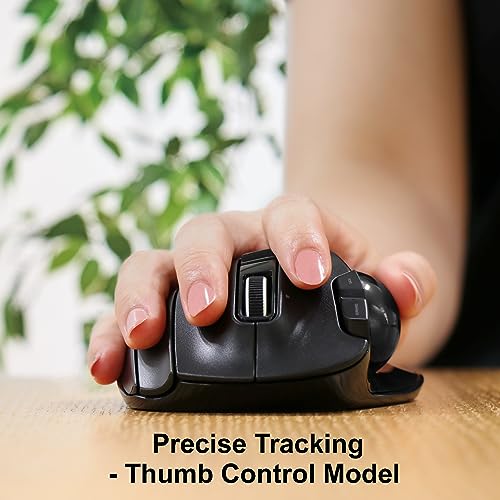
The EX-G follows the now-standard thumb-operated dome layout, but ELECOM’s interpretation has its own character: the body is slightly more compact than the Logitech Ergo M575, the thumb cradle is more steeply sculpted, and the entire device is angled to support a more relaxed wrist posture. Three artificial-ruby support bearings under the ball — rather than the more common cheaper plastic — give a noticeably smoother roll, which translates to less effort needed to move the cursor and therefore less long-session thumb fatigue. For users who already know they want a thumb trackball and want to step up from the basic Logitech experience, the EX-G’s bearings and build quality are a tangible upgrade. ELECOM also sells a mirror-image left-hand version (separate product), addressing one of the trackball category’s chronic gaps.
Cursor Precision & Sensor
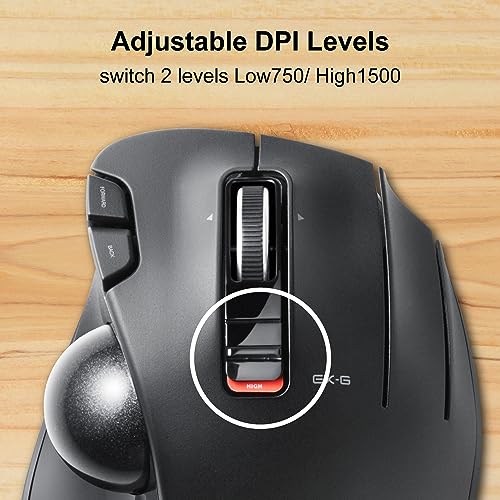
The optical sensor offers three switchable DPI levels — 500, 1000 and 1500 — selected by a dedicated top button. The range is well chosen for mixed work: 500 DPI for precision tasks, 1500 DPI for cursor-flinging across multiple monitors. The artificial-ruby bearings make the cursor feel notably more responsive than budget trackballs, because there is less stiction in the ball’s motion. As with all thumb-operated trackballs, the thumb’s limits set the precision ceiling — for CAD or pixel-perfect retouching the finger-operated trackballs are more accurate. But for everyday office, web and light creative work the EX-G is precise and pleasant in use. Ball cleaning is essential every few weeks — pop the ball out from below, wipe the three ruby bearings and the inside of the socket, and tracking stays smooth.
Programmable Buttons & Software
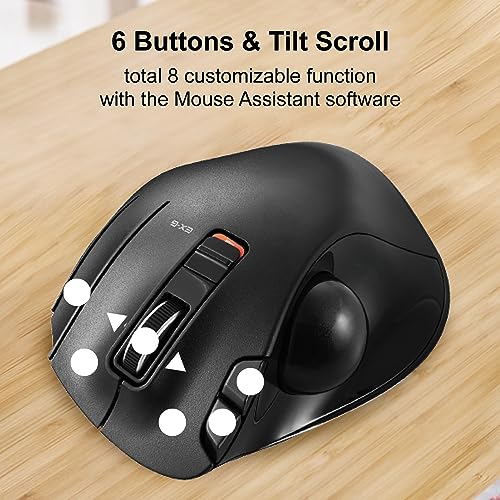
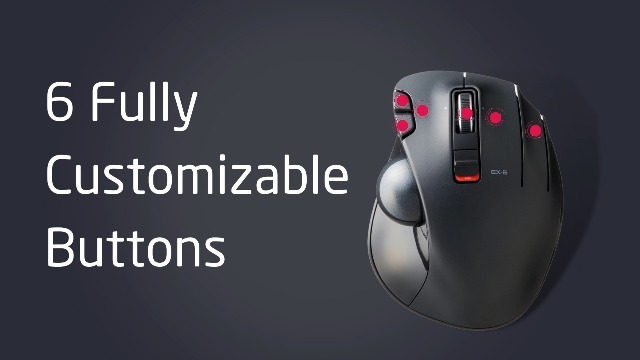
The EX-G’s eight-button layout is genuinely useful: two main clicks, scroll wheel click, DPI toggle, two thumb forward/back buttons and two additional function buttons under the index/middle fingers. That is more than enough to map a comprehensive workflow — copy, paste, undo, redo, switch tab, close tab — all from the trackball, without ever touching the keyboard for routine actions. The remapping software, ELECOM Mouse Assistant, is functional rather than glossy compared with Logi Options+, but it covers per-application profiles, macros and keyboard-shortcut binding. For power users who can map their workflow to the eight buttons, the EX-G becomes a genuinely productive input device. The wheel also tilts left/right for horizontal scrolling — a useful feature in spreadsheets and timeline-based applications.
Battery / Wireless Performance
The EX-G runs on a single AA alkaline battery, connected wirelessly via the included 2.4GHz USB-A receiver. There is no Bluetooth on the standard model, which is the EX-G’s most visible limitation compared with newer trackballs — a 2.4GHz-only connection means you need a free USB-A port on each computer you use, which is increasingly inconvenient on modern laptops. Battery life is excellent — well over a year of typical use on one AA, given the efficient sensor and the lack of Bluetooth radio. ELECOM also sells a wired and a Bluetooth variant of the EX-G for buyers who need those connection types; this review covers the standard 2.4GHz model.
Use Cases — CAD / Streaming / Photo Editing
The EX-G is a strong everyday office trackball — fast, precise enough for general work, comfortable for long sessions, and the eight buttons reward power users. For streaming setups it is a popular choice in Japan and finds favour for its build quality and tilt-scroll wheel. For light photo editing it is adequate. For CAD the thumb-operated design is the limit; finger-operated trackballs are more accurate for that work. For casual gaming it is comfortable for strategy and simulation titles; for competitive shooters a gaming mouse remains the right tool. The tilt-scroll wheel is genuinely useful in spreadsheets and video timelines and gives the EX-G an edge over trackballs without it. Software developers and writers who spend long hours in code editors and word processors particularly benefit from mapping the two extra function buttons to find, comment-out or quick-save shortcuts — small wins that compound over a working day.
Verdict
At around $50 the ELECOM EX-G is a high-quality thumb trackball that earns its place with build, bearings and button count. The artificial-ruby support bearings give a noticeably smoother roll than budget rivals, the eight buttons reward power-user customisation, the tilt-scroll wheel is a useful extra and ELECOM’s reputation for quality control is well deserved. The main compromises are 2.4GHz-only wireless (no Bluetooth on this variant) and a customisation suite less polished than Logi Options+. For users who want a more refined thumb trackball than the Ergo M575 and value the extra buttons, the EX-G is an excellent buy. Buyers who need Bluetooth or rechargeable batteries should look at the Nulea M501 or ELECOM’s Bluetooth variant.
ELECOM’s position in the Japanese peripheral market is worth understanding when judging the EX-G: in Japan, trackballs are a more mainstream office input device than they are in the West, and ELECOM is the dominant trackball brand there. That market position has funded a deeper trackball product line than any competitor — multiple sizes, multiple ball positions (thumb, index, palm), multiple connectivity options, left-handed variants and a constant cadence of refreshes. The EX-G is the workhorse of that lineup, and the quality control standards ELECOM applies show in the build. For users who want a peripheral developed for serious trackball users rather than as a side product of a broader mouse range, ELECOM’s heritage is a genuine point in its favour.
Frequently Asked Questions
Is the ELECOM EX-G better than the Logitech Ergo M575?
On hardware yes — the artificial-ruby bearings give a smoother roll, the eight buttons offer more customisation, and the tilt-scroll wheel is useful. On software the Logitech Logi Options+ ecosystem is more polished. Choose by priority: hardware refinement or software depth.
Does the ELECOM EX-G have Bluetooth?
The standard 2.4GHz wireless EX-G covered here does not — it uses a USB-A receiver only. ELECOM sells a separate Bluetooth variant of the EX-G if you need wireless without a receiver.
Is there a left-handed ELECOM EX-G?
Yes. ELECOM sells a mirror-image left-hand version of the EX-G as a separate product — a rare and welcome option in the thumb-trackball category.
What are the ELECOM ruby bearings?
The three small support points the ball sits on are made of artificial ruby rather than the more common plastic or steel. Ruby is harder and smoother, so the ball rolls with less friction — a tangible feel difference compared with budget trackballs.
More Trackball Reviews
- Kensington Orbit Trackball with Scroll Ring Review (2026)
- Kensington Orbit K75327WW Trackball Review (2026)
- Logitech M575 Trackball (Latin America) Review (2026)
- TECKNET Pro Wireless Trackball Mouse Review (2026)
- Kensington Expert Wireless Trackball K72359WW Review (2026)
- Kensington Orbit K64327F Silver Trackball Review (2026)
- Kensington Expert Trackball K64325 Wired Review (2026)
- Kensington Orbit Trackball with Touch Scroll Ring K72352US Review (2026)
Affiliate Disclosure: As an Amazon Associate, we earn from qualifying purchases. If you click a link and make a purchase, we may earn a small commission at no extra cost to you. Prices and availability are accurate as of publication and may change.


