

- Top Pick: Dell 27 Monitor S2725QS, 4K UHD IPS, 120Hz, 5ms, FreeSync Premium
- Best Value: Dell 27 Monitor S2725QC, 4K UHD IPS, 120Hz, 99% sRGB, 4ms, FreeSync Premium
- Premium Choice: Dell 27 Plus QHD Monitor – S2725DSM – 27-inch QHD (2560×1440) 144Hz 1ms Display, 2 x 3W Speakers, HDMI/DisplayPort 1.4 Connectivity, Height/Tilt/Pivot/Swivel Adjustability, AMD FreeSync – Ash White
The Dell 27 Plus 4K Monitor (S2725QS) represents one of the most accessible routes into 4K 120Hz gaming. It pairs a flat IPS panel with a true 4K UHD 3840×2160 resolution, a 120Hz refresh rate, AMD FreeSync support, USB-C connectivity and a properly ergonomic stand, all for around $280. That combination — high resolution, high refresh, useful connectivity and adjustable ergonomics from a major brand — is unusual at this price. This Dell S2725QS review covers the panel, motion handling, gaming features and whether this monitor genuinely opens 4K gaming to a wider audience.
- Dell S2725QS at a Glance
- Image Quality: Panel, Resolution and Colour
- Refresh Rate and Motion Performance
- Gaming Experience: Adaptive Sync and HDR
- Design, Connectivity and Ergonomics
- Who Is the Dell S2725QS For?
- Pros and Cons
- Is the Dell S2725QS Worth It?
- Frequently Asked Questions
- More Gaming Monitor Reviews
- Related Articles
- Related Articles
- Related Guides
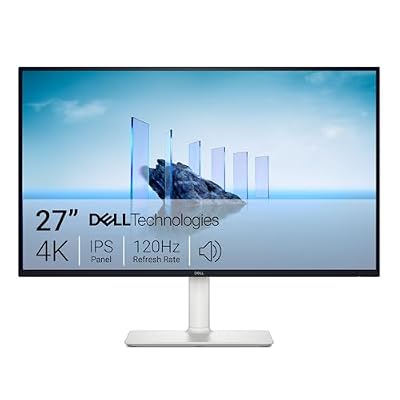
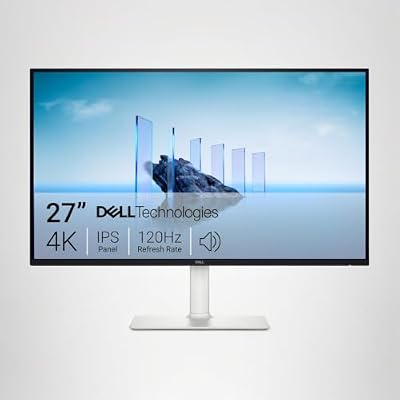
Dell 27 Monitor S2725QS, 4K UHD IPS, 120Hz, 5ms, FreeSync Premium | 350 cd/m2 Brightness, 1,500:1 Contrast, 99% sRGB, Anti-Glare, HDMI, DisplayPort, USB‑C, Height Adjustable, Swivel, Pivot




As an Amazon Associate we earn from qualifying purchases. Product prices and availability are accurate as of the date/time indicated.
🛒 Best Price Today on Amazon
Prime members get fast, free shipping on everything above, plus member-only deals. New members get a 30-day free trial — cancel anytime.
As an Amazon Associate we earn from qualifying purchases.





Dell S2725QS at a Glance
| Component | Specification |
|---|---|
| Screen size & type | 27″ flat IPS |
| Resolution | 4K UHD 3840×2160 |
| Panel technology | IPS |
| Refresh rate | 120Hz |
| Response time | Gaming-grade IPS |
| Adaptive sync | AMD FreeSync |
| HDR & brightness | Standard IPS brightness, accurate colour |
| Ports | USB-C, plus standard DisplayPort and HDMI inputs |
| Price | Around $280 |
Image Quality: Panel, Resolution and Colour
The Dell S2725QS uses a flat IPS panel at a full 4K UHD 3840×2160 resolution, and the pixel density that combination delivers on a 27-inch screen is genuinely striking. Text looks crisp and clean for everyday work, fine in-game detail is preserved, and high-quality content sits at a level of clarity that lower-resolution monitors simply cannot match. IPS technology adds accurate colour and wide viewing angles — the image stays consistent whether viewed straight on or from the side, and tones look natural.
Dell’s monitor heritage shows in the careful tuning typical of the S-series, which aims for balanced, accurate factory calibration. For everyday content, productivity work and games alike, the combination of high pixel density and IPS accuracy is a strong all-round image. Buyers should expect typical IPS contrast — blacks look more dark-grey than truly black — and standard rather than HDR-grade brightness, but for an accessible 4K gaming monitor the underlying image quality is impressive.
Refresh Rate and Motion Performance
The S2725QS runs at 120Hz, double the standard 60Hz refresh and a refresh rate that opens proper next-generation gaming. The step up from 60Hz to 120Hz is genuinely worthwhile: motion looks markedly clearer, on-screen action feels more immediate and the whole experience is more fluid. Crucially, 120Hz is the refresh rate modern consoles target in their performance modes, so the S2725QS is well placed as a PC and console gaming monitor alike.
It is important to set expectations correctly. The S2725QS is not aimed at the very highest competitive refresh-rate tier — players who want 240Hz or above should look at a Full HD or QHD esports panel. What the S2725QS offers instead is a balanced combination of high resolution and meaningfully high refresh, suited to single-player titles, slower competitive games and cinematic content where 4K sharpness matters as much as speed. For most buyers, 4K at 120Hz hits a deeply satisfying middle ground.
Gaming Experience: Adaptive Sync and HDR
The S2725QS supports AMD FreeSync, which matches the monitor’s refresh rate to the graphics card’s frame rate to eliminate screen tearing — the horizontal split that appears when frame delivery and refreshes drift apart. On a 4K monitor, where frame rates can vary as graphics cards work hard to drive the high pixel count, FreeSync keeps the picture clean and consistent. The feature also works with compatible NVIDIA cards, so the benefit applies regardless of graphics-card brand.
HDR is not a defining selling point here. The S2725QS focuses its budget on resolution, refresh rate and the practical features — USB-C and ergonomics — that mark it as more than a basic display. What it delivers very well is tear-free, smooth high-resolution gameplay with the colour consistency of an IPS panel. For most buyers seeking accessible 4K 120Hz gaming, that core combination is more meaningful than a token HDR badge on a panel without the brightness or dimming hardware to use it well.
Design, Connectivity and Ergonomics
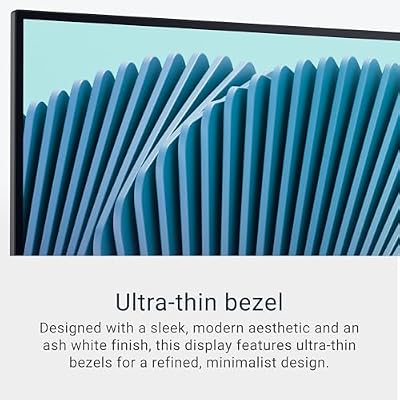
The Dell S2725QS carries the S-series’ clean, restrained design and ships with a properly ergonomic stand — height adjustment, tilt and typically swivel and pivot, depending on regional configuration. That genuinely useful ergonomic flexibility is rare at this price and matters: comfortable eye-level positioning makes long sessions noticeably better, and most lower-cost competitors offer tilt only. Dell’s manufacturing experience shows in the build quality and the overall sense of considered design.
Connectivity is a clear strength. USB-C is included, providing a single-cable connection that can deliver video, data and power to a compatible laptop — useful both for a hybrid work setup and for keeping the desk tidy. DisplayPort and HDMI inputs cover gaming PCs and consoles, with DisplayPort required to reach the full 4K 120Hz signal on most setups. The combination of 4K resolution, 120Hz refresh, USB-C and ergonomic adjustment from a major brand makes the S2725QS a notably complete package.
Who Is the Dell S2725QS For?
The S2725QS is for the buyer who wants a balanced, all-round monitor that handles 4K 120Hz gaming as well as productivity, content and hybrid laptop use, and who wants that combination from a recognised brand without paying flagship prices. If you value resolution and refresh together rather than either alone, want USB-C connectivity and prize ergonomic adjustment, this monitor is one of the most complete packages in its bracket. It serves a current-generation console gamer especially well.
It is less suited to buyers chasing the very highest competitive refresh rates, who should look at a 240Hz panel, or to enthusiasts who want a flagship 4K 240Hz OLED experience. But as an accessible, well-rounded 4K 120Hz monitor with proper ergonomics and useful connectivity, the S2725QS is one of the easiest recommendations in its price bracket.
Pros and Cons
Pros: True 4K UHD resolution on a 27-inch screen for high pixel density; a meaningful 120Hz refresh rate suitable for PC and console gaming; AMD FreeSync support; USB-C connectivity for a single-cable laptop setup; properly ergonomic stand with height adjustment; trusted Dell brand and build quality; remarkable value for the feature set.
Cons: 120Hz is below the very highest competitive refresh rates; typical IPS contrast lower than VA or OLED alternatives; no formal HDR feature set; aimed at balanced everyday use rather than esports specialisation; driving 4K at 120Hz needs a capable graphics card.
Is the Dell S2725QS Worth It?
At around $280 the Dell S2725QS is one of the most complete monitors in its bracket. A true 4K UHD resolution at a meaningful 120Hz refresh, combined with AMD FreeSync, USB-C connectivity and a properly ergonomic stand from a major brand, makes this a notably well-rounded package at the price. It handles 4K gaming on a current-generation console, hybrid laptop work and detailed everyday content equally well. The compromises — modest IPS contrast and no high-end HDR — are reasonable trade-offs given the strengths elsewhere. For a buyer who wants Dell’s manufacturing reliability and a genuinely balanced 4K 120Hz experience, the S2725QS earns a confident recommendation.
Frequently Asked Questions
Is the Dell S2725QS a true 4K monitor?
Yes. It runs at a full 4K UHD 3840×2160 resolution on a 27-inch panel, delivering high pixel density that makes text crisp for work and preserves fine detail in games and high-quality content.
What refresh rate does the Dell S2725QS support?
It runs at 120Hz, double the standard 60Hz refresh. That makes it well suited to PC gaming and to current-generation consoles, which target 120Hz in their performance modes.
Why does the USB-C port matter on the Dell S2725QS?
USB-C allows a single cable to carry video, data and power between a compatible laptop and the monitor, which is genuinely useful for a hybrid work setup and keeps the desk tidier.
Do I need a powerful graphics card for the Dell S2725QS?
To drive games at 4K and high frame rates you will want a reasonably capable graphics card. For everyday use, content and console gaming, the monitor’s resolution is comfortable to drive.
More Gaming Monitor Reviews
- Acer Nitro 27-inch QHD 240Hz IPS Gaming Monitor Review
- Acer Nitro 27-inch WQHD 300Hz IPS Monitor Review
- Samsung 34-inch Odyssey G5 Ultra-Wide Gaming Monitor Review
- LG UltraGear 27GS93QE OLED Gaming Monitor Review
- ASUS TUF Gaming 34-inch Ultrawide Monitor Review (VG34WQML5A)
- Samsung 37-inch Odyssey G7 (G75F) 4K Gaming Monitor Review
- ASUS ROG Strix 32-inch 4K HDR Gaming Monitor Review (XG32UCG)
- LG UltraGear 45GX950A 5K2K OLED Curved Monitor Review
Affiliate Disclosure: As an Amazon Associate, we earn from qualifying purchases. If you click a link and make a purchase, we may earn a small commission at no extra cost to you. Prices and availability are accurate as of publication and may change.
Related Articles
Looking for more on this topic? Browse the hand-picked guides below — each one applies the same scoring rubric used in this review.










