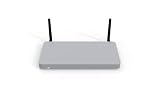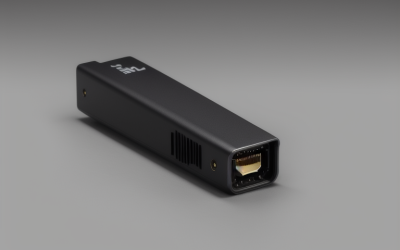

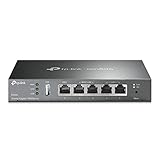
- Top Pick: TP-Link ER605, Wired Gigabit VPN Router | Up to 3 WAN Ethernet Ports + 1 USB WAN, SPI Firewall SMB Router, Omada SDN Integrated, Load Balance, Lightning Protection
- Best Value: Cudy Gigabit Multi-WAN Router, OpenWRT, Load Balance, 5x GbE, R700 | OpenWRT-ready Multi-WAN tunnel gateway, 5x GbE ports, WireGuard/OpenVPN/IPsec, traffic Balancing, Failover, VLAN, QoS
- Premium Choice: MikroTik hEX S (2025) E60iUGS A compact, affordable wired router featuring a 2.5G SFP port, 5x Gigabit Ethernet, PoE out, USB, and a fast dual-core CPU
A wired router has no radio at all. It takes in one or more internet connections, routes traffic between them and your switches or access points, and leaves wireless coverage to separate hardware. People shop for one when they are building a home lab, running a small office, wiring a house with PoE access points, or simply want a firewall that does not double as a Wi-Fi unit. The decisions look different from consumer routers: WAN port count, VPN support, PoE, and management software matter more than antenna design.
This guide covers nine wired routers drawn from the listings, ranging from simple five-port gateways to multi-WAN business models with PoE and 2.5G ports. One entry in the original shortlist, a dual-band Wi-Fi 6 router, was dropped because it is a wireless unit rather than a wired gateway. All notes below rely on the listed specs only, so treat them as a shortlist for 2026 and confirm throughput numbers on each manufacturer page.
Quick Picks
As an Amazon Associate we earn from qualifying purchases at no extra cost to you.


| Product | Best for | Key spec from the title |
|---|---|---|
| TP-Link ER605 | Small office with two internet lines | Up to 3 WAN ports plus USB WAN |
| Cudy R700 | OpenWRT tinkerers | OpenWRT-ready, 5x GbE, WireGuard |
| MikroTik hEX S E60iUGS | Compact SFP and PoE-out router | 2.5G SFP port, 5x Gigabit |
| MikroTik hEX RB750Gr3 | Simple five-port gateway | 5-port Ethernet Gigabit |
| TP-Link ER7206 | Larger multi-WAN setups | Multi-WAN, increased capacity |
| MikroTik hEX S RB760iGS | Gigabit router with fiber option | SFP port |
| Omada Fusion 2.5G Multi-WAN | 2.5G wired network | 5×2.5Gb ports, touch screen |
| ASUS ExpertWiFi EBG19P | Powering access points | 8 PoE+ ports, 123W |
| Grandstream GWN7003 | Many ports with light PoE | 11 ports, dual PoE output |
How to Choose
WAN ports and failover
Multi-WAN models accept more than one internet line. The ER605, ASUS EBG19P, ER7206 and Omada Fusion list multiple WAN ports, with the first two also naming a USB WAN input. That lets a second connection act as failover or share load, for example a fiber line backed by a cable or cellular link plugged into the USB port. If you have one internet line, a single WAN port is enough and a simpler router is easier to manage. Ask yourself how long a single outage would hurt before adding redundancy you will rarely use.
Port speed and the uplink
Most routers here use Gigabit ports, which matches common home and small office internet plans up to one gigabit. The Omada Fusion lists five 2.5Gb ports and the MikroTik E60iUGS lists a 2.5G SFP, so they suit faster fiber or multi-gig switches. Check that the router can route at your line speed, since a Gigabit port does not guarantee full throughput under heavy firewall rules. Titles here rarely state routing throughput, so look for the manufacturer figure before you build a plan around a fast line. Remember that every device downstream, from switches to the network card in your PC, also limits the speed you actually see.
VPN, VLANs, and firewall features
Look for named protocols such as WireGuard, OpenVPN, IPsec, VLAN, QoS, and SPI firewall in the title. The Cudy R700 lists several of these and the TP-Link models list SPI firewall and Omada integration. If you plan to separate smart-home devices or guests on their own network, VLAN support is the feature to confirm. A site-to-site tunnel between a home and an office also depends on the protocol list, so match the named standards to what your other end speaks. Where a title lists only the VPN label without protocols, check the manufacturer page for details.
PoE, management, and where budget models cut corners
PoE output lets the router power access points or cameras directly, as on the ASUS EBG19P with 123W across eight ports. Consider the management style too: Omada and ExpertWiFi use controllers or apps, while MikroTik uses its own, more technical, system. Entry models cut corners on port count, PoE, and management polish, while higher tiers add controllers, screens, and security engines. Decide which of those you will actually use before stepping up.
The 9 Best Options
TP-Link ER605
A Gigabit VPN router for a small office or home setup with two internet lines and a desire to manage everything from one controller. It reads as a practical gateway for someone who wants failover without a complicated platform.
- Strength: up to three WAN Ethernet ports plus one USB WAN for backup connections.
- Strength: SPI firewall, load balance, lightning protection, and Omada SDN integration.
- Trade-off: Gigabit ports only, so it will not feed a 2.5G link.
Skip it if you need PoE output or multi-gig ports, since the title lists neither, or if you only have one internet line and no use for multi-WAN.
Cudy R700
An OpenWRT-ready multi-WAN gateway aimed at hobbyists who want to customize their software, run encrypted tunnels, and balance traffic across lines. The listing describes it as a tunnel gateway first.
- Strength: five GbE ports with WireGuard, OpenVPN, and IPsec support in the title.
- Strength: failover, VLAN, QoS, and traffic balancing all listed together.
- Trade-off: the OpenWRT focus suits tinkerers more than plug-and-play buyers.
Skip it if you want a polished app or controller-based management, or if you would rather not learn a router operating system from the ground up.
MikroTik hEX S E60iUGS
A compact router for buyers who want a 2.5G SFP port, PoE out, and a fast processor in a small box. It looks like a good fit for a fiber uplink or a home lab with a multi-gig switch.
- Strength: 2.5G SFP port plus five Gigabit Ethernet ports.
- Strength: PoE out, a USB port, and a dual-core CPU in the title.
- Trade-off: RouterOS can be demanding for first-time network builders.
Skip it if you want a plain app and an easy interface, since MikroTik leans toward configuration depth over simplicity for newcomers.
MikroTik hEX RB750Gr3
A five-port Gigabit router for simple, low-feature wired networking, suited to someone comfortable with MikroTik software who needs just a handful of ports and no extras.
- Strength: five Ethernet Gigabit ports in a compact box.
- Strength: the MikroTik platform offers deep configuration for the ports it has.
- Trade-off: the title lists no SFP, PoE, or multi-gig port.
Skip it if you want SFP or PoE out, or if you are new to MikroTik and want a guided setup rather than a manual configuration menu.
TP-Link ER7206
A larger multi-WAN wired router for networks that need extra capacity and a business-style feature set. It is the sibling to the ER605 for buyers who expect heavier traffic and more connections.
- Strength: multi-WAN with increased network capacity and load balance.
- Strength: SPI firewall, Omada SDN integration, and lightning protection.
- Trade-off: the title does not list PoE or 2.5G ports.
Skip it if you only have a single internet line, or if you need the router itself to power access points over Ethernet.
MikroTik hEX S RB760iGS
The Gigabit sibling with an SFP port, aimed at buyers with a fiber module or a switch uplink who want the MikroTik toolset in a small body.
- Strength: Gigabit Ethernet ports plus an SFP port for fiber connections.
- Strength: MikroTik configuration depth in a compact box.
- Trade-off: the title says nothing about PoE, multi-gig, or a controller.
Skip it if you want a controller app or 2.5G ports, since this listing describes a simpler Gigabit design with a single SFP option.
Omada Fusion 2.5G Multi-WAN
A business-class 2.5G router with a touch screen, targeting people who want quick status checks and a built-in controller. The five 2.5Gb ports make it the multi-gig choice in this group.
- Strength: five 2.5Gb ports and a quad-core CPU.
- Strength: built-in Omada controller, ACL, QoS, and IPS/IDS in the title.
- Trade-off: the touch screen and business features go beyond a basic home setup.
Skip it if you only need Gigabit ports and a basic firewall, since you would be carrying features that a simpler router can handle.
ASUS ExpertWiFi EBG19P
A PoE+ wired router for people building a network around access points or cameras. The eight powered ports mean fewer injectors and a cleaner cabinet.
- Strength: eight PoE+ ports at 123W, plus up to three WAN ports and one USB WAN.
- Strength: commercial-grade network security and the ExpertWiFi app.
- Trade-off: Gigabit ports only, with no 2.5G listed.
Skip it if you have no PoE devices to power, or if you want multi-gig ports on the router itself.
Grandstream GWN7003
An 11-port Gigabit VPN router with two PoE output ports, for a tidy small office wiring closet that wants one box in place of a router and a small switch.
- Strength: 11 wired Gigabit ports in one device.
- Strength: dual PoE outputs for access points or phones.
- Trade-off: the title lists little beyond ports, VPN, and PoE.
Skip it if you need multi-WAN or 2.5G detail confirmed in the title, since the listing is brief about those features.
Which One Fits Your Situation
You have two internet lines
The TP-Link ER605 and the ASUS ExpertWiFi EBG19P both list up to three WAN ports plus a USB WAN. Choose the ER605 for simplicity or the EBG19P if you also need PoE+. Either way, the USB WAN input gives you a spare path if the main line drops, which matters most for a home office that cannot tolerate downtime.
You like to tinker with software
The Cudy R700 is ready for OpenWRT, and the MikroTik hEX models offer deep settings through RouterOS.
You are building a 2.5G network
The Omada Fusion 2.5G lists five 2.5Gb ports, and the MikroTik E60iUGS adds a 2.5G SFP port to Gigabit ports. Pair either with a switch that supports the same speeds, because the router alone cannot lift slower devices downstream.
You need to power access points
The ASUS EBG19P offers eight PoE+ ports, while the Grandstream GWN7003 gives two PoE outputs for a smaller setup. Both save you from buying a separate PoE switch or injectors.
Common Mistakes
- Expecting a wired router to provide Wi-Fi without a separate access point.
- Buying a multi-WAN model when you have a single internet line.
- Ignoring PoE needs and then adding a separate injector for each device.
- Assuming Gigabit ports can route at full line speed with every feature on.
- Choosing a technical platform without checking you are comfortable managing it.
Related guides
- Aio Liquid Coolers For High Performance Gaming
- How To Lower Input Delay In Competitive Shooters
- Wireless Gaming Headsets Under 100 For Pc
Frequently Asked Questions
What is a wired router?
It is a router without built-in wireless. You connect it to a modem or fiber source and use switches or separate access points to reach devices.
Do I need multi-WAN?
Only if you have more than one internet connection. It then provides failover or load sharing between the lines, and a single-line home gains little from the extra ports.
Do I need 2.5G ports?
It helps when your internet line or switches run above Gigabit. Otherwise, Gigabit ports are plenty.
Why was the Archer AX21 left out?
It is a dual-band Wi-Fi 6 router with antennas, which makes it a wireless unit rather than a wired router.