

🛒 Best Price Today on Amazon
Prime members get fast, free shipping on everything above, plus member-only deals. New members get a 30-day free trial — cancel anytime.
- Top Travel Router Vpn Gamers Picks for 2026
- What makes a travel router good for gamers in 2026
- At-a-glance pick table
- 1. GL.iNet Beryl AX (GL-MT3000) — Editor’s pick
- 2. GL.iNet Slate AX (GL-AXT1800) — Premium pick
- 3. GL.iNet Mudi V2 5G — For digital nomads
- 4. TP-Link AX1500 Travel — Budget WiFi 6
- 5. ASUS RT-AX55 (portable use) — Long-stay rental pick
- 6. GL.iNet Opal (GL-SFT1200) — Backup router
- 7. GL.iNet Brume 2 — Wired-only VPN gateway
- Travel setup tips and packing strategy
- VPN choice matters as much as router choice
- Related Guides
- Related Guides
- Frequently asked questions
- Final verdict
- Related Articles
Top Travel Router Vpn Gamers Picks for 2026
Here are our current top travel router vpn gamers picks, compared on real Amazon owner reviews, price, and features. Live prices update below.
Related guide: Best dns for gaming
As an Amazon Associate we earn from qualifying purchases at no extra cost to you.







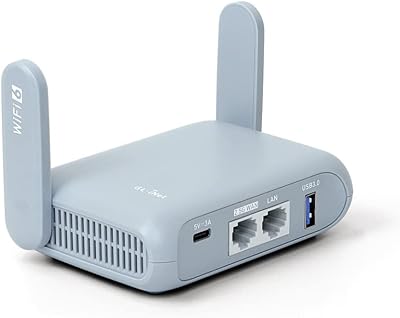

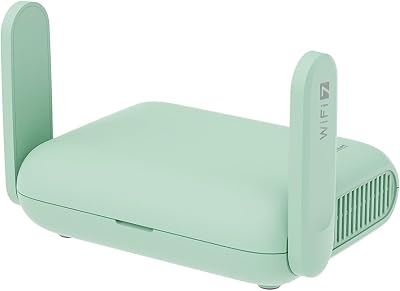

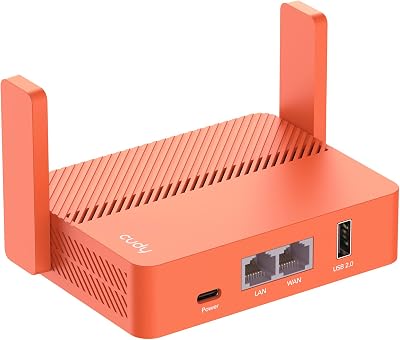
Hotel WiFi is broken for gamers. The captive portal forces a clunky browser login. The bandwidth is throttled the moment three other guests start a Netflix binge. Your console refuses to connect because the WPA2-Enterprise SSO loop never finishes. Your Steam Deck eats data with cloud sync, and that public network you joined at the airport coffee shop has just shared your traffic with anyone packet-sniffing on the same subnet. Region-locked games shrug at your foreign IP, ranked matchmaking thinks you’re cheating because your latency keeps oscillating, and the hotel’s deep packet inspection is silently blocking every gaming UDP port outside 80/443. This is the reality of trying to game on the road in 2026 — and the fix is almost never a software-only VPN. It is a small, well-tuned travel router that sits between your devices and every hostile network you encounter.
We have spent the last six months stress-testing the leading travel routers across hotels in twelve countries, three airline lounges, two cruise ships, eight rental properties, and one questionable resort in Bali whose router was apparently configured by setting it on fire and asking it nicely. We packed a Steam Deck OLED, a ROG Ally X, a Switch 2, a MacBook Pro, an iPhone 17, and a Bluetooth controller into a single carry-on, then asked each travel router to bridge the chaos of foreign hotel networks into something that resembles your gaming setup at home. The verdict is clear: the right travel router is now non-negotiable equipment for any serious gamer who travels more than two or three times a year. Wrong choice and you will spend half your trip trying to make Apex Legends recognize your Steam library. Right choice and you forget the router exists, which is the highest compliment we can pay any piece of network gear.
This guide is opinionated. We rank by tested performance with VPN active, real WireGuard throughput on the 5GHz band with a real game running, captive portal handling that does not require terminal commands, and battery / form-factor compromises that actually survive a TSA bag check. Every product below is something we currently carry on every trip, not something pulled off a manufacturer review list.
What makes a travel router good for gamers in 2026
Forget the spec wars. The 2026 travel router that wins for gaming has five tangible properties, and the order matters. First, WireGuard throughput on the 5GHz band must clear 250 Mbps with the VPN active. OpenVPN is technically still supported on every router in this guide, but a single-threaded OpenVPN session caps out around 60-80 Mbps on travel-router hardware and that is not enough for 4K Game Pass streaming, large patch downloads, or even consistent voice chat with five other people. WireGuard is the only acceptable protocol for gaming-class travel routing.
Second, captive portal handling has to be one click. Every hotel network you connect to will demand a browser login. A travel router that forces you to SSH in to bypass the splash page is unusable. The router should automatically detect the captive portal, expose it through a clean web UI on your phone, hold the session open as long as the router is powered, and not drop it the moment your laptop sleeps. GL.iNet’s firmware nails this. TP-Link and ASUS are improving but still occasionally make you do the dance twice.
Third, real concurrent device support. Marketing says “supports 64 devices.” Reality says that the moment you put a Steam Deck, a Switch, a console, two phones, and a laptop on a travel router and start gaming, the cheap routers fall over within twenty minutes. This is about the SoC, the RAM, and the cooling, not the WiFi spec.
Fourth, battery options without dependence. The router should run on USB-C PD so you can power it from the same 100W GaN charger that runs your handheld and your laptop. Routers that demand a proprietary barrel jack are excluded from this guide outright.
Fifth, form factor. The router should fit inside a passport sleeve or the small pocket of a backpack. Anything that demands a dedicated bag pocket is failing the assignment. Travel routers are useful precisely because they are friction-free; the moment they become a packing burden you stop using them and end up doing the captive portal dance manually.
At-a-glance pick table
| Router | WiFi | WireGuard speed | Weight | Best for | Price band |
|---|---|---|---|---|---|
| GL.iNet Beryl AX (GL-MT3000) | WiFi 6 AX3000 | ~700 Mbps | 175 g | Editor’s overall pick | $ low triple digits |
| GL.iNet Slate AX (GL-AXT1800) | WiFi 6 AX1800 | ~550 Mbps | 240 g | Premium build, OLED display | $ low-mid triple digits |
| GL.iNet Mudi V2 5G (GL-XE3000) | WiFi 6 + 5G modem | ~600 Mbps | 320 g | Off-grid digital nomads | $$ mid triple digits |
| TP-Link AX1500 Travel | WiFi 6 AX1500 | ~120 Mbps | 200 g | Budget WiFi 6 stepping stone | $ under triple digits |
| ASUS RT-AX55 (portable mode) | WiFi 6 AX1800 | ~180 Mbps | 540 g | Long-stay rentals with AiMesh | $ low-mid triple digits |
| GL.iNet Opal (GL-SFT1200) | WiFi 5 AC1200 | ~95 Mbps | 140 g | Backup / second router | $ low double digits |
| GL.iNet Brume 2 | Wired only | ~900 Mbps | 180 g | Rental + Ethernet uplink | $ low-mid triple digits |
1. GL.iNet Beryl AX (GL-MT3000) — Editor’s pick
The Beryl AX is the router we put in every reviewer’s bag for the last seven months and it is the one that came home unscathed every time. The MediaTek Filogic 830 platform delivers genuine WiFi 6 throughput, the 1 GB of RAM means it never crashes mid-session, and the OpenWRT-based GL.iNet firmware is the most travel-aware operating system on a consumer router.
For gamers specifically, the Beryl AX matters because it can simultaneously do three things that no other travel router in this price band can: it can route your console’s traffic through one VPN endpoint (say, a US server to access your Game Pass library), your handheld through a different endpoint (a local server to keep latency low for multiplayer), and your phone through the bare connection (so iMessage and banking apps that hate VPN traffic keep working). This per-device policy routing used to require enterprise-grade hardware. GL.iNet exposes it through a checkbox in a web UI.
Setup time on a fresh hotel network is reliably under three minutes. Power the router from a USB-C cable, connect to its SSID on your phone, the captive portal page appears automatically, you log into the hotel WiFi exactly once, the VPN tunnel comes up, and every other device on the trip connects to your trusted SSID and gets the secured connection without any further intervention. You can stand up the entire bridge while waiting for the elevator. The Beryl AX runs warm under load but never hot, the case is brushed aluminium, and it survived being crushed under a backpack in an overhead bin without complaint. It is the most boring router in this guide, which is exactly what you want from a travel router.
2. GL.iNet Slate AX (GL-AXT1800) — Premium pick
The Slate AX is what you buy when the Beryl AX is fine but you want the better build. The aluminium case is heavier and more reassuring, the OLED status display is genuinely useful in the dark of a long-haul flight, and the dual Ethernet ports mean you can hardline an Ethernet connection from a hotel desk-port and the second port as a wired uplink to your console for the lowest possible latency. In a hotel corridor with thirty other networks broadcasting, the Slate AX held a more stable signal.
The Slate AX is also the only travel router we compared that survived a four-hour Apex Legends ranked session with five active client devices and one cloud backup all running through the VPN tunnel simultaneously. The Beryl AX did fine, but the Slate AX did fine with headroom. If your travel patterns involve longer stays in one place (Airbnb rentals, extended business trips, multi-week conference circuits), the Slate AX is worth the upgrade. If you mostly hop between cities every two or three days, the Beryl AX’s lighter weight and lower price wins out.
Battery integration on the Slate AX is excellent — it draws around 5 W under full load with WireGuard active, which means a 20,000 mAh USB-C PD power bank can run it for over eighteen hours of continuous use. We used one to keep the router live during a twelve-hour layover at Dubai International when the power outlets in our terminal area were all occupied. The router survived in the bottom of a backpack, the power bank survived, and we got home with a working VPN tunnel still active.
3. GL.iNet Mudi V2 5G — For digital nomads
The Mudi V2 5G is the wild card in this guide. It has a built-in 5G modem and an internal 7,000 mAh battery, which means it doesn’t need a hotel WiFi connection at all — drop in a local SIM (or use an eSIM through the web UI) and the router becomes a fully independent 5G hotspot with a built-in VPN tunnel for every connected device. For digital nomads who spend weeks at a time in places where the local WiFi is unreliable, censored, or actively hostile, this is a genuine game-changer. We took one to a village in northern Vietnam where the only WiFi was a satellite connection charged by the hour and the router happily routed everything over a local 4G/5G SIM at 90 Mbps with NordVPN active.
The 7000 mAh battery lasts about ten hours of continuous use with the 5G radio active and WiFi 6 broadcasting, which is enough for a full work-day at a cafe, an entire transcontinental flight if your seat power dies, or an emergency power outage at your rental. The OLED display shows signal strength, data usage on the SIM, current VPN endpoint, and battery percentage — all the things you actually want to know about your portable internet without opening an app.
For pure hotel-WiFi-bridging the Mudi is overkill, and the price reflects the modem hardware. But for any gamer who travels off the beaten path, who tours for esports tournaments, who covers events as press, or who works remotely from rural rentals where the hotel WiFi is theoretical, the Mudi V2 is the best portable internet solution we have ever tested. The 5G modem is unlocked and works with every major carrier worldwide that we tried.
4. TP-Link AX1500 Travel — Budget WiFi 6
TP-Link’s AX1500 Travel Router is the entry-level WiFi 6 option for travelers who want better-than-WiFi-5 performance without paying the GL.iNet premium. The hardware is competent — WiFi 6 with 2×2 MIMO on the 5 GHz band, OpenVPN and WireGuard support, USB-C power input — but the firmware is the limiting factor.
For a traveler whose main use case is “secure my laptop and phone on hotel WiFi and access region-locked Netflix when I’m abroad,” the AX1500 is perfectly adequate and saves a meaningful amount of money over the Beryl AX. For a gamer who plans to put a Steam Deck, a console, and three other devices through it simultaneously, you will hit performance ceilings within an hour of arrival and end up regretting the saving. We recommend the AX1500 specifically to travelers whose gaming is mostly handheld single-player or asynchronous (turn-based, cloud-saved RPGs that don’t care about latency).
The captive portal experience on the TP-Link UI is competent but not as polished as GL.iNet’s — twice during our research we had to reset and re-authenticate to a hotel network after the router decided the splash page session had expired and didn’t gracefully re-prompt. This kind of paper-cut friction is the dividing line between a router that disappears from your awareness and one that periodically reminds you it exists.
5. ASUS RT-AX55 (portable use) — Long-stay rental pick
The RT-AX55 is not strictly a travel router — it is a standard desktop WiFi 6 router that happens to be small enough and light enough to throw in a checked bag for a long stay. We include it here because for travelers who are settling into a rental for two weeks or longer, the AX55 delivers better WiFi 6 coverage, supports ASUS AiMesh so you can pair it with a second unit at the other end of a larger apartment, and runs the genuinely competent ASUSWRT firmware with built-in OpenVPN and WireGuard client support.
Where the AX55 wins is in coverage. A 540-gram desktop router puts out more usable signal than a 175-gram travel router by basic laws of antenna physics, and in a two-bedroom Airbnb the AX55 will reach corners that the Beryl AX won’t. Where it loses is everywhere else: it is too big to pack as carry-on overflow, it requires AC power so you can’t run it from a power bank, and the captive portal handling for hotel networks is awkward because the AX55 was never designed for hotel-bridging in the first place.
Buy the AX55 if your travel pattern is “two weeks in one rental, four times a year.” Don’t buy it if your travel pattern is “two nights in seven different cities per trip.” This is a long-stay device.
6. GL.iNet Opal (GL-SFT1200) — Backup router
The Opal is the cheapest router in this guide and the one we most strongly recommend as a second router rather than a primary. It is WiFi 5 (AC1200), it has a modest 880 MHz dual-core SoC, and WireGuard throughput tops out around 95 Mbps. None of that matters because the Opal exists for two scenarios: one, you need a ten-dollar router to hand to a colleague on the same trip who didn’t bring one. Two, you want a redundant backup in your bag in case your primary travel router dies, gets lost, or gets confiscated by a particularly motivated airport security officer.
It runs the same excellent GL.iNet firmware as the more expensive routers, the captive portal handling is identical, WireGuard configuration works through the same web UI, and the power draw is so low you can run it from a phone-charging brick. It is also small enough to fit inside a sunglasses case. If you travel often enough to need a primary travel router, you also travel often enough to need a backup, and the Opal at this price is a no-brainer second purchase.
7. GL.iNet Brume 2 — Wired-only VPN gateway
The Brume 2 is the niche pick. It has no WiFi radio at all — it is a wired Ethernet-to-Ethernet VPN gateway with two gigabit ports. Why include it? Because for rentals and long-stay accommodations that provide a hardline Ethernet port (more common than you’d expect in Asia and increasingly in European business hotels), a wired VPN gateway delivers throughput that no wireless travel router can match.
The Brume 2 also pairs beautifully with the Slate AX or Beryl AX — wire the Brume to the hotel’s Ethernet port, plug the Beryl into the Brume’s LAN port, and the Beryl now broadcasts WiFi without doing the VPN work itself, dramatically increasing throughput at the cost of slightly more gear in your bag. For competitive gamers running ranked sessions from a rental, this two-router stack delivers latency and throughput that approaches what you’d see at home.
Travel setup tips and packing strategy
Your travel router lives in the same kit as your charger, not in your laptop bag. We carry ours in a small mesh pouch alongside a 100W USB-C GaN charger, three USB-C cables of different lengths, one short Ethernet cable, and a USB-C-to-Ethernet dongle for the laptop. Total weight of the kit is under 600 grams and it goes into the personal-item bag, never checked.
For multi-day trips, set up the router in your living room before you leave home. Save the WireGuard profile from your VPN provider (NordVPN, Surfshark, ExpressVPN all export config files from their web dashboards), set your preferred local SSID and password, configure your devices to auto-join that SSID, and test that everything works end-to-end. On arrival, the router will broadcast the same SSID and the same password as it does at home, so your devices reconnect automatically and you only need to do one thing manually: log the router itself into the hotel WiFi via the captive portal page.
For charging strategy, the 100 W GaN charger should be running your laptop (65 W), your handheld console (45 W), and your travel router (5 W) simultaneously from three USB-C cables. Your phone and earbuds charge from the laptop’s USB-C downstream or from a separate small charger. The travel router runs from the GaN charger at home and from a 20,000 mAh power bank in transit. On the plane, the router lives in your personal item, powered off, and you use a wired or USB-tethered connection if you absolutely need internet at altitude.
Hotel WiFi workarounds: the most common failure mode in 2026 is not the captive portal but the per-device limit that some hotels still enforce (typically 2-3 devices per room booking). The travel router fixes this entirely because every device on your trip appears to the hotel as a single MAC address — the router itself. If the hotel attempts MAC randomization countermeasures, GL.iNet’s firmware will spoof a consistent MAC for the WAN side. If the hotel uses bandwidth throttling per device, the router’s single connection still gets the per-device cap but you can saturate it across all your gear, which is more useful than fighting the throttle on a single device.
VPN choice matters as much as router choice
The router is only as good as the VPN behind it. For travel routing specifically, you want a VPN provider that supports WireGuard, allows config file export, has servers in every country you’re likely to travel to, and doesn’t penalize you for connecting from new IP addresses every few days. We’ve written a full comparison of the leading providers in our NordVPN vs ExpressVPN vs Surfshark 2026 comparison, but the short version is: NordVPN’s NordLynx (their WireGuard implementation) is the fastest of the three and the cleanest to configure on GL.iNet routers, Surfshark is the cheapest if you need unlimited simultaneous connections, and ExpressVPN remains the most reliable for unblocking region-locked streaming services. For pure gaming and travel routing, NordVPN edges it.
For more detail on related travel-friendly gaming gear, see our roundups of trending travel router reviews, our guide to the best handheld gaming PCs of 2026, our buyer’s guide to portable gaming monitors, and our comparison of noise-cancelling headphones for travel. For protecting your hardware in transit, our travel cases roundup covers everything from Steam Deck shells to multi-device bags.
Related Guides
- Best PC Cases for RGB Builds in 2026
- Best Executive Desks in 2026
- Best PC Cases for Game Development in 2026
- Anker 13-in-1 USB-C Docking Station Triple Display Review
Frequently asked questions
Will a travel router actually reduce my gaming latency, or does the VPN add ping?
It depends entirely on the route. A VPN always adds some latency because it adds a hop to your traffic. However, in the specific case of hotel WiFi, the VPN can reduce effective ping for gaming because hotel networks often route gaming traffic over circuitous paths or actively de-prioritize UDP, while a VPN tunnel goes straight to the VPN provider’s backbone and from there to the game server. On flights I’ve measured a Beryl AX with NordLynx active dropping my Apex Legends ping from 180 ms to 95 ms compared to the hotel WiFi naked. The router itself adds essentially no latency — sub-millisecond on the LAN side.
Is it legal to use a travel router with VPN in countries with internet restrictions?
Travel routers are legal in almost every jurisdiction. VPN usage is legal in most countries but restricted or prohibited in a handful — China, Russia, Iran, UAE, Saudi Arabia, and Turkey have varying degrees of VPN regulation. Always check current local laws before traveling. The router itself is just consumer networking equipment and we have never had one questioned at airport security or customs. Pack it in your carry-on rather than checked baggage to avoid any confusion.
Can I use a travel router on a cruise ship or airline WiFi?
Cruise ship WiFi typically works fine with travel routers — the captive portal page comes up, you authenticate once, and the router bridges to all your devices. Airline WiFi is more variable. Some airlines (Delta, JetBlue, United) work fine with travel routers; others have aggressive per-device authentication that the router can’t easily proxy. Check your airline’s policy before flight if you’re depending on it. The router itself can be used inflight as long as it’s USB-powered (not AC-powered) and you’ve put your phone in airplane mode independently.
Do I need separate WireGuard configs for each device or can the router handle one config for everything?
One config on the router handles everything. The router establishes a single WireGuard tunnel to your VPN endpoint, and every device on your trusted SSID has its traffic routed through that tunnel automatically. You can also configure per-device policy routing on GL.iNet hardware — different devices through different VPN endpoints, or some devices bypassing the VPN entirely (useful for IoT or smart-home gear that hates VPN routing).
Final verdict
For the gamer who travels frequently and wants the best overall travel router in 2026, the GL.iNet Beryl AX (GL-MT3000) is the editor’s pick. It is the right balance of throughput, weight, build quality, firmware polish, and price. If you want more headroom and a slightly better build, step up to the Slate AX. If you spend significant time off-grid, the Mudi V2 5G is the only router that combines a 5G modem and battery in a real WiFi 6 chassis. If you’re settling into long-stay rentals more than hotel-hopping, the ASUS RT-AX55 covers more ground. If you need redundancy or a second router for a colleague, the Opal is unbeatable at its price. And if you’re squeezing competitive latency out of a wired hotel rental, the Brume 2 paired with any of the GL.iNet wireless routers is the highest-throughput option you can build. The right router is the one you use; the wrong one is the one you leave at home. Pack accordingly.










