- Top Pick: SANDISK 256GB microSD Card, Super Mario Super Star Edition | Officially Licensed for Nintendo Switch, UHS-I, Up to 100MB/s Read Speeds
- Best Value: Samsung microSD Express Card – 256GB for Nintendo Switch™ 2
- Premium Choice: Samsung P9 Express microSDXC 512GB for Nintendo-Switch 2 | Express microSD Card for Nintendo-Switch 2 (MB MK512T/AM)
Buying an SD card for a Nintendo Switch used to be a one-question decision: how many gigabytes do you need? That is no longer true. The original console and its handheld variants take standard microSD cards, while the newer Switch 2 asks for the microSD Express format, which is a different technology with a different connector layout and far higher stated speeds. A card that is perfect for one console can be the wrong format for the other, so the first step is to confirm which console is in your bag. The second step is to read the format wording in each title, since several cards look nearly identical on a shelf and differ only in a model code or one line of text.
This guide is written for buyers filling a console in 2026 who want a clear view of ten microSD cards, from Mario-themed UHS-I cards to 512GB Express cards. Every judgment comes from the listing text: capacity, stated read and write speeds, speed class marks, and whether the card names a console. Read the Quick Picks table to see the split, then use the buying notes to match format, capacity, and speed class to your system and library.
Quick Picks
As an Amazon Associate we earn from qualifying purchases at no extra cost to you.





| Product | Best for | Key spec from the title |
|---|---|---|
| SanDisk 256GB Super Mario Edition | Original Switch with themed style | Officially licensed, UHS-I, up to 100MB/s read |
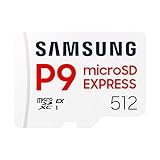
| Samsung microSD Express 256GB | Switch 2 starter library | Express format, named for Switch 2 |
| Basics microSDXC 128GB | Budget original Switch storage | A2, U3, up to 100MB/s read |
| Samsung P9 Express 512GB | Switch 2 with a large library | Express microSDXC, model MB-MK512T/AM |
| SanDisk Ultra 256GB | General-purpose UHS-I storage | Up to 150MB/s read, A1, U1, C10 |
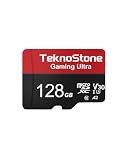
| TEKNOSTONE 128GB A2 Gaming | Handheld consoles on a tight plan | 100MB/s read, 50MB/s write, U3, V30 |
| SanDisk 512GB microSD Express | Switch 2 speed seekers | Up to 880MB/s read, 650MB/s write |
| SanDisk 512GB Express, Officially Licensed | Switch 2 with licensed branding | Officially licensed, 880MB/s read |
| SanDisk Ultra 128GB | Light download libraries | Up to 140MB/s read, A1, U1 |
| Silicon Power 128GB | Backup and secondary use | U3, SDXC, up to 100MB/s |
How to Choose
Match the card format to the console
The original Switch, the Lite, and the OLED model use standard microSD, microSDHC, and microSDXC cards. The Switch 2 uses microSD Express, and the listings that name it say so directly. Do not buy an Express card for an original console unless you also plan to move it later, and do not buy a standard UHS-I card for a Switch 2 expecting it to work. When a listing says nothing about a console, such as the Silicon Power card with a camera and drone focus, treat it as a general-purpose card.
Choose capacity for the library you plan to build
A 128GB card works for a handful of downloaded games and screenshots. A 256GB card gives you room for a growing digital library, and 512GB suits large titles and long-term storage. Physical cartridges do not use card space, so the number of digital purchases determines the right size. Buy the capacity you will need in a year rather than the one you need today, since system updates, save data, and screenshots add up quietly, and because moving data between cards takes time and patience.
Read speed labels without being misled
The listings state read speeds such as 100MB/s, 140MB/s, and 150MB/s for UHS-I cards, and 880MB/s read with 650MB/s write for the Express cards. A1, A2, U1, U3, V30, and C10 are class marks that describe minimum performance and app handling. Higher read numbers help load times in games that stream data from the card. A big headline read speed matters less than consistent write speed, which the TEKNOSTONE and Express listings name and others leave out.
Watch for look-alike branding
Some listings say “Officially Licensed” and others only say compatible. The SanDisk Mario card and one SanDisk Express card carry licensed wording, which indicates the packaging is built around a console partnership. That does not change the memory inside, but it removes ambiguity about intended use. Some cards also emphasize phones, cameras, or drones in their titles. Those can work as storage but are less explicit about gaming, so confirm the format with the console’s own documentation before you commit to a card you cannot easily return.
The 10 Best Options
SanDisk 256GB Super Mario Edition
This SanDisk card is officially licensed for Nintendo Switch, uses the UHS-I standard, and lists up to 100MB/s read speeds at 256GB. It suits original-console owners who want a themed card that is clearly intended for the system.
- Strength: the licensed wording removes compatibility doubts.
- Strength: 256GB gives space for a sizable digital library.
- Trade-off: the listing mentions no write speed or app class mark.
Skip it if you own a Switch 2, since this is a standard UHS-I card.
Samsung microSD Express Card 256GB for Switch 2
Samsung’s listing names the Switch 2 directly and uses the microSD Express format at 256GB. It is meant for owners of the newer console who want a first card without moving up to a 512GB model.
- Strength: it is named for the Switch 2 in the title.
- Strength: the Express format matches the console’s requirement.
- Trade-off: the listing gives no read or write speeds.
Skip it if you use an original Switch.
Basics microSDXC Memory Card 128GB
The retailer-brand Basics card lists a full-size adapter, an A2 mark, a U3 mark, and read speeds up to 100MB/s at 128GB. The A2 mark is the most notable item for a game card, because it describes app performance. It suits a casual player with a small library.
- Strength: A2 and U3 marks are both named.
- Strength: an adapter is included.
- Trade-off: 128GB can fill up fast with large digital games.
Skip it if you plan to download many games or own a Switch 2.
Samsung P9 Express microSDXC 512GB
The P9 Express offers 512GB in the Express format for the Switch 2, and the title carries the model number MB-MK512T/AM. It suits collectors with large libraries who want plenty of room.
- Strength: 512GB is a generous capacity.
- Strength: the model number allows easy spec lookup.
- Trade-off: speed figures are not listed in the title.
Skip it if your console is an original Switch or you only keep a few downloads.
SanDisk 256GB Ultra microSD Card
This SanDisk Ultra includes an adapter and lists up to 150MB/s read, UHS-I, Full HD, C10, U1, and A1. The wording targets Android phones, tablets, and cameras, so it is a general-purpose option for a Switch owner who wants one card to share.
- Strength: 150MB/s read is the highest figure among the standard cards.
- Strength: the A1 mark is stated along with the adapter.
- Trade-off: the title does not mention Nintendo, so it is not marketed for gaming.
Skip it if you want a card with explicit console branding.
TEKNOSTONE 128GB A2 Gaming MicroSDXC
TEKNOSTONE names handheld gaming consoles in the title and lists A2, U3, V30, C10, and UHS-I marks, with 100MB/s read and 50MB/s write. It suits budget-minded players who want a gaming-oriented card and a stated write speed.
- Strength: both read and write speeds are listed.
- Strength: A2, U3, and V30 are all named.
- Trade-off: the brand is less established than SanDisk or Samsung.
Skip it if you want licensed branding or a larger capacity.
SanDisk 512GB microSD Express Card
This SanDisk listing says it works with Switch 2 and lists up to 880MB/s read and 650MB/s write, with U3 and C10 marks. It is the pick for new-console owners who want the speed numbers in the title.
- Strength: both read and write speeds are clear.
- Strength: 512GB leaves room for a large library.
- Trade-off: the title does not carry licensed wording.
Skip it if your system is an original Switch.
SanDisk 512GB microSD Express Card, Officially Licensed
This second 512GB SanDisk Express card shares the 880MB/s read and 650MB/s write figures but adds the Officially Licensed label and a “for Nintendo Switch 2” line. It is the clearest choice for a buyer who wants the licensing statement.
- Strength: the licensed wording is explicit.
- Strength: it matches the same listed speeds as its sibling.
- Trade-off: it overlaps closely with the other 512GB Express card.
Skip it if your console uses standard microSD cards.
SanDisk 128GB Ultra microSD Card
The 128GB Ultra lists up to 140MB/s read, UHS-I, Full HD, C10, U1, and A1 with an adapter. It is the small-capacity sibling of the 256GB Ultra and suits a lighter library.
- Strength: it carries a high stated read speed for its tier.
- Strength: the adapter is included.
- Trade-off: 128GB limits how many large games fit.
Skip it if you plan to build a big digital collection.
Silicon Power 128GB Micro SD Card
Silicon Power lists a 128GB SDXC card with a U3 mark and up to 100MB/s read, with the title pointing toward cameras, DJI Pocket devices, and drones. It works as a secondary or backup card for general use.
- Strength: the U3 mark and SDXC class are stated.
- Strength: it can share duty between devices.
- Trade-off: the title does not mention game consoles.
Skip it if you want a card marketed for the Switch.
Which One Fits Your Situation
You own an original Switch and want a themed card
Choose the SanDisk 256GB Super Mario Edition. The licensed wording and the 256GB size suit a growing library on the older hardware.
You own a Switch 2 and want speed numbers on the label
Choose the SanDisk 512GB microSD Express Card. The listed 880MB/s read and 650MB/s write figures make it the most transparent Express option in the group.
You have a casual library and a tight plan
Choose the TEKNOSTONE 128GB A2 Gaming card or the Basics microSDXC. Both state A2 and U3 marks, and 128GB covers a few downloaded games.
You share a card between a Switch and a camera or phone
Choose the SanDisk 256GB Ultra. Its 150MB/s read figure and general-purpose wording suit a card that moves between devices.
Common Mistakes
- Buying a standard UHS-I card for a Switch 2, which needs the Express format.
- Assuming the biggest read speed means the best game performance.
- Choosing 128GB for a library that will grow into a dozen large downloads.
- Ignoring the adapter, which matters only if you plan to use the card in a laptop or camera.
- Overlooking the format difference between two similar-looking 512GB SanDisk listings.
Related guides
- Combination Smoke And Carbon Monoxide Detectors
- Aio Liquid Coolers For High Performance Gaming
- Graphics Cards For Low Wattage Power Supplies
Frequently Asked Questions
Can I use a regular microSD card in a Switch 2?
The Switch 2 asks for microSD Express cards, and the listings that name it say so. Standard UHS-I cards are for the original Switch family.
How much storage do I need?
A 128GB card suits a small digital library, and 256GB is a comfortable middle. Choose 512GB if you buy many downloads or large games.
What does A2 mean on a microSD card?
A2 is an application performance class that describes how well a card handles random reads and writes. It can help game loading, though a card without it will still work.
Do I need the adapter?
Not for the console itself, because the Switch takes microSD cards directly. The adapter helps if you want to move files through a full-size SD slot on a laptop.