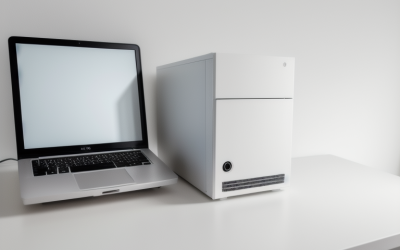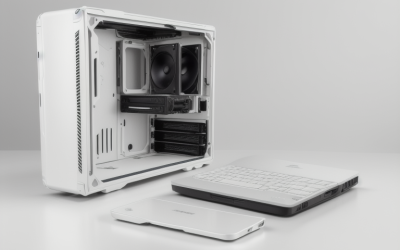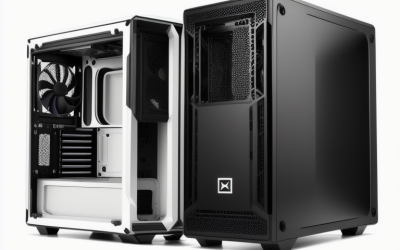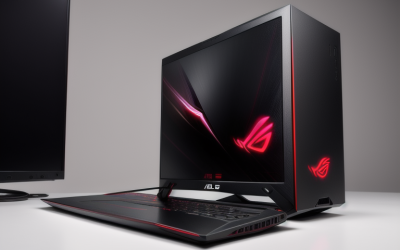

- Top Pick: HYTE Y50 RGB Essential Aesthetic Gaming PC Case – 4 aRGB Fans (1x 120mm + 1x 360mm Reverse) – Dual Chamber ATX Desktop Chassis – Rear Connect Motherboard Compatible – Black Cherry (Red)
- Best Value: HYTE X50 – Modern Performance ATX Mid-Tower Gaming PC Case – Optimized High Airflow Chassis – 4mm Thick, Curved, Laminated Acoustic Glass – Micro Mesh Panels w Sturdy Stamped Steel – Wild Cherry (Red)
- Premium Choice: Hyte Y40 Modern Aesthetic Panoramic Tempered Glass Mid-Tower ATX Computer Gaming Case with PCIE 4.0 Riser Cable Included, Red (CS-HYTE-Y40-BR)
A red PC case is a statement piece, and the first thing to settle is what “red” means to you. Some chassis ship with red-finished panels or frames, while others are black cases that can glow red through addressable RGB fans. The two routes look different on a desk, age differently and place different demands on your component choices, so it helps to decide before you compare airflow or glass panels.
This guide covers six listings for 2026 builders. Four are described as red in their titles: three from HYTE and one open-frame design from KEDIERS. The last two, from MUSETEX and RUIX, are listed in black and appear here as red-lit alternatives, because they carry addressable RGB fans that can be set to a red scheme through a motherboard controller. Black, pink and unspecified-color cases were left out so the list stays honest about the finish.
Quick Picks
As an Amazon Associate we earn from qualifying purchases at no extra cost to you.



| Product | Best for | Key spec from the title |
|---|---|---|
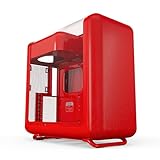
| HYTE Y50 RGB Essential | Showpiece dual-chamber build | Black Cherry (Red), 4 aRGB fans, dual chamber ATX |
| HYTE X50 | Airflow-minded builders | Wild Cherry (Red), micro mesh panels, curved acoustic glass |
| HYTE Y40 | Panoramic display builds | Red, PCIe 4.0 riser cable included |
| KEDIERS C570 Open Frame | Unusual open-air looks | Red, 7 PWM ARGB fans, ATX and MATX |
| MUSETEX Y6 (7 fans) | Red-lit lighting show | 7 infinity mirror PWM ARGB fans, Type-C |
| RUIX OV303 | Simple ARGB airflow case | 4 x 120mm Prism ARGB PWM fans, USB 3.0 and Type-C |
How to Choose
Decide between a red finish and red lighting
A red finish stays red when the PC is off, and it does not depend on a lighting controller. A black case with ARGB fans can switch between red, white or any other color, which suits people who change their theme often, though the case itself is not red. Painted finishes can show fingerprints or scuffs more readily than black, so a red build rewards careful handling during assembly. Look at whether the color is stated in the title or only visible in the product photo, because lit-up photos can mislead.
Match case size to your motherboard and radiator plans
ATX mid-tower cases fit standard ATX, microATX and mini-ITX boards. The KEDIERS open frame lists ATX and MATX only. If you plan liquid cooling, look for radiator figures such as 360mm in the title and confirm where it mounts. Dual-chamber cases separate the power supply and cables from the main chamber, which looks tidy but usually asks for more careful cable routing. Mini-ITX and microATX boards fit in these cases but can leave a lot of empty space, so a full ATX board often looks more balanced behind the glass.
Think about glass, mesh and airflow
Large tempered-glass panels show off a build but can restrict intake. Mesh panels, such as those mentioned for the HYTE X50, allow more air to reach components. Open frames expose everything to the room, which helps airflow but invites dust. If your parts run hot, favor airflow-oriented wording over pure aesthetics.
Weigh ports and included fans
A front USB Type-C port is now a reasonable expectation. Pre-installed fans save a separate shopping trip, but count them carefully: seven PWM ARGB fans need a hub or enough motherboard headers. Mirrored or reverse-blade designs are visual choices that affect fitting space, so look at the clearance for graphics cards and CPU coolers. A dozen fans is not a goal in itself; what matters is that intake and exhaust are balanced and that the case ships with enough headers or a hub to power them.
The 6 Best Options
HYTE Y50 RGB Essential
A dual-chamber ATX chassis in a red shade named Black Cherry, with four aRGB fans: one 120mm plus a 360mm reverse set. It is also described as compatible with rear-connect motherboards, which hide connectors behind the board. The red shade, the glass-forward styling and the lighting package make it the most complete show case here for someone who wants the color to be the first thing a visitor sees.
- Dual-chamber layout and fans are included from the start.
- Rear-connect compatibility supports cleaner cable management on supported boards, which keeps the visible side of the build tidy.
- Trade-off: the layout is distinctive and may call for planning around cooler and cable fit.
Skip it if you want a traditional front-to-back airflow design.
HYTE X50
A modern ATX mid-tower in Wild Cherry, billed as optimized for high airflow. The title mentions 4mm thick, curved, laminated acoustic glass, micro mesh panels and a stamped steel build. The red here is a deeper cherry tone, which tends to look more subdued than a bright signal red, so it fits builders who want color without a loud look. Acoustic glass is mentioned in the title, though the title makes no claim about noise numbers.
- Micro mesh panels signal a focus on air intake.
- Curved laminated glass gives it a distinctive front-facing look.
- Trade-off: the title does not list included fans, so confirm what ships in the box.
Skip it if you want a cabinet with a pre-installed lighting package.
HYTE Y40
A panoramic tempered glass mid-tower for ATX boards that comes in red and includes a PCIe 4.0 riser cable, a part you would otherwise have to buy for a vertical GPU display. It is a good choice for builders who want to show off a graphics card, and the red finish adds a splash of color around it. The riser also means you can pair the case with a graphics card that has an eye-catching shroud and let it become the centerpiece of the build.
- The riser cable is included, which helps a vertical GPU setup.
- Panoramic glass shows the build from the front and side.
- Trade-off: the title lists no fan count or radiator support.
Skip it if you prefer a conventional horizontal GPU position.
KEDIERS C570 Open Frame
A red, irregularly shaped open frame with a thick metal build and seven PWM ARGB fans, supporting ATX and MATX motherboards. It stands out from the box-shaped crowd and is made for people who treat the PC as display hardware. The thick metal frame suggests sturdiness, and the PWM fans can be run at lower speeds through the motherboard when you want less noise during light use.
- Seven fans are included, which supports a bright lighting effect.
- The open design leaves components visible and reachable.
- Trade-off: open frames expose parts to dust and offer little noise containment.
Skip it if the PC lives in a dusty room or you want quiet operation.
MUSETEX Y6 (7 Fans)
This black ATX mid-tower comes with seven infinity mirror PWM ARGB fans, a Type-C port and a 270-degree tempered glass view. It is not red out of the box, but the lighting can be set to a red scheme. The infinity mirror fan design creates a tunnel-like effect when lit, so a single color such as red looks more dramatic than on plain fans. The buyer profile is someone who values a big lighting show and does not mind that the shell stays black.
- Seven pre-installed addressable fans deliver a dramatic effect without extra purchases.
- The 270-degree glass gives a nearly unbroken view of the interior.
- Trade-off: the red comes only from lighting, not from the finish.
Skip it if you want a case that looks red when the lights are off.
RUIX OV303
A black ATX mid-tower with four 120mm Prism ARGB PWM fans pre-installed, plus USB 3.0 and Type-C ports. The title emphasizes high airflow for a gaming computer. It is the simplest and most restrained design in the group, which makes it easier to build in and less likely to overwhelm a modest setup. Red lighting can be a pleasant accent rather than the whole personality of the machine. It is also the sensible pick for a first build, since four fans and a familiar mid-tower shape leave fewer surprises during assembly.
- Four 120mm ARGB fans are included for lighting and airflow.
- Both USB 3.0 and Type-C ports are listed.
- Trade-off: it is a black case, so red depends on your lighting settings.
Skip it if you want a red finish rather than red lighting.
Which One Fits Your Situation
You want a true red case with a bold design
Among the red-finished options, the HYTE Y50 in Black Cherry is the headline option, with its dual-chamber layout and four aRGB fans in the same box. It suits a builder who plans to put effort into cable routing and wants the finished machine to look curated from every angle.
Your parts run hot and airflow matters most
The HYTE X50 is the airflow-first red option thanks to its micro mesh panels, while the RUIX OV303 is the black alternative with four included ARGB fans. Anyone cooling a hot graphics card should favor mesh and fan count over glass area, even if that means giving up a little visual drama.
You want to show a graphics card vertically
The HYTE Y40 includes a PCIe 4.0 riser cable and a panoramic glass design, so a vertical card mount is easy to plan. Because the title lists no fans, put a few good intake fans on your shopping list before you commit to this one.
You want a one-of-a-kind display piece
The KEDIERS C570 open frame offers a red finish and seven fans in a shape that no standard tower resembles, as long as you accept the dust trade-off.
Common Mistakes
- Assuming a black case with red photos is actually red.
- Skipping the fan count and then discovering the lighting effect needs extra purchases.
- Buying an extended-size motherboard for a case whose title lists only ATX and MATX support.
- Putting a heavy air cooler or large radiator into a case without confirming the clearance numbers.
- Choosing glass over airflow for a hot GPU and CPU combination.
Related guides
- Aio Liquid Coolers For High Performance Gaming
- How To Lower Input Delay In Competitive Shooters
- External Hard Drives For Music Production
Frequently Asked Questions
Will a red case clash with other colors?
It can, so plan the build around it. Black, white and gray components pair easily with red, while mixed lighting colors can look noisy. A common approach is to let the case carry the red and keep memory, cooler and cables in neutral tones so the color reads as intentional rather than busy.
Can I change the lighting color on ARGB fans?
Generally yes, through a motherboard header with matching software or a hub controller. The exact options depend on the connectors and control method, so confirm those details on the product page.
Is an open-frame case a good idea?
It suits display builds and open-air cooling, but it leaves parts exposed to dust and bumps. Enclosed cases are easier to live with in a busy home, especially with pets or small children nearby. If you love the look of the KEDIERS, plan a regular cleaning routine with compressed air and a soft brush.
Why does a riser cable matter?
A riser cable moves the graphics card away from the motherboard slot so it can sit vertically behind the glass. A PCIe 4.0 version avoids compatibility limits on current boards. Keep in mind that a riser adds length to the cable run, so the graphics card sits a little farther from the slot, and it is worth reading the case manual for the exact mounting steps.