A programmable mouse turns extra buttons into shortcuts, macros and bound commands, putting more control under your hand. For MMO and MOBA players it means abilities and spells a thumb-press away; for creators and power users it means one-click access to tools, copy-paste and application shortcuts. The right programmable mouse offers enough buttons for your workflow, reliable software to map them, and a comfortable shape to use them all day. This guide rounds up the best programmable mouse in 2026 across the options most people actually shop for, from full button-grid MMO mice to versatile all-rounders and a keyboard-and-mouse combo.
Our picks were chosen on a simple basis: number and usefulness of programmable buttons, sensor quality, build for the money, and value. We have included a deliberate price spread — from around $20 to around $80 — because the best programmable mouse depends on how many buttons you will genuinely use and on your budget, not on price alone. Whether you want a wireless MMO mouse loaded with thumb buttons, a feature-rich all-rounder with eleven buttons, or an affordable mouse with the essentials, there is an option here. Below you will find an at-a-glance comparison, then a closer look at each mouse and a buyer’s guide covering what really matters.
As an Amazon Associate we earn from qualifying purchases at no extra cost to you.



Updated October 2026 – picks rechecked against current maker specifications and live availability.
Quick Answer: The Best Programmable Mouse for Each Job
The best programmable mouse for most people is the Logitech G502 Hero: 11 programmable buttons, a 25,600 DPI HERO sensor and G HUB profiles for under $40. For an MMO or MOBA, the UtechSmart Venus Pro (16 buttons, wireless) and the Razer Naga V2 HyperSpeed (19 buttons) give the most thumb keys. For office work, the Logitech MX Master 3S is the better fit.
Best Programmable Mouse by Budget and Use
- Under $30: Redragon M908 · 12,400 DPI · 12-key thumb grid · wired
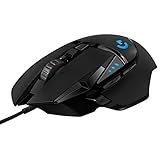
- Under $50: Logitech G502 Hero · 11 programmable buttons · 25,600 DPI · wired
- Light wireless: Logitech G305 Lightspeed · 6 programmable buttons · 12,000 DPI · single AA
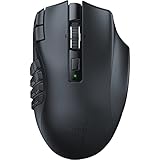
- Most MMO buttons: Razer Naga V2 HyperSpeed · 19 programmable buttons · 30K sensor · wireless
- Productivity: Logitech MX Master 3S · 8K DPI · MagSpeed scrolling · quiet clicks
🛒 Best Price Today on Amazon
Prime members get fast, free shipping on everything above, plus member-only deals. New members get a 30-day free trial — cancel anytime.
Best Programmable Mouse at a Glance
| Mouse | Best For | Standout Spec | Approx Price |
|---|---|---|---|
| Logitech G502 HERO Wired | Most programmable all-rounder | 11 buttons, HERO 25K sensor | around $32 |
| UtechSmart Venus Pro Wireless MMO | MMO button grid | 16,000 DPI, large button bank, wireless | around $48 |
| Logitech G305 Lightspeed Wireless | Light programmable wireless | HERO sensor, mappable buttons | around $37 |
| Corsair Scimitar RGB Elite Wired | Wired MMO with adjustable thumb keys | 17 programmable buttons, 18,000 DPI, key slider | around $70 |
| Redragon S101 Keyboard + Mouse | Combo on a budget | Programmable keyboard and mouse set | around $40 |
| Redragon M602 Gaming Mouse | Budget programmable pick | 7,200 DPI, RGB, programmable buttons | around $20 |
1. Logitech G502 HERO High Performance Wired Gaming Mouse

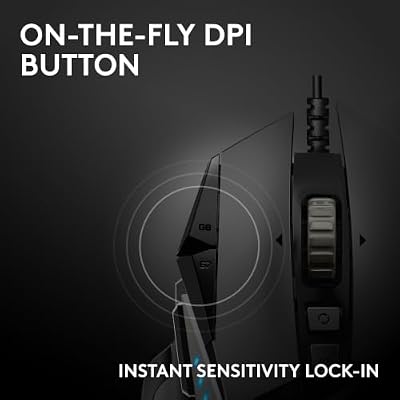
Logitech G502 HERO Wired Gaming Mouse, HERO 25K Sensor for PC/Mac | High performance, 25,600 DPI, RGB, adjustable weights, 11 programmable buttons, on-board memory, programmable mouse




As an Amazon Associate we earn from qualifying purchases. Product prices and availability are accurate as of the date/time indicated.
The Logitech G502 HERO is our top all-rounder for a programmable mouse, and the reason is its eleven programmable buttons paired with one of the best sensors in gaming. Logitech’s G HUB software lets you map each button to keystrokes, macros or in-game commands, and the HERO 25K sensor with its 25,600 DPI range means the mouse is as precise as it is versatile. For a player or power user who wants lots of customisable inputs in one mouse, the G502 is the obvious choice.
The G502 is a full-size, comfortable mouse with an adjustable, free-spinning scroll wheel and well-placed buttons, and at around $32 the wired version is outstanding value for what it offers. It is the mouse to choose if you want deep customisation for gaming, creative work and everyday productivity in a single device. For the user who treats their mouse as a command centre, the G502 HERO is the natural starting point.
Pros: Eleven programmable buttons, flagship HERO 25K sensor, capable software, great value.
Cons: Heavier full-size shape; wired only at this price.
2. UtechSmart Venus Pro RGB Wireless MMO Gaming Mouse

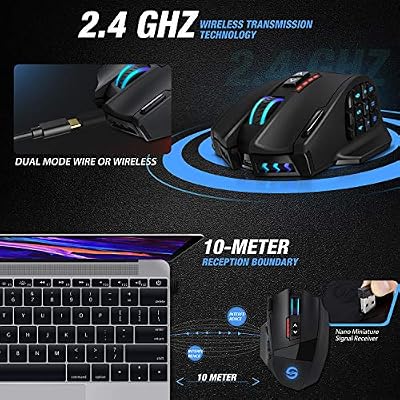
UtechSmart Venus Pro Wireless MMO Gaming Mouse - 16000 DPI RGB | 16 Programmable Buttons, High Precision Laser 2.4G, 70Hr Battery, Ergonomic Grip, Optical Sensor, Black



As an Amazon Associate we earn from qualifying purchases. Product prices and availability are accurate as of the date/time indicated.
The UtechSmart Venus Pro is the pick for players who want the most buttons under their thumb. It features a large bank of programmable buttons, including a dedicated thumb grid, paired with a 16,000 DPI optical sensor and wireless connectivity. For MMOs and MOBAs, where binding spells, abilities and macros to the mouse saves precious time, this kind of button density is exactly what you want — and the high DPI keeps tracking sharp on any display.
At around $48 it offers an enormous amount of programmability for the money. The thumb grid lets you map a full set of commands within easy reach, and the software makes assigning macros straightforward. It is a larger, feature-rich mouse rather than a minimalist shape, so it suits players and power users who value control above all. If your priority is the maximum number of programmable buttons, the Venus Pro is the standout here. See more options in our best wireless gaming mouse guide.
Pros: Large programmable button grid, 16,000 DPI sensor, wireless, strong value for features.
Cons: Larger and heavier than simple mice; the button bank takes time to learn.
3. Logitech G305 Lightspeed Wireless Gaming Mouse

Logitech G305 LIGHTSPEED Wireless Gaming Mouse, Hero 12K Sensor - Blue | 12,000 DPI, lightweight, 6 programmable buttons, 250h battery life, on-board memory, PC/Mac, lightweight gaming mouse



As an Amazon Associate we earn from qualifying purchases. Product prices and availability are accurate as of the date/time indicated.
The Logitech G305 Lightspeed is the light, programmable wireless pick. While it is more compact than the button-laden MMO mice, its buttons are mappable through G HUB, so you can bind macros and shortcuts to suit your workflow, and it pairs that with the accurate HERO sensor and wired-class LIGHTSPEED wireless. For a user who wants useful programmability without a large, heavy mouse, it strikes a smart balance.
At around $37 the G305 is a standout value in wireless. It is the mouse to choose if you want a light, responsive mouse you can still customise, rather than a dedicated MMO grid. It runs a long time on a single AA battery, which keeps weight low and convenience high. For the player who wants clean aim plus a handful of well-placed, programmable buttons, the G305 is an easy recommendation.
Pros: Light, accurate HERO sensor, mappable buttons via G HUB, wired-class wireless.
Cons: Fewer buttons than a dedicated MMO mouse; single-AA powered.
4. Corsair Scimitar RGB Elite Wired MMO Gaming Mouse
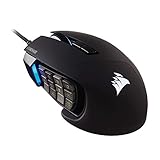
The Corsair Scimitar RGB Elite is the second MMO-style pick here, built around a side panel of 12 numbered thumb keys and 17 programmable buttons in total. Its adjustable key slider lets you shift the thumb-key block forward or back to match your hand size, which matters when you need to hit twelve keys without looking. An 18,000 DPI sensor, Omron switches and iCUE software for macros and per-game profiles complete the package.
At roughly $70 it costs more than the Redragon and UtechSmart grids, but it adds a better-known software suite and a thumb panel you can fit to your hand. It suits MMO and MOBA players who bind many abilities and want a wired, reliable mouse. If you only need a handful of mapped buttons, the lighter G305 above is the simpler buy.
Pros: 17 programmable buttons, adjustable thumb-key slider, iCUE macros and profiles, Omron switches.
Cons: Wired only; pricier than budget MMO mice; large thumb panel needs a learning period.
5. Redragon S101 Gaming Keyboard and Mouse Combo

Redragon S101-3 PRO Gaming Keyboard and Mouse, RGB Backlit Programmable Keyboard Mouse with Software, Independent Macro Record Keys, Value Combo Set, New Update Version


As an Amazon Associate we earn from qualifying purchases. Product prices and availability are accurate as of the date/time indicated.
The Redragon S101 is the pick for anyone who wants programmable peripherals as a set. It pairs an RGB backlit gaming keyboard with a programmable gaming mouse, so you get a coordinated, customisable desk setup in one purchase. For a player building or refreshing a battlestation on a budget, getting both a programmable keyboard and mouse together is genuinely convenient and cost-effective.
At around $40 for the combo, the per-item value is strong. The mouse offers programmable buttons for binding commands, and the matching keyboard rounds out the setup with backlighting and gaming-focused features. It suits the user who wants a complete, customisable input package rather than buying mouse and keyboard separately. For a budget setup that values programmability across both devices, the S101 combo is a sensible, all-in-one choice.
Pros: Programmable keyboard-and-mouse set, RGB backlighting, strong combo value.
Cons: Wired set; a combo trades some refinement versus buying each separately.
6. Redragon M602 Gaming Mouse (Ergonomic RGB)

Redragon M602 Wired RGB Gaming Mouse 7200 DPI - Remapping Keys, Black | 9 Programmable Buttons, Professional Software, Vibing Backlit,Stable Lag-Free,Ergonomic Grip Body Comfort for Gamer Office


As an Amazon Associate we earn from qualifying purchases. Product prices and availability are accurate as of the date/time indicated.
Rounding out the list is the wired Redragon M602, the budget programmable pick. At around $20 it delivers a 7,200 DPI adjustable optical sensor, RGB lighting and an ergonomic body with programmable buttons — a lot of customisable gaming mouse for very little money. The programmable buttons let you bind useful shortcuts and commands, and the adjustable DPI lets you tune the sensitivity to your games.
This is the mouse to choose when you want programmability on the tightest budget. It will not match the button count of the Venus Pro or the sensor refinement of the Logitech HERO mice, but for a starter setup, a second machine, or a value-first build it covers customisable gaming well. As an affordable entry into programmable peripherals, the M602 is hard to argue with on price. For more shapes built for aim, see our best mouse for FPS games guide.
Pros: Affordable, programmable buttons, adjustable 7,200 DPI, RGB, ergonomic shape.
Cons: Fewer buttons than dedicated MMO mice; wired only; basic software.
More Programmable Mouse Picks Worth Considering
The mice below extend the list to wireless all-rounders and office-friendly designs. Specs come from the maker listings, and each entry says who it suits and who should skip it.
Razer Basilisk V3 X HyperSpeed – Best Wireless Programmable Mouse for Everyday Use

The Razer Basilisk V3 X HyperSpeed is a mid-priced wireless mouse for players who want a solid set of remappable controls without a thumb grid. Razer Synapse handles button remapping and profiles, and the battery runs for a very long time between swaps.
- 9 programmable controls
- 5G Advanced 18K optical sensor
- Mechanical switches Gen-2
- Up to 285 hours of battery life
- Chroma RGB lighting
Pros: Long battery life; wireless at around $50; reliable switches; tilt scroll wheel for extra binds.
Cons: Fewer buttons than MMO mice; AA-powered body is a little tall.
Skip it if you bind more than a dozen abilities in an MMO. Pick the Razer Naga V2 HyperSpeed or Corsair Scimitar RGB Elite instead.
SteelSeries Rival 5 – Best for Switching Between FPS and MOBA

The SteelSeries Rival 5 is a wired mouse with a compact side cluster, aimed at players who move between shooters, MOBAs and battle royales. Its buttons are remappable in SteelSeries GG, where you can save a separate profile per game.
- 9 programmable buttons
- 18,000 CPI TrueMove Air optical sensor
- PrismSync RGB lighting
- Wired connection
Pros: Balanced button layout; per-game profiles; accurate sensor; around $64.
Cons: Wired only; not a true MMO grid.
Skip it if you want a wireless mouse or a numpad-style thumb panel.
Redragon M811 Pro – Best Budget Wireless Programmable Mouse

The Redragon M811 Pro is a wireless budget option with remappable keys and custom macro keybinds in Redragon’s own software. It suits buyers who want a cable-free mouse with plenty of customisation at around $43.
- 26K DPI sensor
- Wireless connection
- Remappable keys and macro keybinds
- Ergonomic grip body
- Backlight effects
Pros: Low price for a wireless programmable mouse; high DPI ceiling; macro support.
Cons: Software is basic compared with G HUB or Synapse; brand polish trails Logitech and Razer.
Skip it if you want long-term software updates and profile syncing.
Logitech MX Master 3S – Best Programmable Mouse for Office and Creative Work

The Logitech MX Master 3S is the programmable mouse for people who spend the day in documents, spreadsheets and editing software. Logi Options+ lets you map the thumb wheel, gesture button and side buttons to app-specific shortcuts, so one mouse can change behavior between your editor and your browser.
- 8K DPI sensor that tracks on glass
- MagSpeed ultra-fast scrolling
- Quiet clicks
- Bluetooth connection, ergonomic shape
- Works with Windows, Linux and Chrome
Pros: Excellent scrolling; per-app profiles; quiet; comfortable for long sessions.
Cons: Not a gaming mouse; around $80; heavy for fast aiming.
Skip it if you play fast shooters or want RGB and a thumb grid.
Logitech MX Anywhere 3S – Best Compact Programmable Mouse for Travel

The Logitech MX Anywhere 3S is a small, quiet mouse with programmable buttons for people who work on a laptop or hot-desk. It shares the MagSpeed wheel and Logi Options+ software of the larger MX Master line.
- 8K DPI any-surface tracking
- MagSpeed scrolling
- Quiet clicks
- USB-C charging, Bluetooth
- Windows, Mac, Chrome and Linux support
Pros: Pocketable; works on glass; per-app button profiles.
Cons: Fewer buttons than the MX Master; not built for games; around $70.
Skip it if you have large hands or want more than a handful of buttons.
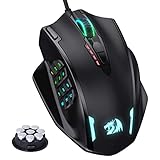
Redragon M908 – Best Cheap MMO Mouse for Learning Macros
The Redragon M908, shown as the #1 pick in the card block at the top, is the cheapest way to try a 12-key thumb grid. It is wired, has a 12,400 DPI sensor and lets you remap keys and record macros in Redragon’s software. Expect a plastic feel and basic software, but at around $28 it is the lowest-risk entry into MMO-style binding.
Razer Naga V2 HyperSpeed – Best Premium MMO Mouse
The Razer Naga V2 HyperSpeed has 19 programmable buttons, a Focus Pro 30K optical sensor, Gen-2 mechanical switches and up to 400 hours of battery life. It is the pick when you want the most buttons in a wireless body and will pay around $80 for Razer Synapse profiles and the HyperScroll wheel.
Razer Basilisk V3 – Best Wired Ergonomic Programmable Mouse
The Razer Basilisk V3 offers 11 programmable buttons, a 26K DPI optical sensor and a HyperScroll tilt wheel. At around $42 it is a wired alternative to the Logitech G502 Hero for people who prefer Razer’s shape and Synapse software.
Logitech M720 Triathlon – Best for Controlling Three Computers
The Logitech M720 Triathlon has 6 customizable buttons, pairs with up to 3 devices over Bluetooth or the included USB receiver, and supports Logitech Flow. It is a work mouse rather than a gaming mouse, and at around $33 it is the cheapest way to get shortcut buttons across a desktop, laptop and tablet.
How to Choose a Programmable Mouse
Choosing a programmable mouse comes down to matching the number and placement of buttons to how you actually work and play. The first decision is how many programmable buttons you genuinely need. MMO and MOBA players who bind dozens of abilities benefit from a dense button grid like the UtechSmart Venus Pro’s thumb cluster, while many players and power users are well served by the eleven well-placed buttons on a G502 or the smaller, mappable layout of a G305. More buttons mean more shortcuts, but also a steeper learning curve, so be honest about how many you will use.
Software is the next big factor, because a programmable mouse is only as good as the tool that configures it. Look for reliable software that lets you map buttons to keystrokes, macros and in-game commands, and ideally save profiles per game or application. Logitech’s G HUB, used by the G502 and G305, is a mature example that makes assigning and switching profiles straightforward. Good software is the difference between buttons you set once and forget and buttons you genuinely rely on.
Sensor quality and comfort still matter even when buttons are the priority. A precise sensor — such as Logitech’s HERO units — keeps your aim and cursor accurate, and a comfortable shape lets you reach every button without strain over a long session. Match the shape and weight to your grip and hand size: a feature-rich MMO mouse is larger and heavier, while a mappable compact mouse stays light and agile. The best programmable mouse is one you can use all day without fatigue.
Finally, consider format and budget. A single programmable mouse suits most users, but a combo like the Redragon S101 makes sense if you want a matching programmable keyboard and mouse together on a budget. Decide whether you want wireless freedom or the lowest outright cost of a wired model, set your budget, and pick the mouse on this list that matches your workflow. The best programmable mouse is the one whose buttons fall naturally under your fingers and map cleanly to the commands you use most.
Programmable Mouse Buying Guide: Thresholds That Matter
| If you need | Look for | Mouse from this list |
|---|---|---|
| Spells and abilities on the thumb | 12+ side buttons, 16+ total | Razer Naga V2 HyperSpeed, Corsair Scimitar RGB Elite, UtechSmart Venus Pro |
| Everyday gaming and desktop shortcuts | 8-11 buttons, onboard profiles | Logitech G502 Hero, Razer Basilisk V3 |
| Light wireless aiming with a few binds | 6+ buttons, light body | Logitech G305 Lightspeed |
| Office and creative work | Per-app profiles, quiet clicks | Logitech MX Master 3S, MX Anywhere 3S |
| Tight budget | Remappable keys under $30 | Redragon M908, Redragon M602 |
Button count matters less than where the buttons sit. Count only the keys your thumb can reach without moving your grip. Check that the software saves profiles to onboard memory, so your binds still work on another computer.
Which Programmable Mouse Should You Pick?
If you play MMOs, choose the Razer Naga V2 HyperSpeed or the Corsair Scimitar RGB Elite. If you split time between games and work, the Logitech G502 Hero is the safest single mouse. If most of your day is spreadsheets and documents, buy the Logitech MX Master 3S. If you are only exploring whether macros are for you, the Redragon M908 costs the least.
Frequently Asked Questions
How many programmable buttons do I actually need?
It depends on your use. MMO and MOBA players who bind many abilities benefit from a dense button grid like the UtechSmart Venus Pro’s thumb cluster, while most players and power users are well served by the eleven buttons on a Logitech G502 or the smaller mappable layout of a G305. Be honest about how many buttons you will genuinely use day to day.
What software do I need to program a gaming mouse?
Most programmable mice come with companion software that lets you map buttons to keystrokes, macros and in-game commands. Logitech’s G HUB, used by the G502 and G305, is a mature example that lets you save per-game profiles. Reliable software is what makes the extra buttons genuinely useful rather than a novelty.
Are programmable mice good for work as well as gaming?
Yes. Programmable buttons are just as useful for productivity and creative work — you can bind copy and paste, application shortcuts, or repetitive macros to a button for one-click access. A versatile mouse like the Logitech G502 works well across gaming, office work and creative apps thanks to its button count and software.
Which programmable mouse here is best for MMOs?
The UtechSmart Venus Pro is the standout for MMOs because it offers a large bank of programmable buttons, including a thumb grid, so you can bind a full set of abilities and macros within easy reach. Its 16,000 DPI sensor keeps tracking sharp, and the wireless connection keeps your desk tidy.
Related Guides
- Best Gaming Mouse
- Best Wireless Gaming Mouse
- Best Mouse for FPS Games
- Best Gaming Keyboards
- Best Mouse Pads for Gaming
- Best RGB Mouse
Affiliate Disclosure: As an Amazon Associate, we earn from qualifying purchases. If you click a link and make a purchase, we may earn a small commission at no extra cost to you. Prices and availability are accurate as of publication and may change.
How many buttons does an MMO mouse have?
Most MMO mice have 12 thumb buttons and 16 to 19 programmable buttons in total. Examples here include the UtechSmart Venus Pro (16), Corsair Scimitar RGB Elite (17) and Razer Naga V2 HyperSpeed (19). More buttons help when you rotate many abilities, but they take time to learn.
Are macros allowed in online games?
Rules differ by game. Simple key remaps are generally accepted, but multi-step or timed macros can break some games’ terms of service. Check the game’s policy before binding an automated sequence to a button.
Is a wireless programmable mouse as reliable as a wired one?
For most players, yes. Modern 2.4 GHz mice such as the Logitech G305 Lightspeed and Razer Basilisk V3 X HyperSpeed are built for low-latency gaming. Wired models such as the Logitech G502 Hero avoid battery management altogether.