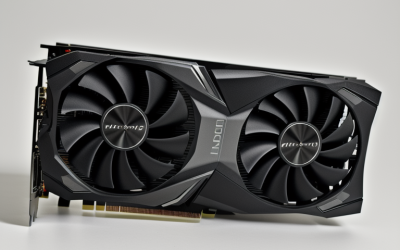
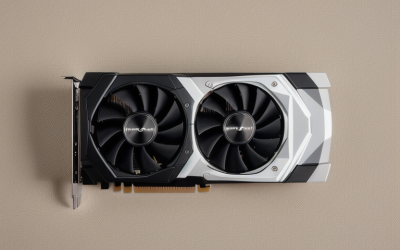
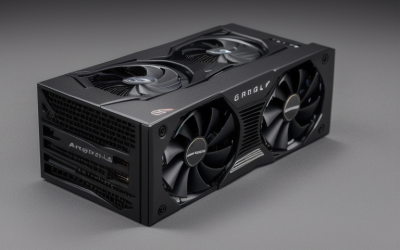
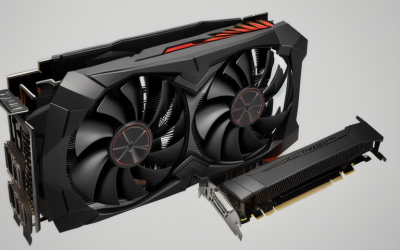
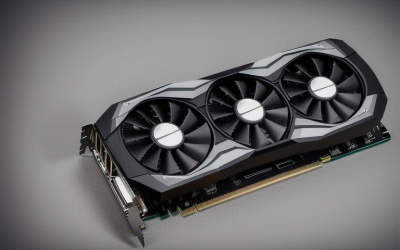
- Top Pick: QTHREE GeForce GT 210 Graphics Card,1024 MB DDR3 64 Bit,HDMI,VGA,Low Profile Video Card for PC,GPU,PCI Express 2.0 x16,SFF,Low Power
- Best Value: GeForce GT 610 2G DDR3 Low Profile Graphics Card, PCI Express 1.1 x16, HDMI/VGA, Entry Level GPU for PC, SFF and HTPC, Compatible with Win11
- Premium Choice: ZOTAC GeForce GT 730 Zone Edition 4GB DDR3 PCI Express 2.0 x16 (x8 Lanes) Graphics Card (ZT-71115-20L)
A PCI Express 2.0 x16 slot belongs to an older motherboard generation, the kind found in a decade-old office tower, a home theater PC, or a small-form-factor machine that has been quietly running for years. Buyers who search for this exact phrase usually have one of those boards and a simple goal: get a working video output, add a second or third monitor, or revive a system whose integrated graphics have failed. Modern high-end graphics cards are far beyond what that platform needs.
The eight cards here are entry-level GeForce models, mostly low profile, and they target display output and light desktop use rather than modern gaming. Only three titles state a PCI Express 2.0 x16 interface outright, and the rest list another generation, a narrower connector, or nothing at all. The notes below explain how that matters in 2026, so you can choose without guessing.
Quick Picks
As an Amazon Associate we earn from qualifying purchases at no extra cost to you.
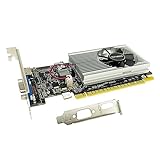


| Product | Best for | Key spec from the title |
|---|---|---|
| QTHREE GeForce GT 210 | Basic display revival | 1024 MB DDR3, 64 bit, PCIe 2.0 x16 |
| GeForce GT 610 2G | Older HTPC builds | 2G DDR3, PCIe 1.1 x16, HDMI and VGA |
| ZOTAC GeForce GT 730 Zone Edition | Brand-name low-power card | 4GB DDR3, PCIe 2.0 x16 with x8 lanes |
| Glorto GeForce GT 210 | Minimal office PC | 1024 MB DDR3, PCIe 1.0 x16 |
| SOYO GeForce GT 740 4GB | Triple-output desks | 128-bit, 384SP, HDMI, VGA, DVI-D |
| Glorto GeForce GT 730 4G (2.0 x16) | Dual-HDMI setups | 4G DDR3, 2X HDMI, VGA, PCIe 2.0 x16 |
| Glorto GeForce GT 730 2G | Light home use | 2G DDR3, 2X HDMI, VGA, PCIe 1.0 x16 |
| Glorto GeForce GT 730 4G (2.0 x8) | Four-output flexibility | 2X HDMI, DP, VGA, PCIe 2.0 x8 |
How to Choose
Understand what the interface wording means
PCI Express generally works across generations, so a card listed for 1.0 or 1.1 will usually run in a 2.0 slot, just at the lower generation’s speed. A card listed with x8 lanes or an x8 interface may use a shorter connector, but it can still fit a longer x16 slot. The listed generation matters less for these light-duty cards than whether the physical connector and bracket suit your case.
Check the bracket: low profile or full height
Seven of the eight titles say low profile, small form factor, or half-height. Slim cases often need a short bracket, and some listings include both sizes while others may not. Measure the slot opening before buying, since a full-height bracket will not close a slim tower.
Match the video outputs to your monitors
Count the ports on the titles: HDMI and VGA on most, a DVI-D on the SOYO, a DisplayPort on the last Glorto. If your monitor is old and VGA-only, keep a VGA port on your list. For a pair of modern displays, two HDMI outputs avoid adapter clutter.
Memory and expectations
These cards list 1 GB to 4GB of DDR3, which helps with multiple windows and video playback, not with demanding games. Ignore the larger memory figure as a speed promise, because a memory amount does not make a slow chip fast. Budget models cut corners on cooling and memory bandwidth, so keep your expectations modest.
The 8 Best Options
QTHREE GeForce GT 210 1024 MB
The QTHREE is a minimal card with 1024 MB of DDR3 on a 64 bit bus, HDMI and VGA outputs, and a low-profile bracket. The title states PCI Express 2.0 x16 and low power use for small-form-factor PCs.
- States the exact PCI Express 2.0 x16 interface the keyword asks about
- Low profile and low power wording suit slim cases
- Trade-off: a 64 bit memory bus and 1 GB are the lightest specs in this group
It fits a basic office or media PC that only needs a display output, such as a reception desk machine or a spare family computer. Skip it if you want smoother video playback with extra memory or any gaming, since the listing offers neither a wide bus nor a large memory pool.
GeForce GT 610 2G Low Profile
This card lists 2G of DDR3, a PCI Express 1.1 x16 interface, and HDMI and VGA outputs. It is aimed at entry-level PCs, small-form-factor builds, and home theater PCs, with Windows 11 compatibility mentioned.
- 2G of memory gives more headroom than the 1 GB cards
- Windows 11 compatibility is listed in the title
- Trade-off: the interface is listed as 1.1, not 2.0
It suits a media center build with a simple monitor or TV connection, where the aim is a quiet, low-profile card in a living-room cabinet. Skip it if you insist on a card whose title names the 2.0 standard, because this listing names 1.1 instead and the difference will confuse a cautious shopper.
ZOTAC GeForce GT 730 Zone Edition 4GB
ZOTAC brings a known graphics brand with 4GB of DDR3 and a PCI Express 2.0 x16 interface listed with x8 lanes. The model number ZT-71115-20L appears in the title.
- Recognized brand name and a clear model number
- 4GB of DDR3 and a named 2.0 interface
- Trade-off: the x8 lane note means it does not use the full x16 lane count
It suits a buyer who prefers an established brand over a generic label and wants a clear model number for driver lookups. Skip it if you need the video outputs confirmed from the title, since none are listed there, and verify the bracket height on the product page.
Glorto GeForce GT 210 1024 MB
Glorto offers a low-profile GT 210 with 1024 MB of DDR3 and HDMI and VGA outputs. Its title lists PCI Express 1.0 x16 and targets PC, small-form-factor, and HTPC use.
- Simple, low-profile design for slim cases
- HDMI and VGA cover both new and old monitors
- Trade-off: the title shows the oldest PCI Express generation in the group
It fits a basic office PC where display output is the only job, for example a dated desktop that lost its onboard video. Skip it if you want more than 1 GB of memory or a card whose title mentions a newer interface generation.
SOYO GeForce GT 740 4GB
SOYO is the only GT 740 here, with a 128-bit bus, 384SP, and 4GB of DDR3. It offers HDMI, VGA, and DVI-D outputs and a half-height form factor for slim desktops, with Windows 11, 10, 8, and 7 support.
- Triple output covers three different connector types
- A 128-bit bus is wider than the 64 bit cards in the group
- Trade-off: the title does not state a PCI Express generation
It suits a multi-monitor desk with mixed connectors, such as an older DVI display beside a newer HDMI one. Skip it if you need the interface version spelled out before buying, and confirm your case accepts the half-height bracket for slim desktops.
Glorto GeForce GT 730 4G with 2X HDMI
This Glorto lists 4G of DDR3, two HDMI ports, a VGA port, and a PCI Express 2.0 x16 interface. It is low profile and aimed at entry-level, SFF, and HTPC machines.
- Two HDMI outputs plus VGA allow three displays
- States the 2.0 x16 interface in the title
- Trade-off: it lacks DisplayPort and DVI
It is a strong match for a dual-monitor desk on a 2.0 board, with a third legacy screen on the VGA port if needed. Skip it if your displays need DisplayPort or DVI, since neither connector is mentioned in the title.
Glorto GeForce GT 730 2G with 2X HDMI
This is the 2G version of the same family, listing two HDMI ports, VGA, and DDR3 memory. The title shows PCI Express 1.0 x16 and low profile sizing.
- Two HDMI outputs and VGA are on the card
- 2G of DDR3 sits between the smaller and larger models
- Trade-off: the title lists the 1.0 interface, not 2.0
It suits light home use on a small system, like a bedroom computer for browsing and streaming video on a pair of HDMI screens. Skip it if the 4G sibling with a 2.0 listing fits your plans, since that one states the generation you are likely shopping for.
Glorto GeForce GT 730 4G with DP
The last Glorto adds DisplayPort to two HDMI ports and VGA, with 4G of DDR3. Its title lists PCI Express 2.0 x8 and Windows 11 compatibility.
- Four output types give the widest monitor flexibility
- Names Windows 11 compatibility and a 2.0 generation
- Trade-off: it uses an x8 interface, not a full x16 connector
It suits a multi-display workstation on an older board where the monitors use a mix of HDMI, DisplayPort, and VGA. Skip it if you want the literal x16 wording in the title, because this one is described with an x8 interface.
Which One Fits Your Situation
You want the exact PCI Express 2.0 x16 wording
The QTHREE GT 210, the ZOTAC GT 730, and the Glorto GT 730 4G with 2X HDMI all name it. The ZOTAC adds a branded name, while the Glorto adds extra outputs. The QTHREE is the smallest in memory, so it fits only when the job is purely getting a picture on screen.
You need several monitors
The Glorto GT 730 4G with DP offers the widest mix of outputs, while the SOYO GT 740 covers HDMI, VGA, and DVI-D. Count the cables on your existing monitors first, then pick the card whose outputs match them without adapters, because adapters add clutter and one more point of failure.
You are reviving a basic office or media PC
Choose the QTHREE GT 210 for the simplest setup or the GT 610 2G for more memory and a Windows 11 mention.
You want to be certain of the fit
Measure the slot, the case bracket height, and the monitor connectors first. Then pick the Glorto GT 730 2G if you want a straightforward card with two HDMI ports. If the slot or bracket looks uncertain, take a photo of the back of the case and compare it against the product images before ordering.
Common Mistakes
- Expecting a GT 210 or GT 730 to handle modern games.
- Ignoring the bracket, then finding a low-profile card needs a half-height slot.
- Reading a bigger memory figure as a promise of higher speed.
- Buying for HDMI when the monitor only accepts VGA or DisplayPort.
- Assuming an older PCI Express generation in the title means the card will not run.
Related guides
- Aio Liquid Coolers For High Performance Gaming
- How To Lower Input Delay In Competitive Shooters
- External Hard Drives For Music Production
Frequently Asked Questions
Will a PCI Express 1.0 card work in a 2.0 slot?
Generally yes, since the standard is designed to be compatible across generations. It simply runs at the speed of the older generation.
Can an x8 card fit an x16 slot?
Typically yes, because a shorter connector fits a longer slot. Confirm the slot is not blocked by other parts.
Are these suitable for gaming?
They suit light desktop use, video playback, and multi-display setups. They are not meant for demanding modern games, so a buyer who wants real gaming performance should look at a newer platform instead of stretching an old board.
Do I need a power cable?
None of the titles mention an extra power connector, and low-power wording suggests slot power. Check the product page to be sure, and glance at your power supply labels if you ever move the card to a different machine.