

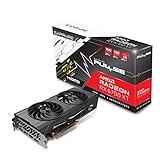
- Top Pick: Sapphire Technology Pulse AMD Radeon RX 6700 XT Gaming Graphics Card with 12GB GDDR6, AMD RDNA 2 (11306-02-20G) (Renewed)
- Best Value: XFX Speedster SWFT309 AMD Radeon RX 6700 XT CORE Gaming Graphics Card with 12GB GDDR6 HDMI 3xDP, AMD RDNA 2 RX-67XTYJFDV (Renewed)
- Premium Choice: ASRock Radeon RX 7700 XT Challenger 12GB OC Graphics Card, AMD RDNA 3 Architecture, 12GB GDDR6, 2584 MHz Boost Clock, 3X DisplayPort 2.1, 1x HDMI 2.1, Dual Fan Cooling
Upgrading from an RX 6700 XT to an RX 7700 XT is generally not worth it: reviews put the newer card only about 15-30% ahead with the same 12 GB of VRAM, so most 6700 XT owners should either keep their card or skip ahead to a bigger jump like an RX 9070-class GPU. For someone buying fresh and choosing between the two, the RX 7700 XT is the faster and more modern card, provided the price gap is small.
As an Amazon Associate we earn from qualifying purchases at no extra cost to you.



What Actually Changes Between These Two Cards
The RX 6700 XT launched in March 2021 at $479 as AMD’s RDNA 2 1440p card. The RX 7700 XT arrived in August 2023 at a lower $449 MSRP on the RDNA 3 architecture. On paper that is a newer card for less money, but the upgrade path is narrower than the model numbers suggest. Memory capacity and bus width stay the same, Infinity Cache actually shrinks, and power draw rises slightly.
Spec Sheet
| Spec | RX 6700 XT | RX 7700 XT |
|---|---|---|
| Architecture | RDNA 2.0 | RDNA 3.0 |
| Release date | 3 March 2021 | 25 August 2023 |
| Launch MSRP | ||
| Stream processors | 2560 | 3456 |
| Boost clock | 2581 MHz | 2544 MHz |
| Process | 7 nm | 5 nm |
| TDP | 230 W | 245 W |
| Memory | 12 GB GDDR6 | 12 GB GDDR6 |
| Bus width | 192-bit | 192-bit |
| Bandwidth | 384.0 GB/s | 432.0 GB/s |
| Cache | 3 MB L2 + 96 MB L3 | 2 MB L2 + 48 MB L3 |
| Interface | PCIe 4.0 x16 | PCIe 4.0 x16 |
| Power connectors | 1x 6-pin + 1x 8-pin | 2x 8-pin |
| Length / width | 267 mm, 2-slot | 267 mm, 2-slot |
| Outputs | 1x HDMI, 3x DisplayPort | 1x HDMI 2.1a, 2x DP 2.1, 1x USB-C |
The RX 7700 XT has 35% more stream processors and about 12% more raw memory bandwidth, but half the Infinity Cache. RDNA 3’s chiplet design also places that cache on separate memory dies. The net effect is a real but moderate performance gain rather than a generational leap.
Performance Uplift: The Real Numbers
Reviews disagree somewhat depending on game selection. TechSpot/Hardware Unboxed placed the RX 7700 XT at roughly RX 6800-class performance, which works out to around 15-20% above the RX 6700 XT. KitGuru and other outlets reported larger gaps in individual titles, from the high teens up to nearly 40% in Cyberpunk 2077 at 1440p, and averaged figures from several reviews fall around 20-30%. A fair summary is a 15-30% uplift at 1440p, with the larger gains in newer, shader-heavy games.
In approximate frame-rate terms, which vary with settings, CPU and patch, a game that runs at 60 fps on the RX 6700 XT at 1440p high might run at roughly 70-78 fps on the RX 7700 XT. That is noticeable on a high-refresh monitor but does not move you into a new performance tier.
Ray Tracing
RDNA 3 improved ray tracing throughput over RDNA 2, and the RX 7700 XT’s lead tends to widen slightly with RT enabled. Neither card is a strong ray tracing performer compared with NVIDIA cards or AMD’s RDNA 4 lineup, and heavy RT titles still need upscaling and moderate settings on both.
Upscaling and Frame Generation
Both cards support FSR 3.1 upscaling and frame generation in supported games, as well as AMD Fluid Motion Frames 2 at the driver level. Neither officially supports FSR 4, which AMD built around the AI hardware in RX 9000 GPUs. This is a key point for the upgrade decision: moving to an RX 7700 XT does not unlock a new upscaling generation, while moving to an RX 9060 XT or RX 9070 does.
VRAM: No Change
Both cards carry 12 GB of GDDR6 on a 192-bit bus. For 1440p in 2026, 12 GB is generally adequate at high settings, with the occasional title needing reduced texture quality at ultra. If you are upgrading because games are running out of VRAM, the RX 7700 XT will not help. A 16 GB card is the only fix for that problem.
Power and PSU
The RX 7700 XT is rated at 245 W versus 230 W for the RX 6700 XT, so a system that runs one comfortably will usually run the other. Using GPU TDP + CPU + about 150 W headroom with a 125 W CPU:
- RX 6700 XT: 230 + 125 + 150 = 505 W, so a quality 600 W PSU is ideal.
- RX 7700 XT: 245 + 125 + 150 = 520 W, so a quality 600-650 W PSU is ideal.
Note the connector change: the RX 6700 XT uses one 6-pin and one 8-pin, while the RX 7700 XT needs two 8-pin connectors. Older or budget PSUs sometimes have only one 8-pin PCIe cable plus a 6-pin, so check before buying. Both cards measure 267 mm and occupy two slots in reference form, so if the 6700 XT fits your case, a similar-size 7700 XT will too.
Upgrade Math: Cost Per Extra Frame
The key question for an upgrader is what each percentage point of extra performance costs after selling the old card. Assume an RX 6700 XT sells for about $180-$230 used and an RX 7700 XT costs about $250-$320 used or more new.
- Net upgrade cost using midpoints: $285 – $205 = about $80 out of pocket for a used 7700 XT.
- For a 15-30% gain (about 22% midpoint), that is roughly $3.60 per percentage point of extra performance.
That sounds affordable, but it buys no new features and no extra VRAM. Compare that with an RX 9070-class card, which reviews place far above both cards and which adds FSR 4 and much stronger ray tracing. The net cost is higher, but the improvement per dollar and the longevity are far better.
Should You Upgrade? A Quick Decision Table
| Your situation | Recommendation |
|---|---|
| 6700 XT owner, happy at 1080p or 1440p | Keep the 6700 XT |
| 6700 XT owner, wants a big 1440p jump | Skip the 7700 XT; look at RX 9070 or RX 9070 XT class |
| 6700 XT owner, running out of VRAM | Move to a 16 GB card, not the 7700 XT |
| New buyer, both cards priced within ~$40 | RX 7700 XT |
| New buyer, 6700 XT far cheaper used | RX 6700 XT |
| Wants AV1 encoding or DisplayPort 2.1 | RX 7700 XT |
Smaller Upgrades You Get With RDNA 3
Beyond raw speed, the RX 7700 XT adds AV1 hardware encoding, which is useful for streaming and recording at better quality per bitrate. It also brings DisplayPort 2.1 outputs and a USB-C port on the reference design. These are genuine improvements for creators, but they rarely justify the upgrade on their own for gamers.
Used-Market Notes for the RX 6700 XT
If you are on the buying side, the RX 6700 XT remains one of the better used values for 1440p thanks to its 12 GB of VRAM. It is usually $180-$230 used. Check for fan wear, ask about mining history, and confirm that the card holds clock speeds under load. Driver support continues, although AMD’s new-game optimization focus has shifted to RDNA 3 and RDNA 4.
The Verdict
The RX 7700 XT is a better card than the RX 6700 XT, but not by enough to make it a smart upgrade. Same VRAM, same upscaling generation and a 15-30% performance gain add up to a sidegrade for most owners. If your RX 6700 XT still delivers acceptable frame rates, keep it; when you do upgrade, aim for a card with 16 GB of VRAM and FSR 4 or DLSS 4 support.
Frequently Asked Questions
How much faster is the RX 7700 XT than the RX 6700 XT?
Reviews put it about 15-30% faster, depending on the game selection and resolution. Newer, more shader-heavy games tend to show the larger gains.
Does the RX 7700 XT support FSR 4?
Not officially. FSR 4 is designed for RX 9000 series GPUs. The RX 7700 XT supports FSR 3.1 upscaling and frame generation plus AMD Fluid Motion Frames 2, just like the RX 6700 XT.
Will my PSU handle an RX 7700 XT?
If it runs an RX 6700 XT comfortably, it probably will, since the power rating rises only from 230 W to 245 W. The main thing to check is that your PSU provides two 8-pin PCIe connectors.
Is 12 GB of VRAM enough for 1440p in 2026?
It is generally enough at high settings. A few demanding games need texture quality lowered at ultra settings, and buyers planning to keep a card for many years should prefer 16 GB.
What is a better upgrade from an RX 6700 XT?
A card from the RX 9070 tier or an equivalent NVIDIA RTX 5070-class card delivers a much larger jump. These add stronger ray tracing and newer upscaling, which the RX 7700 XT does not.

















