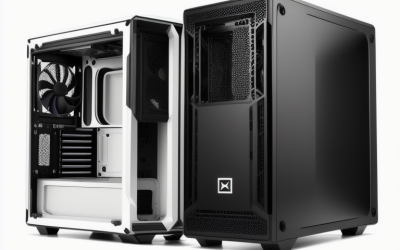
- Top Pick: MUSETEX ATX PC Case 7 PWM ARGB Fans Pre-Installed, Type-C Mid Tower Computer Case with Full-View Dual Tempered Glass, Gaming PC Case, Black(K2)
- Best Value: Antec C8 Full-Tower E-ATX PC Case, Dual-Chamber, No Fans, Black | Tempered Glass Front & Side Panels, RTX 40 Series GPU Support, 360mm Radiator, High Airflow, Tool-Free Design, USB Type-C
- Premium Choice: HYXN H2 (2026) HYXN ATX PC Case, Pre-Installed 8 No ARGB Fans (6X140mm,2X120mm), Large Dual-Chamber ATX Mid-Tower Airflow Computer Case, Gaming PC Case, 420mm Radiator Support, Type-C 3.2, Black
Searching for a dual GPU case sends many shoppers down the wrong path, because the word “dual” shows up everywhere in case listings. Dual tempered glass, dual-chamber layouts and dual fans all sound relevant, yet none of them tell you whether two graphics cards will physically fit. What matters is the number of expansion slots, the clearance between them, the length and thickness of each card, and whether the airflow can handle the heat of two cards sitting a few inches apart.
This guide is for builders planning a two-card workstation, a compute or rendering rig, or a showpiece gaming build, and for anyone who simply wants room to grow in 2026. Be aware that most listings below do not state a multi-GPU claim in the title. Only the Cooler Master entry says it supports four dual-slot GPUs, so the other seven are chosen as roomy ATX or E-ATX chassis whose titles describe large-component support. Confirm slot count and card spacing on the manufacturer’s spec sheet before committing. A compact NZXT model and a near-duplicate MUSETEX listing were left out.
Quick Picks
As an Amazon Associate we earn from qualifying purchases at no extra cost to you.


| Product | Best for | Key spec taken from the product title |
|---|---|---|
| MUSETEX K2 (7 fans) | Fan-equipped starter builds | ATX mid tower, 7 PWM ARGB fans, Type-C |
| Antec C8 Full-Tower | Large boards and big radiators | E-ATX, dual-chamber, 360mm radiator, RTX 40 series support |
| HYXN H2 | Airflow-first builds | 8 fans pre-installed, 420mm radiator support, Type-C 3.2 |
| HYTE Y70 Touch | Showpiece builds with a display | 2.5K LCD touchscreen, PCIe 4.0 riser, 10 fan capacity |
| HAVN HS 420 VGPU | Vertical GPU mounting and cooling | PCIe 5.0 vertical GPU kit, 11 fan slots, 2 radiators |
| SSUPD Xhuttle | Panoramic views and vertical airflow | Dual-chamber ATX, vertical GPU airflow, 3 reverse fans |
| NZXT H9 Flow | Clean, high-airflow builds | Dual-chamber ATX, 4 fans, 420mm radiators |
| Cooler Master HAF II 500 | True multi-GPU planning | 4 dual-slot GPUs, 430mm GPU support, 360mm AIO |
How to Choose
Count slots before you count fans
A standard ATX case has seven expansion slots, and an E-ATX full tower may offer more room. Two thick graphics cards need about four slots of vertical space between them to breathe. Look at the slot count on the manufacturer’s page, and do not rely on the title alone, since only one entry here spells out multi-GPU capacity.
Check card length and thickness limits
The Cooler Master title lists support for 430mm graphics cards, a figure you can compare against your card’s length. Others advertise support for current-generation cards without a number, and the Antec title names the RTX 40 series, which signals room for large modern cards but still not for two of them. Add a margin for the front fans and radiators, and remember that a card mounted vertically or on a riser changes the clearance math.
Plan the airflow for two heat sources
Two GPUs release a lot of heat into a small space. Look for large intake fans, 140mm sizes, mesh panels and radiator support, as in the HYXN H2 and HAVN titles. Dual-chamber designs place the power supply and cables in a separate section, which can leave more room around the cards. Without strong airflow, the upper card tends to run hotter than the lower one, and a second card can also block the first card’s intake. Leaving an empty slot between them, if the board allows, helps considerably.
Look past decoration and pre-installed extras
ARGB lighting, touchscreens and glass panels do not change multi-GPU fit. Pre-installed fans save setup time but do not guarantee good flow. Budget models usually skimp on dust filters, thick steel and cable space, so check those details. A power supply with enough connectors and a motherboard with two full-length slots at the right spacing matter as much as the case. Case choice is only one piece of the plan, and a two-card system should be designed from the board and power supply outward.
The 8 Best Options
MUSETEX K2 (7 fans)
An ATX mid tower with seven PWM ARGB fans pre-installed, a Type-C port and dual tempered glass panels. It is for builders who want a lit, fan-ready case without buying fans separately. A first big-tower build with a single powerful card today and a possible second one later is the natural audience, as long as the slot spacing is confirmed.
- Strength: Seven pre-installed PWM ARGB fans reduce the shopping list.
- Strength: Full-view tempered glass on two sides shows off the build.
- Trade-off: The title offers no multi-GPU or card length limit.
Skip it if you need confirmed room for two thick cards, or if you plan a large liquid-cooling loop that needs documented radiator sizes.
Antec C8 Full-Tower
A full-tower E-ATX case with a dual-chamber layout, tempered glass front and side panels, 360mm radiator support and RTX 40 series GPU support. It ships with no fans, so it is for builders who want to choose their own cooling. It suits people who have a particular fan or radiator plan in mind and would rather not end up with stock fans they will replace.
- Strength: Full-tower E-ATX size offers the roomiest layout among the mainstream entries.
- Strength: High airflow design with tool-free assembly.
- Trade-off: No fans are included, so you must add them.
Skip it if you want a ready-to-run case out of the box.
HYXN H2
A large dual-chamber ATX mid tower with eight pre-installed non-ARGB fans (six 140mm and two 120mm), 420mm radiator support and a Type-C 3.2 port. It is for builders who care about airflow over lighting. Because the fans are not ARGB, the build reads as understated, which suits workstation rooms and offices more than a lit gaming setup.
- Strength: Eight fans, including six 140mm, come in the box.
- Strength: Supports a 420mm radiator.
- Trade-off: The title does not state GPU length or multi-GPU spacing.
Skip it if you want RGB lighting, or if you need the title to document card length and slot spacing.
HYTE Y70 Touch
A dual-chamber ATX case with an integrated 2.5K LCD touchscreen, a PCIe 4.0 riser cable and room for ten fans. It is a showpiece build for people who want a display in the side panel. The screen can show system information or custom images, which appeals to streamers and desk-setup enthusiasts more than to rendering-farm builders.
- Strength: The integrated touchscreen is unique in this group.
- Strength: The included riser cable supports a vertical card layout.
- Trade-off: A riser-mounted card changes how a second card fits.
Skip it if you want a plain, functional case, or if you plan to fill the lower slots with two thick cards.
HAVN HS 420 VGPU
A dual-chamber ATX mid tower with a PCIe 5.0 vertical GPU kit, eleven 140mm fan slots and support for two 420mm radiators. It comes with a PWM fan hub and cable management features. Builders who like the look of a card mounted upright on display, and who also want room for large liquid cooling, are the target.
- Strength: Eleven fan slots and two radiator positions give a lot of cooling choice.
- Strength: PCIe 5.0 vertical kit is included.
- Trade-off: Vertical mounting leaves less space for a second card in the same area.
Skip it if you want both cards mounted in the standard position.
SSUPD Xhuttle
An ATX mid tower gaming case with a dual-chamber design, panoramic tempered glass and vertical GPU airflow. Three 120mm ARGB reverse fans and an RGB strip are included. It is aimed at enthusiasts who want a bright, glass-heavy build where the card is the centerpiece.
- Strength: Panoramic glass offers a wide view of the build.
- Strength: Three reverse ARGB fans are included.
- Trade-off: The title lists no radiator or card limits.
Skip it if you want documented support for large radiators.
NZXT H9 Flow
A dual-chamber ATX flagship with four included fans, 420mm radiator support on the top and front, and wraparound tempered glass. It is for builders after a clean look and strong airflow. Those who plan a liquid-cooled processor in the front or top and want a plain, uncluttered exterior will find the layout familiar.
- Strength: 420mm radiators fit on both the top and front.
- Strength: Four fans come installed.
- Trade-off: Nothing in the title mentions a multi-GPU layout.
Skip it if multi-card spacing is your main concern, because the title never addresses it.
Cooler Master HAF II 500
An ATX case with dual 220mm and a 180mm fan, 430mm graphics card support, 360mm AIO support, room for four dual-slot GPUs and dedicated GPU airflow. The title even mentions AI workstation use. That makes it the best match for compute-minded buyers who care less about appearance and more about room, airflow and slot count.
- Strength: It is the only title that states space for four dual-slot GPUs.
- Strength: Lists 430mm graphics card support and dedicated GPU airflow.
- Trade-off: A workstation focus may mean less decorative styling.
Skip it if you want a showpiece case with a display or colorful lighting.
Which One Fits Your Situation
You are building a real multi-GPU workstation
The Cooler Master HAF II 500 is the one that names the capability. Pair it with a board that has the right slot spacing and a power supply with enough connectors for both cards, and still read the full spec page to confirm the layout.
You want maximum internal space
The Antec C8 Full-Tower with E-ATX support gives the most room for big boards and radiators. Add your own fans, since none come included, and budget time for the larger build.
You want airflow out of the box
The HYXN H2 ships with eight fans, and the NZXT H9 Flow adds four with big radiator support.
You want a standout look
The HYTE Y70 Touch brings a built-in screen, while the SSUPD Xhuttle focuses on panoramic glass.
Common Mistakes
- Assuming dual-chamber or dual-glass means dual GPU.
- Forgetting to check the motherboard for two full-length slots with enough spacing.
- Ignoring card thickness, which can block the second slot.
- Choosing a vertical GPU kit and then expecting a second card to fit nearby.
- Underestimating the power supply connectors needed for two cards.
Related guides
- Combination Smoke And Carbon Monoxide Detectors
- Aio Liquid Coolers For High Performance Gaming
- Graphics Cards For Low Wattage Power Supplies
Frequently Asked Questions
Do games still support two graphics cards?
Very few current games use two cards together. Dual GPU setups are now mostly for rendering, compute and AI tasks.
How many slots does a dual GPU build need?
At least four, and more if the cards are thick. Check both the case slot count and the motherboard layout.
Do I need a full tower?
Not always. A well-ventilated ATX mid tower can host two cards if the spacing is right. A full tower mainly adds room and E-ATX support, which matters most when you also want a big motherboard and thick radiators.
Is liquid cooling required?
No, but radiator support gives you options. Air cooling works with enough intake fans, and the pre-installed fan counts in several of these titles make that easier. Large radiators mainly help the processor, while the cards rely on case airflow.