Buy the Nintendo Switch OLED if you want one console that plays on a TV and in your hands with the best screen in the family, and buy the Switch Lite if you only play handheld, want the lowest-cost entry or are buying for a child; if you are open to the newest hardware, Switch 2 is now the option most 2026 guides tell new buyers to look at first. The OLED and Lite differ in more than screen type: the Lite cannot output to a TV and has fixed controls, which decides the purchase for many households. This guide compares the two, explains where Switch 2 fits and gives a decision table so you can choose confidently.
Nintendo Switch OLED vs Lite Buying — Top Picks on Amazon
Compare the current top-rated Nintendo Switch OLED vs Lite Buying with live pricing and verified customer reviews.
Check Price on AmazonPrice & availability shown on Amazon. As an Amazon Associate we earn from qualifying purchases.- Short verdict
- At a glance
- Screen and design
- Docked play and multiplayer
- Battery life
- Where does Switch 2 fit?
- Game library and accessories
- Budget tiers
- Pick X if…
- Things to watch for
- Alternatives
- Who each console really suits
- Size, weight and comfort
- Storage and online services
- What to check when buying used
- Frequently Asked Questions
Short verdict
- Switch OLED: best for people who play both docked and handheld, or who care about display quality.
- Switch Lite: best for handheld-only play, travel, kids and the lowest budget tier.
- Switch 2: best for buyers who want the newest hardware and the longest support runway, if the higher budget tier is acceptable.
At a glance
| Feature | Switch OLED | Switch Lite | Switch 2 (for reference) |
|---|---|---|---|
| Screen | 7-inch OLED, per Nintendo | 5.5-inch LCD | 7.9-inch LCD, per reviewers |
| TV output | Yes, through the dock | No | Yes, through its dock |
| Detachable Joy-Con | Yes | No, controls built in | Yes |
| Battery life, per guides | About 4.5 to 9 hours | About 3 to 7 hours | About 2.5 to 6.5 hours |
| Docked resolution | Up to 1080p | Not applicable | Up to 4K, per guides |
| Best for | Hybrid play, display fans | Handheld, kids, travel | Future-proof buyers |
| Budget tier | Mid-range to premium | Budget | Premium |
Screen and design
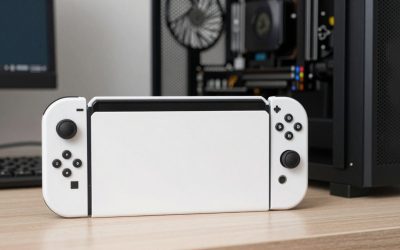
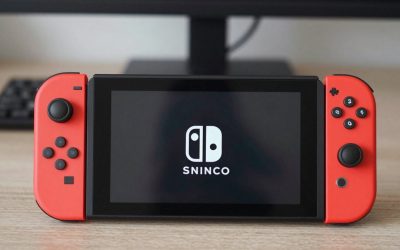
Nintendo lists the OLED model with a 7-inch OLED display, and reviewers consistently praise its deeper blacks and stronger colors compared with the LCD screens on other models. The Lite is a smaller 5.5-inch LCD in a one-piece body. That compact build is lighter and easier to slip into a bag, but the smaller panel and fixed controls are less comfortable for people with large hands. OLED also introduces a wider kickstand and a dock with a wired LAN port, features the maker highlights for tabletop and docked play.
Docked play and multiplayer
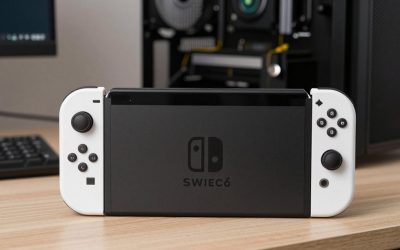
The single biggest functional difference is TV output. The OLED connects to a TV via its dock, supports detached Joy-Con for two-player sessions and allows tabletop mode with its stand. The Lite cannot connect to a TV and its controls cannot be detached, so games that rely on detached motion controls or require multiple Joy-Con are limited or awkward on it. If you want to play party games with family on the living-room screen, the OLED or Switch 2 is the practical answer. The Lite can still play many single-player games and some multiplayer through separate Bluetooth controllers, but it remains a handheld first.
Battery life
Guides report a Lite battery range of roughly 3 to 7 hours and an OLED range of roughly 4.5 to 9 hours, with Switch 2 shorter at roughly 2.5 to 6.5 hours because of its larger, more demanding screen and hardware. Actual runtime depends on the game, brightness and wireless use, so treat these as ranges rather than promises. If you travel often, bring a power bank that matches the console’s charging requirements.
Where does Switch 2 fit?
Switch 2 is backward compatible with a large share of the original library, and guides note save data can be transferred. Roundups from Pocket Tactics and others suggest buying Switch 2 unless you have a tight budget or play only handheld. That leaves two scenarios where the older models make sense: you want the lowest price, or you strongly prefer the OLED screen, since the newer console uses an LCD. Prices change frequently across retailers and over time, so compare current offers rather than relying on launch figures; some guides also report a price increase for the newer console in 2026.
Game library and accessories
Both older models play the original Switch library, including Nintendo’s first-party games, indie titles and ports. Accessories differ: protectors, cases and docks are model-specific, so a Lite case will not fit an OLED. Storage is another point: older models use standard microSD cards, while reviewers report Switch 2 needs microSD Express. If you already own accessories for an original Switch, the OLED shares many of them, though screen protectors need the OLED-specific size.
Budget tiers
| Tier | Console | Trade-off |
|---|---|---|
| Budget | Switch Lite (new or used) | No TV mode, fixed controls |
| Mid-range | Used or discounted OLED | Best hybrid value when priced well |
| Premium | New OLED or Switch 2 | Best screen or newest hardware |
Pick X if…
| If you… | Pick |
|---|---|
| Only play handheld | Switch Lite |
| Buy for a child or as a travel backup | Switch Lite |
| Want TV and handheld play | Switch OLED or Switch 2 |
| Care most about screen quality | Switch OLED |
| Want the longest support and 4K docked play | Switch 2 |
| Play local multiplayer with Joy-Con | Switch OLED or Switch 2 |
Things to watch for
- Stick drift: Joy-Con drift has been widely reported across Joy-Con generations; follow Nintendo’s repair and support options if it appears. The Lite’s built-in sticks require a repair of the whole unit.
- Screen burn-in on OLED: Nintendo advises caution with static images on OLED; use sleep mode and auto-dim settings.
- Used purchases: check the serial, battery condition and account lock status before paying for a second-hand unit.
- Bundles: game bundles can change the effective value of one model over another.
Alternatives
- Original Switch (previous generation): the standard model with a 6.2-inch LCD, detachable controllers and TV mode; mid-range if you find it discounted.
- Switch 2: the newer option, discussed above.
- Handheld gaming PCs: for readers of a PC gaming site, devices such as Steam Deck or similar portables play a different library, and may be a better fit if your games are on PC.
Who each console really suits
Families with younger children often lean toward the Lite because it is small, sturdy and cannot lose a detachable controller. Because it cannot be docked, it also avoids arguments over the living-room television. Commuters benefit from the Lite’s pocketable size, though the smaller screen means text-heavy role-playing games can feel cramped. Couples and roommates who share one console usually prefer the OLED or Switch 2, since two people can split the Joy-Con and play side by side. Collectors and long-term players may decide on Switch 2 because Nintendo’s newer titles are increasingly built around it, while the OLED remains a strong value when its price drops.
Size, weight and comfort
The Lite is the lightest and most compact of the older models, which many people find comfortable for commuting but cramped for long sessions. The OLED is larger and heavier because of its 7-inch screen and detachable controllers, though the extra size is what makes the display so appealing. If you have large hands or play for hours, consider adding a grip shell or a separate Pro Controller to either model. Check dimensions and weight on the maker’s specification page if portability matters to you.
Storage and online services
Both older models include built-in storage that fills quickly with digital downloads, so most owners add a microSD card. Standard microSD cards work in the Lite and OLED, whereas reviewers report Switch 2 needs microSD Express. Online play and cloud saves depend on a paid Nintendo Switch Online membership, regardless of which model you buy. Parents can use Nintendo’s parental controls app to set play-time limits and spending rules on any of these consoles.
What to check when buying used
- Test both sticks for unwanted drift and make sure every button registers.
- Look for scratches on the screen and any burn-in shadowing on OLED panels.
- Confirm the console is not locked to a previous owner’s account and that you receive the original charger.
- Ask about battery behavior, since older cells hold less charge.
- Prefer sellers with return policies so you can send back a faulty unit.
Frequently Asked Questions
Is the Switch OLED worth it over the Lite?
If you want TV mode, detachable controllers and a better screen, yes. If you play only handheld on a small budget, the Lite meets that need and costs less.
Can the Switch Lite connect to a TV?
No. The Lite does not support TV output through a dock, so it is best for handheld-only players. Choose the OLED or Switch 2 if TV play matters.
Does the Switch Lite play the same games?
It plays most of the library, but games that require detached Joy-Con or certain motion controls may be limited or need separate controllers. Check the game’s listed supported play modes.
Should I buy a Switch OLED or a Switch 2 in 2026?
Many guides point new buyers to Switch 2 for longer support and 4K docked output. The OLED can make sense if it is clearly cheaper or if you value its OLED display.
Which has better battery life?
Guides list the OLED at about 4.5 to 9 hours against about 3 to 7 hours for the Lite, though actual time depends on the game and settings.
Will my accessories fit all models?
Not necessarily. Cases and screen protectors are model-specific, and storage cards differ between Switch 2 and older models, so match each accessory to your console.