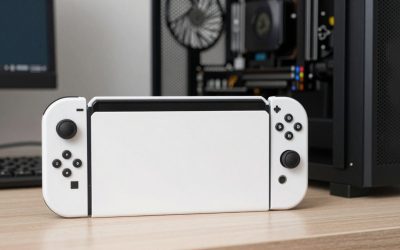
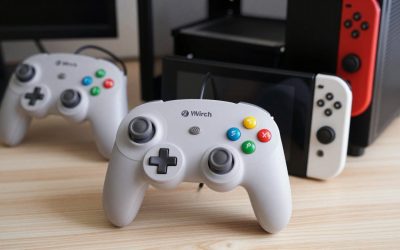
- Top Pick: Nintendo Switch Pro Controller
- Best Value: Nintendo Switch™ 2 Pro Controller
- Premium Choice: Switch Controllers 2 Pack with Charging Dock, Switch 2 Controller for Nintendo Switch/Switch 2/OLED/Lite, RGB Wireless Switch 2 Pro Controller with Wake up/6-Axis Gyro/Dual Vibration/Turbo/Screenshot
The best Nintendo Switch Pro controller for most players is Nintendo’s own Pro Controller, while the 8BitDo Ultimate family is the most-cited third-party alternative for buyers who want Hall effect sticks, a charging dock or a lower budget tier; Switch 2 owners should also know that Nintendo’s newer Switch 2 Pro Controller works only with Switch 2. This guide compares the official pads with the leading alternatives, covers compatibility between console generations and gives a decision table so you can match a pad to how you play.
- Quick picks
- At a glance
- Official Nintendo Switch Pro Controller
- Nintendo Switch 2 Pro Controller
- 8BitDo Ultimate family
- PowerA and other licensed pads
- Features to compare
- Compatibility between generations
- Pick X if…
- Alternatives
- Budget tiers
- Fit, comfort and care
- Warranty and support
- PC gaming crossover
- Frequently Asked Questions
As an Amazon Associate we earn from qualifying purchases at no extra cost to you.


Quick picks
- Most players: the official Nintendo Switch Pro Controller (original Switch and Switch 2 compatible).
- Switch 2 owners wanting extras: the Switch 2 Pro Controller, with remappable back buttons and a headphone jack.
- Value and drift resistance: 8BitDo Ultimate or Ultimate 2 family, according to reviewers.
- Officially licensed budget option: PowerA controllers.
- Players who like classic shapes: retro-style or GameCube-style pads, covered separately in our GameCube guide.
At a glance
| Controller | Best for | Key stated details | Limits |
|---|---|---|---|
| Nintendo Switch Pro Controller | General use, long sessions | Reviewers cite about 40 hours of battery life, HD Rumble and motion | No back buttons; mid-range to premium tier |
| Nintendo Switch 2 Pro Controller | Switch 2 owners | Nintendo lists a C button, remappable GL/GR buttons and a 3.5mm audio jack | Nintendo states it is for Switch 2 only; premium tier |
| 8BitDo Ultimate (Bluetooth) | Third-party value and features | TechRadar reports it comes with a charging dock; Tom’s Guide notes a Switch-style button layout | Reviewers say battery life does not match Nintendo’s pad |
| 8BitDo Ultimate 2 / Ultimate 2C | Drift-resistant sticks on a budget | Roundups list Hall effect or TMR sticks and Switch 2 compatibility on the 2C | Different shape from Nintendo’s pad; firmware differences by model |
| 8BitDo Pro 3 / Pro 2 | Closer to the Nintendo shape | Roundups call the Pro 3 a premium Switch 2 pick and the Pro 2 a value pick | Features vary by model |
| PowerA wireless and wired | Licensed alternative, lower budget tier | Described as the best officially licensed alternative | Fewer extras than premium pads |
Official Nintendo Switch Pro Controller
Many reviewers still treat Nintendo’s original Pro Controller as the safe default. Roundups cite its long battery life, around 40 hours, excellent ergonomics, HD Rumble and motion control support. It works with both the original Switch family and Switch 2, according to reports that Switch 1 controllers are supported on the newer console. The trade-offs are the absence of back buttons and a price that sits above most third-party rivals. If you want a controller that simply works with every game and holds up for years, this is the reference pick.
Nintendo Switch 2 Pro Controller
Nintendo’s support FAQ lists three differences from the original Pro Controller: a C button, GL/GR back buttons that can be mapped and an audio jack, a 4-pole 3.5mm stereo connector. It also states plainly that this controller can be used only with Nintendo Switch 2. If you own an original Switch, OLED or Lite, buy the original Pro Controller or a third-party pad instead. Switch 2 owners who want back buttons and wired headphone use without a separate adapter are the natural audience.
8BitDo Ultimate family
8BitDo is the brand most roundups mention first for third-party Switch controllers. TechRadar’s review of the original 8BitDo Ultimate said it showed third-party pads can match and even exceed the official option, noting that it ships with a charging dock and cannot quite match Nintendo’s battery life. Newer models are covered in 2026 listicles: the Ultimate 2 is described as a top off-brand pick with drift-resistant sticks, the Ultimate 2C as a budget model with Hall effect sticks and Switch 2 compatibility, the Pro 2 as a value choice and the Pro 3 as a premium Switch 2 option with a shape closer to Nintendo’s. Many of those lists are affiliate-style roundups, so rely on the maker’s own specification pages for feature details.
Check each model’s platform list before buying. Some 8BitDo pads support PC and Android as well as Switch, which suits readers who split time between a console and a gaming PC. Layout, trigger type and software remapping also vary by model.
PowerA and other licensed pads
PowerA’s licensed controllers are commonly named as the best officially licensed alternatives. They tend to sit in the budget and lower mid-range tier and offer basic features such as wired or wireless operation and sometimes mappable buttons. They are a reasonable choice for kids, second players or anyone who prefers licensed products for warranty reasons. One roundup advises sticking to established brands such as 8BitDo, PowerA, GuliKit and AceGamer for warranty support, and treating very cheap unknown pads with caution.
Features to compare
- Sticks: Hall effect and TMR sticks are marketed as drift-resistant; Nintendo’s pads use conventional sticks.
- Back buttons: only the Switch 2 Pro Controller and some third-party pads include them.
- Haptics and motion: HD Rumble and gyro support differ between Nintendo and third-party pads; check if your games rely on motion aiming.
- Battery and charging: long internal batteries versus charging docks.
- Wake from sleep: some third-party pads cannot wake the console; read the maker’s notes.
- Amiibo NFC: not every pad supports it.
Compatibility between generations
| Controller | Original Switch family | Switch 2 |
|---|---|---|
| Original Pro Controller | Yes | Reported yes |
| Switch 2 Pro Controller | No, per Nintendo | Yes |
| 8BitDo Ultimate (original) | Yes | Check the maker’s list |
| 8BitDo Ultimate 2C | Check the maker’s list | Listed by reviewers as compatible |
Pick X if…
| If you… | Pick |
|---|---|
| Own both an original Switch and a Switch 2 | Original Nintendo Pro Controller |
| Own only a Switch 2 and want back buttons | Switch 2 Pro Controller |
| Want drift-resistant sticks at a value tier | 8BitDo Ultimate 2C or Ultimate 2 |
| Play on both PC and Switch | An 8BitDo model with PC support |
| Need a cheap second controller | PowerA licensed pad |
| Want maximum battery life | Nintendo Pro Controller |
Alternatives
- Joy-Con pair: bundled with the console and fine for multiplayer, though less comfortable for long single-player sessions.
- GuliKit pads: named by some roundups, but independent reviews were thin, so rely on the maker’s specifications.
- GameCube-style pads: a specialist option for fighting games and classics.
Budget tiers
| Tier | Typical choice | What you give up |
|---|---|---|
| Budget | PowerA or 8BitDo Ultimate 2C | Premium finish, some advanced features |
| Mid-range | 8BitDo Ultimate, Ultimate 2 or Pro 2 | Nintendo-level battery life on some models |
| Premium | Nintendo Pro Controller, Switch 2 Pro Controller, 8BitDo Pro 3 | Nothing major, but the highest spend |
Fit, comfort and care
Nintendo’s Pro Controller is a full-size pad with a familiar grip that suits most adult hands, and 8BitDo’s Pro-style models aim at a similar shape. The Ultimate line has a more symmetrical design that some players find less natural. If possible, handle the pad in a store or buy from a seller with simple returns. Charge pads with the cable supplied or one that meets the maker’s specification, and wipe sweat from sticks and grips with a lightly damp cloth. If the sticks begin to drift, check the warranty before opening the case, and update controller firmware through the maker’s official app where one exists.
Warranty and support
Warranty terms differ by maker and region, so read them before purchase. Licensed and established brands generally offer clearer support channels than anonymous listings, which matters if a stick starts to drift or a button fails. Keep proof of purchase and register the product if the maker offers it.
PC gaming crossover
For readers who also play on a gaming PC, many modern pads connect through Bluetooth or a USB dongle and appear as standard controllers in Steam. Steam Input can remap buttons and enable gyro on supported pads, but support differs from model to model. Choose a pad whose maker lists both Switch and PC compatibility if you plan to split time between platforms, and read the pairing instructions because modes are typically toggled with a switch or button combination.
Frequently Asked Questions
Is the official Pro Controller worth the extra cost?
For many players, yes, because of its long battery life, good ergonomics and full feature support. If you value drift-resistant sticks or a charging dock, an 8BitDo pad can be a better fit at a lower budget tier.
Does the Switch 2 Pro Controller work on the original Switch?
No. Nintendo’s support FAQ states it can be used only with Nintendo Switch 2. Original Switch owners should choose the original Pro Controller or a compatible third-party model.
Are third-party Switch controllers safe to use?
Established brands such as 8BitDo and PowerA are widely used and come with warranties. Unknown ultra-cheap pads carry more risk of poor build quality and compatibility problems.
What are Hall effect sticks?
They use magnets and sensors rather than physical contact to read stick movement, and makers market them as resistant to drift. Real-world longevity still varies, so look at warranty terms.
Can I use a Switch Pro Controller on PC?
Nintendo’s pad can connect to a PC through Bluetooth, and many 8BitDo models list direct PC support. Software support differs by game and platform, so read the maker’s setup notes.
Do third-party controllers support motion controls?
Many do, but implementation differs. If a game relies on gyro aiming, check the maker’s feature list for motion support before buying.