As an Amazon Associate we earn from qualifying purchases
Best Monitor Size for 1080p
A 1080p panel always shows the same 1920 x 1080 grid, about 2.07 million pixels, no matter how large the screen is. Changing the size does not add detail; it spreads the same pixels over a bigger or smaller area. That spread is measured in pixels per inch (PPI), and it is the single number that decides how sharp a 1080p monitor looks. Picking the best monitor size for 1080p is therefore mostly a PPI decision, balanced against desk space, viewing distance, and how fast a panel you want.
Best Monitor Size for 1080p: The PPI Math
Divide the diagonal pixel count of 1080p (about 2,203 pixels) by the screen diagonal and you get the PPI for every common size:
| Screen size | PPI at 1080p | What it looks like |
|---|---|---|
| 21.5 inch | ~102 PPI | Sharpest text and UI, smallest image |
| 23.8 inch (24 class) | ~93 PPI | Crisp at a normal desk distance |
| 24.5 inch | ~90 PPI | The esports standard, still sharp |
| 27 inch | ~82 PPI | Pixel structure visible on fine text |
| 31.5 inch (32 class) | ~70 PPI | Soft text, needs a longer viewing distance |
Two thresholds matter in practice. Above roughly 90 PPI, 1080p looks clean at a typical 60-70 cm desk distance. Below roughly 80 PPI, individual pixels start to show in text, HUD elements, and diagonal lines in games. Nothing about the panel brand changes this; it is pure geometry.
21.5 Inches: Sharpest, but Small and Slow
At about 102 PPI, a 21.5-inch 1080p screen is the sharpest of the group, and it fits desks where a 24-inch monitor will not. The trade-offs are real: the image is small for split-screen work or cinematic games, and this size class is mostly limited to 75Hz office-grade panels with basic stands. If you want high refresh rates and adaptive sync, the market effectively starts at 24 inches. Choose 21.5 inches only when desk space is the hard limit.
24 Inches: The 1080p Sweet Spot
The 24-inch class (23.8 and 24.5 inches) is where 1080p makes the most sense. PPI sits around 90-93, text stays clean, and this is the size competitive players standardized on because the whole screen fits in your central vision without head movement. It is also the most competitive segment for features: 165Hz and 240Hz panels, IPS and fast TN options, FreeSync Premium and G-SYNC Compatible models, and proper height-adjustable stands all exist here.
If you are also weighing higher resolutions before you buy, our guide to the best monitor size for gaming covers how the same size logic plays out at 1440p and 4K.
27 Inches: Bigger Picture, Coarser Image
At 82 PPI, a 27-inch 1080p monitor trades sharpness for size and speed. Text and fine detail look visibly grainier than at 24 inches, and Windows scaling cannot add pixels that are not there. What you get in return is a larger, more immersive image and access to 240Hz IPS panels that are easy for mid-range GPUs to drive at high frame rates. This size suits players who sit a bit farther back, play mostly fast games where motion clarity beats fine detail, and do not read text on the same screen all day.
32 Inches: Immersion Over Sharpness
At about 70 PPI, 1080p on a 31.5-inch screen is coarse up close. This size only works with a longer viewing distance, roughly 90 cm or more, which is why most 32-inch 1080p models are curved VA panels aimed at racing, flight, and casual single-player gaming from a relaxed seating position. The curve wraps the image around your peripheral vision and the low PPI becomes hard to notice in motion. For desk-based shooters or mixed gaming and office work, 32-inch 1080p is the wrong tool.
Four Monitors That Show the Size Trade-Off

| Model | Size / Panel | Refresh | Ports | VRR | ASIN |
|---|---|---|---|---|---|
| BenQ MOBIUZ EX240 | 23.8″ IPS | 165Hz | 2x HDMI 2.0, 1x DP 1.2 | FreeSync Premium | B0B3FVVL34 |
| BenQ ZOWIE XL2546K | 24.5″ TN | 240Hz | 3x HDMI 2.0, 1x DP 1.2 | None (DyAc+ strobing) | B08G57L985 |
| LG UltraGear 27GP750-B | 27″ IPS | 240Hz | 2x HDMI, 1x DP 1.4 | FreeSync Premium, G-SYNC Compatible | B09D914618 |
| MSI G32C4X | 31.5″ VA curved 1500R | 250Hz | 2x HDMI 2.0, 1x DisplayPort | Adaptive Sync | B0CJK6P8R4 |
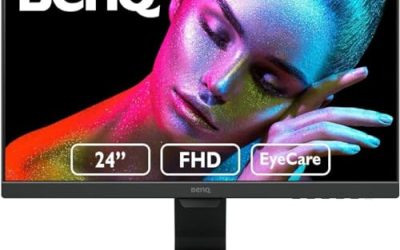
BenQ MOBIUZ EX240 (ASIN: B0B3FVVL34) is the balanced 24-inch pick. BenQ lists a 23.8-inch IPS panel at 165Hz with 1ms MPRT, FreeSync Premium, HDRi image tuning, built-in speakers, and a height-adjustable stand. At ~93 PPI it keeps text clean, so it works as a mixed gaming and everyday monitor.
BenQ ZOWIE XL2546K (ASIN: B08G57L985) is the esports specialist at 24.5 inches. Its TN panel runs 240Hz and uses DyAc+ backlight strobing for motion clarity instead of adaptive sync, which is why the VRR column is empty. Three HDMI 2.0 inputs and a DisplayPort cover a PC plus consoles, and the small-base stand leaves room for a keyboard pulled in close.
LG UltraGear 27GP750-B (ASIN: B09D914618) makes the case for 27-inch 1080p. LG lists a 27-inch IPS panel at 240Hz with 1ms GtG response, FreeSync Premium and G-SYNC Compatible certification, HDR10, and 99% sRGB coverage; LG’s published brightness figure is 400 cd/m2. You accept ~82 PPI in exchange for a big, fast panel that mid-range GPUs can feed at high frame rates.
MSI G32C4X (ASIN: B0CJK6P8R4) is the immersion option. MSI lists a 31.5-inch 1500R curved VA panel at 250Hz with Adaptive Sync and a 300 cd/m2 brightness rating. At ~70 PPI it is the coarsest screen here, so treat it as a sit-back gaming display, not a desk monitor for reading.
Verdict: Who Should Buy Which Size
- Choose 24 inches if you play competitive games, sit at a normal desk distance, or mix gaming with reading and work. It is the best monitor size for 1080p for most people.
- Choose 24.5 inches if you play esports titles seriously and want a 240Hz panel sized for tournament-style setups.
- Choose 27 inches if you want a larger image and high refresh rates, play mostly fast-paced games, and can accept softer text.
- Choose 32 inches only for curved, sit-back, immersive gaming. For anything text-heavy, step down in size or up in resolution instead.
- Choose 21.5 inches only when the desk physically cannot fit anything bigger.
FAQ
Is 27 inches too big for 1080p?
For gaming at a longer viewing distance, no; the size is popular precisely because 240Hz panels exist here. For text and office work at a desk, yes, 82 PPI looks grainy next to a 24-inch screen.
Is 24 or 27 inches better for 1080p esports?
24 to 24.5 inches. The smaller screen keeps the full picture in central vision, the PPI is higher, and most 240Hz esports models, including the ZOWIE XL2546K above, are built at this size.
Does a bigger 1080p monitor need a stronger GPU?
No. Every size in this guide renders the same 1920 x 1080 pixels, so frame rates are identical. Size changes only sharpness, viewing distance, and desk fit, not performance.