

🛒 Best Price Today on Amazon
Prime members get fast, free shipping on everything above, plus member-only deals. New members get a 30-day free trial — cancel anytime.
- Top Mice Side Buttons Picks for 2026
- Best Mice with Side Buttons at a Glance
- 1. Logitech G502 Hero with 11 Programmable Buttons and Sniper Button
- 2. Redragon M612 Predator RGB Gaming Mouse with 11 Programmable Buttons
- 3. Razer DeathAdder Essential Gaming Mouse, 6400 DPI (B094Q1GJSD)
- 4. Razer DeathAdder Essential Gaming Mouse (B094PS5RZQ, alt SKU)
- 5. Pro X Superlight 2c Wireless Gaming Mouse, 51g Compact
- 6. GravaStar Mercury M1 Pro Magnesium Alloy Gaming Mouse, 26,000 DPI
- How to Choose a Mouse with Side Buttons
- Related Guides
- Frequently Asked Questions
- Related Guides
- Related Articles
Top Mice Side Buttons Picks for 2026
Here are our current top mice side buttons picks, compared on real Amazon owner reviews, price, and features. Live prices update below.
As an Amazon Associate we earn from qualifying purchases at no extra cost to you.






Side buttons turn a mouse from a pointer into a productivity and gaming multiplier. Two well-placed programmable thumb buttons cover the universal browser back-and-forward, weapon switching, melee attacks, push-to-talk, and a dozen other small wins. A mouse with more than two side buttons — up to eleven on heavy-button gaming mice — can also drive macros, modifier combos, and complete ability rotations. This guide rounds up the best mice with side buttons in 2026, leading with shells that offer rich programmability and ending with the dependable minimum standard of two side buttons.
Our picks were chosen on what actually defines this category: a confirmed minimum of two programmable side buttons, useful button placement under the thumb, supporting software for binding actions and macros, and value for the money. We have included a deliberate price spread from around $14 up to around $140, covering classic feature-packed designs, compact lightweight wireless shells, and budget-friendly side-button picks. Below is an at-a-glance comparison of all six picks, then a closer look at each, and a buyer’s guide built around side-button count, software, and ergonomics — the criteria that decide whether the extra buttons actually save you time.
Best Mice with Side Buttons at a Glance
| Mouse | Best For | Standout Spec | Approx Price |
|---|---|---|---|
| Logitech G502 Hero (11 buttons) | Most side-button options | 11 programmable, sniper button | around $32 |
| Redragon M612 Predator (11 programmable) | Budget high-button pick | 8000 DPI, 11 buttons, 5 RGB modes | around $17 |
| Razer DeathAdder Essential (B094Q1GJSD) | Classic 2-button standard | 6400 DPI, 5 buttons | around $14 |
| Razer DeathAdder Essential (B094PS5RZQ) | Same shape, alt SKU | 6400 DPI, 5 buttons | around $20 |
| Pro X Superlight 2c (51g compact) | Esports compact pick | 51g, 44K DPI, side buttons | around $140 |
| GravaStar Mercury M1 Pro (magnesium) | Designer side-button shell | Magnesium alloy, 26K DPI | around $100 |
1. Logitech G502 Hero with 11 Programmable Buttons and Sniper Button

29
Prime
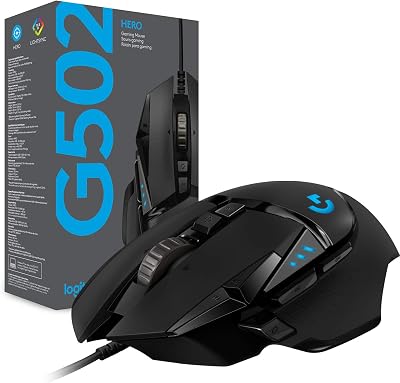
Logitech G502 Hero Wired Gaming Mouse – Black | High performance, 25,600 DPI, RGB, adjustable weights, 11 programmable buttons, on-board memory, PC/Mac
In Stock




As an Amazon Associate we earn from qualifying purchases. Product prices and availability are accurate as of the date/time indicated.
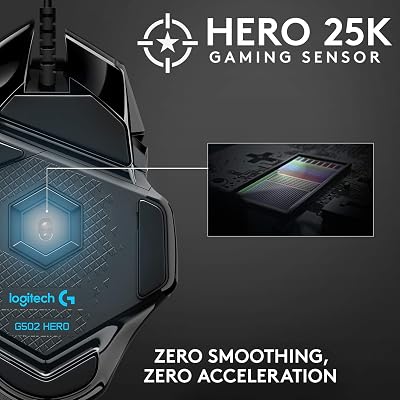
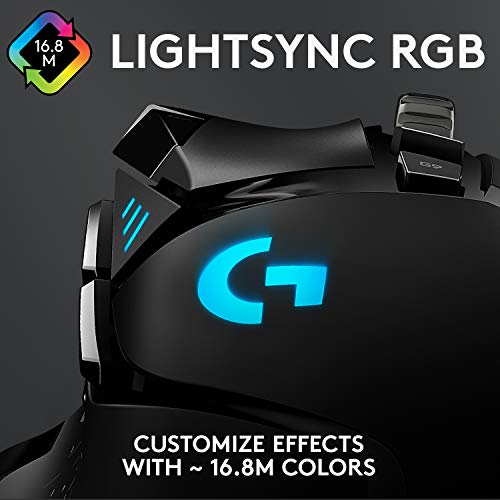
The Logitech G502 Hero is the most side-button-rich pick of this list, and a justifiably long-standing favorite for power users. It has 11 programmable buttons in total, with multiple thumb-side buttons including a dedicated sniper button that drops the DPI when held. It runs Logitech’s premium HERO 25K sensor at up to 25,600 DPI, includes adjustable weights, and connects over a wired link. At around $32 it is exceptional value for the feature set.
This is the mouse for the gamer or power user who wants the maximum useful programmability in a single mainstream shell. The thumb-side buttons are easy to reach without conscious effort, the sniper button is genuinely useful in slow-moving FPS engagements, and G HUB software handles deep per-game profile switching and macros. For shooters, MOBAs, MMO-lite play, and productivity, the G502 Hero is hard to beat as a side-button workhorse.
Pros: 11 programmable buttons including a dedicated sniper button, HERO 25K sensor, deep software.
Cons: Heavier than minimalist esports shells; wired only.
2. Redragon M612 Predator RGB Gaming Mouse with 11 Programmable Buttons

14
Prime
Redragon M612 Wired RGB Optical Gaming Mouse 8000 DPI Remapping Keys | Stable Lag-Free Connection, Redefine Keybinding Macro, Vibing Backlight, Ergonomic Grip Body Comfort
In Stock




As an Amazon Associate we earn from qualifying purchases. Product prices and availability are accurate as of the date/time indicated.
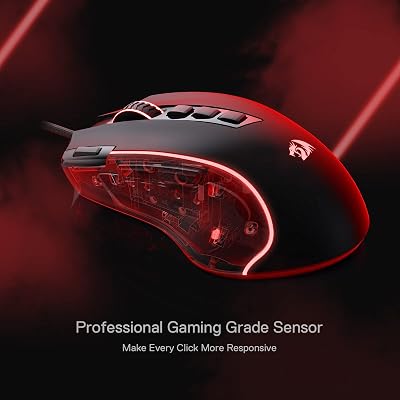
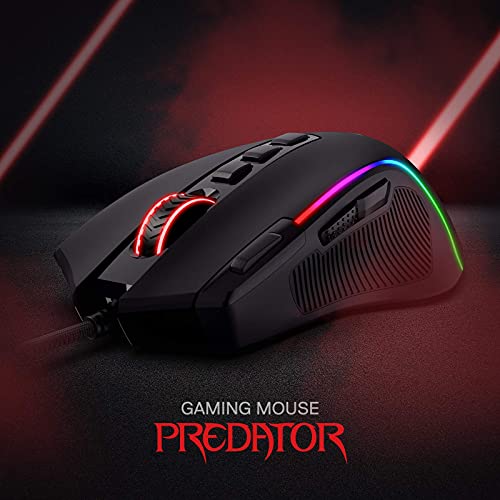
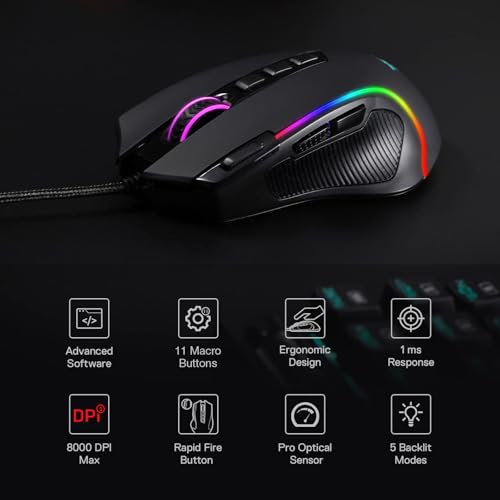
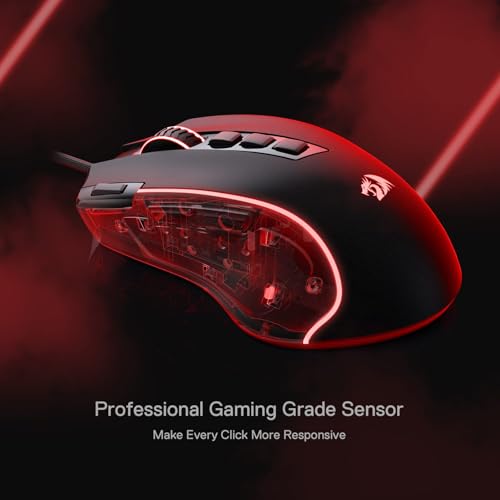
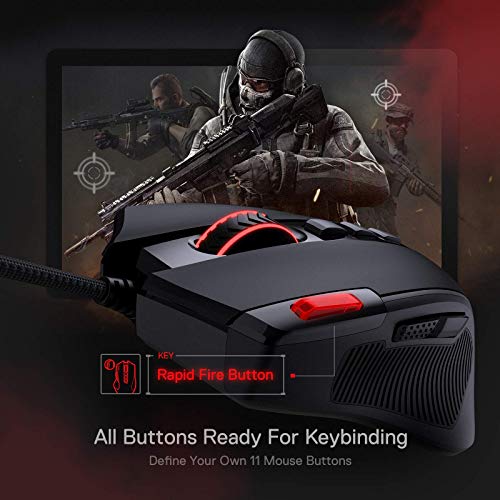
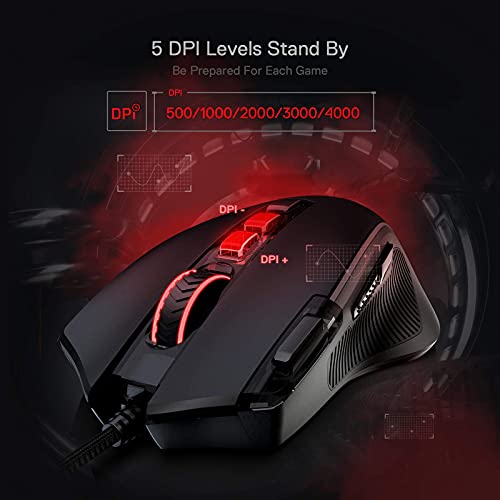
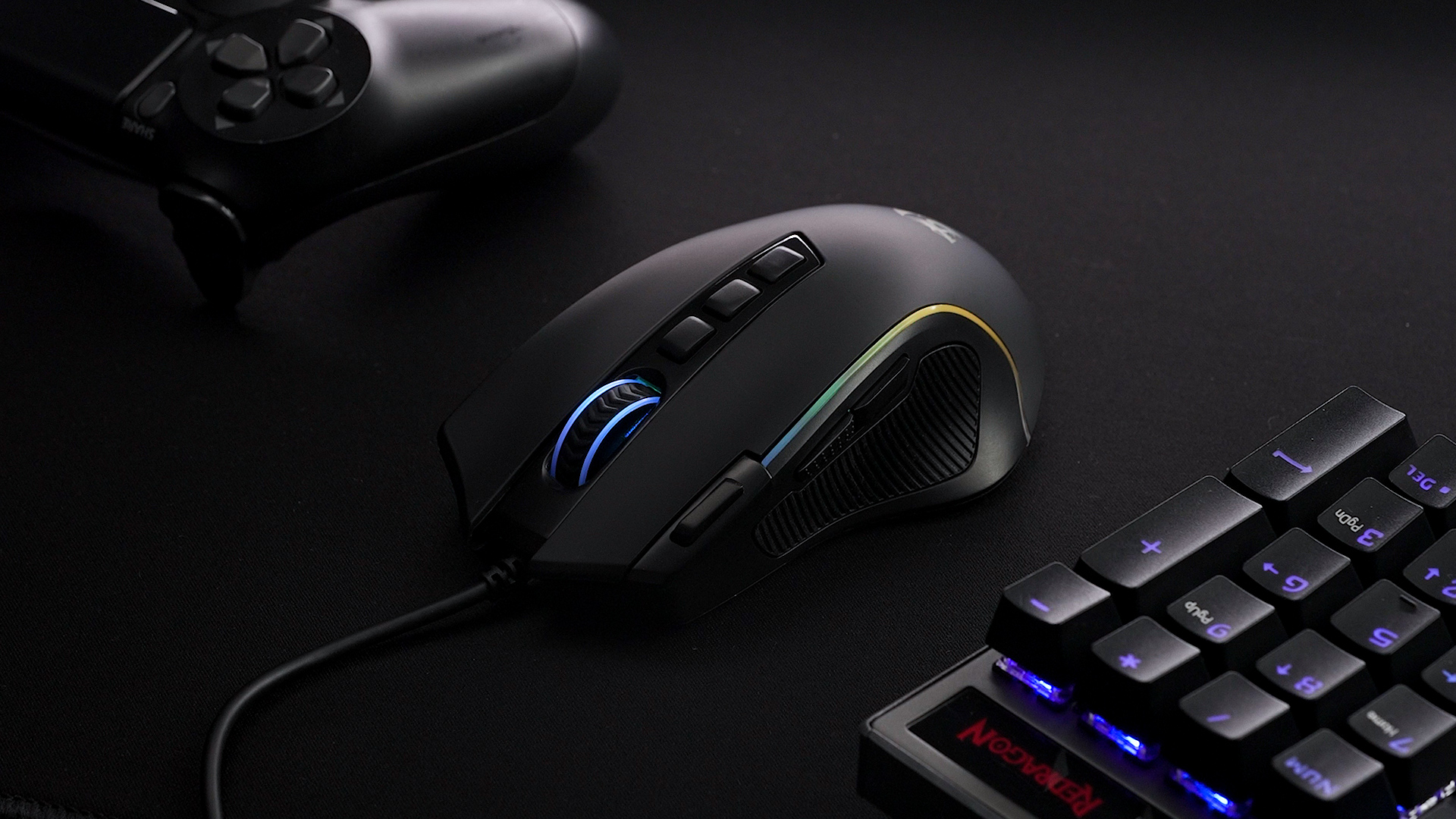
The Redragon M612 Predator is the budget high-button pick — and a remarkable value at around $17. It packs 11 programmable buttons (several of them side-mounted), an 8,000 DPI optical sensor, 5 RGB lighting modes, and a wired connection. For users who specifically want lots of programmable side buttons without paying premium prices, this is one of the best value picks anywhere.
This is the mouse for the new or budget-conscious power user who wants rich programmability without paying flagship money. The 11 buttons cover everything from browser shortcuts and OBS scene switching to macro-friendly gaming binds, the 8K DPI sensor is more than enough for everyday use, and the wired connection keeps things simple. Build and software are simpler than the G502, but the side-button-to-dollar ratio is outstanding.
Pros: 11 programmable buttons, 8K DPI sensor, 5 RGB modes, wired, exceptional value.
Cons: Plainer build and basic software vs Logitech/Razer flagships.
3. Razer DeathAdder Essential Gaming Mouse, 6400 DPI (B094Q1GJSD)
20
Prime
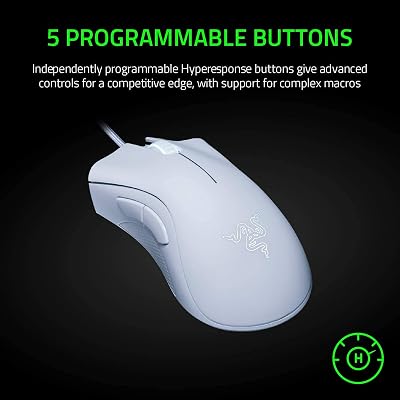
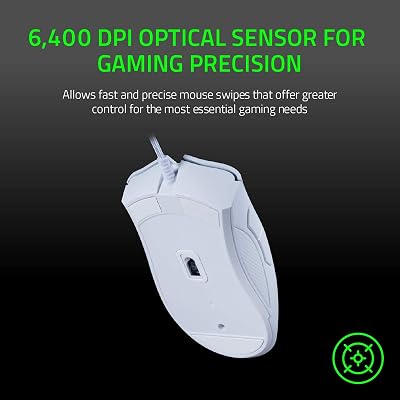
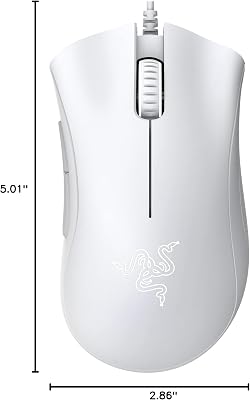
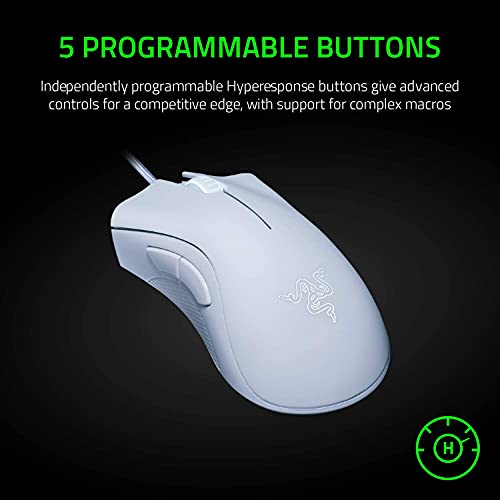
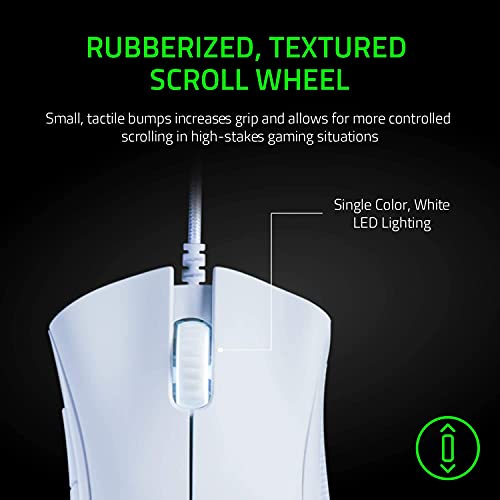
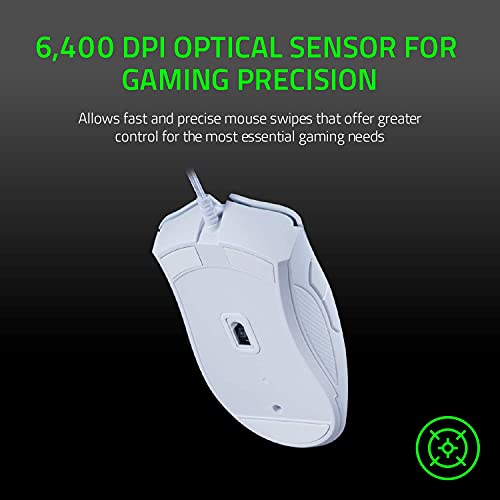
Razer DeathAdder Essential Gaming Mouse: 6400 DPI Optical Sensor – 5 Programmable Buttons – Mechanical Switches – Rubber Side Grips – Mercury White
In Stock






As an Amazon Associate we earn from qualifying purchases. Product prices and availability are accurate as of the date/time indicated.
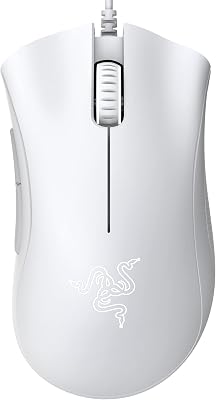
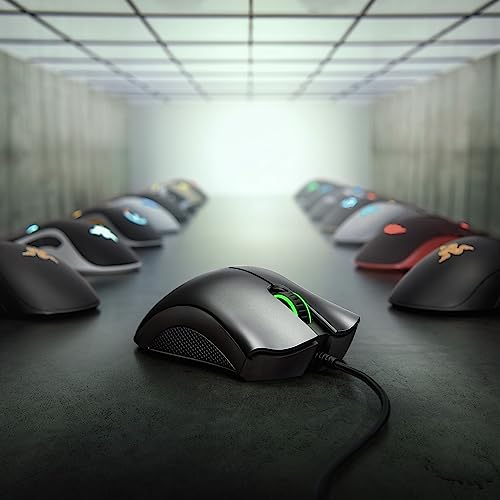
The Razer DeathAdder Essential is the classic minimum-standard pick — a confirmed two-thumb-button design that sets the baseline for what ‘side buttons’ should mean. It pairs the famous DeathAdder right-hand ergonomic shell with a 6,400 DPI optical sensor, five programmable buttons in total (including the two standard thumb buttons), and Razer’s mechanical mouse switches. At around $14 it is also one of the cheapest gaming mice from a major brand.
This is the mouse for the buyer who wants a no-nonsense, two-side-button design from a trusted brand — the simplest, most universal side-button layout. The DeathAdder shape supports the right palm famously well, the thumb buttons cover browser back/forward and primary side actions in most games, and Razer Synapse handles remapping cleanly. As the minimum-standard side-button reference, the DeathAdder Essential is the easy entry point.
Pros: Confirmed 2 thumb buttons (minimum side-button standard), DeathAdder ergonomic shape, very cheap.
Cons: Only 2 side buttons — not for buyers who want a thumb-grid or many macros.
4. Razer DeathAdder Essential Gaming Mouse (B094PS5RZQ, alt SKU)

19
Prime
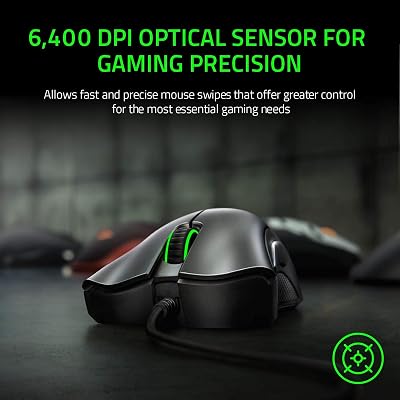
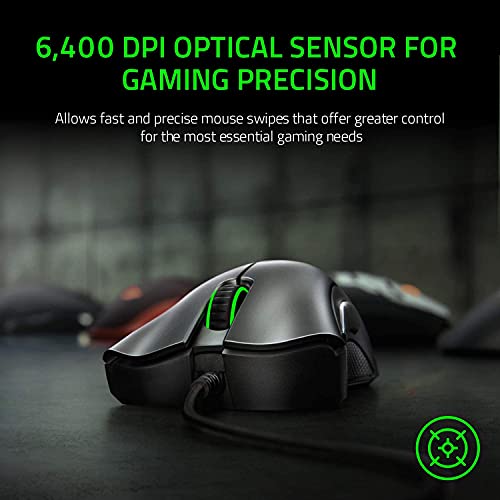
Razer DeathAdder Essential Ergonomic Wired Gaming Mouse, Black | 6400 DPI Optical Sensor, 5 Programmable Buttons, Rubber Side Grips, Mechanical Mouse Switches
In Stock




As an Amazon Associate we earn from qualifying purchases. Product prices and availability are accurate as of the date/time indicated.
This is the same Razer DeathAdder Essential as the listing above — same shape, same 6,400 DPI optical sensor, same five-button layout with two standard thumb buttons — sold under a slightly different Amazon SKU at around $20. It carries exactly the same honest caveat: two side buttons is the baseline for this category, not a maximum.
If this alternate SKU is closer to in stock or carries a better promotion than the other listing, it is the same DeathAdder Essential value: a trusted right-hand ergonomic shell with the minimum useful side-button count from a major brand. Choose the listing that is cheaper or better stocked at the time you buy, and treat the two thumb buttons as the floor of what this guide considers a true ‘mouse with side buttons.’
Pros: Same proven DeathAdder shape and 2 thumb buttons as the other Essential listing, alt SKU.
Cons: Same caveat — 2 side buttons is the minimum bar; many programmability seekers will want more.
5. Pro X Superlight 2c Wireless Gaming Mouse, 51g Compact
31
Prime
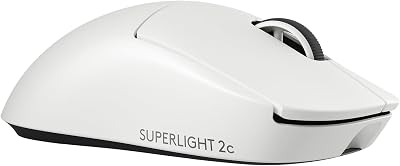
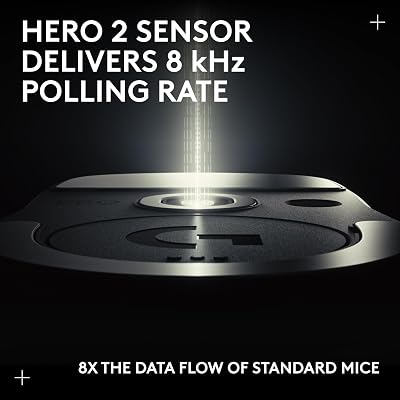
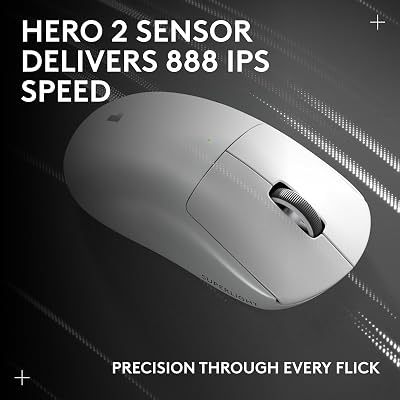
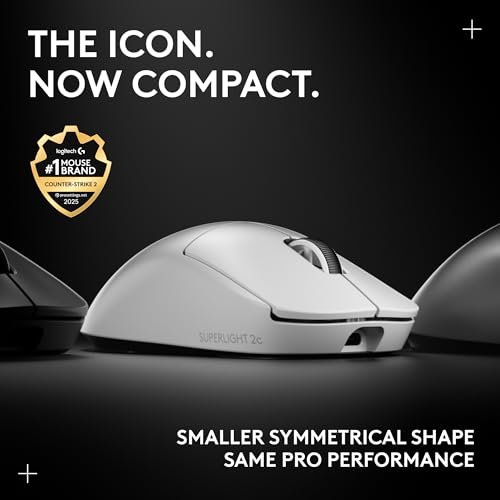
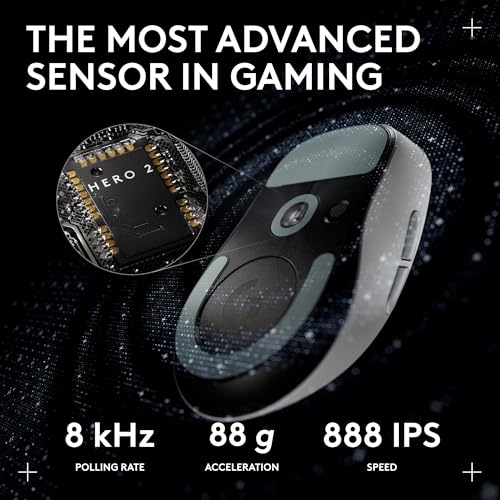
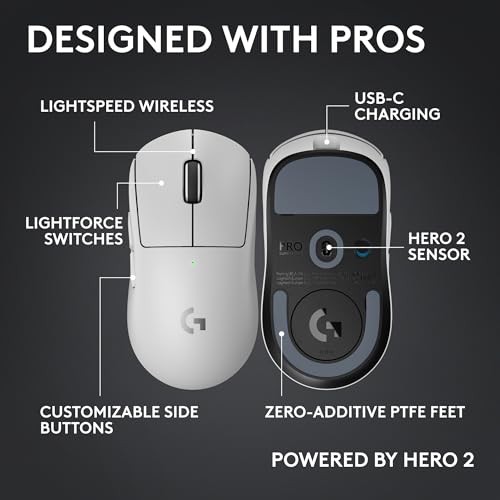
Pro X Superlight 2c Wireless Gaming Mouse: 51g Compact Mini Size, Symmetrical Shape, <8 kHz Polling, 44K DPI, PowerPlay Wireless Charging Supported, USB-C, 5 Programmable Buttons, For PC/Mac – White
In Stock
View on Amazon.com





As an Amazon Associate we earn from qualifying purchases. Product prices and availability are accurate as of the date/time indicated.
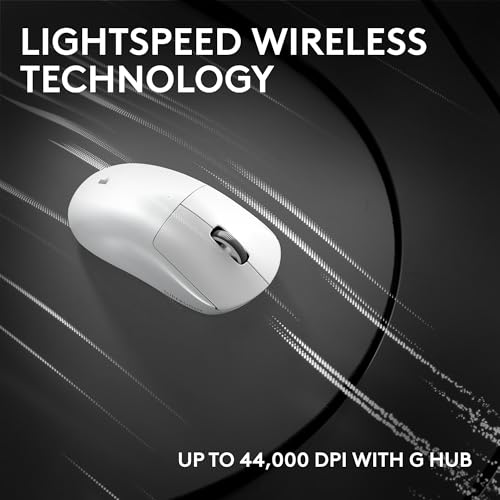
The Pro X Superlight 2c is the esports compact pick of this list. It is a 51g symmetrical-shape wireless mouse with side buttons on the thumb side, a 44,000 DPI sensor, and polling up to 8kHz on supported PowerPlay charging hardware. At around $140 it is the priciest mouse here and aimed at serious competitive players who want side buttons without sacrificing low weight.
This is the mouse for the competitive player who wants an esports-grade lightweight shell but still cares about having usable side buttons for weapon switching, melee, or push-to-talk. The compact 51g design is dramatically lighter than a G502, the 44K DPI sensor and high polling rates keep tracking and input tight, and the symmetrical shape suits claw and fingertip grips. For lightweight competitive play with retained side-button functionality, it is a clear standout.
Pros: Esports-grade 51g compact shell, 44K DPI sensor, retained thumb-side buttons, wireless.
Cons: Premium price; fewer buttons than dedicated macro mice like the G502 or M612.
6. GravaStar Mercury M1 Pro Magnesium Alloy Gaming Mouse, 26,000 DPI

20
Prime
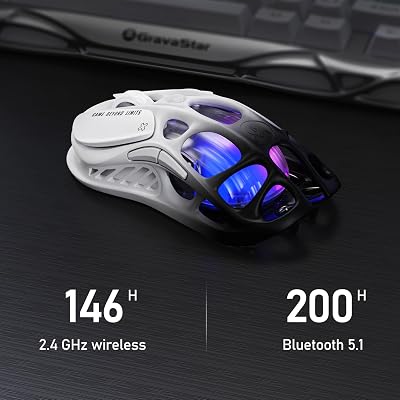
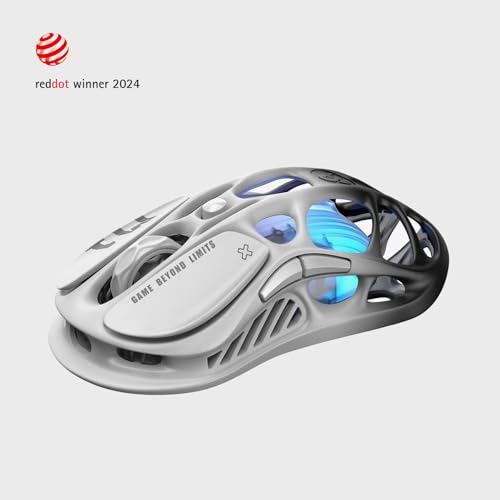
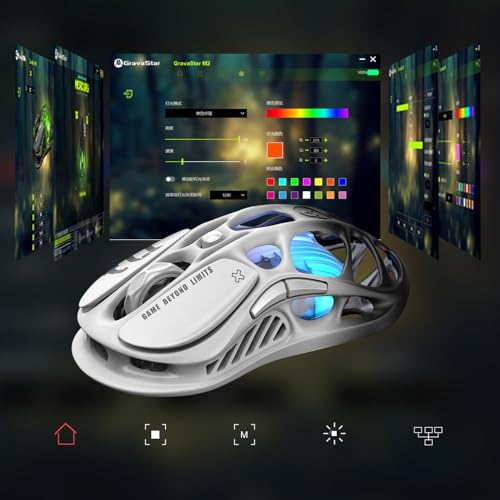
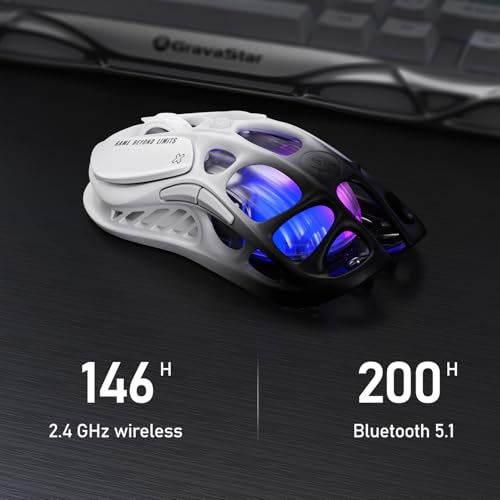
GravaStar Mercury M1 Pro Gaming Mouse, Lightweight Magnesium Alloy, 26,000 DPI, PAW3395DM Sensor, 5 Programmable Buttons, Support Wired/2.4GHz/BT, Up to 200 Hours Battery Life (Gradient Black)
In Stock




As an Amazon Associate we earn from qualifying purchases. Product prices and availability are accurate as of the date/time indicated.
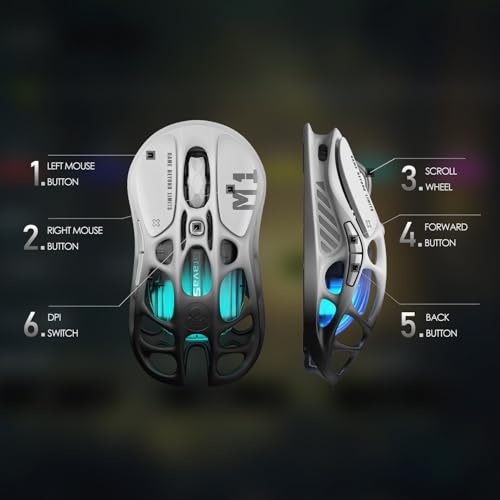
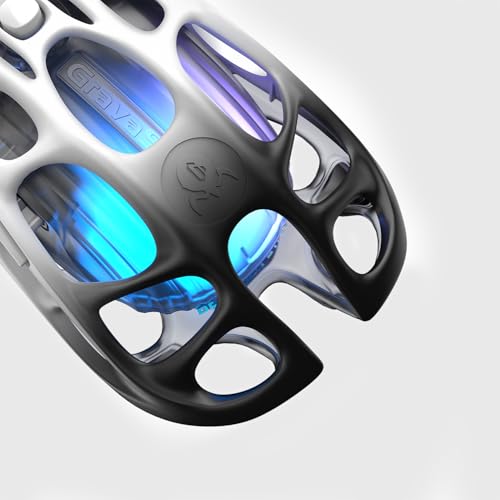
The GravaStar Mercury M1 Pro is the designer side-button shell of the list. It is built around a lightweight magnesium-alloy body with five programmable buttons (including two thumb-side buttons), a PAW3395DM optical sensor at up to 26,000 DPI, and a striking visual design that stands out from the usual gaming-mouse aesthetic. At around $100 it is the premium design-led pick.
This is the mouse for the buyer who wants confirmed programmable side buttons in a shell that looks completely different from a standard Razer or Logitech gaming mouse. The magnesium-alloy frame is light and rigid, the PAW3395DM sensor is genuinely competitive, and the two thumb-side buttons cover the most useful side-button bindings. If you have ever wanted a side-button mouse that doubles as a desk centrepiece, the Mercury M1 Pro is unusual and intentional.
Pros: Magnesium-alloy build, 5 programmable buttons including 2 thumb-side, PAW3395DM 26K DPI.
Cons: Higher price for design and materials; fewer buttons than the G502 or M612.
How to Choose a Mouse with Side Buttons
For a mouse with side buttons in 2026, the first question is simply how many programmable side buttons you actually need. Two thumb buttons — the minimum standard set by the Razer DeathAdder Essential here — cover the most universal bindings: browser back and forward, weapon switching, melee, push-to-talk. If two thumb buttons sounds like enough, almost any modern gaming mouse will do. If you want more, look at the G502 Hero (11 buttons) and Redragon M612 (11 buttons), which give you room for macros and complex bindings.
Placement matters as much as count. Side buttons should sit naturally under your thumb without forcing your hand to shift grip, which is why the DeathAdder shape and the G502’s contoured thumb area are so well regarded. Test how the buttons feel under your specific thumb length — a great-looking thumb grid is useless if you cannot reach the back row without sliding your hand. Read shape reviews, not just spec sheets, before committing to a many-button shell.
Software is the multiplier that decides whether your side buttons actually deliver. Logitech G HUB (G502 Hero), Razer Synapse (DeathAdder Essential), and the included apps for Redragon and GravaStar all support remapping, per-game profiles, and basic macros to different depths. The richer the software, the more useful those buttons become for both gaming and productivity — bindings for OBS, Discord, Photoshop, and browser shortcuts can collectively save you thousands of clicks a week.
Finally, match weight and connection to your real play and price ceiling. A heavy 11-button shell like the G502 is unbeatable for macro-heavy use; a 51g compact wireless like the Pro X Superlight 2c is unbeatable for pure esports performance with side buttons retained; a magnesium showpiece like the GravaStar Mercury M1 Pro sits between performance and design. Budget-conscious side-button fans will be very well served by the DeathAdder Essential (around $14–20) or Redragon M612 (around $17). Pick the mouse on this list that fits how many side buttons you genuinely use and how you want the mouse to feel.
Frequently Asked Questions
How many side buttons do most gamers actually need?
Two well-placed thumb buttons cover the most universal bindings — browser back/forward, weapon switching, melee, push-to-talk — and that is exactly what the Razer DeathAdder Essential delivers as the minimum-standard pick on this list. Players who run macros, complex MMO/MOBA kits, or heavy productivity setups benefit from more, which is why the G502 Hero and Redragon M612 offer 11 buttons. For most casual and competitive shooter players, two thumb buttons is the sweet spot.
Can side buttons help with productivity as well as gaming?
Yes — and they may be the single most valuable productivity upgrade to a regular mouse. The same two thumb buttons that handle weapon switching in a shooter can drive browser back/forward, Photoshop undo/redo, OBS scene switching, and push-to-talk. Mice with more side buttons like the G502 Hero and Redragon M612 can run full macro suites for video editing, design, and coding shortcuts.
Is the DeathAdder Essential really enough side buttons?
For most casual to competitive shooter players, yes. Two programmable thumb buttons is the universal floor of useful side bindings, and the DeathAdder’s famously comfortable right-hand shape, mechanical switches, and Razer brand support make it a dependable choice. If you specifically want macros or a thumb grid for MMO/MOBA play, the G502 Hero or Redragon M612 above are better fits.
Are expensive side-button mice worth the premium?
It depends on what you value beyond buttons. The Pro X Superlight 2c justifies its price with esports-grade weight and sensor performance in a compact wireless shell; the GravaStar Mercury M1 Pro justifies its price with a magnesium-alloy designer build. For pure side-button function, the G502 Hero (11 buttons, around $32) and Redragon M612 (11 buttons, around $17) deliver more programmable buttons per dollar than any premium pick.
Related Guides
- Best Gaming Mouse
- Best Wireless Gaming Mouse
- Best Mouse Pads for Gaming
- Best Mechanical Keyboards
- Best Gaming Headsets
- Best Gaming Monitors
- Best Budget Gaming Setup
Affiliate Disclosure: As an Amazon Associate, we earn from qualifying purchases. If you click a link and make a purchase, we may earn a small commission at no extra cost to you. Prices and availability are accurate as of publication and may change.










