

- Top Pick: Keychron K3 Version 2 QMK 75% Wireless Low-Profile Mechanical Keyboard
- Best Value: Logitech G515 Lightspeed TKL Wireless Gaming Keyboard (Tactile) – Black
- Premium Choice: Cherry MX 10.0N RGB Mechanical Keyboard MX Low Profile Speed switches, Aluminum housing, Premium Keyboard for Gaming and Work. G8A-25010LVBUS-2
🛒 Best Price Today on Amazon
Prime members get fast, free shipping on everything above, plus member-only deals. New members get a 30-day free trial — cancel anytime.
- Top Low Profile Mechanical Keyboards Picks for 2026
- Best Low Profile Mechanical Keyboards at a Glance
- 1. Logitech MX Keys S Wireless Keyboard, Low Profile Premium Typist Board
- 2. Keychron K3 Version 2, 84-Key Ultra-Slim Wireless Mechanical Keyboard
- 3. ProtoArc K310 Pro Bluetooth Low-Profile Mechanical Keyboard for Mac/Windows
- 4. Keychron K5 Version 2 Wireless Low-Profile 100% Full-Size Mechanical Keyboard
- 5. Redragon K618 PRO 3-Mode Wireless RGB Low-Profile Mechanical Keyboard
- 6. Flow Lite 84 Keys Low Profile Mechanical Keyboard with 2.4G Receiver
- How to Choose a Low Profile Mechanical Keyboard
- Related Guides
- Frequently Asked Questions
- Related Guides
- Related Articles
- Related Guides
Top Low Profile Mechanical Keyboards Picks for 2026
Here are our current top low profile mechanical keyboards picks, compared on real Amazon owner reviews, price, and features. Live prices update below.
As an Amazon Associate we earn from qualifying purchases at no extra cost to you.





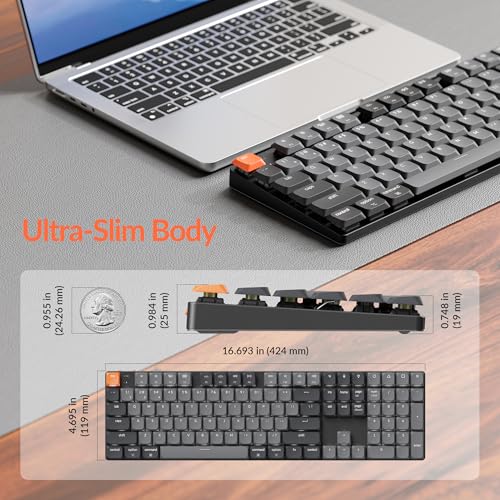
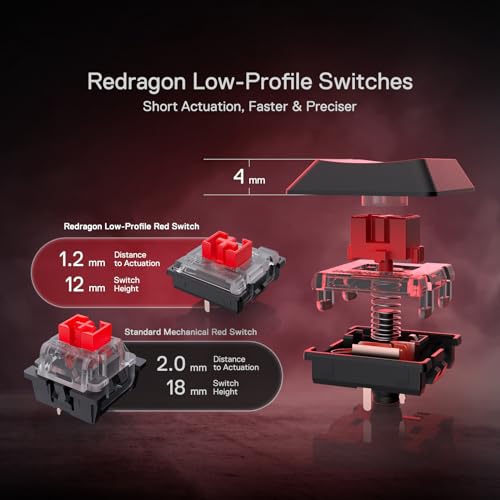
Low profile mechanical keyboards are for everyone who has wanted the tactile satisfaction of a mechanical without the tall, chunky keycaps that come with it. Where standard mechanical keycaps stand up around 18mm to 20mm above the case, low profile keycaps sit much closer to the board — typically under 11mm — giving a slimmer silhouette, a shorter actuation distance and a typing feel closer to a quality laptop keyboard. This guide rounds up the best low profile keyboards in 2026 across wireless mechanical models, compact options for Mac users, and a premium scissor-switch board for anyone who wants the low-profile feel without true mechanical switches.
One important honesty note before the list: not every ‘low profile’ keyboard uses mechanical switches. The Logitech MX Keys S, included as the first pick, is a premium scissor-switch board built for typists who want a low-profile feel — it is not mechanical, and we flag that openly in its entry. The remaining five picks all use true low-profile mechanical switches with confirmed sub-11mm keycap height. Prices span from around $53 to around $130, with wireless, hot-swap and Mac/Windows-friendly options. Below is an at-a-glance comparison, followed by a closer look at each board and a buyer’s guide focused on the criteria that genuinely matter when you choose a slim mechanical.
Best Low Profile Mechanical Keyboards at a Glance
| Keyboard | Best For | Standout Spec | Approx Price |
|---|---|---|---|
| Logitech MX Keys S (scissor) | Premium typist (not mechanical) | Scissor switches, fluid quiet typing | around $130 |
| Keychron K3 V2 | Ultra-slim 75% wireless | 84 keys, low-profile mech, BT/USB | around $59 |
| ProtoArc K310 Pro | Mac and Windows hybrid | Low-profile mechanical, BT, backlit | around $53 |
| Keychron K5 V2 | Full-size low-profile QMK | 100% layout, Milk POM switches | around $80 |
| Redragon K618 PRO | Tri-mode RGB value | BT/2.4G/wired, ultra-thin | around $65 |
| Flow Lite 84 | Wireless hot-swap value | 75% hot-swap, 2.4G receiver | around $90 |
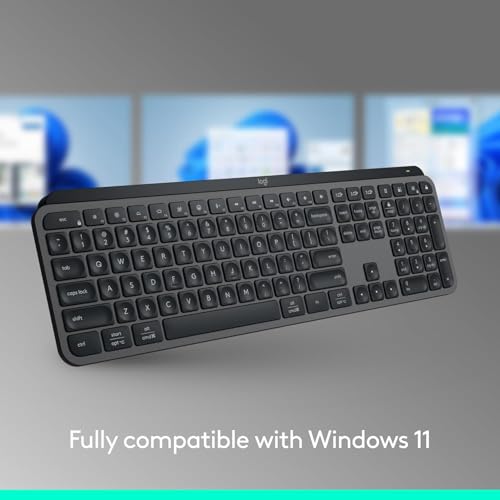
1. Logitech MX Keys S Wireless Keyboard, Low Profile Premium Typist Board

30
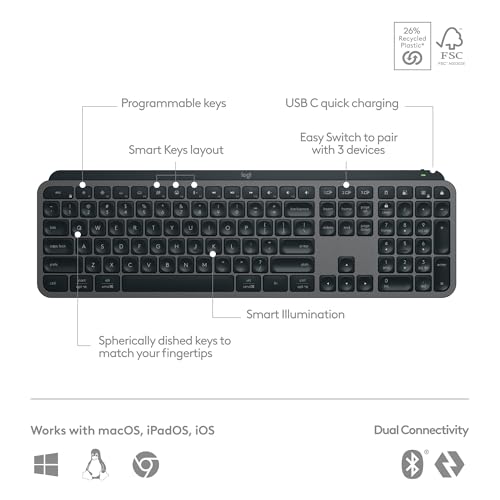
Logitech MX Keys S Wireless Keyboard, Low Profile, Fluid Precise Quiet Typing, Programmable Keys, Backlighting, Bluetooth, USB C Rechargeable, for Windows PC, Linux, Chrome, Mac – Graphite
In Stock





As an Amazon Associate we earn from qualifying purchases. Product prices and availability are accurate as of the date/time indicated.
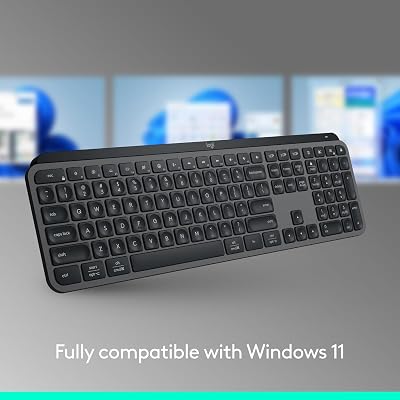
The Logitech MX Keys S is the premium typist pick — and an important honest flag for this list. It is a low-profile keyboard, but it uses Logitech’s high-end scissor switches, not mechanical switches. It is included for typists who specifically want the slim, quiet feel of a low-profile board without true mechanical switches, and at around $130 it is widely considered one of the best premium scissor-switch boards on the market.
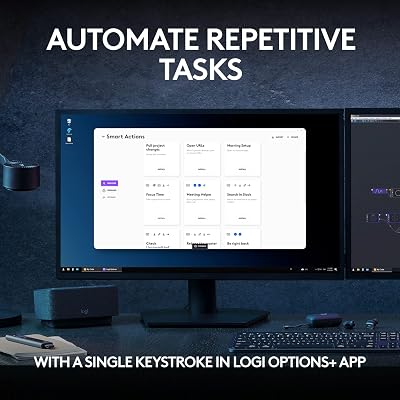
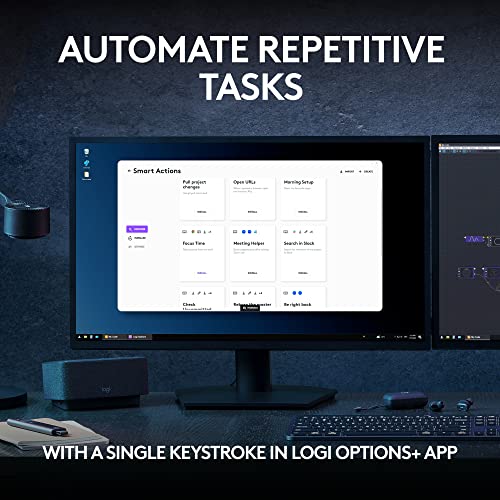
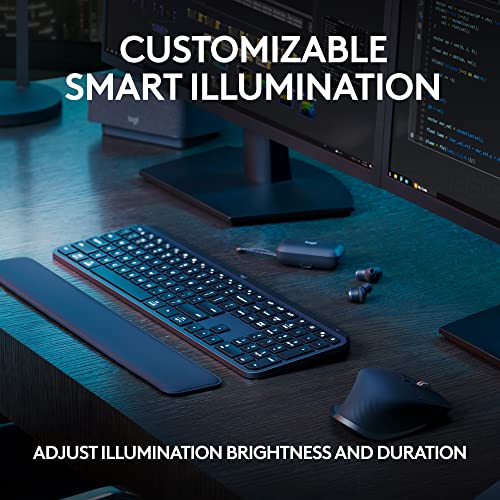
This is the keyboard for the writer, developer or office user who wants low-profile comfort first and does not need mechanical clack. Logitech’s scissor mechanism delivers a fluid, precise, very quiet typing feel ideal for shared workspaces and video calls, programmable keys add productivity shortcuts, smart backlighting reacts to your hands, and Bluetooth multi-device support lets you switch between a laptop, tablet and desktop with a single button. For anyone shopping the low-profile category for typing feel rather than switch type, the MX Keys S is the standout — just note it is scissor, not mechanical.
Pros: Fluid, quiet scissor-switch typing, programmable keys, smart backlight, BT multi-device.
Cons: Scissor switches, not mechanical — included as low-profile feel reference.
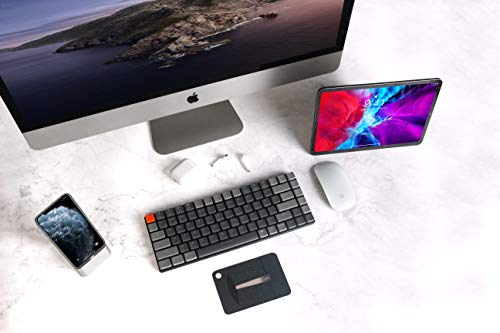
2. Keychron K3 Version 2, 84-Key Ultra-Slim Wireless Mechanical Keyboard
34
Prime
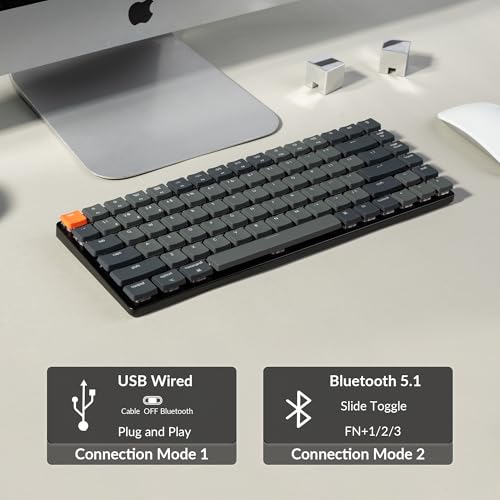
Keychron K3 Version 2, 84 Keys Ultra-Slim Wireless Bluetooth/USB Wired Mechanical Keyboard with White LED Backlit, Low-Profile Keychron Mechanical Brown Switch Compatible with Mac Windows
In Stock


As an Amazon Associate we earn from qualifying purchases. Product prices and availability are accurate as of the date/time indicated.
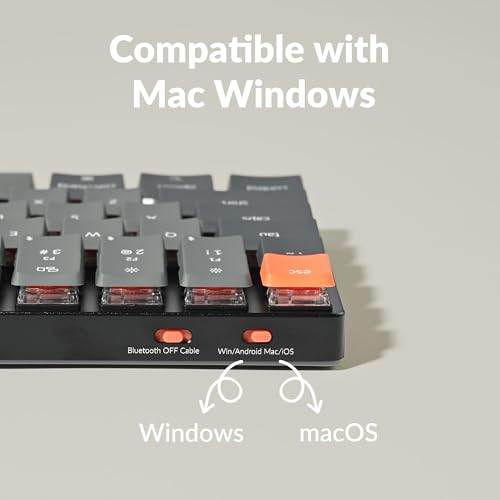
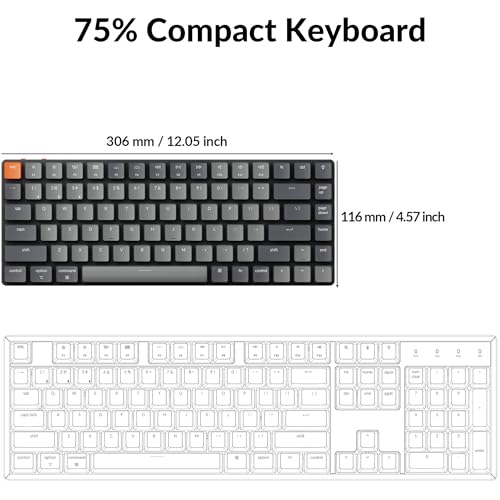
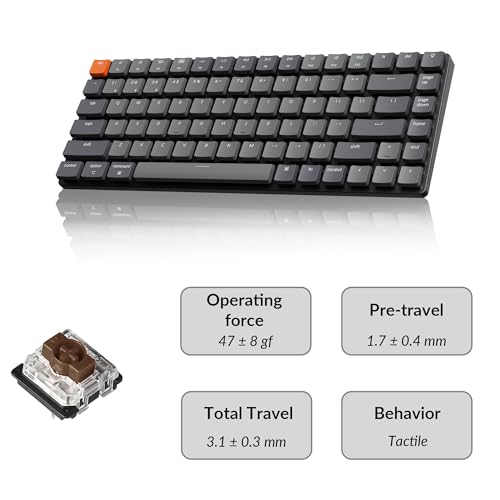
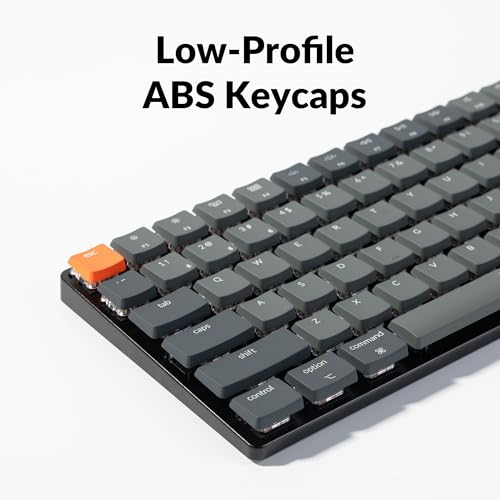
The Keychron K3 V2 is the ultra-slim wireless 75% pick and a true low-profile mechanical board. It uses Keychron’s low-profile mechanical switches in a tidy 84-key 75% layout, supports both Bluetooth wireless and USB wired, and comes with white LED backlighting. At around $59 it is one of the most affordable ways to get a genuine low-profile mechanical feel in a compact wireless package.
This is the keyboard for the user who wants a slim, portable mechanical board that travels and pairs easily. The 75% 84-key layout keeps function row and arrows in a smaller footprint, the low-profile mechanical switches deliver real mechanical feel at well under 11mm keycap height, and Bluetooth plus USB-C give flexible connectivity. White backlight keeps the build clean and battery-friendly. For an everyday slim mechanical you can throw in a bag, the K3 V2 is the easy recommendation.
Pros: True low-profile mechanical switches, 75% layout, Bluetooth and USB, slim and portable.
Cons: Single-color backlight; smaller community than RGB boards.
3. ProtoArc K310 Pro Bluetooth Low-Profile Mechanical Keyboard for Mac/Windows

32
Prime
ProtoArc K310 Pro Bluetooth Mechanical Keyboard, Wireless Backlit Keyboard for Mac/Windows, Low Profile Quiet Mechanical Keyboards, Multi-Device, Programmable Keys, Aluminum, Full Size
In Stock




As an Amazon Associate we earn from qualifying purchases. Product prices and availability are accurate as of the date/time indicated.
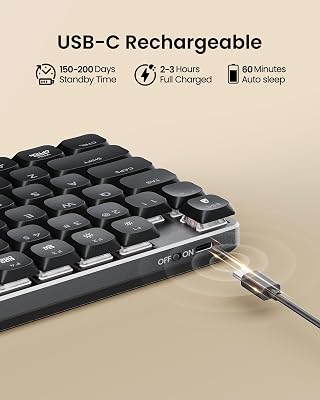
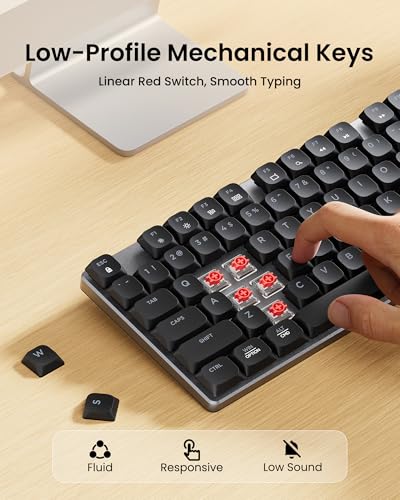
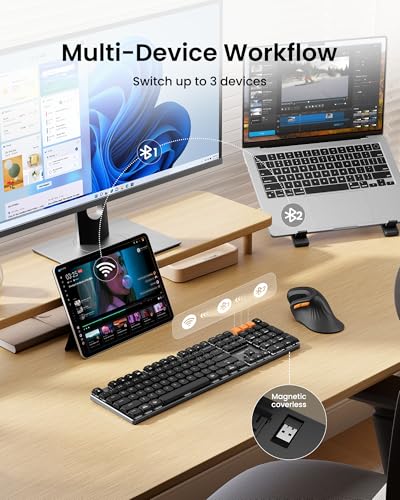
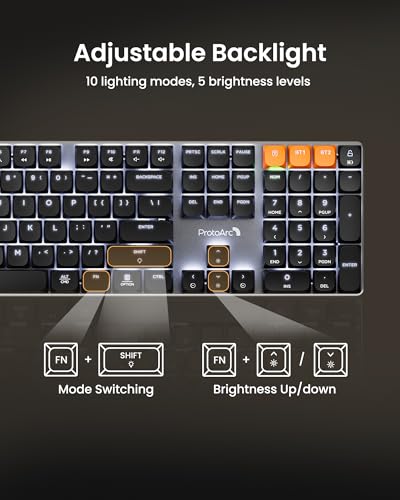
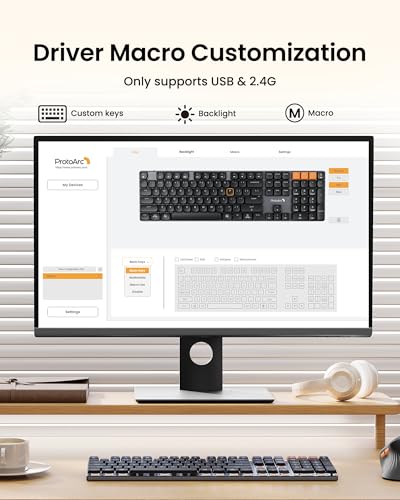
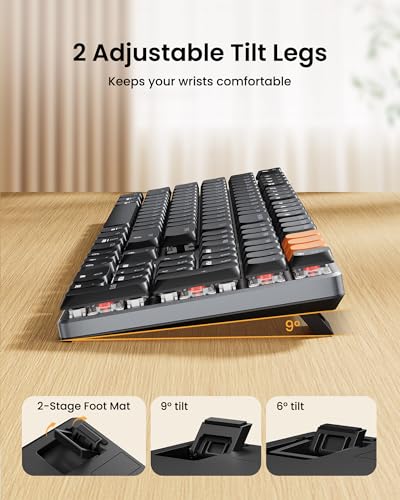
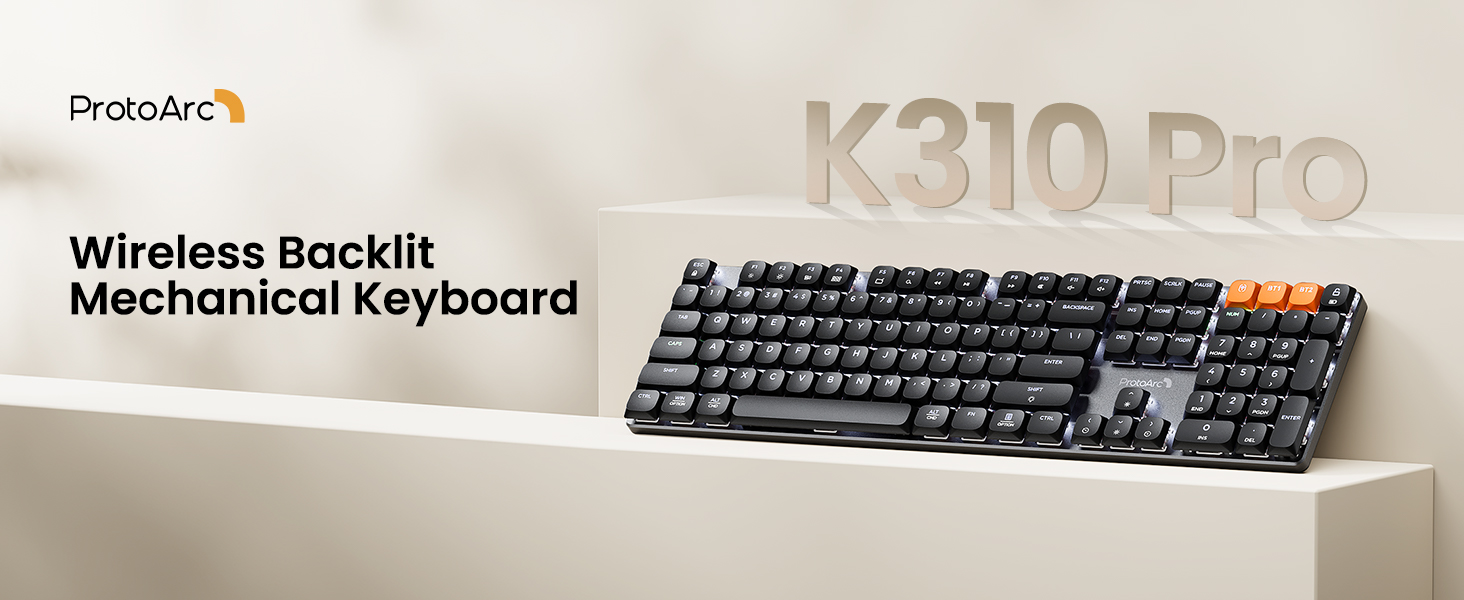
The ProtoArc K310 Pro is the Mac and Windows hybrid pick. It is a Bluetooth low-profile mechanical keyboard with backlighting, designed to switch between Mac and Windows layouts easily and to offer a quiet mechanical feel out of the box. At around $53 it is the cheapest pick on the list and a strong value entry into wireless low-profile mechanical.
This is the keyboard for the user who switches between a MacBook and a Windows PC and wants one slim mechanical board for both. The low-profile mechanical switches keep typing tactile but quiet enough for shared offices, dedicated Mac and Windows key layouts avoid the usual command/control confusion, and Bluetooth pairing makes the swap effortless. For multi-platform low-profile mechanical typing at a low-profile price, the K310 Pro is a smart, affordable choice.
Pros: Mac and Windows ready, low-profile mechanical switches, Bluetooth wireless, backlit.
Cons: Less brand recognition than Logitech or Keychron; build is value-focused.
4. Keychron K5 Version 2 Wireless Low-Profile 100% Full-Size Mechanical Keyboard
21
Prime
Keychron K5 Version 2 Wireless Bluetooth 5.2 Mechanical Keyboard, Low Profile Milk POM Switch 100% Full-Size Layout QMK Programmable, White Backlight with Shine-Through Keycaps for Mac Windows Linux
In Stock



As an Amazon Associate we earn from qualifying purchases. Product prices and availability are accurate as of the date/time indicated.
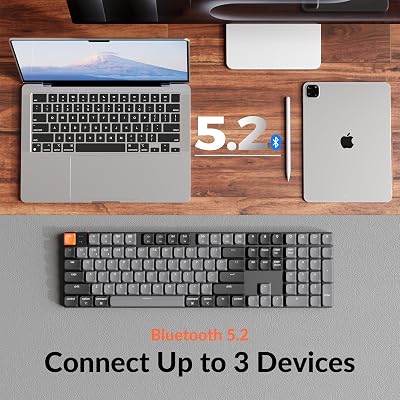
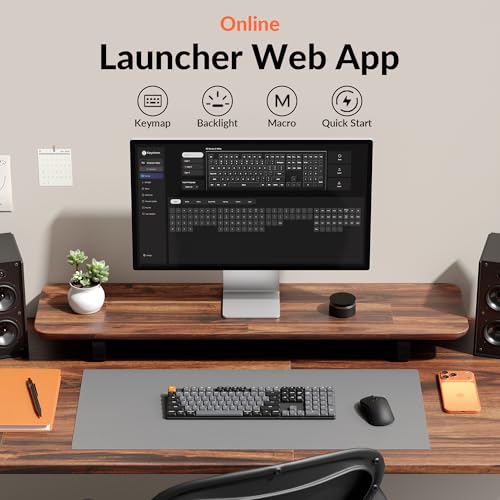
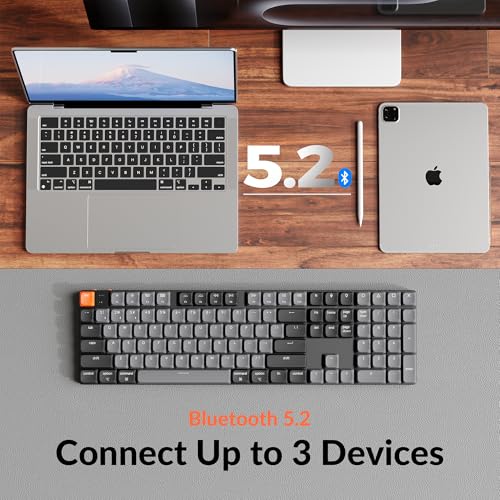
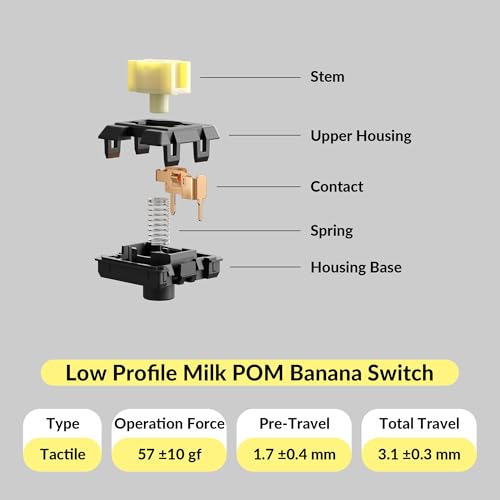
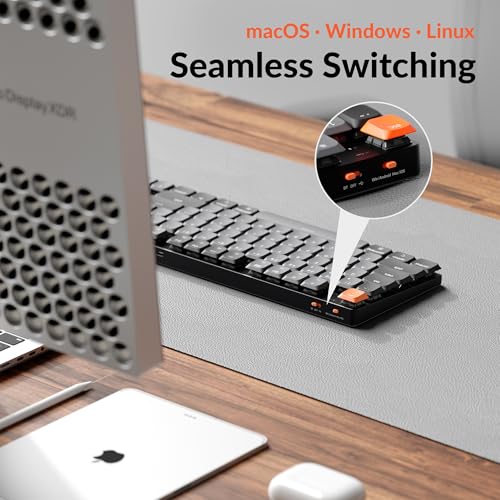
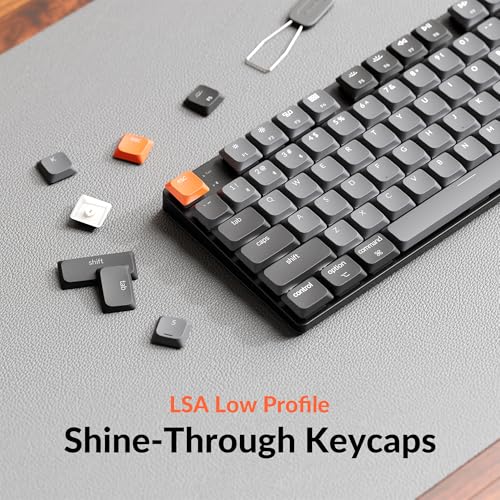
The Keychron K5 V2 is the full-size low-profile QMK pick. It pairs Keychron’s Milk POM low-profile mechanical switches with a 100% full-size layout (including number pad), Bluetooth 5.2, and QMK firmware support for full remapping. At around $80 it is the standout for users who want low-profile mechanical comfort without giving up the number pad.
This is the keyboard for the accountant, developer or spreadsheet-heavy user who wants a slim mechanical without losing the dedicated number pad. The 100% layout keeps every key you would expect on a full-size board, the low-profile Milk POM switches deliver a smooth, slightly muted mechanical feel, Bluetooth 5.2 keeps the desk tidy, and QMK firmware lets advanced users reprogram every key. For full-size low-profile mechanical with serious customization, the K5 V2 is the obvious pick.
Pros: Full-size 100% layout, Milk POM low-profile switches, BT 5.2, QMK support.
Cons: Wider footprint than 75%; QMK has a learning curve.
5. Redragon K618 PRO 3-Mode Wireless RGB Low-Profile Mechanical Keyboard

20
Redragon K618 PRO 3-Mode Wireless RGB Mechanical Keyboard, BT/2.4Ghz/Wired Low Profile Win/Mac Gaming Keyboard w/Ultra-Thin Design, Dedicated Media Control & Linear Red Switch
In Stock
View on Amazon.com




As an Amazon Associate we earn from qualifying purchases. Product prices and availability are accurate as of the date/time indicated.
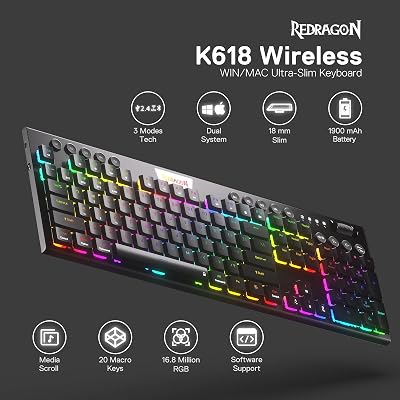
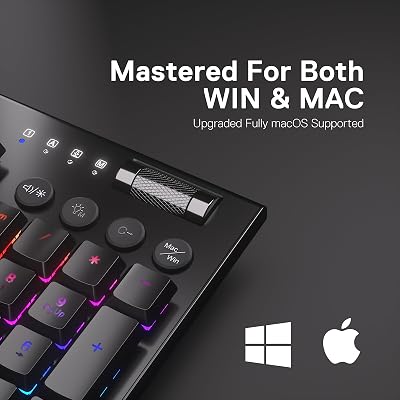
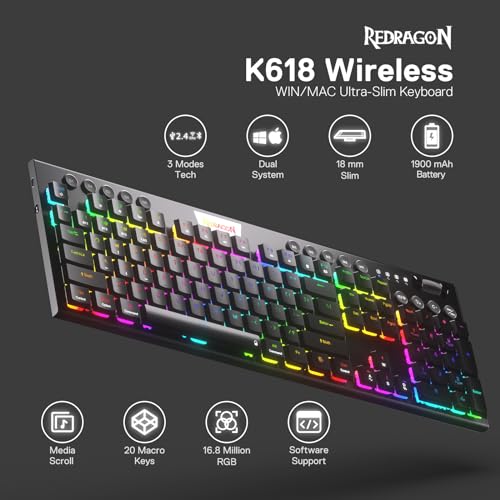
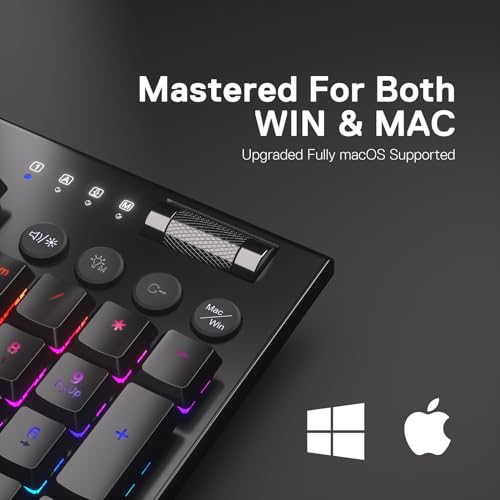
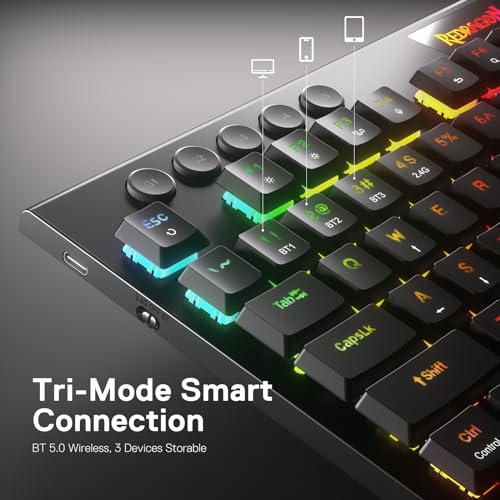
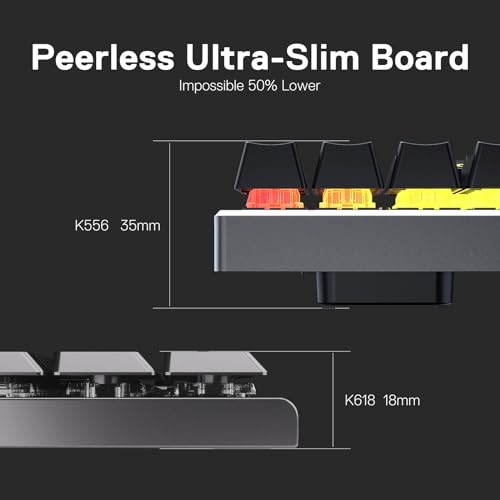
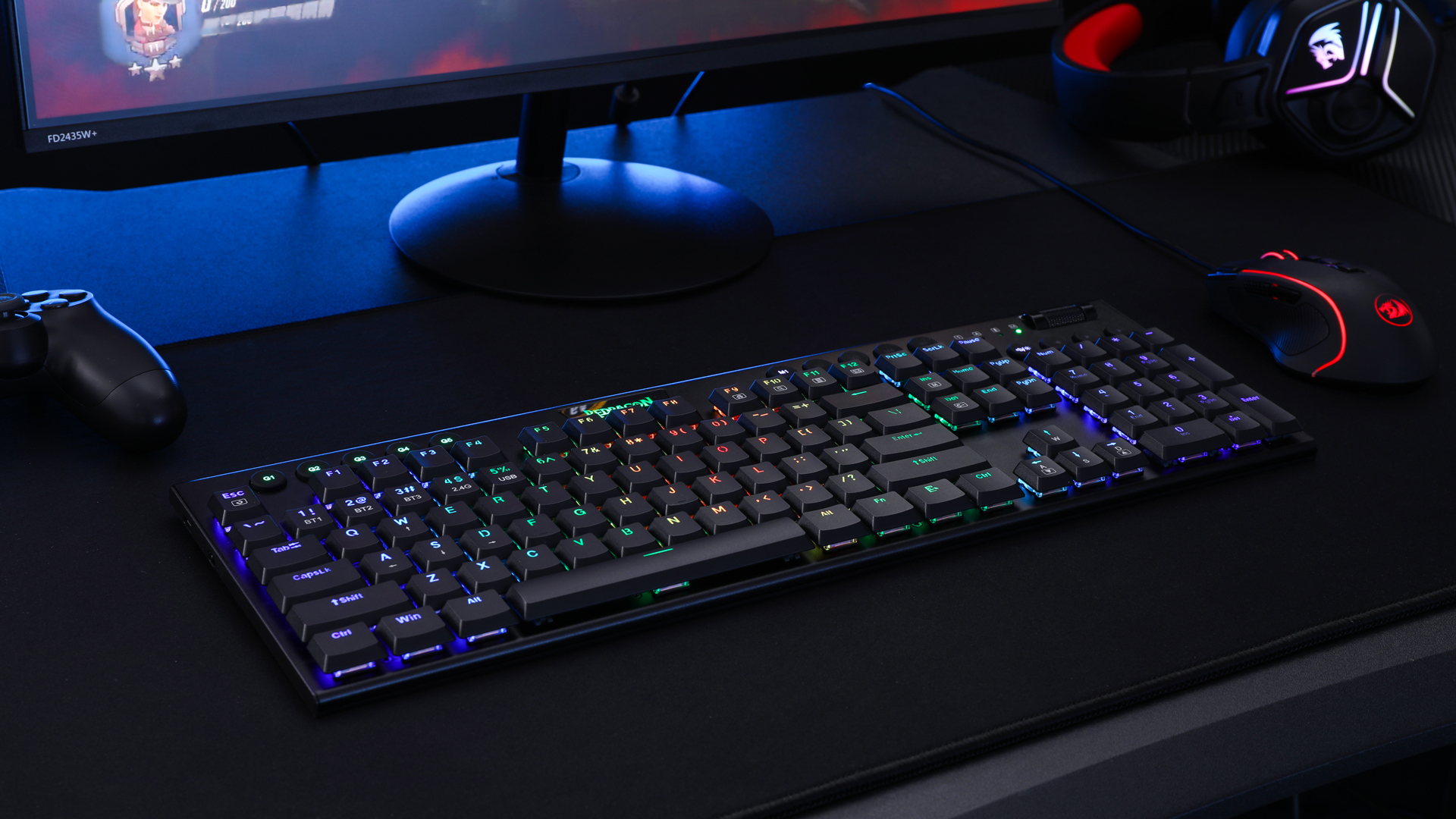
The Redragon K618 PRO is the tri-mode RGB value pick. It is an ultra-thin low-profile mechanical keyboard with Bluetooth, 2.4GHz and wired connection modes, full RGB lighting, and Win/Mac compatibility. At around $65 it offers an aggressive feature stack — tri-mode wireless and RGB on a slim mechanical — at a budget-friendly price.
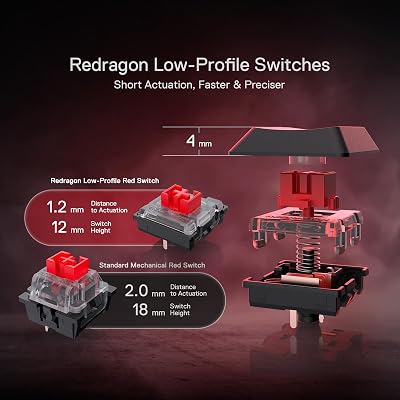
This is the keyboard for the gamer who wants full RGB on a slim mechanical board and the flexibility of three connection modes. The 2.4G dongle gives lower-latency play than Bluetooth, full Bluetooth still covers tablet and laptop use, and the wired mode keeps things solid for competitive sessions. Ultra-thin construction stays under 11mm keycap height for a true low-profile feel, and Redragon’s gaming-focused RGB lighting suits a colorful battlestation. For tri-mode RGB low-profile mechanical at a value price, it is hard to beat.
Pros: Tri-mode wireless (BT, 2.4G, wired), full RGB, ultra-thin profile, Win/Mac.
Cons: Redragon build is value-focused, not premium; RGB software is basic.
6. Flow Lite 84 Keys Low Profile Mechanical Keyboard with 2.4G Receiver
38
Flow Lite 84 Keys Low Profile Mechanical Keyboard, 75% Swappable Rechargeable Wireless Keyboard with 2.4G Receiver, Bluetooth and Wired Connection for Windows, Mac/Specter Linear Switches (Off-White)
In Stock




As an Amazon Associate we earn from qualifying purchases. Product prices and availability are accurate as of the date/time indicated.
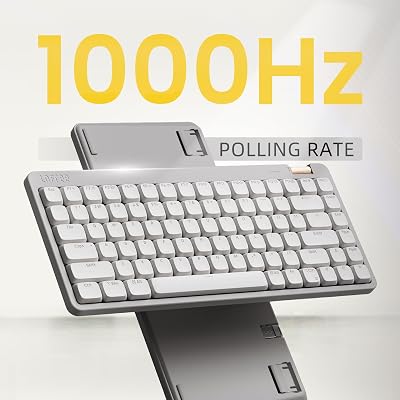
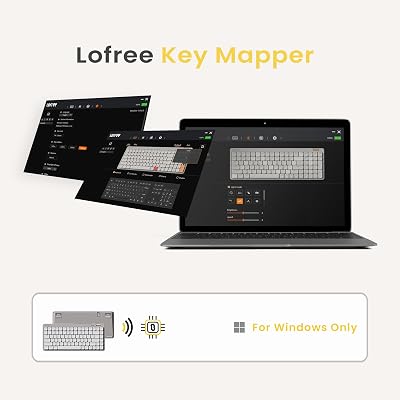
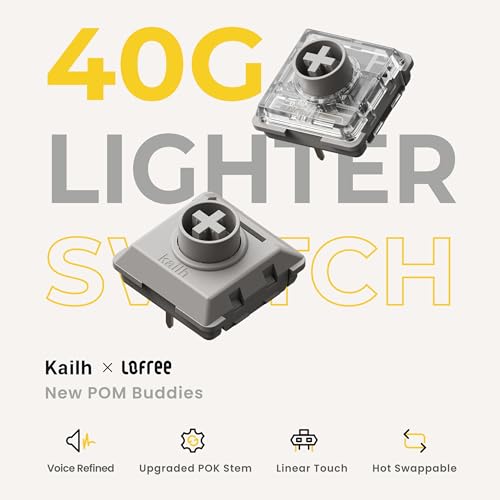
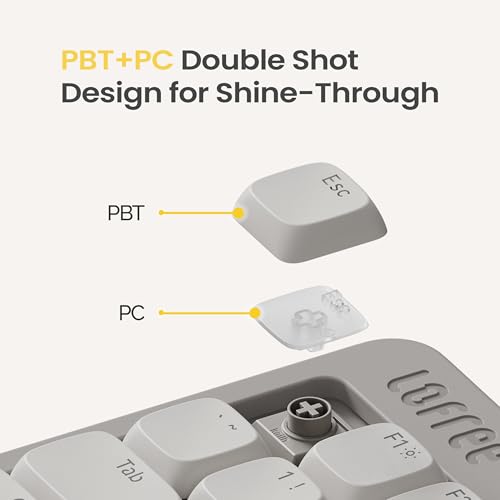
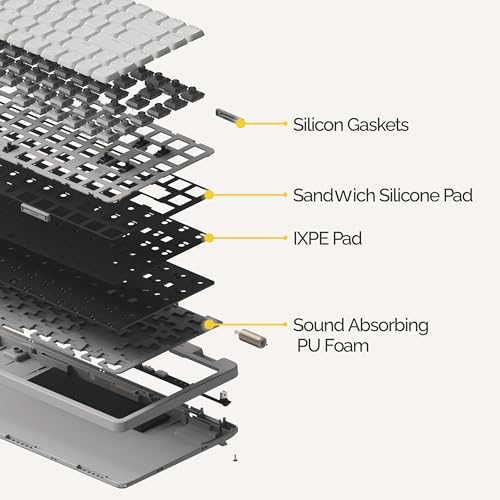
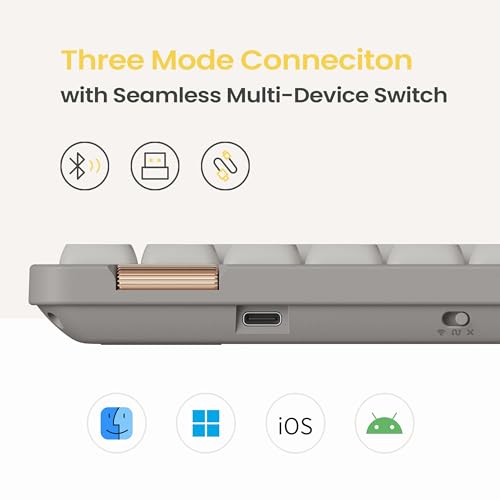
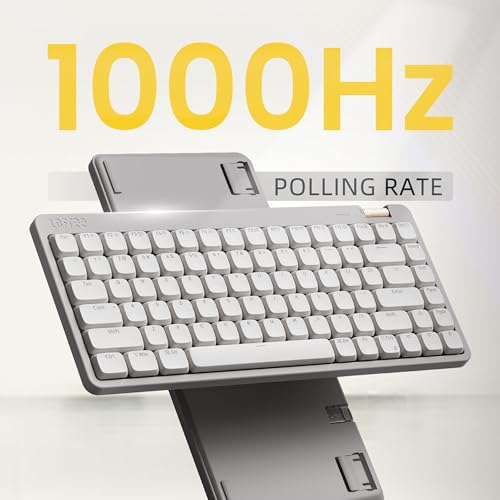
The Flow Lite 84 is the wireless hot-swap value pick. It packs 84 keys into a 75% low-profile mechanical layout with hot-swap sockets, a rechargeable battery, and a 2.4G receiver for low-latency wireless. At around $90 it is a strong mid-tier choice for users who want both low-profile mechanical feel and the freedom to change switches.
This is the keyboard for the slim-mechanical enthusiast who wants the option to experiment. Hot-swap sockets on a low-profile board are still relatively rare and let you try different low-profile switches without soldering, the 84-key 75% layout keeps function row and arrows in a small footprint, the 2.4G receiver delivers low-latency wireless gaming, and the rechargeable battery keeps cables off the desk. For a future-proof slim mechanical with real flexibility, the Flow Lite 84 is a smart pick.
Pros: Hot-swap low-profile sockets, 75% layout, 2.4G receiver, rechargeable wireless.
Cons: Smaller-brand support; ecosystem of low-profile switches is still narrow.
How to Choose a Low Profile Mechanical Keyboard
The first thing to confirm with any low-profile keyboard is what ‘low profile’ actually means on the spec sheet. The defining feature is keycap height, typically under 11mm above the case, which is roughly half the height of a standard mechanical keycap. Every dedicated mechanical board on this list — the Keychron K3 V2, ProtoArc K310 Pro, Keychron K5 V2, Redragon K618 PRO and Flow Lite 84 — uses true low-profile mechanical switches. The Logitech MX Keys S is included as a premium scissor-switch option for typists who want the low-profile feel without mechanical switches — it is honestly flagged in its entry.
Switch type and feel come next. Low-profile mechanical switches are shorter versions of the linear, tactile and clicky switches you find on full-height mechanicals — Cherry MX Low Profile, Gateron Low Profile and Kailh Choc are common families. The K5 V2’s Milk POM switches and Keychron’s own low-profile switches in the K3 V2 deliver a smoother, shorter-travel mechanical feel. For purely quiet, fluid typing, the scissor-switch Logitech MX Keys S is genuinely excellent but is not mechanical — be honest with yourself about which feel you actually want.
Layout, connection and platform support shape day-to-day usability. A 75% layout like the K3 V2 or Flow Lite 84 keeps a function row and arrows in a compact footprint, a 100% layout like the K5 V2 keeps the number pad for productivity, and tri-mode wireless on the Redragon K618 PRO gives you Bluetooth, 2.4G and wired options. If you switch between Mac and Windows, picks like the ProtoArc K310 Pro and Keychron boards include dedicated layouts for both platforms — confirm before you buy.
Finally, weigh extras like backlighting, hot-swap and software. A single-color backlight on the K3 V2 conserves battery, RGB on the Redragon K618 PRO suits a colorful setup, and hot-swap sockets on the Flow Lite 84 let you experiment with different low-profile switches later. QMK firmware on the Keychron K5 V2 unlocks deep customization for power users, while the Logitech MX Keys S leans on Logi Options+ for productivity macros. Match the layout, switch type, connection and software to how you actually use your computer — that is where you find the right slim board.
Frequently Asked Questions
What does ‘low profile’ actually mean on a keyboard?
Low profile refers to keycap height. Standard mechanical keycaps stand about 18-20mm above the case; low-profile keycaps sit under about 11mm, giving a slim silhouette and shorter actuation distance closer to a laptop keyboard. Every mechanical board on this list — the Keychron K3 V2, ProtoArc K310 Pro, Keychron K5 V2, Redragon K618 PRO and Flow Lite 84 — meets that low-profile height threshold.
Is the Logitech MX Keys S actually a mechanical keyboard?
No, and we flag it openly. The MX Keys S uses Logitech’s high-end scissor switches, not mechanical switches. It is included as the premium pick for typists who specifically want a low-profile feel without mechanical clack — a category many users shop for. For true low-profile mechanical switches, look at the Keychron K3 V2, K5 V2, ProtoArc K310 Pro, Redragon K618 PRO or Flow Lite 84.
Are low-profile mechanical keyboards good for gaming?
Yes, particularly for users coming from laptops or scissor boards who find tall mechanical keycaps awkward. The shorter actuation distance can feel faster, and boards like the Redragon K618 PRO and Flow Lite 84 include features like 2.4G wireless and hot-swap aimed at gamers. For pure competitive performance, magnetic-switch boards with Rapid Trigger still lead, but low-profile mechanical is excellent for everyday gaming.
Should I get a low-profile mechanical for office work?
Often yes. A board like the Keychron K5 V2 keeps a full-size layout with the number pad for spreadsheets, the ProtoArc K310 Pro handles Mac/Windows switching cleanly, and the K3 V2 stays slim and portable for a tidy desk. If quiet, fluid typing matters more than tactile feedback — for video calls, libraries or shared offices — the Logitech MX Keys S scissor board is genuinely outstanding.
Related Guides
- Best Mechanical Keyboards
- Best Wireless Mechanical Keyboards
- Best 60% Keyboards
- Best Hall Effect Keyboards
- Best Magnetic Switch Keyboards
- Best Office Chairs
- Best Gaming Mouse
Affiliate Disclosure: As an Amazon Associate, we earn from qualifying purchases. If you click a link and make a purchase, we may earn a small commission at no extra cost to you. Prices and availability are accurate as of publication and may change.










