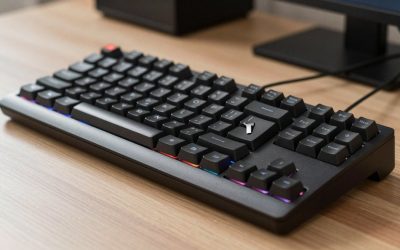
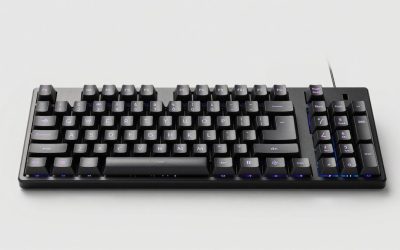
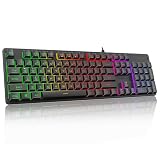
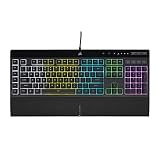
- Top Pick: Redragon Mechanical Gaming Keyboard Wired, 11 Programmable Backlit Modes, Hot-Swappable Red Switch, Anti-Ghosting, Double-Shot PBT Keycaps, Light Up Keyboard for PC Mac
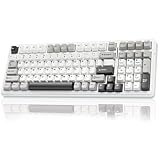
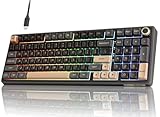
- Best Value: AULA F75 Pro Wireless Mechanical Keyboard,75% Hot Swappable Custom Keyboard with Knob,RGB Backlit,Pre-lubed Reaper Switches,Side Printed PBT Keycaps,2.4GHz/USB-C/BT5.0 Mechanical Gaming Keyboards
- Premium Choice: Razer BlackWidow V4 X Mechanical Gaming Keyboard, Yellow Switches, Black
Mechanical gaming keyboards are a rite of passage for PC gamers. The tactile feedback, satisfying key travel, and durability of mechanical switches make them a massive upgrade over squishy membrane boards, and they can genuinely sharpen your in-game responsiveness. The lineup here, packed with Redragon, AULA, Razer, and SteelSeries options, covers everything from budget favorites to feature-rich enthusiast boards.
This review looks at a well-rounded group of mechanical gaming keyboards, evaluating build, switch feel, features, and value. Whether you are building your first gaming setup or upgrading a tired keyboard, one of these will suit your style and budget.
Related guide: Top budget gaming keyboards
As an Amazon Associate we earn from qualifying purchases at no extra cost to you.






🎮 Get More From Your Setup — Free
Prime Gaming gives you free PC games every month, in-game loot, and a free Twitch channel sub — plus fast free shipping on all the gear above. New members get a 30-day free trial.
Watch: Mechanical Gaming Keyboards: Review & Buyer’s Guide — Video Review
Design & Build
Mechanical gaming keyboards range from sturdy budget builds to premium enthusiast designs, and this group reflects that spread. Redragon’s boards, including the wired hot-swappable model, the K521, and the K580, offer solid construction, double-shot PBT keycaps on some models, and features like media wheels and macro keys at accessible prices. The SteelSeries Apex 5 steps up with an aircraft-grade aluminum frame and an OLED smart display for a more premium feel.
The Razer BlackWidow V4 X brings the brand’s signature gaming aesthetic with clean lines and Yellow linear switches, while the AULA F75 Pro delivers an enthusiast-style 75% layout with a control knob, hot-swappable switches, and side-printed PBT keycaps. RGB lighting features across nearly all of these, adding the visual flair gamers love. Build quality is consistently good, with the aluminum SteelSeries and PBT-equipped Redragon models feeling especially durable.
Performance
Switch feel is where these keyboards earn their keep. The Redragon hot-swappable model with red switches offers smooth linear actuation ideal for gaming, and its hot-swap sockets let you change switches without soldering. The Razer BlackWidow V4 X’s Yellow linear switches are fast and quiet, well suited to rapid inputs, while the SteelSeries Apex 5’s hybrid blue switches blend tactile click with mechanical response.
Gaming-focused features abound. Anti-ghosting and full key rollover across these boards ensure every keypress registers during frantic moments, and the macro keys and media wheels on the Redragon K580 and K521 add convenience. The AULA F75 Pro’s pre-lubed Reaper switches deliver a smooth, refined typing and gaming feel that punches above its price, and its knob adds handy volume and function control. Across the lineup, responsiveness and reliability are strong, giving gamers the tactile precision they crave.
Pros & Cons
- Tactile mechanical feel: A big upgrade over membrane keyboards.
- Hot-swappable options: Redragon and AULA let you change switches easily.
- Gaming features: Anti-ghosting, macro keys, and media controls.
- RGB lighting: Vibrant customization across most models.
- Louder than membrane: Some switches, like clicky types, are noisy.
- Feature overlap: Several Redragon models are similar.
- Premium models cost more: The aluminum SteelSeries is pricier.
Alternatives to Consider
If you want wireless freedom for a cleaner desk, the AULA F75 Pro’s tri-mode connectivity stands out, or look at a dedicated wireless gaming board. Competitive players chasing the fastest possible response may prefer an analog magnetic switch keyboard for adjustable actuation. And if budget is your priority, the entry Redragon models deliver genuine mechanical feel and gaming features without stretching your wallet.
Frequently Asked Questions
Are mechanical keyboards better for gaming?
Yes. Mechanical switches offer faster, more consistent actuation, tactile feedback, and greater durability than membrane keyboards, which many gamers find improves both feel and performance.
What does hot-swappable mean?
Hot-swappable boards, like the Redragon and AULA models, let you remove and replace switches without soldering, so you can customize the feel of your keyboard easily.
Which switch type should I choose?
Linear switches, like Razer Yellow or Redragon red, are smooth and quiet for fast gaming. Clicky or tactile switches offer more feedback. It comes down to personal preference.
Is RGB just for looks?
Mostly, yes, though it can help you find keys in the dark. Nearly every board here offers RGB, so you can personalize your setup to match your rig.
Verdict
For gamers, a mechanical keyboard is one of the best upgrades you can make. The Redragon models offer outstanding value with hot-swap options and gaming features, the Razer BlackWidow V4 X brings fast linear switches and brand polish, and the SteelSeries Apex 5 adds premium aluminum build and an OLED display. For enthusiasts, the AULA F75 Pro’s refined switches and wireless flexibility impress. Match one to your budget and switch preference, and your gaming setup will feel noticeably better.