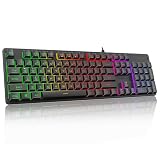
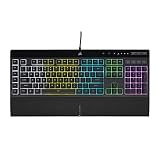
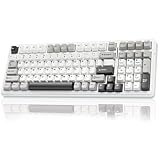
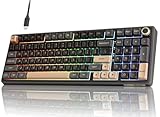
- Top Pick: Logitech K270 Full Size Wireless Keyboard for Windows – Black
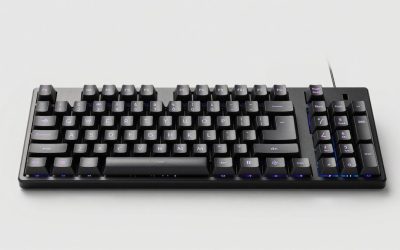
- Best Value: AULA F99 Wireless Mechanical Keyboard,Tri-Mode BT5.0/2.4GHz/USB-C Hot Swappable Custom Keyboard,Pre-lubed Linear Switches,RGB Backlit Computer Gaming Keyboards for PC/Tablet/PS/Xbox
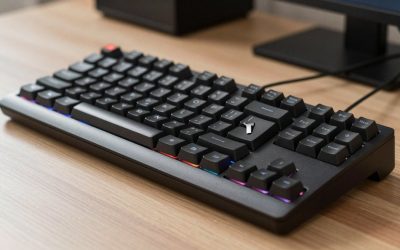
- Premium Choice: Redragon Mechanical Gaming Keyboard Wired, 11 Programmable Backlit Modes, Hot-Swappable Red Switch, Anti-Ghosting, Double-Shot PBT Keycaps, Light Up Keyboard for PC Mac
Finding a truly quality keyboard means balancing typing feel, build materials, connectivity, and price. Whether you spend all day writing emails or grinding through late-night ranked matches, the board under your fingertips shapes how comfortable and accurate you are. The good news is that solid options now exist at almost every budget, from simple wireless membrane boards to fully hot-swappable mechanical decks with pre-lubed switches.
In this guide we look at a spread of popular keyboards, from the plug-and-play Logitech K270 to enthusiast-friendly AULA and Redragon mechanical models. The goal is to help you understand what “quality” actually means in a keyboard and which style fits how you work and play.
Related guide: Top budget gaming keyboards
As an Amazon Associate we earn from qualifying purchases at no extra cost to you.



🎮 Get More From Your Setup — Free
Prime Gaming gives you free PC games every month, in-game loot, and a free Twitch channel sub — plus fast free shipping on all the gear above. New members get a 30-day free trial.
Watch: Quality Keyboard: Review & Buyer’s Guide — Video Review
Design & Build
Build quality is where the biggest differences show up. The Logitech K270 is a full-size wireless membrane board built for reliability rather than flash, with a sturdy plastic chassis and a long battery life that makes it a dependable office companion. It won’t give you the tactile thrill of a mechanical switch, but it feels consistent and quiet.
The mechanical options raise the bar on materials. The AULA F99 and F75 Pro use double-shot or PBT keycaps that resist shine over time, along with pre-lubed switches that feel smooth straight out of the box. Redragon’s wired mechanical board leans on double-shot PBT keycaps and a hot-swappable design, so you can pull and replace switches without soldering. The AULA S99 brings a “creamy” green-switch typing feel that fans of thocky sound tend to love. These boards feel considerably more premium under the hands than any membrane deck.
Performance
For day-to-day typing, all of these keyboards get the job done, but the mechanical models pull ahead for both speed and satisfaction. Hot-swappable sockets on the AULA F99, F75 Pro, and the Redragon boards let you tune the switch feel to your taste, whether you want light linear switches for gaming or something with more feedback for writing.
Gamers will appreciate anti-ghosting and programmable backlit modes. The Redragon wired board advertises 11 programmable RGB modes and anti-ghosting so every keypress registers during frantic moments. The tri-mode connectivity on the AULA F99 and F75 Pro (Bluetooth 5.0, 2.4GHz, and USB-C) means you can jump between a PC, tablet, and console without fuss. The compact 75% layout of the F75 Pro even adds a control knob for volume or scrolling, a nice touch for productivity. If you want simplicity and battery endurance instead, the K270’s wireless membrane design keeps things effortless.
Pros & Cons
- Wide range of options: From budget membrane to enthusiast hot-swap mechanical.
- Pre-lubed switches: AULA boards feel smooth without any modding.
- Flexible connectivity: Tri-mode wireless covers PC, console, and mobile.
- Durable keycaps: PBT and double-shot caps resist wear and shine.
- Membrane feel: The K270 lacks the tactile response some users crave.
- Learning curve: Compact 75% layouts drop dedicated keys you may miss.
- RGB overload: Bright lighting isn’t for everyone in an office setting.
Alternatives to Consider
If none of these fit perfectly, think about what matters most. Office users who value silence and simplicity may prefer a low-profile wireless membrane board over any of the mechanical options here. Competitive gamers might want a dedicated tenkeyless or 60% board for more desk space and faster mouse sweeps. Content creators often lean toward boards with dedicated media controls, which makes the knob-equipped AULA F75 Pro especially appealing. Consider your desk size, noise tolerance, and whether you want to tinker with switches down the road.
Frequently Asked Questions
Are mechanical keyboards worth the extra cost?
For most people who type or game heavily, yes. Mechanical switches last longer, feel more responsive, and hot-swappable boards let you customize the feel later. Casual users who mostly browse may be perfectly happy with a reliable membrane board.
What does hot-swappable mean?
It means the switches sit in sockets rather than being soldered in place. You can pull them out with a simple tool and drop in different switches, changing the sound and feel without any technical skill.
Is wireless good enough for gaming?
Modern 2.4GHz wireless connections are fast enough for the vast majority of players. Boards like the AULA F99 offer a 2.4GHz mode specifically for low-latency gaming, while Bluetooth is better reserved for casual typing.
Why choose PBT keycaps?
PBT plastic resists the greasy shine that develops on cheaper ABS caps over time. It also has a slightly textured feel that many typists prefer and holds legends longer.
Verdict
A quality keyboard comes down to matching the board to your habits. If you want fuss-free reliability and long battery life, the Logitech K270 is a smart, affordable pick. If you crave a premium typing feel with room to customize, the pre-lubed, hot-swappable AULA and Redragon mechanical boards deliver enthusiast-grade performance without demanding modding skills. Decide how much you value tactility, connectivity, and RGB, and there’s a strong option here for you.