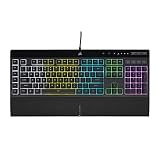
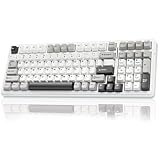
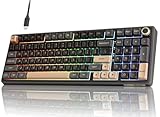
Best Gaming Keyboards With Rapid Trigger
The best gaming keyboards with rapid trigger technology for most competitive players are compact Hall-effect models such as the Wooting 60HE+ and SteelSeries Apex Pro TKL Gen 3; choose based on layout, software, and switch feel, because rapid-trigger behavior matters more than headline polling rate.
Rapid Trigger lets a key reset as soon as you release it by a small, configurable distance, rather than waiting for it to rise above a fixed reset point. That can make repeated movement inputs feel more responsive in games such as Counter-Strike 2 and Valorant. It does not improve aim or reduce network latency, and an overly sensitive setting can cause accidental inputs.
As an Amazon Associate we earn from qualifying purchases at no extra cost to you.


Shortlist: Which keyboard fits your setup?
| Keyboard | Layout | Switch technology | Best fit |
|---|---|---|---|
| Wooting 60HE+ | 60% | Hall effect | Players who want a compact board and detailed per-key controls |
| SteelSeries Apex Pro TKL Gen 3 | Tenkeyless | Adjustable magnetic switches | Players who want dedicated function keys and onboard controls |
| Razer Huntsman V3 Pro TKL | Tenkeyless | Optical analog switches | Players who prefer optical switches and a familiar gaming-brand software suite |
| Keychron Q1 HE | 75% | Hall effect | Players who want a heavier, enthusiast-style board with a compact navigation cluster |
Layouts and included features can vary by regional version. Check the manufacturer’s current specifications before buying, particularly if you need a particular key layout or connection mode.
How to choose: four decision criteria
1. Pick a layout before comparing features
A 60% keyboard saves the most desk space but omits a dedicated function row, arrow keys, and navigation keys. A tenkeyless board keeps the function row and arrows while dropping the number pad. A 75% layout adds a compact navigation cluster. Choose the smallest layout you can use comfortably; a cramped or unfamiliar layout can cost more time than rapid actuation saves.
2. Understand actuation and rapid-trigger adjustment
Actuation distance is how far a key must travel before registering a press. On adjustable magnetic boards, it is commonly configurable across a range of roughly 0.1–4.0 mm, though the exact range depends on the keyboard and switch. A shorter setting registers sooner but is easier to trigger by accident.
Rapid Trigger is separate from ordinary actuation. It dynamically changes the reset point as the key moves, so the key can register a new press after a small upward movement instead of requiring a fixed reset threshold. Some keyboards let you set press and release distances independently; others expose a single sensitivity control. Compare the actual controls in the software, not just whether the box says “Rapid Trigger.”
3. Treat polling rate as a secondary factor
Polling rate describes how often the keyboard reports its state to the computer. A 1,000 Hz rate corresponds to a nominal 1 ms reporting interval; 8,000 Hz corresponds to 0.125 ms. That is a theoretical difference of 0.875 ms between reports, not a guarantee of an equivalent reduction in total input delay. USB processing, the game, and the rest of the system also contribute. For most buyers, reliable key behavior and useful software matter more than moving from 1,000 Hz to 8,000 Hz.
4. Match switch feel and software to daily use
Hall-effect and optical analog switches enable adjustable actuation and rapid-trigger features, but they do not all feel alike. Stem design, lubrication, spring weight, keycaps, and case construction affect sound and resistance. If possible, compare switch specifications and return policies before purchasing. Also check whether the software supports per-key settings, saved profiles, onboard storage, and the games or features you actually use.
Useful starting settings for competitive play
Start with controlled settings and adjust one variable at a time. The values below are practical starting points, not universal competitive defaults; hand position, keycap height, and personal preference change how sensitive a board feels.
| Setting | Starting point | Why use it |
|---|---|---|
| Movement-key actuation | 1.0 mm | Responsive without beginning at the most sensitive end of the range |
| Other letters and numbers | 1.5–2.0 mm | Reduces stray presses while typing or reaching for nearby keys |
| Rapid Trigger sensitivity | 0.3–0.5 mm | Allows a short release and re-press while leaving some margin against finger movement |
| Space bar and modifiers | 1.5–2.0 mm | Helps avoid accidental jumps, crouches, or modifier inputs |
| Polling rate | 1,000 Hz initially | Provides responsive reporting; try a higher rate only if the board supports it and your system remains stable |
For a simple example, suppose your keyboard is set to 1.0 mm actuation and 0.3 mm rapid-trigger sensitivity. A key press registers once it travels down to its actuation point. After that, it can reset when it moves upward by about 0.3 mm, rather than having to return to a fixed reset point. The shorter reset movement can help with repeated taps, but if your finger naturally bounces by more than that, the key may produce unintended inputs.
Try the settings in a practice range or offline training mode. If your character keeps moving, crouching, or jumping when you do not intend it, increase the rapid-trigger distance or move the actuation point deeper. Do not change every key at once: adjust movement keys first, then test for several rounds before changing anything else.
Comparing the leading options
Wooting 60HE+: best for compact control
The 60HE+ is a compact choice for players who prioritize desk space and extensive key-level configuration. Its 60% layout is the main compromise: arrow keys and the function row require secondary layers. Choose it when you are comfortable with that layout and want to tune actuation and rapid-trigger behavior closely. If you rely on dedicated arrows or function keys, consider a larger model instead.
SteelSeries Apex Pro TKL Gen 3: best balanced layout
The Apex Pro TKL Gen 3 offers adjustable magnetic switches in a tenkeyless layout, preserving dedicated arrows and a function row without taking up number-pad space. It suits players who switch between gaming and general desktop use and prefer a more conventional layout. Compare its software options and switch feel with alternatives; feature names alone do not tell you whether its controls match your preferred setup.
Razer Huntsman V3 Pro TKL: best optical alternative
This tenkeyless model uses optical analog switches and offers adjustable actuation and rapid-trigger functions. It is worth considering if you want those controls in an optical-switch design. Check which settings are available for the specific version you are buying, and make sure the included software and configuration process suit your preferences.
Keychron Q1 HE: best for a 75% enthusiast layout
The Q1 HE combines adjustable Hall-effect switches with a 75% layout. That layout keeps the function row, arrows, and a compact navigation cluster while remaining smaller than a full-size keyboard. Its enthusiast-style construction may appeal to people who care about the overall typing setup as well as competitive features. Confirm that the exact edition offers the connection options and key layout you need.
Make the choice by situation
| Your situation | Best direction | Reason |
|---|---|---|
| You want the smallest board and already use keyboard layers | 60% Hall-effect model, such as the Wooting 60HE+ | Compact footprint with dedicated gaming controls |
| You need arrows and a function row | Tenkeyless model, such as the Apex Pro TKL Gen 3 or Huntsman V3 Pro TKL | Better everyday access without a number pad |
| You want a compact navigation cluster | 75% Hall-effect model, such as the Keychron Q1 HE | A practical middle ground between 60% and tenkeyless layouts |
| You are new to adjustable actuation | Any model with clear software controls; begin around 1.0 mm actuation and 0.3–0.5 mm rapid-trigger sensitivity | Responsive starting values with room to reduce accidental inputs |
| You are buying mainly for a high polling-rate number | Prioritize software, layout, and switch feel instead | The theoretical reporting-interval difference is only one part of total input response |
Bottom line
For a compact competitive setup, start with the Wooting 60HE+; for dedicated arrows and a function row, compare the SteelSeries Apex Pro TKL Gen 3 and Razer Huntsman V3 Pro TKL; for a 75% layout, consider the Keychron Q1 HE. Whichever you choose, set movement keys conservatively, test rapid-trigger sensitivity in-game, and change settings only when you can identify a specific benefit or problem.