A data science laptop should be built around memory, not graphics. Thirty-two gigabytes of RAM, a fast multi-core processor, and a large NVMe drive matter more than any other spec, because pandas, notebooks, and local databases live in memory and punish machines that run out. A discrete NVIDIA GPU becomes important only if you plan to train deep learning models locally, and even then your laptop is a development box more often than a training rig.
This guide is for students in analytics programs, working analysts moving into modeling, and practitioners who need a reliable machine for Python, R, SQL, and notebook work in 2026. It explains where the real thresholds are for RAM, CPU, storage, and GPU, how to decide whether local GPU training is worth paying for, and which smaller details, like keyboard feel and screen space, shape long working days. No specific models are named, so you can apply the targets to any laptop.
Where Data Science Workloads Hit the Hardware
Most day-to-day work is memory-bound. Loading a multi-gigabyte CSV into a DataFrame can take several times the file size in RAM, and joins, group-bys, and feature engineering create copies. When memory fills, the operating system swaps to disk and everything slows to a crawl. Scikit-learn models, gradient-boosted trees, and cross-validation add CPU load, scaling across cores, so processor core count and sustained clock speed reduce wait times directly.
Deep learning is different. Training neural networks relies on parallel GPU computation, which is dominated by NVIDIA’s CUDA ecosystem in most libraries. If you mostly work with tabular data, classical machine learning, statistics, and visualization, a discrete GPU adds cost and weight without much benefit. If you fine-tune small neural networks or experiment with computer vision, a GPU with enough VRAM becomes a major advantage.
Specs That Matter for Data Science
RAM Capacity
Sixteen gigabytes is a workable minimum for coursework, but 32 GB is the sensible target for professional use. It allows large DataFrames, a few containers, a browser with many tabs, and a notebook server to coexist. If you work with datasets above roughly 5 GB locally, consider 64 GB. Check whether the memory is upgradeable, since soldered RAM cannot be expanded later.
Processor Cores and Sustained Performance
Look for 8 or more cores from a recent performance-oriented line. Many data tasks parallelize across cores, including cross-validation, hyperparameter search, and data preprocessing. A chip with good sustained power handling will keep running at speed through a long job, while thin machines may throttle. Check for a cooling design that mentions heat pipes or a vapor chamber if you plan lengthy training runs.
GPU and VRAM for Deep Learning
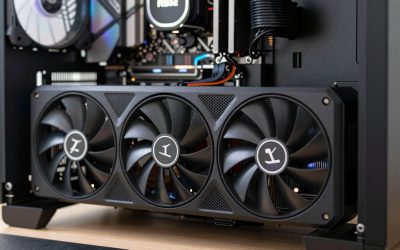
If local deep learning is on the table, choose an NVIDIA RTX GPU with at least 8 GB of VRAM, and 12 GB or 16 GB if you want to work with larger models or higher batch sizes. VRAM limits what you can train, not just how fast. If your work is mostly classical machine learning, an integrated GPU is fine, and you can rent cloud GPUs for the occasional heavy job. Cloud access often costs less than buying a larger GPU you rarely use.
Storage Capacity and Speed
Datasets, virtual environments, container images, and model checkpoints add up. Choose at least 1 TB of NVMe storage, and favor 2 TB if you handle large raw data. A second M.2 slot makes expansion easy. Fast storage reduces data load times and helps when swapping happens.
Display, Keyboard, and Ports
Long coding and analysis sessions favor a 15 to 16-inch display with a 16:10 aspect ratio for extra vertical space, a resolution of at least 1920 by 1200, and a keyboard with good key travel. Ports should include USB-C with display output, at least one USB-A, and ideally an HDMI port. A good webcam and microphone also matter if you attend remote meetings.
Spec Targets by Budget Tier
| Component | Budget tier | Mid-range tier | Premium tier |
|---|---|---|---|
| RAM | 16 GB | 32 GB | 64 GB |
| CPU | 6 to 8 cores | 8 to 12 cores | 12 to 24 cores |
| GPU | Integrated | RTX entry class, 6 to 8 GB VRAM | RTX upper class, 12 to 16 GB VRAM |
| Storage | 512 GB NVMe | 1 TB NVMe | 2 TB NVMe, spare slot |
| Display | 1080p, 14 to 15 inches | 1200p to 1440p, 16:10 | 1600p, color-accurate |
| Battery | 50 to 60 Wh | 60 to 80 Wh | 80 to 99 Wh |
Which Setup Fits Your Role
The Student in an Analytics Program
Coursework involves Python, R, SQL, and moderately sized datasets. A 16 GB machine with a solid eight-core processor and 512 GB of storage handles it, especially if the university offers cloud notebooks for heavier assignments. Light weight and battery life of 8 hours or more help on campus.
The Working Analyst
You blend notebooks, dashboards, SQL clients, and spreadsheets. Thirty-two gigabytes of RAM prevents slowdowns when many tools stay open, and a 1 TB drive stores project files. An integrated GPU is acceptable. Pay attention to the display and keyboard, since you will use them for many hours daily.
The Machine Learning Engineer
Prototyping models locally saves time and cloud cost. Target an RTX GPU with at least 8 GB of VRAM, 32 GB of RAM, and strong cooling. Verify driver and CUDA support for your frameworks, and consider a laptop that can run Linux or the Windows Subsystem for Linux smoothly.
The Big Data Experimenter
Local Spark clusters, large Parquet files, and in-memory analysis demand 64 GB of RAM and fast, spacious storage. Many people in this profile use a laptop as a thin client to remote servers; if that is you, prioritize display, keyboard, and battery over raw GPU power.
Operating System and Software Compatibility
Data science runs on Windows, macOS, and Linux. Windows laptops offer the widest GPU selection and CUDA support. Linux gives the most direct package behavior, and many laptops list Linux compatibility in their documentation. ARM-based machines are efficient and quiet for classical workloads, but check that the specific libraries you depend on, especially GPU-accelerated ones, are supported on your chosen platform. Containers and virtual environments add overhead, so leave headroom in both RAM and storage.
Laptop Versus Cloud: Deciding What to Run Locally
Many practitioners split their work between the laptop and remote resources. Exploration, cleaning, plotting, and prototyping on sampled data are comfortable locally, while full-scale training runs, large joins, and scheduled pipelines are better handled on a cloud instance or a company server. If your employer or university provides remote notebooks or a compute cluster, the laptop becomes a front end, and you can shift budget toward the display, keyboard, and battery.
The opposite case is privacy. Sensitive datasets, such as medical or financial records, may be restricted from leaving your machine, which makes local capacity more important. Offline work on flights or in places with poor connectivity is another reason to carry more RAM and storage than a cloud-first workflow would suggest.
Think about the lifetime of the machine too. Datasets and models tend to grow each year, so a laptop that feels comfortable today can feel tight in two seasons. Choosing a model with upgradeable RAM and a spare storage slot is the cheapest insurance, and it keeps the laptop useful as your skills and projects expand.
Thermals deserve a mention. Hyperparameter searches and model fitting can pin every core for an hour, so a laptop with strong cooling keeps speeds steady and avoids a throttled, slower run. Setting a balanced power plan and keeping vents clear helps in long sessions.
Common Mistakes
- Prioritizing GPU over RAM: A powerful GPU does not help when your DataFrame does not fit in memory.
- Buying soldered 16 GB: Growing datasets will outrun it quickly, and you cannot add memory later.
- Underbuying storage: Environments, datasets, and checkpoints can fill 512 GB sooner than expected.
- Ignoring library support: Not every machine-learning package runs well on every chip and operating system combination.
- Paying for a GPU you will not use: Classical machine learning and analytics rarely benefit from one, and cloud GPUs are available on demand.
Before You Buy
- Pick 32 GB of RAM, or confirm user-upgradeable memory.
- Choose an 8-core or better processor with sustained performance.
- Decide honestly whether you need a local GPU, and if so, require 8 GB or more of VRAM.
- Select 1 TB of NVMe storage as the baseline.
- Check the keyboard and display size for long working hours.
- Confirm that your key libraries support the platform you choose.
Related guides
- Aio Liquid Coolers For High Performance Gaming
- Wireless Gaming Headsets Under 100 For Pc
- What Is A Dac And Do You Need One For Gaming
Frequently Asked Questions
How much RAM do I need for data science?
Sixteen gigabytes covers coursework and smaller datasets, but 32 GB is the safer target for professional work. Go to 64 GB if you routinely load datasets of several gigabytes or run local big data tools.
Do I need a GPU for data science?
Not for most analytics, statistics, and classical machine learning. A GPU matters when you train deep neural networks locally, and even then cloud GPUs can fill the gap when you need extra capacity.
Is an ARM-based laptop good for data science?
ARM laptops are efficient, quiet, and strong for classical Python and R workflows, with large unified memory options. They lack CUDA, so GPU-accelerated deep learning frameworks work less smoothly than on NVIDIA hardware.
Can I do data science on a budget laptop?
Yes, if you stick to smaller datasets and use cloud notebooks for heavy jobs. Prioritize RAM first, then storage, and accept an integrated GPU.