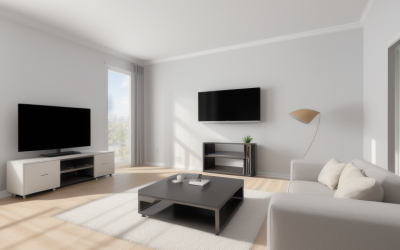
A projector asks a question a TV never does: how dark can you make the room? The same model that looks spectacular after sunset can look washed out with daylight leaking past the curtains, and a very bright unit can look flat in a blacked-out basement. This guide is for movie nights, console and PC gaming on a wall-sized image, and anyone turning a spare room into a screening space.
Three trade-offs decide most purchases here. The first is resolution you can verify versus resolution a listing merely advertises. The second is brightness measured on a standard scale versus brightness quoted in looser units. The third is built-in streaming convenience versus a cleaner, more traditional home cinema picture that you feed from your own box. The five projectors below sit at different points on that map.
Quick Picks
| Product | Best for | Key spec from the title |
|---|---|---|
| Epson Home Cinema 980 | Dark rooms and movie purists | 3-chip 3LCD, 1080p |
| Outdoor-Projector-4K smart projector | Streaming without extra gear | VIDAA Live TV, 40W Dolby audio, 920 ISO, WiFi6 |
| Optoma HD146X | Console and PC gaming nights | 1080P Full HD |
| HAPPRUN Google TV projector | App-first living room setups | Native 1080P, Google TV, 4K decoding |
| YGSKK Mini Projector | Bedrooms and small spaces | 1080P video, electric focus, WiFi and Bluetooth |
How to Choose
Native resolution versus supported resolution
Many listings say 4K when they mean the projector can accept and downscale a 4K signal. Native resolution is the pixel count of the imaging chip itself, and it is the number that sets sharpness. Look for the word “native” in the title or the specifications table. A native 1080p unit shows 1920 by 1080 pixels; a native 4K UHD unit shows 3840 by 2160. If a listing never states the native figure, check the full spec sheet on the listing before you trust any 4K claim.
Brightness and the light in your room
ANSI lumens is the standardized brightness measure, and it is the one worth hunting for. Figures such as ISO lumens or LED lumens use different methods and are not directly comparable to ANSI numbers. The rule of thumb is simple: more ambient light demands more brightness, while a fully dark room is forgiving. Scroll the listing for an ANSI line, and treat any brightness claim without a stated standard as marketing until the spec sheet says otherwise.
Throw distance, focus and placement
Throw ratio tells you how far back the projector must sit to fill a screen of a given width. Measure the distance from your planned shelf or ceiling mount to the wall, then compare it with the manufacturer’s throw table on the listing. Also check how the unit corrects a crooked image: lens shift moves the picture optically, while digital keystone stretches pixels and can soften detail. Auto focus and electric focus, both named in some titles here, are convenient but do not replace correct placement.
Inputs, sound and fan noise
Count the HDMI ports in the listing photos and the spec table, since a console, a PC and a streaming stick can fill them quickly. Look for an audio output or Bluetooth if you plan to use a soundbar or AV receiver, because built-in speakers rarely match a proper setup. Also read the light source line. Lamp, LED and laser designs differ in lifespan, warm-up time and noise, and a loud fan can ruin quiet scenes in a small room.
The 5 Best Options
Epson Home Cinema 980
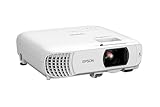
The Home Cinema 980 is the conventional home theater pick in this group: a 1080p movie projector built on a 3-chip 3LCD engine. Three-chip designs pass red, green and blue light through separate panels, which is why they are associated with steady color rather than the rainbow flicker some single-chip designs can show. It suits a room where you control the light.
- Strength: 3-chip 3LCD imaging named right in the title.
- Strength: 1080p resolution listed for movies and console gaming.
- Limit: the title shows no smart platform, so plan on a streaming stick or console, and check the full spec sheet on the listing for brightness and lens options.
Skip it if you want apps and voice control built in with no extra box.
Outdoor-Projector-4K Smart Projector

This model leans hard on convenience. The title lists VIDAA Live TV, 40W Dolby audio, WiFi6, Bluetooth, AI voice control and auto focus, so it aims to be a one-box solution for a patio screening or a casual living room. The 920 ISO figure is not an ANSI measurement, which is a reason to read the brightness details carefully.
- Strength: smart platform and live TV listed in the title.
- Strength: 40W Dolby audio and WiFi6 reduce the need for extra gear.
- Limit: the 4K label may describe supported input, so check the full spec sheet on the listing for native resolution.
Skip it if you need a verified native resolution and standard ANSI brightness before you commit.
Optoma HD146X

The HD146X is a straightforward 1080P Full HD projector pitched at home theater use. There are no streaming platform claims in the title, which is not a flaw: it pairs naturally with a console, a PC or a media box, and the lack of built-in apps keeps the product focused on the picture. For a gamer who already owns the sources, that is a clean fit.
- Strength: Full HD 1080P resolution stated plainly.
- Strength: a simple, source-driven design for consoles and PCs.
- Limit: the title gives no input lag, throw ratio or lumen figures, so check the full spec sheet on the listing.
Skip it if you want a built-in app store and wireless audio without extra devices.
HAPPRUN Google TV Projector

HAPPRUN pairs licensed Google TV with a native 1080P panel, which answers the biggest question in this category right in the title. It also lists 4K decoding, Dolby, AirPlay, Wi-Fi and Bluetooth, so it behaves like a TV for apps while projecting. It suits a living room where simplicity matters more than cinema-grade optics.
- Strength: native 1080P stated, with 4K decoding for higher-resolution streams.
- Strength: Google TV, AirPlay and Bluetooth in one body.
- Limit: the title does not show brightness on a standard scale, so check the full spec sheet on the listing.
Skip it if you plan a light-controlled dedicated room built around a separate source box.
YGSKK Mini Projector

The YGSKK is a portable movie projector with built-in apps, WiFi, Bluetooth, electric focus and 1080P video support, aimed at bedrooms and small rooms. Treat it as a flexible second screen rather than the heart of a theater. Its appeal is that it moves easily between a bedroom wall, a dorm or a back room.
- Strength: electric focus and built-in apps for quick setup.
- Strength: portable form factor for several rooms.
- Limit: the title does not say whether 1080P is native or supported, so check the full spec sheet on the listing.
Skip it if you want a large, bright image in a room with ambient light.
Which One Fits Your Situation
A dark basement or dedicated media room
The Epson Home Cinema 980 is the logical start, with its 3-chip 3LCD engine and 1080p image. The Optoma HD146X is the other natural choice if you prefer a plain, source-driven projector and already own a streaming box.
A console or PC gaming wall
Choose the Optoma HD146X or the Epson Home Cinema 980, then read the spec sheet for input lag and refresh behavior before buying. Both pair cleanly with a console or a gaming PC through HDMI, and neither relies on a built-in app layer you would never use.
A living room with streaming as the main use
The HAPPRUN Google TV projector is the clearest fit, with native 1080P and a familiar app interface. The Outdoor-Projector-4K smart model also bundles live TV and Dolby audio, which suits relaxed viewing rather than critical picture quality.
A bedroom, dorm or small secondary space
The YGSKK Mini Projector is built for this job. Pair it with a console or laptop for a late-night session, and expect to dim the lights for the best result. Because it moves easily, it can double as a guest-room screen or a way to watch a stream on a blank wall without rearranging furniture.
Common Mistakes
- Trusting a 4K label without confirming native resolution in the specifications.
- Comparing ISO or LED lumens with ANSI lumens as if they were the same scale.
- Buying before measuring the distance from the projector to the screen wall.
- Ignoring fan noise and light-source type in a small, quiet room.
- Expecting built-in speakers to deliver real cinema sound without a soundbar or receiver.
Frequently Asked Questions
Is a 3LCD projector better than other types?
Not automatically. A 3-chip 3LCD design is associated with steady color and no rainbow effect, but sharpness and brightness still depend on the specific model. Compare native resolution and ANSI lumens before you decide.
Do I need a special screen?
No. A clean, light-colored wall works for casual viewing. A dedicated screen can improve uniformity and contrast, especially in a room that is not fully dark, and it gives you a flat, evenly colored surface that a textured wall cannot match.
Can I use a projector for gaming?
Yes, through HDMI from a console or PC. Check the full spec sheet on the listing for input lag or a game mode, since that detail decides how responsive fast action feels.
What does an HDMI soundbar connection add?
It lets you route better audio than the built-in speakers can offer. Look for an audio output or Bluetooth on the listing, then pair the projector with a soundbar or receiver.