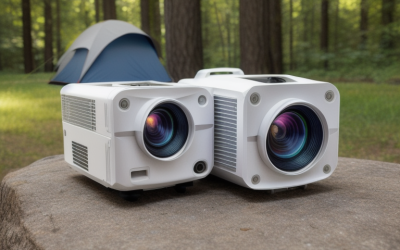
Shopping for a 4K projector means picking a shape before you pick a brand. Some units are laser home-theater boxes meant to live on a shelf or ceiling, one is an ultra short throw model that sits just under the screen, and a few are portable smart projectors you can move from the den to the backyard. The seven models below cover all three, so the first job is deciding which one fits your wall and your habits.
Three trade-offs matter most. The first is whether the picture is native 4K or a lower-resolution panel that merely accepts a 4K signal. The second is brightness, which decides how much room light you can tolerate. The third is throw distance and gaming behavior, because a projector that cannot reach your wall from where you sit, or that lags behind your controller, is a poor fit however good the headline specs look.
Quick Picks
| Product | Best for | Key spec from the title |
|---|---|---|
| Outdoor-Projector-4K (VIDAA) | Casual streaming and backyard nights | 920 ISO lumens, 40W Dolby audio, WiFi 6 |
| XGIMI Elfin Flip 4K | Portable, move-it-anywhere setups | 1600 ISO lumens, RGB triple laser, 0.98-1.3:1 zoom |
| Valerion StreamMaster Plus2 | Gaming plus movies on a big wall | 4ms and 240Hz response, Dolby Vision, 3D |
| Optoma UHZ36 | A straightforward laser theater unit | 4K UHD, laser, HDR |
| AWOL VISION Aetherion Pro | Short rooms, no ceiling mount | Ultra short throw, RGB triple laser, 6,000:1 contrast |
| XGIMI HORIZON 20 | Flexible placement in a living room | 3200 ISO lumens, optical zoom, lens shift |
| GOODEE 4K Smart Projector | Bright-room streaming on a tighter budget tier | 4000 lumens, HDR10+, 60W Dolby audio, ToF auto focus |
How to Choose
Native 4K versus 4K input
Many listings say “4K” when the projector only decodes or accepts a 4K signal and then shows it on a lower-resolution chip, often with pixel shifting. Look for the words “native resolution” in the specification table and read the number next to them. If the listing only says “supports 4K” or “4K decoding,” treat it as a sharper-than-1080p claim you still need to confirm on the full spec sheet.
Brightness and the standard behind the number
ANSI and ISO lumens are both standardized ways of measuring light output, while a bare “lumens” figure may follow no standard at all. Find which one the listing uses before comparing two models. Then match brightness to your room: a dark dedicated space forgives modest output, while a living room with windows rewards more light and a screen designed to reject ambient glare.
Throw distance, zoom and lens shift
Throw ratio tells you how far back the projector must sit to fill a given screen width. Optical zoom and lens shift widen the range of positions that work and cut down on keystone correction, which softens the image. Measure the distance from your planned mount or shelf to the wall, then compare it with the throw ratio or the screen-size chart in the listing. Ultra short throw units flip the problem: they need a flat surface and a stable stand close to the wall.
Inputs, latency and the built-in platform
Check how many HDMI ports the projector has, whether any support eARC or audio return, and whether the listing names a game mode, response time or refresh figure. HDMI 2.1 is the version that carries 4K at 120 Hz, so look for it if you plan to game on a console or PC. Also see whether the streaming platform is licensed for the apps you use, since some budget models ship with a limited app store.
The 7 Best Options
Outdoor-Projector-4K (VIDAA Live TV)

A smart all-in-one aimed at relaxed streaming. The title lists VIDAA Live TV, 40W Dolby audio, WiFi 6, Bluetooth, AI voice control and auto focus, so it is built to work without an external box.
- Built-in platform with live TV and Netflix compatibility named in the title
- Auto focus and voice control reduce setup fuss
- Limit: the 920 ISO lumen figure points to dim-room use, and native resolution is not shown, so check the full spec sheet
Skip it if you want a stated native 4K panel or a bright-room picture.
XGIMI Elfin Flip 4K

The portable pick for people who move their projector between rooms. It pairs Google TV with an RGB triple laser source and a Harman Kardon sound system, all listed in the title.
- Portable design with Google TV, WiFi and Bluetooth built in
- 0.98-1.3:1 optical zoom gives some freedom in placement
- Limit: 1600 ISO lumens suits dim rooms best, and native resolution needs confirming on the listing
Skip it if your room gets daylight or you need a fixed theater installation.
Valerion StreamMaster Plus2

The most gaming-minded laser model here. The title promises a 300-inch IMAX Enhanced home theater experience, 4ms and 240Hz response figures, 3D, Dolby Vision and HDR10.
- Response figures aimed squarely at console and PC players
- Dolby Vision, HDR10 and IMAX Enhanced labels for movie nights
- Limit: the title is cut off, so check the full spec sheet for brightness, ports and throw ratio
Skip it if you only stream casually and do not need gaming-oriented response numbers.
Optoma UHZ36

A no-frills description for a laser home theater projector: 4K UHD, laser light source and HDR in black. It suits buyers who prefer a traditional projector over a smart-platform gadget.
- Laser light source named in the title
- 4K UHD and HDR support listed up front
- Limit: the title says little else, so check the full spec sheet for brightness, throw ratio, inputs and whether streaming is built in
Skip it if you want a built-in streaming platform and smart features without a separate box.
AWOL VISION Aetherion Pro
An ultra short throw laser model that sits close to the wall, which solves the ceiling-mount and cable-run problem in smaller rooms. The title lists Google TV, RGB triple laser, Dolby Vision, PixelLock and 6,000:1 contrast.
- Ultra short throw placement with no ceiling install
- Google TV, Dolby Vision and RGB triple laser listed in the title
- Limit: it needs a flat wall surface and a stable low stand, and the title cuts off before brightness details
Skip it if you would rather mount a projector overhead or project onto an uneven surface.
XGIMI HORIZON 20
A flexible living-room laser projector. The title lists 3200 ISO lumens, Google TV with licensed Netflix, optical zoom, lens shift and IMAX Enhanced.
- 3200 ISO lumens is a figure that names its measurement standard
- Optical zoom and lens shift make placement forgiving
- Limit: the title cuts off after the audio label, so check the full spec sheet for ports and gaming features
Skip it if you need a pocket-sized portable projector or an ultra short throw layout.
GOODEE 4K Smart Projector

A feature-packed smart projector in a lower tier. The title lists AI ToF auto focus, WiFi 6, Bluetooth, 4000 lumens, HDR10+ and 60W Dolby Audio.
- High lumens figure and loud 60W audio for casual group viewing
- Auto focus and a built-in smart OS simplify setup
- Limit: the lumens figure names no standard and native resolution is not shown, so confirm both on the listing
Skip it if you want a premium laser picture or verified native 4K.
Which One Fits Your Situation
Console or PC gaming on a big wall
Start with the Valerion StreamMaster Plus2, whose title is the only one here to list response figures. Pair it with a console or PC over HDMI and confirm the port version on the listing. The XGIMI HORIZON 20 is a good second look if flexible placement matters more than response numbers.
A dedicated dark theater room
The Optoma UHZ36 and XGIMI HORIZON 20 both read as traditional laser projectors. In a dark room, contrast and color handling matter more than raw lumens, so compare their full spec sheets for contrast figures and lens options before deciding.
A short wall or small apartment
The AWOL VISION Aetherion Pro avoids the throw-distance problem by sitting right at the wall. The XGIMI Elfin Flip 4K is the alternative if you want to carry the projector and set it up wherever there is a blank surface.
Streaming on the patio or in a bright space
The GOODEE 4K Smart Projector and the Outdoor-Projector-4K (VIDAA) both lean on built-in apps and easy setup. Follow the manufacturer’s installation and safety instructions for any outdoor use, and expect ambient light to wash out any projector.
Common Mistakes
- Trusting the “4K” label without checking native resolution in the specification table.
- Comparing lumens figures that use different standards, or no standard at all.
- Buying before measuring the distance between the projector position and the wall.
- Ignoring fan noise and input latency until the first night of use.
- Pointing a projector at a painted wall with no thought for a proper screen or ambient light control.
Frequently Asked Questions
Do I need native 4K?
If sharp text and fine detail matter, such as for PC use, native 4K is the safer choice. Pixel-shifted or lower-resolution panels can look good for movies, but you should confirm which one a listing actually describes.
Is a laser projector better than a lamp model?
Laser light sources generally hold their brightness longer and start quickly, which is why several picks here use them. Lamp and LED models can still make sense, so compare the full spec sheets instead of assuming.
Can a projector replace a gaming monitor?
For couch gaming and big-screen play, yes, if the model lists a game mode or low response figure. For competitive play at a desk, a monitor usually offers faster refresh and tighter input timing.
What size screen should I plan for?
Work backward from throw distance and seating position. Use the manufacturer’s screen-size chart, and remember that a bigger image spreads the same light over more area and looks dimmer.