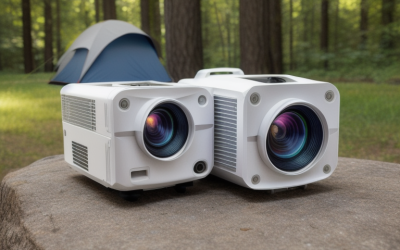
- Top Pick: XGIMI Elfin Flip 4K Portable Projector with wifi and bluetooth, Google TV | RGB Triple Laser, 1600 ISO Lumens, 0.98-1.3:1 Optical Zoom, Harman Kardon Sound, 1ms Gaming, Home Theater & Outdoor Camping
- Best Value: [Built-in Apps/4K Support] Smart Outdoor Projector with WiFi and Bluetooth, Movie Projector, DoIby Audio with Dual Speaker, Auto Focus w/ YouTube&PrimeVideo Proyector, Upgrad P62 Pro
- Premium Choice: XGIMI HORIZON 20 4K RGB Triple Laser Home Projector, 3200 ISO Lumens | Google TV with Licensed Netflix, Optical Zoom & Lens Shift, IMAX Enhanced, Dolby Vision, 300" Display, 240Hz, 1ms Input Lag
The best gaming projector for Xbox Series X in November 2026 is the BenQ X3100i for most players, the Optoma UHD38x when you want true 4K and high brightness at a lower tier, and the BenQ TH685P if you only need a 1080p 120Hz projector at an entry-level cost. All three keep input lag low enough for shooters and racing games, and all three accept the Series X’s HDR10 signal.
This guide is research-based. It compares manufacturer specifications and the input-lag figures that reviewers have published, and it is written for gamers: latency, console compatibility, room light and throw distance. A projector behaves differently from a TV, and the Xbox Series X exposes those differences. Where sources disagree or only quote the manufacturer, the text says so.
As an Amazon Associate we earn from qualifying purchases at no extra cost to you.



Quick picks by buyer type
- Best overall: BenQ X3100i. True 4K, high brightness and a console-focused low-lag mode.
- Best 4K value: Optoma UHD38x. True 4K and high lumen output at a lower tier than the BenQ flagship.
- Best previous-generation deal: BenQ X3000i. Same gaming idea as the X3100i, often available at a lower price tier as stock clears.
- Best short-throw for small rooms: ViewSonic X2-4K. Fits a short room where a long-throw lens would not.
- Best compact low-lag: BenQ X500i. Reported lag near 4 ms at 1080p high refresh.
- Best entry 120Hz: BenQ TH685P. 1080p at 120Hz with low lag.
- Best for movies plus games on a budget: Epson Home Cinema 3800. 4K-enhanced image, check lag before buying for competitive play.
What the Xbox Series X needs from a projector
The Xbox Series X outputs up to 4K at 120Hz over HDMI 2.1, and 1080p or 1440p at 120Hz. It never outputs 240Hz, a point that matters because many projectors advertise 240Hz at 1080p for PC gamers. For a console, the useful numbers are 4K 60Hz, 1080p 120Hz and the projector’s input lag in each mode.
Most consumer 4K projectors in this tier use HDMI 2.0-class inputs. They accept 4K at 60Hz and 1080p at 120Hz or 240Hz, but not true 4K at 120Hz. That is not a flaw. A projector is not a TV, and the cost of an HDMI 2.1 4K 120Hz projector pushes it into a premium class. The practical question is whether you want the sharpest image (4K 60Hz) or the fastest response (1080p 120Hz). The Series X supports both, and most of these projectors let you switch.
How we chose
This is a desk-research comparison, not a measurement session. We built the shortlist in five steps.
- We collected the current 2025 and 2026 projector lines from BenQ, Optoma, ViewSonic and Epson that list a gaming or low-lag mode and a 4K or 1080p high-refresh input.
- We compared the input-lag figures reviewers have published and flagged those that are only manufacturer-quoted. Many sources repeat the manufacturer figure.
- We checked which signal format each lag figure applies to: 4K 60Hz, 1080p 120Hz or 1080p 240Hz. A lag figure is meaningless without its mode.
- We weighed brightness, throw ratio and room light, because a projector fails first on room conditions, not on spec lines.
- We grouped picks by buyer criteria with concrete thresholds and added a throw-distance calculation so you can check fit before buying.
Specs vary by model revision and region. Always confirm the exact model code.
Criteria that separate gaming projectors
| Criterion | Threshold to look for | Why it matters |
|---|---|---|
| Input lag in a game mode | Under 20 ms at 4K 60Hz; under 10 ms at 1080p 120Hz | Controls how late the image arrives after you press a button |
| Input mode for Series X | 4K 60Hz and 1080p 120Hz accepted | The console tops out at 120Hz, so 240Hz is a PC feature |
| Brightness | 2,000 to 3,000 lumens in a dim room; 3,000 and above with lights on | HDR and colour wash out as room light rises |
| Native resolution | True 4K or 1080p; check whether 4K is pixel-shifted | Pixel-shifted 4K gives less fine detail than true 4K |
| Throw ratio | Match to your room depth | Decides how big the image is from your seat distance |
| Fan noise | Low enough for headset-free play | A loud fan competes with game audio |
The picks, grouped by buyer criteria
Group 1: True 4K projectors with a console game mode
1. BenQ X3100i
Spec line: True 4K DLP with 4LED light source · about 3,300 lumens · low lag at 1080p high refresh and about 16 ms at 4K · HDMI input with VRR and ALLM support (confirm HDMI version) · HDR10 and HLG · gaming modes for console and PC
Best for: A dedicated gaming room or a living room that you can dim. It combines 4K detail, strong brightness and a mode built for consoles.
Skip if: You need true 4K at 120Hz, which this tier does not offer, or you have a very short throw distance.
- Pros: True 4K, high brightness for its class, reported lag near 4 ms at 1080p 240Hz and about 16 ms at 4K 60Hz, console-focused picture modes.
- Cons: Premium tier cost. The 240Hz figure applies to PC; the Series X tops out at 120Hz. Reported lag figures often come from the manufacturer.
2. BenQ X3000i
Spec line: True 4K DLP · 4LED light source · about 3,000 lumens · low lag at 1080p high refresh · HDMI 2.0-class inputs · HDR10 · gaming modes
Best for: Buyers who want the X3100i’s concept at a lower tier. Stock of the older model may be cheaper as the new one takes over.
Skip if: Brightness matters most. The newer X3100i improves brightness and contrast, according to reviewers.
- Pros: Strong low-lag gaming modes, true 4K, mature firmware.
- Cons: Slightly lower brightness than the X3100i, and availability varies as stock clears.
3. Optoma UHD38x
Spec line: 4K UHD DLP (pixel-shifted) · about 4,000 lumens · enhanced gaming mode · about 4 ms at 1080p high refresh and about 16 ms at 4K 60Hz · up to 240Hz at 1080p
Best for: Rooms with some ambient light. It is the brightest option in this list and the cheapest way into 4K with low lag.
Skip if: You want the finest 4K detail, because the 4K image is pixel-shifted rather than a native 4K chip, or you want the best black level.
- Pros: High lumen output, low lag modes, strong value, works well with lights partly on.
- Cons: Pixel-shifted 4K, fan noise higher than the BenQ, and the lag figures are mostly manufacturer-quoted.
Group 2: Short-throw and compact projectors for small rooms
4. ViewSonic X2-4K
Spec line: 4K-class LED projector · short-throw lens · about 4 ms at 1080p 240Hz · 4K 60Hz input · HDR10 · built for gaming
Best for: A short room, a dorm or a bedroom where a standard throw would put the projector too close to the screen.
Skip if: Your room is long, in which case a standard-throw model gives a larger image at a more comfortable distance. Confirm the exact throw ratio and resolution method on the datasheet.
- Pros: Short throw, low lag at high refresh, gaming-focused feature set.
- Cons: Lower brightness than the Optoma, so it needs a dimmer room.
5. BenQ X500i
Spec line: 4K-class LED projector · low lag near 4 ms at 1080p high refresh · HDR10 · gaming modes · compact body
Best for: Players who want a compact projector and prioritise latency. Confirm the throw ratio for your room.
Skip if: You need high brightness for a lit room.
- Pros: Low reported lag, compact form, gaming-oriented modes.
- Cons: Lower brightness class, and specifications should be confirmed on the datasheet for your region.
Group 3: Entry-level and movie-first options
6. BenQ TH685P
Spec line: 1080p DLP · about 3,500 lumens · 120Hz at 1080p · about 8.3 ms input lag · HDR10 · built-in speaker
Best for: Players who want a projector at an entry-level cost and are happy with 1080p. The Series X outputs 1080p at 120Hz, so you get the high frame rate that matters most.
Skip if: You want 4K detail. At large screen sizes 1080p looks soft.
- Pros: Entry-level cost, 120Hz support, low lag, bright enough for a lit room.
- Cons: 1080p resolution, built-in audio is weak.
7. Epson Home Cinema 3800
Spec line: 3LCD with 4K enhancement (pixel shift) · about 3,000 lumens · HDMI 2.0-class inputs · HDR10 · lens shift and zoom
Best for: A mixed movie and game room where colour brightness and lens shift for easy placement matter more than ultra-low lag.
Skip if: You play competitive shooters, because the input lag is higher than the dedicated gaming models. Confirm the figure on the datasheet before you buy.
- Pros: Strong colour brightness from 3LCD, flexible placement with lens shift, no rainbow effect common to some single-chip DLP.
- Cons: Higher lag than gaming-focused models, 4K is pixel-shifted.
Worked example: can your room fit a big screen?
Throw ratio is the projection distance divided by the image width. Use it to check fit before buying.
- Take the throw ratio from the datasheet. A typical standard-throw gaming projector has a range such as 1.15 to 1.50. Use the low end for the largest image and the high end for the smallest.
- Measure your distance. Say the projector sits 12 feet from the screen.
- Compute the width. Width equals distance divided by throw ratio. At 1.5 the width is 12 divided by 1.5, which is 8 feet. At 1.15 it is about 10.4 feet.
- Convert to a diagonal. For a 16:9 screen, the diagonal is the width times about 1.147. So 8 feet gives roughly 9.2 feet (about 110 inches), and 10.4 feet gives about 11.9 feet (about 143 inches).
- Check the wall and the ceiling. The image must fit the wall height. A 110 inch 16:9 image is about 54 inches tall. A 143 inch image is about 70 inches tall.
- Check the sitting distance. For gaming, sit at about 1.2 to 1.6 times the image diagonal for a 4K image, and farther for 1080p, so a 110 inch image suits a seat about 9 to 14 feet away.
If the result is too large or too small, either move the projector or choose a short-throw model with a lower throw ratio.
Brightness and room light: a quick matrix
| Room | Minimum brightness class | Recommended pick | Notes |
|---|---|---|---|
| Fully dark, light-controlled | 2,000 lumens | BenQ X3100i or X3000i | Best contrast and HDR |
| Dim, curtains drawn | 2,500 to 3,000 lumens | BenQ X3100i, ViewSonic X2-4K | Good compromise |
| Lamps on, some daylight | 3,500 lumens and above | Optoma UHD38x, BenQ TH685P | Colour and black level soften |
| Short room, dorm | Short-throw lens | ViewSonic X2-4K | Check the throw ratio |
| Mixed movie and game room | 3,000 lumens, lens shift | Epson Home Cinema 3800 | Check lag figure |
Comparison table
| Model | Resolution | Reported lag | Brightness class | Best for |
|---|---|---|---|---|
| BenQ X3100i | True 4K | About 16 ms at 4K 60Hz; about 4 ms at 1080p high refresh | About 3,300 lumens | All-round gaming |
| BenQ X3000i | True 4K | Low, similar to X3100i | About 3,000 lumens | Value alternative |
| Optoma UHD38x | 4K pixel-shifted | About 16 ms at 4K 60Hz; about 4 ms at 1080p | About 4,000 lumens | Bright rooms |
| ViewSonic X2-4K | 4K-class | About 4 ms at 1080p 240Hz | Medium | Short throw |
| BenQ X500i | 4K-class | About 4 ms at 1080p high refresh | Medium | Compact low lag |
| BenQ TH685P | 1080p | About 8.3 ms at 1080p 120Hz | About 3,500 lumens | Entry 120Hz |
| Epson Home Cinema 3800 | 4K-enhanced | Higher than gaming models | About 3,000 lumens | Movies plus games |
Most lag figures here come from manufacturers or from roundups that repeat them. Treat them as a ranking guide, not a promise.
Set up the Xbox Series X for a projector
- Choose the signal mode first. In the console video settings, pick 4K at 60Hz for the sharpest picture or 1080p at 120Hz for the fastest response. Do not enable 4K 120Hz unless the projector’s HDMI port supports it.
- Turn on the projector’s game mode. It reduces processing and drops lag. Most projectors have a menu option, and some switch automatically.
- Run the HDR calibration. The console asks for the display’s peak brightness. Projectors are far dimmer than TVs, so set a value near the projector’s lumen-based capability and avoid clipped highlights.
- Disable motion smoothing. Frame interpolation adds delay and false frames.
- Use a 48Gbps or at least a certified high-speed HDMI cable. For longer runs, choose an active or fibre HDMI cable, as long passive cables can drop signal.
- Add separate audio. Built-in projector speakers are weak. Use a soundbar or a headset, and route audio through the console if the projector has no eARC.
Screens, placement and fan noise
A projector needs a good surface. A smooth white wall works, but a grey or ambient-light-rejecting screen raises contrast in a room with lamps. Mount the projector so the image is level, and use lens shift or keystone correction sparingly, because digital keystone adds a small processing delay and softens the image. Fan noise matters for gaming: a loud projector close to your seat competes with game audio. Place it behind you or on the ceiling, and use a headset if the fan is audible.
FAQ
Can a projector do 4K 120Hz on the Xbox Series X?
Most projectors at this tier cannot. They accept 4K at 60Hz and 1080p at 120Hz or higher. True 4K 120Hz needs an HDMI 2.1 input, found on premium models.
Choose 4K 60Hz for sharpness or 1080p 120Hz for speed. Confirm the HDMI version on the datasheet if 4K 120Hz is a must.
Is input lag a problem on a projector?
It can be, but gaming models are fast. About 16 ms at 4K 60Hz and about 4 to 8 ms at 1080p high refresh are good enough for most players.
Models without a game mode can run above 30 ms, so always enable the game mode and check the lag figure for your signal.
Does the Xbox Series X support 240Hz?
No. The console tops out at 120Hz. A projector’s 240Hz mode at 1080p is a PC feature.
For an Xbox, use 1080p 120Hz or 4K 60Hz. A 240Hz rating is not a reason to choose a projector for a console.
How bright should a gaming projector be?
Aim for about 2,000 to 3,000 lumens in a dim room and 3,500 or more with lights on. Brightness drops over the life of the light source.
LED and laser sources hold brightness longer than lamps, and a darker room always gives a better picture than a brighter projector.
Is a projector better than a TV for gaming?
A projector gives a much bigger image for the cost, but a TV has lower lag, higher brightness and full HDMI 2.1 support.
Choose a projector for immersion in a dim room. Choose a TV for bright rooms or competitive play at 4K 120Hz.
Does a projector support Dolby Vision on the Series X?
Almost none do. Projectors in this price class support HDR10 and HLG, not Dolby Vision.
The Series X falls back to HDR10 automatically. Run the HDR calibration to avoid clipped highlights.
Which projector size should I choose?
A 100 to 120 inch image suits a seat 9 to 14 feet away. Use the throw ratio and your distance to compute the image width.
Check wall height as well, since a 110 inch 16:9 image is about 54 inches tall.
Do I need a special HDMI cable?
Use a certified high-speed or 48Gbps cable. For runs over about 15 feet, an active or fibre cable avoids signal drops.
If the picture flickers or loses HDR, replace the cable before blaming the projector.
Final checklist before you buy
- Decide between 4K 60Hz sharpness and 1080p 120Hz speed, and confirm the projector accepts the mode you choose.
- Match brightness to your room light using the matrix above.
- Compute the image width from the throw ratio and your distance, and check wall height.
- Confirm the HDMI version, game mode and lag figure for the exact model code.
- Plan separate audio and a certified HDMI cable.