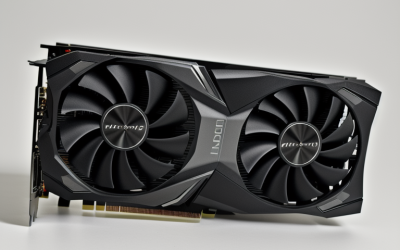
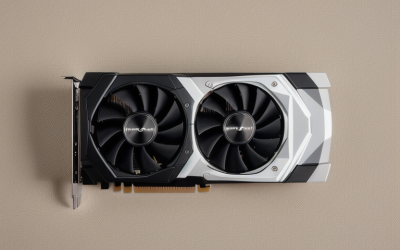
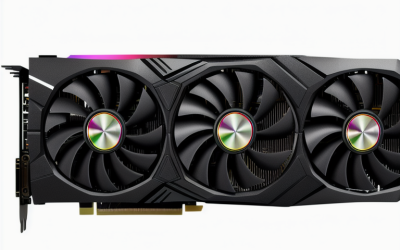
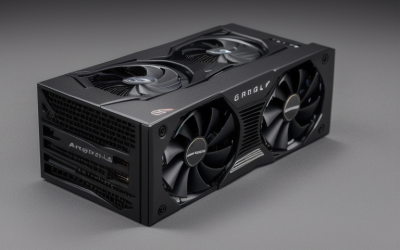
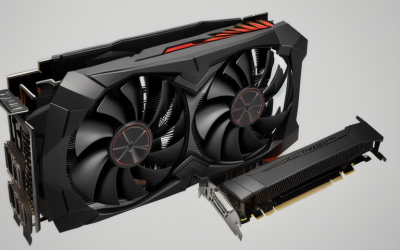
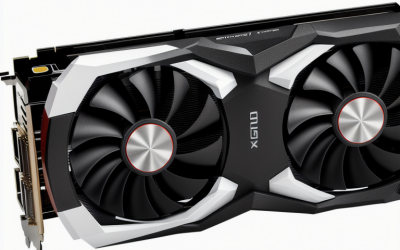
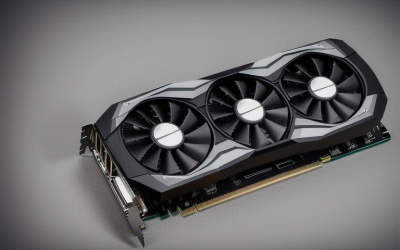
- Top Pick: ZOTAC GeForce GT 730 Zone Edition 4GB DDR3 PCI Express 2.0 x16 (x8 Lanes) Graphics Card (ZT-71115-20L)
- Best Value: GIGABYTE GeForce RTX 3060 Gaming OC 12G (REV2.0) Graphics Card, 3X WINDFORCE Fans, 12GB 192-bit GDDR6, GV-N3060 Video Card
- Premium Choice: maxsun GeForce GT 730 4GB Video Graphics Card GPU for Computer PC ITX Single Slot PCI Express 4xHDMI, 4K Quad Monitor Multi Screen
Upgrading the graphics card in a pre-built PC is a different job from choosing a card for a custom build. Pre-built towers from large brands often have a compact case, a power supply sized to the original parts, and a motherboard with only one full-length PCIe slot. A card that wins every chart can still be the wrong purchase if it will not physically fit, or if the supply behind it cannot feed it. The right question is therefore “what fits and runs in this specific machine.”
The cards below cover two distinct needs. Two GeForce RTX 3060 12GB models serve people who want real gaming performance and have the power headroom. Four older, simpler cards, three GT 730 models and a GeForce 210, serve people who just need more display outputs or a basic replacement. Listings for whole gaming PCs and a card support bracket were removed from this roundup because they are not cards you can drop into an existing tower. Read the details, then match them to your case and supply for 2026.
Quick Picks
As an Amazon Associate we earn from qualifying purchases at no extra cost to you.



| Product | Best for | Key spec from the title |
|---|---|---|
| ZOTAC GeForce GT 730 Zone Edition | Basic display upgrade | 4GB DDR3, PCIe 2.0 x16 (x8 lanes) |
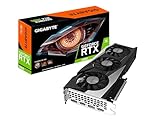
| GIGABYTE GeForce RTX 3060 Gaming OC 12G | 1080p gaming in a roomy tower | 12GB 192-bit GDDR6, 3X WINDFORCE fans |
| maxsun GeForce GT 730 4GB | Compact multi-screen desk | Single slot, 4xHDMI, ITX |
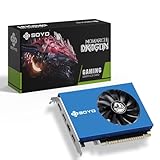
| SOYO GeForce GT 730 | Monitoring and video walls | 4xHDMI 2.0B, 4K quad monitors, 64 bit |
| MSI GeForce RTX 3060 12GB | Gaming with two fans | 15 Gbps GDDR6, 192-bit, Torx twin fan |
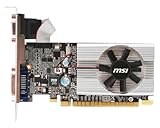
| msi GeForce 210 | Legacy office machines | 1024 MB DDR3, PCIe 2.0 |
How to Choose
Case fit and slot width
Start with a tape measure. Card length and thickness are on every manufacturer page even when the title omits them. Triple-fan cards like the GIGABYTE model are long, while a single-slot design such as the maxsun GT 730 fits narrow cases. Count your free expansion slots, since a thick cooler can cover the slot beside it. Also confirm your motherboard has a PCIe x16 slot; all six cards here use PCIe, so any modern board can host them. In a small branded tower, the cable bundle near the slot can get in the way, so plan to tidy it. If you are replacing a card, remove the old bracket screws before you slide the new one in.
Power supply and connectors
This is the usual blocker in a pre-built. Many branded desktops ship with a modest supply, and some use non-standard connectors. Nvidia lists a 550 watt system supply for the RTX 3060 class, so check the label on your current unit before ordering one. Lower-power cards like the GT 730 and the GeForce 210 often draw power from the slot alone, but verify on the product page for the exact model. Adapters and splitters are a poor substitute for a properly rated supply. If the original supply is too small, replacing it with a standard-sized unit is a sound fix, provided the case takes a standard ATX form and the connectors match.
Memory type and bus width
Memory is where cards differ the most. The RTX 3060 listings state 12GB of GDDR6 on a 192-bit bus, which suits modern games at 1080p and many titles at higher settings. The GT 730 models list DDR3 on narrower interfaces: the SOYO says 64 bit, and the msi GeForce 210 carries only 1024 MB. DDR3 cards suit desktops and light video playback, not recent games. Ignore large memory totals on weak chips; capacity does not make up for a slow processor.
Display outputs and connections
Count your screens. The maxsun and SOYO GT 730 cards list four HDMI ports for multi-monitor walls, and the SOYO states 4K support across quad monitors. The RTX 3060 models use HDMI and DisplayPort for a gaming monitor. Check what your monitor accepts before choosing a card, and note that older displays may need adapters. Where budget cards cut corners is in cooling and long-term driver support, so expect the GT 730 and 210 to be basic replacements rather than long-term gaming parts. Cards that list PCIe 4 on the box will also work in older slots, only at the older link speed.
The 6 Best Options
ZOTAC GeForce GT 730 Zone Edition
A 4GB DDR3 card that sits in a PCIe 2.0 x16 slot at x8 lane width. The title says little about cooling or outputs, so treat it as a plain replacement card for a desktop that needs working video again. It is a fit for a family PC, a shared office machine, or a spare tower.
- Strength: 4GB of DDR3 memory gives video playback room to breathe.
- Strength: standard PCIe x16 connector works in nearly any desktop board.
- Trade-off: x8 lanes and DDR3 mark it as a basic card, not a gaming one.
Skip it if you want to play recent games at decent settings, or if you need the title to spell out the connectors before you order.
GIGABYTE GeForce RTX 3060 Gaming OC 12G
This REV2.0 card uses 3X WINDFORCE fans with 12GB of 192-bit GDDR6. It is, along with the MSI version, one of the two gaming-capable listings here, and the three-fan layout points to a mid-tower with room to spare. Buyers upgrading from integrated graphics will notice the jump most.
- Strength: 12GB of GDDR6 on a 192-bit bus supports modern titles.
- Strength: triple-fan cooling helps keep heat manageable in a roomy case.
- Trade-off: the larger cooler can be a poor fit for compact pre-built chassis.
Skip it if your tower is small or your power supply is under the recommended size, because the card needs both room and clean power.
maxsun GeForce GT 730 4GB
A single-slot card with 4GB, PCIe, and four HDMI outputs, built for ITX and multi-screen setups. The title promises 4K quad-monitor output, which makes it handy for dashboards, signage, and reference screens beside a main display.
- Strength: single-slot width fits tight spaces.
- Strength: four HDMI ports drive several displays from one card.
- Trade-off: it is a display-oriented card, not a gaming one.
Skip it if you need a single high-refresh gaming monitor, since the card targets screen count over speed.
SOYO GeForce GT 730
The SOYO has 4GB DDR3 on a 64-bit interface, four HDMI 2.0B outputs, PCI-E x8 2.0, and a single fan. It is aimed at video walls, stock trading, and monitoring screens, where several static windows matter more than frame rate. The blue color mentioned in the title is cosmetic.
- Strength: four HDMI 2.0B ports for quad monitors at 4K.
- Strength: single-fan cooling keeps the design simple.
- Trade-off: the 64-bit interface limits it to light graphics duties.
Skip it if the use case is gaming or video editing, where the narrow interface would hold the system back.
MSI GeForce RTX 3060 12GB
MSI offers 12GB of 15 Gbps GDDR6 on a 192-bit bus, with HDMI and DisplayPort outputs, PCIe 4, a Torx twin-fan cooler, and an overclocked Ampere chip.
- Strength: the twin-fan layout is described as Torx, a design aimed at moving air quietly.
- Strength: HDMI plus DisplayPort suits a gaming monitor.
- Trade-off: it still requires a suitable supply, so check your pre-built’s label.
Skip it if your machine has a very small supply or no spare power lead, since the listing assumes a capable system around it.
msi GeForce 210
The msi GeForce 210 lists 1024 MB of DDR3 over PCIe 2.0. It is the oldest design of the six and fits older desktops that need a basic output. Think of it as a repair part for a failed display connection rather than a performance upgrade.
- Strength: modest requirements suit older office machines.
- Strength: PCIe 2.0 is common on older boards.
- Trade-off: 1024 MB limits it to light desktop work.
Skip it if the PC will handle anything beyond email and documents, including high-definition video work.
Which One Fits Your Situation
You want to game on a mid-tower pre-built
Choose between the GIGABYTE RTX 3060 Gaming OC and the MSI RTX 3060 12GB. Measure the case first; the twin-fan MSI is the safer pick for tighter interiors, while the GIGABYTE suits a tower with an open lower bay. Either way, read the supply label before you place the order.
You run several monitors for work
The maxsun GT 730 or SOYO GT 730 each list four HDMI outputs. The SOYO lists 4K support for monitoring and trading screens, so it is the better match if your displays are modern. The maxsun adds the single-slot body for tighter desks.
Your small-form-factor PC needs a slim card
The maxsun single-slot design is the one most likely to clear a slim chassis. Check the bracket height against your case, since a slim tower may need a half-height bracket that the listing does not mention.
You just need a spare display adapter for an old machine
The msi GeForce 210 or the ZOTAC GT 730 can bring an older tower back to life for documents and video playback. Neither is a gaming move, and both are best viewed as a budget route back to a working screen.
Common Mistakes
- Ordering a gaming card without checking the pre-built’s power supply label or available leads.
- Assuming 4GB of DDR3 on a GT 730 means gaming-level performance.
- Skipping the length and slot-width check in a compact case.
- Forgetting that a pre-built may use a proprietary supply connector that rules out standard cable adapters.
- Ignoring the monitor input, then discovering the card has outputs that do not match the display and needs a converter cable that adds delay or limits resolution.
Related guides
- Combination Smoke And Carbon Monoxide Detectors
- Aio Liquid Coolers For High Performance Gaming
- Graphics Cards For Low Wattage Power Supplies
Frequently Asked Questions
Can I upgrade the graphics card in any pre-built PC?
Most towers have a standard PCIe x16 slot, so a card will physically connect. The limit is usually power and space, not the slot, so read the supply label and measure the interior.
Is the RTX 3060 still a sensible choice?
For 1080p gaming, a 12GB RTX 3060 remains capable. Its generous video memory is a selling point, although newer generations exist and may be worth a look if your supply and case can take them. It suits a pre-built with a supply large enough to support it.
What is a GT 730 actually good for?
Adding display outputs and basic playback. It is aimed at office, monitoring, and multi-screen work rather than games. The 4GB of DDR3 sounds generous, but the narrow interface and older design mean it should be treated as a display adapter first.
Should I clean out the old driver first?
It is wise to remove the old graphics driver before installing a different brand of card. Switching between manufacturers is smoother with a clean driver removal first, and doing it before you power down saves a round of troubleshooting. Keep the previous card until the new one shows a picture, so you always have a fallback.