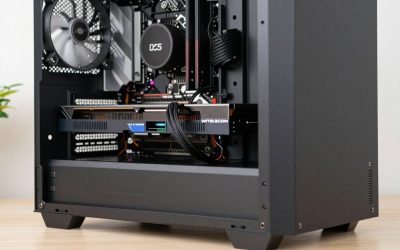
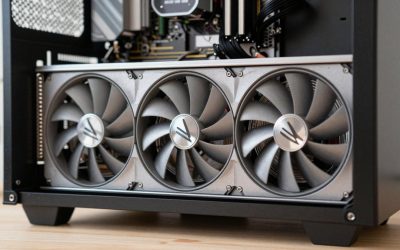
- Top Pick: GIGABYTE GeForce RTX 3060 WINDFORCE OC 12G (rev. 2.0) Graphics Card, 2X WINDFORCE Fans, 12GB 192-bit GDDR6, GV-N3060WF2OC-12GD Rev2.0 Video Card
- Best Value: ASUS Dual GeForce RTX 5060 Ti 16GB GDDR7 OC Edition Gaming Graphics Card
- Premium Choice: Gigabyte GeForce RTX 4080 Super WINDFORCE V2 Graphics Card – 2550MHz Core, 16GB GDDR6X 23000MHz 256-bit Memory, PCI-E 4.0, 3X DP 1.4, 1x HDMI 2.1a, NVIDIA DLSS 3.5, GV-N408SWF3V2-16GD
Selecting the best GPU for VRChat requires a fundamentally different mindset than building a standard PC for traditional AAA titles. Unlike linear action games designed around tightly optimized assets, VRChat is a user-generated sandbox where hundreds of uncompressed 3D avatars, custom shaders, and dynamic PhysBones scripts run simultaneously. Finding the best GPU for VRChat means balancing sheer graphics processing power with generous Video RAM (VRAM) capacity. As virtual reality display technology advances in 2026, pairing your graphics card with the right supporting system components is essential to eliminate severe stuttering, screen tear, and frame drops.
A balanced system pairing ensures your graphics card works in harmony with your processor and memory. If your CPU cannot calculate dynamic bone physics fast enough, a top-tier GPU will sit idle waiting for frame data. Conversely, pairing a high-end processor with a low-VRAM graphics card will cause severe memory thrashing when entering crowded club worlds or convention instances. Understanding how platform costs, PCI Express bandwidth, and systemic bottlenecks intersect will help you pick a graphics card that matches both your performance goals and total build budget.
Related guide: Vr headsets for gaming
As an Amazon Associate we earn from qualifying purchases at no extra cost to you.


Quick Picks
| Pick | Tier | Why |
|---|---|---|
| GIGABYTE GeForce RTX 3060 WINDFORCE OC 12G (rev. 2.0) Graphics Card, 2X WINDFORCE Fans, 12GB 192-bit GDDR6, GV-N3060WF2OC-12GD Rev2.0 Video Card | Budget Entry | Offers a 12GB VRAM buffer at an accessible entry price, preventing dynamic texture crashing in basic worlds. |
| ASUS Dual GeForce RTX 5060 Ti 16GB GDDR7 OC Edition Gaming Graphics Card | Mid-Range Sweet Spot | Pairs ultra-fast GDDR7 memory with 16GB of VRAM, ideal for high-resolution PCVR streaming and dense lobbies. |
| Gigabyte GeForce RTX 4080 Super WINDFORCE V2 Graphics Card – 2550MHz Core, 16GB GDDR6X 23000MHz 256-bit Memory, PCI-E 4.0, 3X DP 1.4, 1x HDMI 2.1a, NVIDIA DLSS 3.5, GV-N408SWF3V2-16GD | High-End Enthusiast | Delivers massive rasterization throughput and 16GB of GDDR6X memory to drive demanding VR headsets smoothly. |
| ASUS ROG Strix GeForce RTX 4090 OC Edition Gaming Graphics Card (PCIe 4.0, 24GB GDDR6X, HDMI 2.1a, DisplayPort 1.4a), 3 Year Warranty | Ultra Flagship | Unlocks a massive 24GB frame buffer for heavily populated event instances, ultra-high supersampling, and world creation. |
How We Chose
To evaluate these GPUs, we analyzed frame rate stability, high-resolution rendering capabilities, and frame-buffer capacity in VR and desktop environments. Rather than focusing purely on standard flat-screen synthetic benchmarks, we prioritized VRAM size and memory bandwidth, which directly impact how well a card handles heavy avatar loading, custom particle effects, and multi-layered shaders. We also evaluated real-world thermal efficiency, power draw demands, and price-to-performance value across popular VR display resolutions.
GIGABYTE GeForce RTX 3060 WINDFORCE OC 12G (rev. 2.0) Graphics Card, 2X WINDFORCE Fans, 12GB 192-bit GDDR6, GV-N3060WF2OC-12GD Rev2.0 Video Card
This entry-level card is tailored for desktop players and budget VR users who want reliable access to heavy social worlds. Featuring a 12GB GDDR6 VRAM buffer, it avoids the severe memory hitching common on budget 8GB GPUs when unoptimized user avatars load in simultaneously. At 1080p desktop mode, it drives high frame rates across most custom environments. In virtual reality, it supports baseline display scales on headsets like the Meta Quest 2 or 3. Published benchmark testing from outlets like TechPowerUp indicates rasterized performance averages in the 60 to 80 FPS range at 1080p native resolution. One clear con is that its older architecture struggles with aggressive VR supersampling and high anti-aliasing filter levels.
ASUS Dual GeForce RTX 5060 Ti 16GB GDDR7 OC Edition Gaming Graphics Card
Targeted at mainstream PCVR enthusiasts, this card offers a massive balance of memory bandwidth and frame buffer size. Equipped with 16GB of high-speed GDDR7 VRAM, it handles dense world loading and high-texture avatar safety settings cleanly. At 1440p desktop resolution, it delivers exceptionally fluid movement, while unlocking steady 80Hz to 90Hz frame pacing in VR when rendering through wireless link connections. Review data from Tom’s Hardware and Hardware Unboxed shows modern 60-class Ti GPUs delivering approximate ranges of 90 to 115 FPS across 1440p rasterized gaming workloads. The primary drawback is its 128-bit memory bus, which relies heavily on internal cache structure and can slightly restrict throughput during heavy multi-layer texture operations.
Gigabyte GeForce RTX 4080 Super WINDFORCE V2 Graphics Card – 2550MHz Core, 16GB GDDR6X 23000MHz 256-bit Memory, PCI-E 4.0, 3X DP 1.4, 1x HDMI 2.1a, NVIDIA DLSS 3.5, GV-N408SWF3V2-16GD
Designed for serious VR enthusiasts and content creators, this graphics card easily manages high-density instances, party events, and expansive worlds. Its 16GB GDDR6X frame buffer combined with a wide 256-bit memory bus guarantees rapid texture streaming. At native 4K desktop display or high-resolution VR (such as SteamVR supersampling on a Valve Index or Bigscreen Beyond), it maintains smooth visuals without dynamic resolution dropping. Aggregated testing from Gamers Nexus and TechSpot places performance for the 4080 Super in approximate ranges of 85 to 110 FPS across native 4K rasterized benchmarks. A noticeable downside is its massive triple-slot physical footprint, requiring a roomy PC chassis and robust sag prevention.
ASUS ROG Strix GeForce RTX 4090 OC Edition Gaming Graphics Card (PCIe 4.0, 24GB GDDR6X, HDMI 2.1a, DisplayPort 1.4a), 3 Year Warranty
The flagship option for power users, event hosts, and avatar developers who demand completely uncompromised graphical fidelity. With an massive 24GB GDDR6X VRAM capacity, this card completely eliminates texture thrashing and memory-bound crashes, even when surrounded by dozens of unoptimized Very Poor performance-ranked avatars. It unlocks maximum 4K desktop performance and allows high supersampling levels on dual-display VR headsets. Synthetic and real-world testing from TechPowerUp and Gamers Nexus demonstrates average frame rates in the approximate range of 120 to 150 FPS in intensive 4K scenarios. The single biggest con is its extreme price tag, which makes it an investment reserved strictly for top-budget builds.
Platform Costs to Budget For
Purchasing a powerful graphics card is only one part of building a balanced system for virtual reality. To maximize your investment, you must budget for platform components that support high-throughput data transfer and rapid CPU physics calculations.
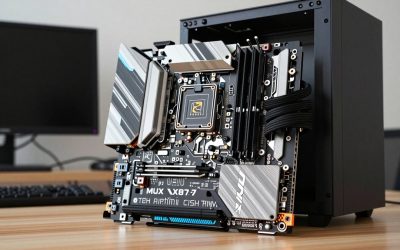
- Motherboard: Ensure your motherboard supports PCIe 4.0 or PCIe 5.0 lanes operating at full x16 speed. High-tier GPUs require maximum bus bandwidth to stream avatar textures quickly from system storage to VRAM without micro-stuttering. Look for robust VRM power delivery to keep your processor operating at peak boost clocks.
- System Memory (RAM): VRChat is notoriously memory-hungry. While standard gaming builds get by on 16GB, a solid setup requires at least 32GB of high-speed DDR4 or DDR5 RAM. If you frequent heavily populated public worlds, upgrading to 64GB prevents system-level memory paging and keeps background applications like Discord, OBS, and SteamVR overlay software running smoothly.
- CPU Cooler: PhysBones calculations and player movement scripts run heavily on primary CPU threads. A high-performance dual-tower air cooler or a 240mm/360mm All-in-One (AIO) liquid cooler is critical. Keeping CPU temperatures low ensures sustained single-core boost frequencies during intense player gatherings.
Bottleneck Check by Resolution
Understanding where performance bottlenecks occur helps you allocate your upgrade budget effectively across different display configurations.
- Desktop 1080p: At standard 1080p, processing workload leans heavily on the CPU. A fast graphics card like the RTX 5060 Ti will idle if paired with an older processor, as the CPU works overtime calculating avatar physics scripts and world triggers.
- 1440p / Standard VR Render Scale: At 1440p or native headset display scales (like Meta Quest 3 via Link at 1.0x scale), the workload reaches a balanced equilibrium. The GPU handles shading, dynamic lights, and MSAA anti-aliasing, while the CPU handles dynamic bone transformations. Here, cards like the RTX 3060 12GB or RTX 5060 Ti 16GB show their maximum price-to-performance efficiency.
- 4K / High-Res Supersampled VR: When pushing dual high-resolution VR panels (such as Bigscreen Beyond or Varjo headsets) or applying 150%+ SteamVR supersampling, the workload shifts entirely to the GPU. The massive pixel counts demand maximum raw rasterization power and thick memory bandwidth, making upper-tier options like the RTX 4080 Super and RTX 4090 mandatory to avoid frame drops below the native display refresh rate.
Our Verdict
Building the ideal system comes down to matching your budget with your expected display resolution and instance density. For users seeking the absolute entry point without risking out-of-memory crashes, the GIGABYTE GeForce RTX 3060 WINDFORCE OC 12G provides an affordable 12GB buffer. The ASUS Dual GeForce RTX 5060 Ti 16GB serves as the mid-range sweet spot, combining fast GDDR7 memory with enough VRAM capacity to handle smooth VR streaming. Enthusiasts pushing high-resolution headsets will find maximum balance in the Gigabyte GeForce RTX 4080 Super WINDFORCE V2, while absolute power users and creators looking for uncompromised performance should look directly to the halo-tier ASUS ROG Strix GeForce RTX 4090 OC Edition.
FAQ
How much VRAM do I actually need for VRChat?
While standard AAA desktop games can run well on 8GB of VRAM, VRChat heavily benefits from 12GB as a baseline. Unoptimized user avatars carry massive, uncompressed texture maps. Running 16GB or 24GB of VRAM ensures you can keep safety settings open and enjoy crowded worlds without severe stutter or texture loading delays.
Is a faster CPU or GPU more important for VRChat?
Both are equally critical, but they impact different aspects of performance. The CPU handles player scripts, dynamic bone physics, and draw calls, directly dictating overall frame rate stability. The GPU processes display resolution, custom avatar shaders, lighting, and anti-aliasing. Balancing a strong single-core CPU with a high-VRAM GPU yields the best experience.
Does NVIDIA perform better than AMD in VRChat?
NVIDIA GPUs generally hold an advantage in VRChat due to better driver optimization for complex custom shaders, faster VR video encoding pipelines for wireless link streaming, and strong OpenGL/DirectX handling under SteamVR runtime environments.
Why are full-instance VRChat worlds so demanding on hardware?
Unlike traditional games where graphics engines optimize assets in advance, VRChat renders content created independently by thousands of users. A single room can contain dozens of unique avatar models, dynamic particle effects, dynamic lights, and complex skin meshes running simultaneously without unified optimization standards.
Sources and Methodology
To establish baseline GPU performance ranges and memory requirements, we reference technical analysis, thermal testing, and gaming benchmark data published by reputable independent hardware outlets. Frame rate estimations and rasterization metrics reflect aggregated launch and comparative review data provided by TechPowerUp, Tom’s Hardware, Gamers Nexus, Hardware Unboxed, and TechSpot. Real-world VR performance expectations were derived by mapping standard desktop rasterization capabilities to high-pixel-density display requirements and VRAM buffer utilization patterns across user-created environments.