

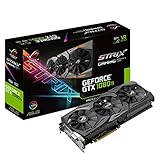
- Top Pick: ASUS ROG STRIX GeForce GTX 1080 TI 11GB VR Ready 5K HD Gaming Graphics Card (ROG-STRIX-GTX1080TI-11G-GAMING) (Renewed)
- Best Value: MSI GAMING GeFroce GTX 1080 Ti 11GB GDRR5X DirectX 12 352-bit VR Ready Graphics Card (GTX 1080 TI GAMING X 11G) (Renewed)
- Premium Choice: NVIDIA GeForce RTX 3060 Ti Founders Edition 8GB GDDR6 PCI Express 4.0 Graphics Card (Renewed)
Moving from a GTX 1080 Ti to an RTX 3060 Ti is a modest raw-performance upgrade, typically around 10-20% faster in games without ray tracing, so it pays off mainly if you want DLSS, ray tracing, lower power draw and continued driver support; if pure frame rate at 1440p is the goal and you can spend more, a bigger jump to a current card makes more sense.
As an Amazon Associate we earn from qualifying purchases at no extra cost to you.



What Actually Changes
The GTX 1080 Ti (March 2017, $699) was NVIDIA’s Pascal flagship. The RTX 3060 Ti (December 2020, $399) was an upper-mid-range Ampere card. Despite the class difference, nearly four years of architectural progress let the cheaper card edge ahead. The upgrade is less about frames per second than about what the newer card can do that Pascal cannot:
- DLSS: the 3060 Ti has tensor cores and supports DLSS Super Resolution, including the DLSS 4 transformer model. The 1080 Ti cannot run DLSS at all.
- Ray tracing and DirectX 12 Ultimate: the 3060 Ti has second-generation RT cores and supports mesh shaders and other DX12 Ultimate features. The 1080 Ti lacks both, and some recent games that require hardware RT will not run on it.
- Drivers: NVIDIA’s last Game Ready driver for Pascal shipped in October 2025. The 1080 Ti now receives only quarterly security updates through October 2028, while the 3060 Ti remains on the regular Game Ready schedule.
- Power: 200 W instead of 250 W.
What you give up is memory: 8 GB instead of 11 GB.
The Numbers Side by Side
| Specification | GTX 1080 Ti | RTX 3060 Ti |
|---|---|---|
| Architecture | Pascal | Ampere |
| Release date | 10 March 2017 | 1 December 2020 |
| Launch MSRP | ||
| CUDA cores | 3584 | 4864 |
| Boost clock | 1582 MHz | 1665 MHz |
| Process | 16 nm | 8 nm |
| Memory | 11 GB GDDR5X | 8 GB GDDR6 |
| Bus / bandwidth | 352-bit / 484.4 GB/s | 256-bit / 448.0 GB/s |
| L2 cache | 2.75 MB | 4 MB |
| Interface | PCIe 3.0 x16 | PCIe 4.0 x16 |
| Board power | 250 W | 200 W |
| Power connectors | 1x 6-pin + 1x 8-pin | 1x 12-pin (Founders Edition); most partner cards use 1x 8-pin |
| Length / width (reference) | 267 mm / 2-slot | 242 mm / 2-slot |
| Outputs | 1x HDMI 2.0, 3x DP 1.4a | 1x HDMI, 3x DisplayPort |
Performance Gain, Game by Game
Traditional rendering
Hardware Unboxed/TechSpot’s 2022 revisit found the GTX 1080 Ti essentially tied with the RTX 3060 (non-Ti) in rasterized games. Review aggregates from TechPowerUp and Hardware Unboxed place the RTX 3060 Ti meaningfully above the RTX 3060, and comparisons that test the 1080 Ti and 3060 Ti directly generally show the 3060 Ti ahead by roughly 10-20% on average. The gap is narrow in older DirectX 11 games, where Pascal was well optimized, and can stretch past 30% in some newer DirectX 12 and Vulkan titles that lean on Ampere’s improved compute and scheduling.
As a feel for the difference: a game running around 60 fps at 1440p high settings on a 1080 Ti might land around 68-75 fps on a 3060 Ti. That is noticeable but not dramatic, and results depend on game, settings, CPU and patch level.
With DLSS enabled
The picture changes in games that support DLSS. Running DLSS Quality at 1440p renders internally near 960p and typically lifts frame rates by around 30-50% over native, depending on the title. Because the 1080 Ti can only use FSR or XeSS (DP4a) for upscaling, which generally look softer at the same internal resolution, the 3060 Ti can deliver both higher frame rates and better image quality in DLSS-supported games. That is where most of the upgrade’s real-world value lies.
Ray tracing
The 3060 Ti can run moderate ray-tracing settings at 1080p, and at 1440p with DLSS. The 1080 Ti either cannot run RT at all or falls back to slow software paths. For games that mandate RT hardware, the upgrade is the difference between playing and not playing.
Frame generation
Neither card supports DLSS Frame Generation, which is reserved for RTX 40 and RTX 50 cards. Both can use FSR 3 frame generation in games that implement it.
The VRAM Trade-Off
Losing 3 GB is the biggest downside. At 1080p, 8 GB is usually sufficient. At 1440p with high or ultra textures, several recent releases exceed 8 GB, which leads to stutter or blurry textures on the 3060 Ti, while the 1080 Ti’s 11 GB copes. A practical rule of thumb for current AAA games:
- 1080p high: about 6-8 GB in use
- 1440p high/ultra: often 8-11 GB
- 4K: 10-12 GB or more
With DLSS lowering the internal render resolution, VRAM use drops somewhat, which helps the 3060 Ti. Still, if you play texture-heavy games or use large mod packs, the 1080 Ti’s extra memory is a real advantage.
Power Supply and Fitment
The 3060 Ti is easier to power. The Founders Edition uses NVIDIA’s 12-pin connector with an included adapter, but most retail partner cards use a single 8-pin connector, compared with the 1080 Ti’s 6-pin plus 8-pin.
PSU sizing with a 125 W gaming CPU:
- GTX 1080 Ti: 250 + 125 + 150 headroom = 525 W, so 600 W recommended.
- RTX 3060 Ti: 200 + 125 + 150 headroom = 475 W, so 550 W is comfortable.
Any PSU that ran a 1080 Ti will run a 3060 Ti. At 242 mm, the reference 3060 Ti is also shorter, so case fit is rarely a concern.
Is the Upgrade Worth the Money?
A used RTX 3060 Ti usually sells in the $180-$240 range, while a used GTX 1080 Ti typically fetches $120-$170. Selling the 1080 Ti could bring the net cost of the swap down to well under $100 in many cases. For that sum you gain 10-20% more raster performance, DLSS, RT support and ongoing drivers, and lose 3 GB of VRAM.
The alternative is to skip the 3060 Ti and look at a current card. An RTX 5060 Ti 16 GB or RX 9060 XT 16 GB offers a much larger jump over the 1080 Ti, more VRAM than either card here, and modern frame generation support, at a higher price.
When the Swap Pays Off
| Your situation | Recommendation |
|---|---|
| 1080p, games that support DLSS | Upgrade worth it |
| Want to play games that require ray tracing | Upgrade needed |
| 1440p, texture-heavy or modded games | Keep the 1080 Ti or go to a 12-16 GB card |
| Older DX11 games, esports | Little benefit; keep the 1080 Ti |
| Budget allows a current 16 GB card | Skip the 3060 Ti |
CPU and Platform Considerations
Many GTX 1080 Ti systems were built around 2017-2019 processors with four to six cores. The RTX 3060 Ti’s modest raster gain means it rarely exposes a CPU bottleneck that the 1080 Ti did not already hit, so a CPU upgrade is not mandatory for this swap. The 3060 Ti runs on PCIe 4.0 x16 but loses virtually nothing in a PCIe 3.0 slot, so older motherboards are fine. Enabling Resizable BAR, where the platform supports it, can add a small boost in some games. If your CPU already limits frame rates at 1080p, though, the GPU change alone will feel smaller than the review averages suggest.
Verdict
The RTX 3060 Ti is a sideways-to-forward step from the GTX 1080 Ti: somewhat faster, more efficient and far better equipped for modern games thanks to DLSS, ray tracing and active driver support, but with less VRAM. It is a sensible low-cost swap for 1080p players who want those features. For a meaningful frame-rate jump at 1440p, a current-generation card with 12-16 GB is the better destination.
Frequently Asked Questions
Is the RTX 3060 Ti faster than the GTX 1080 Ti?
Yes, by roughly 10-20% on average in rasterized games according to published comparisons. The lead is smaller in older DirectX 11 titles and larger in some newer DirectX 12 games. With DLSS enabled, the effective gap becomes much larger.
Will 8 GB on the RTX 3060 Ti hold me back compared with 11 GB?
At 1080p it rarely does. At 1440p with ultra textures, some recent games exceed 8 GB and stutter on the 3060 Ti while the 1080 Ti copes. Reducing texture quality one step usually fixes it.
Does the GTX 1080 Ti still get NVIDIA drivers?
It receives security-only drivers. NVIDIA ended Game Ready support for Pascal after October 2025 and plans quarterly security updates through October 2028. New games will not get Pascal-specific fixes.
Do I need a new power supply for the RTX 3060 Ti?
Usually not. The 3060 Ti is rated at 200 W versus 250 W for the 1080 Ti. Most partner cards need a single 8-pin connector, and the Founders Edition comes with a 12-pin adapter.
Can the RTX 3060 Ti use DLSS 4?
It supports DLSS 4 Super Resolution with the transformer model, which improves upscaling quality on all RTX cards. It does not support DLSS Frame Generation or Multi Frame Generation, which require RTX 40 and RTX 50 cards respectively.

















