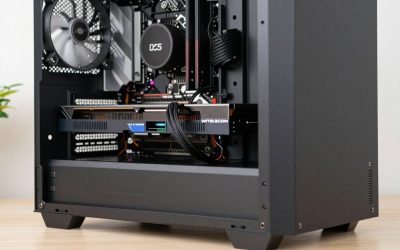
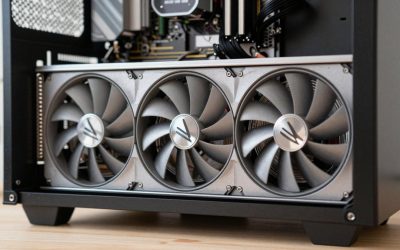
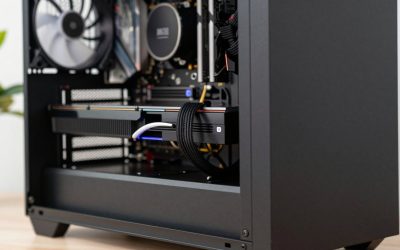
An external GPU works with any Intel NUC that has a Thunderbolt 3 or Thunderbolt 4 port, and it can turn a mini PC into a capable 1440p gaming machine, but the Thunderbolt link carries only about a tenth of the bandwidth of a desktop PCIe x16 slot, so expect roughly 10–25% less performance than the same card in a desktop, more at high-frame-rate 1080p. NUCs without Thunderbolt (most Celeron and Pentium models) cannot run a standard eGPU enclosure. Here is how to check your model, what the bandwidth math really means, and which GPU tier makes sense.
As an Amazon Associate we earn from qualifying purchases at no extra cost to you.

Does your NUC support an eGPU?
| NUC family | Example models | Thunderbolt | eGPU suitability |
|---|---|---|---|
| NUC 7 (Baby Canyon) i5/i7 | NUC7i5BNH, NUC7i7BNH | Thunderbolt 3 | Works; oldest CPUs will bottleneck newer GPUs |
| NUC 8 (Bean Canyon) i5/i7 | NUC8i5BEH, NUC8i7BEH | Thunderbolt 3 | Popular eGPU base; quad-core CPU limits high frame rates |
| NUC 8 (Hades Canyon) | NUC8i7HVK | 2 x Thunderbolt 3 | Works; already has Radeon Vega M graphics |
| NUC 10 (Frost Canyon) | NUC10i5FNH, NUC10i7FNH | Thunderbolt 3 | Good; six-core i7 helps |
| NUC 11 Pro / Performance | Tiger Canyon, Panther Canyon | Thunderbolt 4 | Good |
| NUC 12 Pro / NUC 13 Pro | Wall Street Canyon, Arena Canyon | Thunderbolt 4 | Best of the classic Intel NUCs for eGPU |
| ASUS NUC 14 Pro and later | Core Ultra-based models | Thunderbolt 4 on many SKUs | Good; check the SKU’s port list |
| Celeron / Pentium NUCs | Essential series | None | Not suitable for a standard enclosure |
| NUC 9 Extreme and NUC Extreme kits | Ghost, Beast, Dragon, Raptor Canyon | Thunderbolt plus internal PCIe slot | Install a GPU internally instead |
Intel handed its NUC line to ASUS in 2023, so newer “NUC” models carry ASUS branding and support. A Thunderbolt port is identified by the lightning-bolt icon; a USB-C port without it will not drive an eGPU enclosure even if it looks identical.
The bandwidth reality, worked out
Thunderbolt 3 and 4 are marketed at 40 Gbps, but that figure includes DisplayPort and USB traffic. The PCIe data tunnel to the GPU is capped at the equivalent of PCIe 3.0 x4, and real controllers deliver less.
| Link | Theoretical PCIe bandwidth | Typical real GPU transfer rate | Share of a desktop PCIe 4.0 x16 slot |
|---|---|---|---|
| Desktop PCIe 4.0 x16 | ~31.5 GB/s | ~25+ GB/s | 100% |
| Desktop PCIe 3.0 x16 | ~15.8 GB/s | ~12–13 GB/s | ~50% |
| PCIe 3.0 x4 (OCuLink-style direct link) | ~3.9 GB/s | ~3.2–3.5 GB/s | ~12% |
| Thunderbolt 3 / 4 eGPU | ~3.9 GB/s (x4 tunnel) | ~2.2–2.8 GB/s | ~8–10% |
| Thunderbolt 5 eGPU | PCIe 4.0 x4 tunnel (~7.9 GB/s) | Roughly double Thunderbolt 4 | ~20% |
Games do not stream their entire VRAM contents every frame, which is why a tenth of the bandwidth does not mean a tenth of the performance. The penalty grows when the CPU has to send many draw calls and frames per second are high, and shrinks when the GPU is the bottleneck at high resolution.
The NUC advantage most guides miss
With a laptop, many people route the eGPU’s output back to the internal screen, which sends finished frames back across the Thunderbolt link and costs more performance. A NUC has no internal display, so you always plug the monitor directly into the graphics card. That is the best-case eGPU configuration.
Expected performance by resolution
| Target | Typical eGPU penalty vs desktop | Comment |
|---|---|---|
| 1080p, 144+ fps esports | ~25–40% | Link latency and CPU limits dominate |
| 1080p, 60 fps AAA | ~15–25% | Playable with a midrange card |
| 1440p, 60–100 fps | ~10–20% | Sweet spot for a NUC eGPU |
| 4K, 60 fps | ~5–15% | Smallest penalty, needs a strong GPU |
These are typical ranges; individual games vary widely. Older NUC CPUs (quad-core 8th gen and earlier) add their own bottleneck at high frame rates regardless of the link.
Which GPU to pair with a NUC
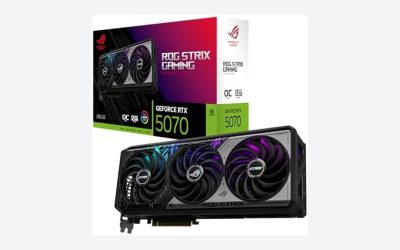
Because the link caps what a top-tier card can deliver, midrange GPUs give the best value per dollar in an eGPU. Cards in the GeForce RTX 4060 Ti, RTX 5060 Ti, RTX 4070 or RTX 5070 class, or Radeon RX 7700 XT and RX 9060 XT class, are a sensible ceiling for most NUCs. A flagship card loses a larger share of its potential.
VRAM matters more over Thunderbolt than in a desktop: when a game runs out of VRAM and has to pull textures across the slow link, stutter gets worse. Prefer 12–16 GB cards for 1440p.
Enclosure and power budget
Common enclosures include the Razer Core X (650 W supply), Razer Core X Chroma (700 W, adds USB and Ethernet ports) and the Sonnet eGFX Breakaway Box range (several PSU sizes). Size the enclosure’s supply against the card:
- Add the card’s rated board power to any USB-C charging output the enclosure provides, then keep at least 20–30% headroom for transient spikes.
- Example: a 250 W card plus a 100 W charging port is 350 W; a 650 W enclosure covers that comfortably, while a 350 W-class box would be too tight.
- Check the card’s length, slot thickness and power connector against the enclosure’s limits; triple-slot coolers and 16-pin connectors do not fit every box.
Setup steps
- Update the NUC BIOS and Thunderbolt firmware. Early firmware on several models had eGPU hot-plug and detection issues that later updates fixed.
- Set Thunderbolt security. In BIOS, use “User Authorization” or a similar level, then approve the enclosure in the Thunderbolt Control Center app on first connection.
- Use the short, certified cable that ships with the enclosure. Long passive cables can drop the link to lower speeds.
- Install the GPU driver with the enclosure connected, then connect your monitor to the GPU’s own outputs.
- Power on in order: enclosure first, then the NUC, to make sure the card is detected at boot.
Is an eGPU worth it for a NUC?
It is worth it if you already own a Thunderbolt-equipped NUC and want occasional 1440p gaming without building a new PC. If you are starting from scratch, a compact desktop with a real PCIe slot, or a NUC Extreme kit, delivers more performance for the combined price of a NUC, an enclosure and a card.