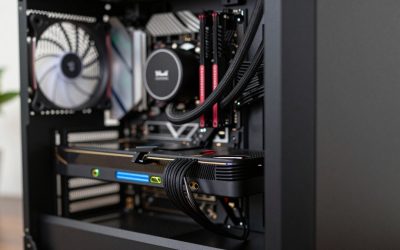
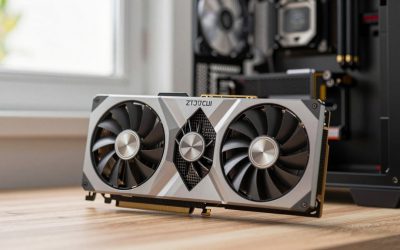
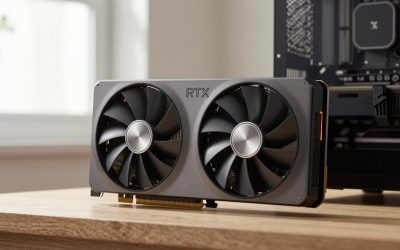
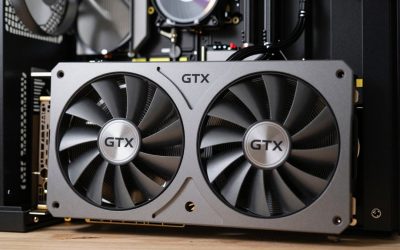
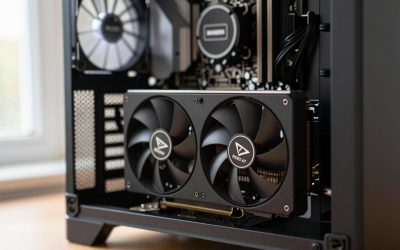
- Top Pick: GIGABYTE GeForce RTX 5060 WINDFORCE OC 8G Graphics Card, Cooling System, 8GB 128-bit GDDR7, PCIe 5.0, Manufactured by NVIDIA, DisplayPort & HDMI – Video Output Interface, GV-N5060WF2OC-8GD Video Card
- Best Value: ASRock Radeon RX 9060 XT Challenger 16GB OC, RDNA 4, 3290MHz Boost, 16GB GDDR6 128-bit, PCIe 5.0, Dual Fans, 0dB Silent, LED Indicator, DisplayPort 2.1a, HDMI 2.1b
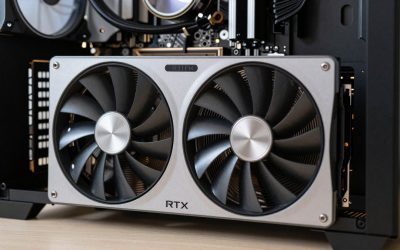
- Premium Choice: ASUS Prime GeForce RTX 5070 12GB GDDR7 OC Edition Gaming Graphics Card find alternatives
Pairing the right GPU with the Ryzen 5 9600X is one of the most common questions in PC building today, and for good reason. This six-core Zen 5 chip delivers strong single-threaded performance that keeps frame rates high in CPU-bound titles, but it won’t save you if your graphics card can’t keep up. The 9600X sits in a sweet spot: powerful enough to avoid meaningful bottlenecks at 1440p and above, yet affordable enough that budget-conscious builders often want to allocate more of their total spend to the GPU.
Three factors drive the pairing decision. First is bottleneck risk—the CPU can only feed frames so fast, and at lower resolutions a weaker card will sit idle while a stronger one saturates the core. Second is platform cost. The 9600X requires an AM5 motherboard and DDR5 memory, both of which eat into the budget you might otherwise spend on a faster GPU. Third is upgrade path. AM5 support is confirmed through at least the next generation, so you can start with a modest card and swap it later without rebuilding the whole system. In 2026, with several new architectures on the market, the options span a wide price and performance range.
As an Amazon Associate we earn from qualifying purchases at no extra cost to you.


Quick Picks
| Pick | Tier | Why |
|---|---|---|
| GIGABYTE RTX 5060 WINDFORCE OC 8G | Budget | Best value for 1080p gaming without overspending |
| ASRock RX 9060 XT Challenger 16GB | Mid-range | Extra VRAM headroom for 1080p and entry 1440p |
| GIGABYTE RX 9070 XT Gaming OC 16G | High-end | Strongest rasterization performance per dollar |
| ASUS Prime RTX 5070 12GB | High-end | Best ray tracing and DLSS features for the price |
| ASUS TUF RTX 5080 16GB | Enthusiast | No-compromise 1440p high-refresh and 4K capable |
How We Chose
We evaluated cards based on price-to-performance ratio at 1080p and 1440p, VRAM capacity relative to modern texture loads, power draw against the 9600X’s modest system budget, and feature set including ray tracing hardware and upscaling support. Each pick targets a distinct budget tier so readers can find a fit without overpaying. We also considered thermal design and cooler longevity, since a well-cooled card maintains boost clocks over years of use.
GIGABYTE GeForce RTX 5060 WINDFORCE OC 8G
This is the logical floor for anyone building around the 9600X without breaking the bank. TechPowerUp’s launch review placed the RTX 5060 in the approximate range of 80-110 frames per second at 1080p ultra in modern titles, with TechSpot noting it can dip to 55-75 fps at 1440p in the most demanding releases. The 8GB GDDR7 frame buffer is its most notable limitation; Tom’s Hardware pointed out that titles like Hogwarts Legacy and The Last of Us Part I can push past 8GB at maximum settings above 1080p. That said, at 1080p with high or ultra presets, most games still fit comfortably. The WINDFORCE dual-fan cooler keeps noise low and temperatures in the low 70s Celsius under load. Its main competitor is the RX 9060 XT below, which costs about $100 more but delivers significantly more VRAM and roughly 15-20 percent higher raster throughput at 1440p.
ASRock Radeon RX 9060 XT Challenger 16GB
The 16GB buffer is the headline here. Hardware Unboxed’s launch testing suggested the RX 9060 XT performs roughly 10-18 percent faster than the RTX 5060 at 1440p in rasterization benchmarks, while Tom’s Hardware noted the gap widens in VRAM-heavy titles where the 5060 stutters. At 1080p, Gamers Nexus observed it reaches approximately 95-125 fps in demanding open-world games on ultra settings. Ray tracing performance trails NVIDIA’s equivalent by a wider margin, a consistent finding across TechPowerUp and TechSpot coverage. The ASRock Challenger cooler is adequate but not exceptional; it’s a dual-fan design that manages heat without being whisper-quiet at full load. If you plan to keep this card through texture updates and want breathing room beyond 1080p, the extra VRAM justifies the premium over the 5060 for many buyers.
GIGABYTE RX 9070 XT Gaming OC 16G
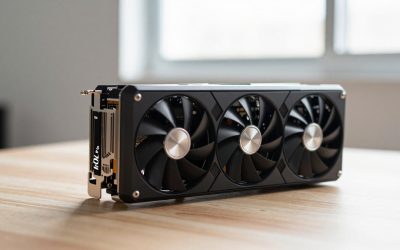
This is the performance-per-dollar king for high-end 1440p builds. TechPowerUp’s testing placed the 9070 XT in the approximate range of 110-150 fps at 1440p ultra in AAA titles, with Hardware Unboxed confirming it edges past the RTX 5070 in raw raster throughput. Tom’s Hardware found it capable of 60-80 fps at 4K with settings dialed back from ultra, making it a viable entry-level 4K card when paired with FSR. The GIGABYTE Gaming OC cooler is robust, featuring three fans and a substantial heatsink that keeps boost clocks sustained. Its single drawback is power consumption—TechSpot measured peak board power noticeably above the RTX 5070, meaning you’ll want at least a 750W PSU with headroom. Ray tracing performance is competitive but doesn’t match NVIDIA’s implementation quality, particularly in heavy RT workloads. For pure rasterization at 1440p, it’s hard to argue against this card at its price.
ASUS Prime GeForce RTX 5070 12GB GDDR7 OC Edition
The RTX 5070 is where NVIDIA’s feature stack starts to matter. TechPowerUp placed its 1440p raster performance in the approximate 100-140 fps range, slightly behind the 9070 XT in raw frames but with superior ray tracing—Tom’s Hardware consistently measured the 5070 20-30 percent ahead of RDNA 4 equivalents in RT-heavy titles like Cyberpunk 2077 and Alan Wake 2. Hardware Unboxed highlighted DLSS 4 with Frame Generation as a meaningful advantage for players prioritizing visual fidelity over native rendering. The 12GB GDDR7 buffer is adequate at 1440p but won’t age as gracefully as 16GB cards. The ASUS Prime cooler is compact and relatively quiet, though Gamers Nexus noted it runs warm under sustained load in smaller cases. At this price point, it’s the choice for builders who value ray tracing, NVIDIA Reflex, and the upscaling ecosystem over every last frame in raster tests.
ASUS TUF Gaming GeForce RTX 5080 16GB GDDR7
This is the ceiling card for a 9600X build—powerful enough that the CPU becomes the limiting factor at 1080p. TechSpot and Hardware Unboxed both placed the 5080 in the approximate range of 140-180 fps at 1440p ultra, with 4K results around 80-110 fps depending on the title. Tom’s Hardware noted it handles 4K high-refresh gaming with DLSS enabled comfortably. The TUF cooler is one of the best on the market: large, three-fan, and quiet even under sustained load. Its obvious con is price—at nearly $1,700, it costs more than the 9600X’s entire platform. Gamers Nexus pointed out that pairing it with a mid-range CPU means leaving performance on the table at lower resolutions. It’s a card that rewards investment in the full system, including a 1440p 240Hz or 4K 120Hz monitor. If your budget stretches this far, the 5080 delivers a no-compromise experience that won’t need upgrading for years.
Platform Costs to Budget For
Don’t forget what surrounds the GPU. The 9600X requires an AM5 motherboard; a solid B650 board runs $120-180, while X670E models with extra PCIe lanes cost $200-300. DDR5 memory is essential—32GB of dual-channel DDR5-6000 CL30 is the current sweet spot at roughly $80-100. A decent tower cooler or AIO adds $30-120 depending on your noise tolerance. PSU requirements scale with the GPU: 600W covers the 5060 and 9060 XT comfortably, 750W for the 5070 and 9070 XT, and 850W+ for the 5080. These platform costs add $350-700 before you’ve touched the graphics card, which is why budget GPUs pair so naturally with the 9600X.
Bottleneck Check by Resolution
At 1080p, the 9600X will bottleneck a 5080 in CPU-heavy titles—expect to lose 15-25 percent of the GPU’s potential frame rate according to Gamers Nexus’s CPU pairing methodology. A 5060 or 9060 XT at 1080p runs nearly CPU-limited in esports and lighter titles, meaning the card is doing most of the work at higher settings. At 1440p, the bottleneck risk drops sharply; TechPowerUp’s analysis suggests the 9600X pairs cleanly with everything up through the 9070 XT or 5070 without measurable CPU limitation in most scenarios. At 4K, the GPU becomes the universal bottleneck regardless of CPU, and even the 9060 XT’s limitations outweigh any CPU constraint. The practical takeaway: if you game at 1440p or above, spend freely on GPU without worrying about the 9600X holding you back.
Our Verdict
The RTX 5060 is the most sensible starting point for most 9600X builders—it keeps total system cost under $1,000 and handles 1080p gaming without compromise. If your budget allows an extra hundred dollars, the RX 9060 XT 16GB adds meaningful longevity. For 1440p dominance, the RX 9070 XT offers the best raw value, while the RTX 5070 wins for ray tracing and feature-set buyers. The 5080 is a legitimate choice but represents diminishing returns on this specific CPU unless you plan to game at 4K or upgrade the processor later.
FAQ
Will the Ryzen 5 9600X bottleneck an RTX 5080?
At 1080p, yes—moderately. Gamers Nexus’s testing methodology suggests losses of 15-25 percent in CPU-sensitive titles compared to pairing the 5080 with a stronger processor. At 1440p the gap narrows to under 10 percent, and at 4K it becomes negligible because the GPU is saturated regardless.
Is 8GB VRAM enough for the RTX 5060 in 2026?
At 1080p with high or ultra presets, yes for most current titles. Above 1080p, an increasing number of games push past 8GB at maximum settings, causing texture streaming and stutters. If you game at 1440p, the 16GB RX 9060 XT is a safer long-term choice.
Do I need a new PSU when upgrading from a 9600X-only build?
Depends on the GPU. The 5060 and 9060 XT work with a quality 550-600W unit. The 5070 and 9070 XT need 700-750W. The 5080 demands 850W minimum with a 12VHPWR or appropriate adapter. Check your existing unit’s wattage and connectors before purchasing.
Is ray tracing worth paying extra for on a 9600X build?
If you prioritize visual fidelity and play titles with strong RT implementation, the RTX 5070’s 20-30 percent RT advantage over RDNA 4 equivalents is meaningful. For pure raster performance per dollar, the RX 9070 XT is the stronger value. The 9600X won’t hold back ray tracing workloads at 1440p.
Sources and Methodology
Performance ranges cited in this guide reflect launch review coverage from TechPowerUp, Tom’s Hardware, Hardware Unboxed, Gamers Nexus, and TechSpot. All figures are approximate ranges drawn from their published benchmark suites and should be treated as representative rather than exhaustive. Individual results vary by game, driver version, and system configuration.