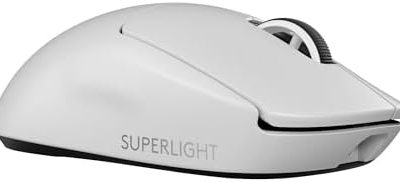
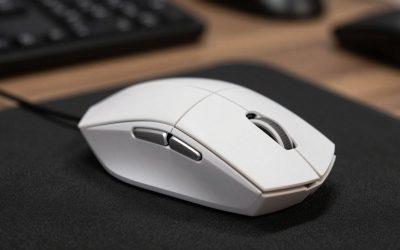
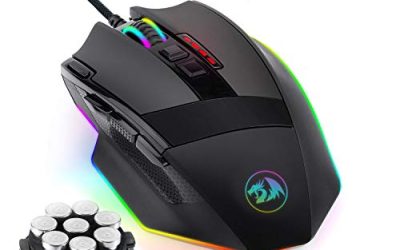
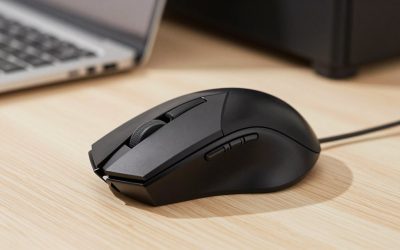
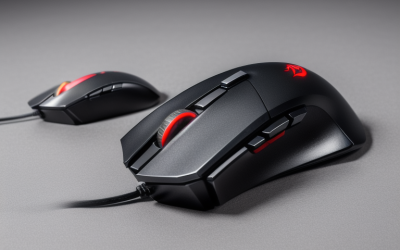
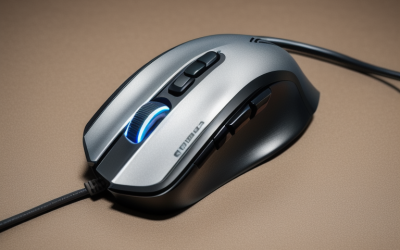
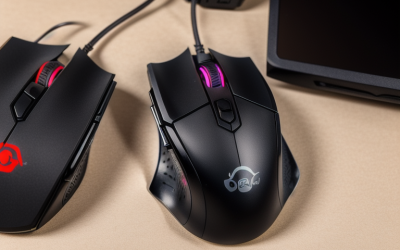
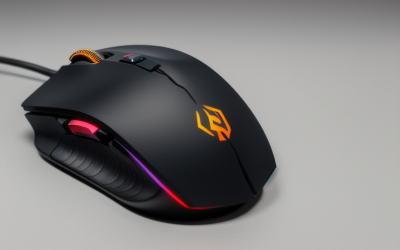
- Top Pick: Bloody A70x Matte Drag Click Mouse, Light Strike 0.2ms | Light Strike (LK) Switch & Scroll, Fully Programmable, Advance Macros
- Best Value: Redragon M810 PRO Wireless RGB Gaming Mouse 10000 DPI Remapping Keys | Cable-Free 0 Delay, Rapid-Fire Macro Keybinds, Vibing Backlight, Ergonomic Grip Body Comfort
- Premium Choice: Razer Basilisk V3 Customizable RGB Wired Ergonomic Gaming Mouse, Black | Fastest Gaming Mouse Switch, Chroma RGB Lighting, 26K DPI Optical Sensor, 11 Programmable Buttons, HyperScroll Tilt Wheel
Drag clicking is a technique, not a feature. The player drags a finger across the left button so friction fires a rapid burst of clicks, usually to push clicks per second up in block-based PvP games. That makes the mouse shopping question narrow: the switch has to register fast, the button surface has to let a finger slide, and the shell has to stay comfortable during short, intense sessions.
This guide is for 2026 buyers who want a mouse that suits that style, and for those who just want a sensible rapid-click mouse. Only two models below are sold as dedicated drag-click mice; the rest are general gaming mice with macro or fast-switch features. The sections that follow explain how to tell them apart and what the titles do and do not promise. Where a listing says nothing about switch speed or weight, this guide says so instead of guessing, since a mouse that looks right on paper can still feel wrong under a sliding finger.
Quick Picks
As an Amazon Associate we earn from qualifying purchases at no extra cost to you.





| Product | Best for | Key spec from the title |
|---|---|---|
| Bloody A70x Matte | Dedicated drag clicking | Light Strike 0.2ms switch, advanced macros |
| Bloody W95BR Extra Fire | Drag clicking with high sensor range | 12K CPI, 2000Hz, adjustable LOD |
| Redragon M810 PRO | Wireless with rapid-fire macros | 10000 DPI, rapid-fire macro keybinds |
| Razer Basilisk V3 | Premium ergonomic all-rounder | 26K DPI sensor, 11 programmable buttons |
| Redragon M602 | Entry-level wired remapping | 7200 DPI, 9 programmable buttons |
| acer Wired Gaming Mouse | Rapid fire on a simple wired body | 12,800 DPI, 8 programmable buttons |
| Redragon M617 Ultralight | Light shell with fast flicks | 41g, 10,000 DPI, paracord cable |
| Logitech G305 Lightspeed | Wireless lightweight option | Hero 12K sensor, 250h battery life |
How to Choose
Switch Type and Response Time
Drag clicking relies on the switch reacting to very short contact. Two titles name a switch outright: Bloody lists Light Strike at 0.2ms on the A70x, and the W95BR carries an Extra Fire label. Razer calls out its own mouse switch. Generic mice rarely publish a figure, so assume a standard switch unless the listing says otherwise. Players chasing the highest click bursts often search for a lighter, crisper switch, and that is exactly the niche the two Bloody models address with their switch names.
Button Surface and Shell Shape
A matte, slightly textured left button gives the finger grip to create friction. Glossy buttons can feel slick and inconsistent. Smaller, lighter shells let the hand pivot easily and keep the finger over the left button, while a large ergonomic body suits palm grip but makes the sliding motion harder. Photos and shell weight in the listing matter more here than any DPI claim. Side buttons also matter: a thumb rest that crowds the finger can ruin the motion, so a plain shape tends to work better than a heavily sculpted one.
Sensor, Polling and Programmability
Counts like 12K CPI or 26K DPI are far above what a block game needs, so treat them as headroom, not a reason to buy. A 2000Hz polling rate, as on the W95BR, reduces latency further. Programmable buttons and macros are useful for remapping, but many multiplayer servers restrict automated clicking, so read the rules of the server before using any rapid-fire macro. Hardware-level switch speed is the cleaner route, because it does not rely on scripts.
Wired or Wireless, and Where Budget Models Cut Corners
Wired mice avoid battery concerns and input delay worries, while good wireless mice like the G305 are now responsive enough for most players. Budget models tend to skimp on switch quality and software, mid-range models add sensors and polling options, and premium models add ergonomics and refined build quality. For this technique, the mid-range dedicated models usually offer the best fit, because the switch matters more than the badge.
One last filter is hand size. A short mouse suits a fingertip or claw grip, which is the usual choice for sliding the index finger, while long ergonomic shells reward a relaxed palm grip. If the listing gives no dimensions, compare the shell with a mouse already on the desk before committing.
The 8 Best Options
Bloody A70x Matte
A mouse sold directly as a drag-click model, with a Light Strike switch listed at 0.2ms, a matte finish, full programmability and advanced macros. It targets the player who wants one job done well rather than a do-everything shell.
- Strength: dedicated drag-click positioning, with a switch speed stated in the title.
- Strength: matte finish suits finger-sliding grip.
- Trade-off: the title offers no sensor or weight details, so those need a manufacturer check.
Skip it if the main use is general productivity or if macros are against the rules of the games you play. Anyone who needs a titled weight, sensor name or wireless mode should check the maker page first.
Bloody W95BR Extra Fire
Another dedicated drag-click mouse, with an Extra Fire switch, 12K CPI, 2000Hz polling and an adjustable lift-off distance. The combination suits players who want both the drag-click switch and a responsive tracking setup.
- Strength: high polling rate and adjustable lift-off distance in a drag-click design.
- Strength: 12K CPI leaves plenty of sensor headroom.
- Trade-off: the title does not state weight or connection type, so check both before buying.
Skip it if a very light shell or a wireless connection is a requirement. It also helps to confirm the cable and the body size before ordering.
Redragon M810 PRO
A wireless RGB mouse with 10000 DPI, key remapping, rapid-fire macro keybinds, and a claim of cable-free zero delay. The ergonomic grip body is described as comfortable, which suits relaxed long sessions.
- Strength: rapid-fire macro keybinds are named in the title.
- Strength: wireless freedom without a cable pulling on the mouse.
- Trade-off: it is not marketed as a drag-click mouse, so button feel is unconfirmed.
Skip it if the plan is serious drag clicking, where a dedicated switch matters most. It is better seen as a flexible wireless mouse with macro options for general gaming.
Razer Basilisk V3
A wired ergonomic mouse with a 26K DPI optical sensor, 11 programmable buttons, a HyperScroll tilt wheel, Chroma RGB and what the title calls the fastest gaming mouse switch. The wording is a manufacturer claim, but it shows where Razer wants buyers to look.
- Strength: a fast switch claim from a major brand, plus 11 programmable buttons.
- Strength: ergonomic shape for long sessions.
- Trade-off: the larger ergonomic body fits palm grip better than a sliding finger technique.
Skip it if a small, light shell is the priority. Players who like claw or fingertip grips may find the sculpted body too bulky for rapid sliding.
Redragon M602
A wired RGB mouse with 7200 DPI, remappable keys, nine programmable buttons, software, and a body described as ergonomic with a lag-free connection. It reads as a general-purpose mouse with a long list of remappable keys.
- Strength: nine programmable buttons in a basic wired format.
- Strength: simple setup for office and gaming use.
- Trade-off: the 7200 DPI ceiling is lower than the other sensors listed.
Skip it if drag clicking is the central goal, since nothing in the title addresses it. It makes sense as a spare or an office-to-game mouse with macro buttons.
acer Wired Gaming Mouse
A wired optical mouse with 12,800 DPI, 12 backlit modes, eight programmable buttons, DIY keybind software and a rapid-fire function. The software-driven approach is different from a hardware switch built for fast contact.
- Strength: rapid fire and programmable keybinds appear in the title.
- Strength: 12,800 DPI optical sensor.
- Trade-off: no switch speed is stated, so button response is unconfirmed.
Skip it if a documented switch matters more than a software-driven rapid-fire setting. Its positioning is flexible and general rather than technique-specific.
Redragon M617 Ultralight
A 41g honeycomb-shell wired mouse with 10,000 DPI, six programmable buttons, a paracord cable, Type-C connection and two side buttons. It is built for players who prize low weight and tidy cable behavior over extra buttons.
- Strength: the 41g weight makes finger movement easy.
- Strength: the paracord cable is described as drag-free, which helps cursor control.
- Trade-off: only six programmable buttons are listed.
Skip it if a solid, heavy shell feels better in hand, as the honeycomb body is open by design. Anyone who needs many programmable buttons should look at the Razer or acer instead.
Logitech G305 Lightspeed
A lightweight wireless mouse with a Hero 12K sensor, 12,000 DPI, six programmable buttons, onboard memory and a stated 250h battery life. It is a sensible daily mouse that also handles quick clicking sessions without a cable.
- Strength: long battery life and onboard memory for saved settings.
- Strength: lightweight body from a major brand.
- Trade-off: nothing in the title mentions a drag-click-specific switch.
Skip it if dedicated drag clicking is the main goal. It is best for players who want a wireless, light mouse first and a click technique second.
Which One Fits Your Situation
Practicing Drag Clicking for PvP
The Bloody A70x Matte is the clearest match because it is sold as a drag-click mouse with a fast switch listed. Its matte finish also helps with the finger-sliding grip.
Wanting Drag Clicking Plus a Fast Sensor
The Bloody W95BR Extra Fire adds 2000Hz polling and adjustable lift-off distance to the drag-click formula. It is the pick for players who want the specialist switch without giving up sensor range.
A Mouse That Also Handles Work and Daily Gaming
The Logitech G305 Lightspeed works well wirelessly and the Razer Basilisk V3 gives wired ergonomics with plenty of buttons. Both avoid betting everything on one technique.
Light Shell on a Tight Setup
The Redragon M617 Ultralight at 41g suits quick wrist movement and low-drag cable handling. It is also an easy choice for smaller hands.
Common Mistakes
- Assuming any high-DPI mouse is good for drag clicking when the switch and the button surface are what matter, since sensor numbers never touch click speed.
- Ignoring server rules on macros and automated clicking, which can lead to bans even when the hardware itself is allowed.
- Buying a glossy or very large body that makes the sliding motion awkward.
- Paying attention to RGB and DPI numbers instead of switch and shell details.
- Skipping the wired versus wireless decision until after the order, then discovering the cable or the dongle does not suit the desk.
Related guides
- Aio Liquid Coolers For High Performance Gaming
- How To Lower Input Delay In Competitive Shooters
- Wireless Gaming Headsets Under 100 For Pc
Frequently Asked Questions
Is a special mouse required for drag clicking?
Not strictly, but a switch built for it and a grippy matte button make the technique easier. Dedicated models like the Bloody A70x are made with that in mind, while general gaming mice can still be used with a slower, more careful technique.
Does higher DPI help?
No. DPI affects cursor speed, not click rate, so the switch and shell are the deciding specs. A fast sensor helps tracking, but it does nothing to make a button fire faster.
Is drag clicking allowed on every server?
Not always. Some servers treat very high click rates or macros as unfair, so check the rules before relying on it. Practice modes and private worlds are usually safe places to build the habit first.
Is wireless fine for fast clicking?
Modern wireless mice like the G305 are responsive enough for most players, but a wired mouse avoids battery concerns and any chance of dropped input.