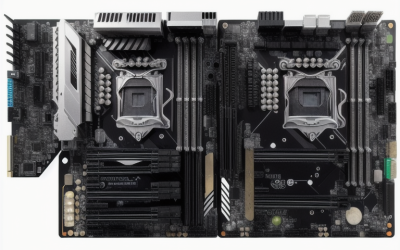
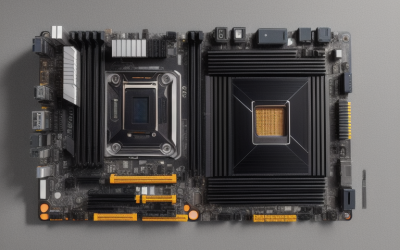
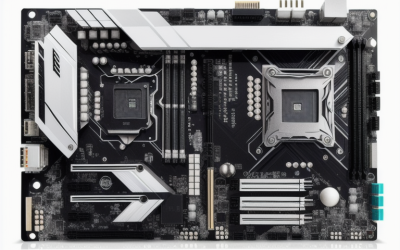
- Top Pick: MSI PRO B760-P WiFi DDR4 ProSeries Motherboard – Supports 12th/13th/14th Gen Intel Processors, LGA 1700, DDR4, PCIe 4.0, M.2, 2.5Gbps LAN, USB 3.2 Gen2, HDMI/DP, Wi-Fi 6E, Bluetooth 5.3, ATX
- Best Value: Asus ROG Strix B550-F Gaming WiFi II AMD AM4 (3rd Gen Ryzen) ATX DDR4 Gaming Motherboard (PCIe 4.0, WiFi 6E, 2.5Gb LAN, BIOS Flashback, HDMI 2.1, Addressable RGB Header and Aura Sync)
- Premium Choice: GIGABYTE B550 Eagle WIFI6 AMD AM4 ATX Motherboard, Supports Ryzen 5000/4000/3000 Processors, DDR4, 10+3 Power Phase, 2X M.2, PCIe 4.0, USB-C, WIFI6, GbE LAN, PCIe EZ-Latch, EZ-Latch, RGB Fusion
Choosing a DDR4 motherboard in 2026 is a decision about keeping what you already own. If you have a kit of DDR4 memory, a Ryzen 5000 chip, or a 12th to 14th Gen Intel processor, the right board lets you refresh the platform without buying new RAM. The catch is that the socket decides everything: a board that takes your processor but not your memory, or the reverse, is a return waiting to happen.
This guide splits the field into two camps. The AM4 boards serve Ryzen 3000, 4000, and 5000 processors, and the LGA 1700 boards serve Intel 12th, 13th, and 14th Gen chips. Both groups use DDR4 and offer PCIe 4.0, so the real differences are board size, wireless features, networking speed, and how many M.2 slots you get. Start with the processor you own, then use the notes below to narrow the nine boards to one.
Quick Picks
As an Amazon Associate we earn from qualifying purchases at no extra cost to you.


| Product | Best for | Key spec from the title |
|---|---|---|
| MSI PRO B760-P WiFi DDR4 | Full-size Intel build with Wi-Fi | LGA 1700, Wi-Fi 6E, 2.5Gbps LAN |
| ASUS ROG Strix B550-F Gaming WiFi II | Premium-feel AM4 gaming rig | Wi-Fi 6E, 2.5Gb LAN, BIOS Flashback |
| GIGABYTE B550 Eagle WIFI6 | Balanced AM4 upgrade | 10+3 power phase, 2 M.2 |
| MSI PRO B760M-P DDR4 | Compact Intel build | mATX, LGA 1700 |
| ASUS TUF Gaming B550-PLUS WiFi II | Durable-minded AM4 build | Wi-Fi 6, 2.5Gb LAN, USB 3.2 Gen 2 |
| ASUS B760M-AYW WiFi D4 II | Small Intel build with future GPU headroom | PCIe 5.0 x16, two M.2 slots |
| GIGABYTE B550M K | Basic compact AM4 system | mATX, 3+3 power phase |
| GIGABYTE B550 Gaming X V2 | Wired AM4 build with front USB-C | 10+3 power phase, front USB-C |
| ASUS Prime B550M-A WiFi II | Workstation-leaning micro ATX | ECC memory support, HDMI 2.1 |
How to Choose
Start with the socket and chipset
AM4 boards in this list use the B550 chipset and accept Ryzen 3000, 4000, and 5000 series processors, although the exact list varies, so read the manufacturer CPU support table. LGA 1700 boards in this list use B760 and accept 12th, 13th, and 14th Gen Intel chips. Neither family mixes with the other. If you plan to upgrade the processor later, check the support table and the BIOS version the board ships with, since an older BIOS may need a flash before a newer chip will boot.
Pick the size that fits your case
ATX boards give you more PCIe slots, more fan headers, and often a second or third M.2 slot. Micro ATX (mATX) boards are shorter and fit smaller cases but trim expansion. Count what you will actually install: one graphics card and one or two NVMe drives fit comfortably on mATX, while a capture card, a sound card, and extra storage point to ATX. Confirm your case lists support for the board size you pick.
Check storage, networking, and ports
Look for at least two M.2 slots so a second NVMe drive can be added later, and PCIe 4.0 for the first slot so a fast drive is not held back. For networking, 2.5Gb Ethernet is a useful upgrade over Gigabit if you move large files across a home network, and Wi-Fi 6 or 6E saves a separate wireless card. A front USB-C header matters if your case has a USB-C port; without it that port goes unused.
Judge power delivery with care
A higher phase count, such as the 10+3 design on some boards, signals stronger power delivery for demanding processors, while a 3+3 design suits modest chips. Ignore RGB lighting and brand styling when the processor is the bottleneck. Budget boards usually trim M.2 slots, rear ports, and heatsink coverage first, so match the board to the chip you own rather than buying the fanciest model available.
The 9 Best Options
MSI PRO B760-P WiFi DDR4
This full-size ATX board supports 12th, 13th, and 14th Gen Intel processors on LGA 1700 with DDR4, PCIe 4.0, M.2, 2.5Gbps LAN, Wi-Fi 6E, and Bluetooth 5.3. It suits an Intel upgrade where you want wireless built in and a standard full-size layout that most mid-tower cases accept.
- Strength: Wi-Fi 6E and Bluetooth 5.3 are included on the board.
- Strength: HDMI and DisplayPort outputs support an integrated-graphics start.
- Trade-off: the title lists M.2 without a count, so confirm slot numbers.
Skip it if you own a Ryzen chip, since the LGA 1700 socket will not accept it, or if your case only takes micro ATX boards.
ASUS ROG Strix B550-F Gaming WiFi II
An ATX AM4 board for 3rd Gen Ryzen, it lists DDR4, PCIe 4.0, Wi-Fi 6E, 2.5Gb LAN, BIOS Flashback, HDMI 2.1, and an addressable RGB header. It suits gamers who like a styled build with strong connectivity, and the ROG Strix line is aimed at builders who plan to show off the interior of the case.
- Strength: BIOS Flashback helps with CPU upgrades.
- Strength: Wi-Fi 6E and 2.5Gb LAN cover networking.
- Trade-off: the ROG branding places it at the premium end of B550 boards.
Skip it if a plainer board meets your needs; the extra connectivity matters only when you will use it.
GIGABYTE B550 Eagle WIFI6
This ATX AM4 board supports Ryzen 5000, 4000, and 3000 with DDR4, a 10+3 power phase design, two M.2 slots, PCIe 4.0, USB-C, and Wi-Fi 6. It fits a mid-range upgrade for a Ryzen 5000 chip, especially if you want room for two NVMe drives without moving up to a premium board.
- Strength: two M.2 slots and a 10+3 power design.
- Strength: Wi-Fi 6 is built in.
- Trade-off: networking is standard GbE, not 2.5Gb.
Skip it if you need faster wired networking for big file transfers, or if you prefer a micro ATX layout.
MSI PRO B760M-P DDR4
A micro ATX LGA 1700 board for 12th, 13th, and 14th Gen processors with DDR4, PCIe 4.0, M.2, USB 3.2 Gen2, and HDMI/DP. It targets a compact Intel build without extras, ideal for a small office or media machine that relies on a wired connection and integrated graphics outputs.
- Strength: small form factor fits mATX cases.
- Strength: HDMI and DisplayPort outputs.
- Trade-off: the title does not list built-in Wi-Fi.
Skip it if you need wireless on the board, or if you want a second graphics-class expansion card beyond the usual mATX layout.
ASUS TUF Gaming B550-PLUS WiFi II
An ATX AM4 board with DDR4, PCIe 4.0, Wi-Fi 6, 2.5Gb LAN, BIOS Flashback, USB 3.2 Gen 2, and an addressable RGB header. It suits a sturdy Ryzen build that avoids ROG styling while still offering a long connectivity list for a gaming desktop.
- Strength: 2.5Gb LAN and BIOS Flashback.
- Strength: addressable RGB support via Aura Sync.
- Trade-off: Wi-Fi 6 rather than 6E.
Skip it if your case is micro ATX, because the ATX footprint will not fit, or if you want the newer Wi-Fi 6E standard.
ASUS B760M-AYW WiFi D4 II
A micro ATX B760 board on LGA 1700 with DDR4, PCIe 5.0 x16 support, two M.2 slots, Realtek 2.5Gb Ethernet, Wi-Fi 6, and front USB 5Gbps. It is a compact Intel pick with room for a future graphics card, and the DDR4 support keeps your existing memory useful.
- Strength: PCIe 5.0 x16 support for later GPU upgrades.
- Strength: two M.2 slots and 2.5Gb Ethernet.
- Trade-off: micro ATX limits extra expansion cards.
Skip it if you need several PCIe slots for capture or sound cards, or if you own a Ryzen processor.
GIGABYTE B550M K
A micro ATX AM4 board for Ryzen 5000, 4000, and 3000 with DDR4, a 3+3 power phase, two M.2 slots, PCIe 4.0, and USB 3.2 Gen 1. It suits a modest Ryzen system, such as an office desktop or a first build around a Ryzen 5000 processor with modest power needs.
- Strength: two M.2 slots on a compact board.
- Strength: Q-Flash BIOS updating.
- Trade-off: the 3+3 power design suits lighter processors.
Skip it if you plan to pair it with a demanding chip, or if you want Wi-Fi without adding a card.
GIGABYTE B550 Gaming X V2
This ATX AM4 board lists DDR4, a 10+3 power phase, two M.2 slots, PCIe 4.0, front USB-C, GbE LAN, Q-Flash Plus, and RGB Fusion. It fits a wired Ryzen 5000 build where a front-panel USB-C port on the case needs a matching header on the board.
- Strength: front USB-C and a 10+3 power design.
- Strength: Q-Flash Plus supports BIOS updates.
- Trade-off: no Wi-Fi in the title.
Skip it if you rely on wireless networking, because you would need to add an adapter, or if you want a smaller board.
ASUS Prime B550M-A WiFi II
A micro ATX AM4 board with DDR4, PCIe 4.0, Wi-Fi 6, ECC memory support, HDMI 2.1, and an RGB header. It suits a small workstation-style build for people who care about memory error correction and want a compact footprint.
- Strength: ECC memory support is stated in the title.
- Strength: Wi-Fi 6 and HDMI 2.1.
- Trade-off: micro ATX limits slot count.
Skip it if you want maximum expansion, and remember that ECC benefits depend on the processor and memory you pair with it.
Which One Fits Your Situation
You own a Ryzen 5000 processor and want wireless
The GIGABYTE B550 Eagle WIFI6 or the ASUS TUF Gaming B550-PLUS WiFi II both give you Wi-Fi on an ATX board, with the TUF adding 2.5Gb LAN.
You own a 12th to 14th Gen Intel chip and a compact case
Choose the ASUS B760M-AYW WiFi D4 II for built-in wireless and two M.2 slots, or the MSI PRO B760M-P DDR4 if you plan to add your own network card.
You want the most connectivity on AM4
The ASUS ROG Strix B550-F Gaming WiFi II lists Wi-Fi 6E, 2.5Gb LAN, and BIOS Flashback together, which covers the longest feature list here.
You are building a small workstation
The ASUS Prime B550M-A WiFi II adds ECC memory support in a micro ATX size, a rare line item in this group.
Common Mistakes
- Ordering an AM4 board for an Intel chip, or the reverse; sockets are not interchangeable.
- Skipping the manufacturer CPU support table and assuming every B550 board boots every Ryzen generation without a BIOS update.
- Choosing micro ATX and then discovering you need extra PCIe cards.
- Chasing RGB styling while accepting a weak 3+3 power design for a demanding processor.
- Forgetting that a board without Wi-Fi needs a separate adapter if your PC is far from the router.
Related guides
- Aio Liquid Coolers For High Performance Gaming
- How To Lower Input Delay In Competitive Shooters
- External Hard Drives For Music Production
Frequently Asked Questions
Can I use DDR5 memory in these boards?
No. Every board in this list is built for DDR4, and DDR4 and DDR5 modules are physically different and not interchangeable.
Does PCIe 4.0 matter for my graphics card?
It matters most for NVMe drives and recent graphics cards that can use the extra bandwidth. Older cards run fine on PCIe 3.0 speeds, so it is not a reason to upgrade on its own.
What does BIOS Flashback do?
It lets you update the BIOS from a USB drive without a working processor installed, which helps when a new chip needs a newer firmware version.
Is a DDR4 board still a smart choice today?
If you already own DDR4 memory, yes, because you avoid a memory purchase. A new build starting from scratch may weigh newer platforms, but DDR4 remains well supported.