

- Top Pick: PlayStation DualSense™ Wireless Controller – Chroma Teal – For PS5, PC, MAC & Mobile
- Best Value: Simppson Custom PS-5 Controller Wireless for Play-Station 5 Console | Non-Modded, Front Print Only | Play-Station 5 Controller, PS-5 Wireless Controller, Controller for PS-5 & PC | Hydro Dipped
- Premium Choice: Attack On Tittan Custom PS-5 Controller Wireless for Play-Station 5 | Non-Modded, Front Print Only | Play-Station 5 Controller, PS-5 Wireless Controller, Controller for PS-5 & PC | Hydro Dipped
For most players who want a customizable PS5 controller without losing the console’s signature haptics, the Sony DualSense Edge is the safest choice, while competitive players who value drift-resistant sticks and an asymmetric layout over haptic feedback tend to look at the Nacon Revolution 5 Pro, the SCUF Omega, or the Razer Raiju V3 Pro. Players who only want a different look should consider a stock DualSense in a different colour or a faceplate-style option instead of paying for a full pro controller. This guide explains what “custom” really means on PS5, how the main options compare on stated specs, and which buyer each one suits.
- What “custom” means for a PS5 controller
- At a glance: the main options
- Sony DualSense Edge: the customizable pad that keeps every PS5 feature
- Nacon Revolution 5 Pro: asymmetric layout and Hall effect sticks
- SCUF Omega: the brand-name premium option
- Razer Raiju V3 Pro: long battery and competitive tuning
- Standard DualSense colours and special editions
- Budget tiers
- Fit, comfort and compatibility notes
- Pick X if…
- Alternatives worth considering
- Frequently Asked Questions
As an Amazon Associate we earn from qualifying purchases at no extra cost to you.


What “custom” means for a PS5 controller
The phrase covers three different things, and mixing them up is the most common buying mistake.
- Configurable hardware: back paddles or buttons, swappable stick modules or caps, adjustable trigger stops, and saved profiles. The DualSense Edge and the pro-tier third-party pads fall here.
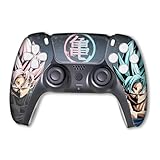
- Cosmetic customization: colours, faceplates, grips and stick caps. Several makers sell build-your-own configurators, and Sony sells colour variants of the standard DualSense.
- Modded or aftermarket-modified pads: controllers sold with changed shells, buttons or internals by independent shops. These can look striking, but warranty and support terms vary by seller, and Sony does not endorse them.
Before comparing models, decide which of the three you actually want. A player who wants back buttons has different needs from one who wants a pink controller.
At a glance: the main options
| Controller | Best for | Key stated features | Limits |
|---|---|---|---|
| Sony DualSense Edge | Players who want customization plus full PS5 features | Back buttons, swappable stick caps and stick modules, adjustable triggers, saved profiles, keeps haptics and adaptive triggers | Premium tier; stick modules are the same general type that can wear over time; battery life is shorter than some rivals according to reviewers |
| Nacon Revolution 5 Pro | Competitive players who want Hall effect sticks | Asymmetric stick layout, Hall effect sticks and triggers, swappable weights and caps; works on PS5, PS4 and PC; the maker lists battery life above 10 hours | Nacon’s own support documentation states no haptic feedback in native PS5 games |
| SCUF Omega | Buyers who want a heavily configurable, brand-name premium pad | The current SCUF PS5 flagship according to recent roundups, replacing the Reflex family; configurable options on the maker’s site | Reviewers report no adaptive triggers or full haptics; premium pricing |
| Razer Raiju V3 Pro | Players who want long battery life and fast wireless | The maker lists up to 36 hours of battery; multi-function buttons and trigger stops; described by reviewers as a TMR-stick competitive option | Premium tier; feature set differs from Sony’s haptic experience |
| Standard Sony DualSense (colour variants) | Players who only want a different look | Full haptics and adaptive triggers; many colours and special editions | No back buttons or swappable parts |
Sony DualSense Edge: the customizable pad that keeps every PS5 feature
Sony designed the DualSense Edge as the high-end sibling of the standard controller. The maker lists back buttons, swappable stick caps in three shapes, replaceable stick modules, adjustable trigger travel and stick sensitivity, and the ability to save profiles to the controller. Because it is Sony’s own hardware, adaptive triggers and haptic feedback work exactly as they do on the standard pad, which is the main reason several outlets rank it as the premium choice for players who do not want to give those features up.
The trade-offs are worth knowing. Reviewers consistently point to battery life as shorter than a standard DualSense, and the Edge ships with a carrying case and braided cable that also act as a charging aid. The sticks are potentiometer-based, which some reviewers flag as a long-term wear concern; the swappable modules are Sony’s answer, as a worn module can be replaced rather than the whole controller. On a PS5 Slim or PS5 Pro, it pairs the same way as any DualSense.
Choose it if you play single-player and competitive games alike, value haptics, and want back buttons without leaving the Sony ecosystem.
Nacon Revolution 5 Pro: asymmetric layout and Hall effect sticks
The Revolution 5 Pro is the pad most often named when reviewers want a drift-resistant alternative. The maker lists Hall effect sticks and triggers, an offset stick layout closer to the Xbox style, and modular parts such as weights and stick caps. It also works across PS5, PS4 and PC, which suits players who move between a console and a gaming PC.
The catch is stated plainly in Nacon’s support documentation: no haptic feedback in native PS5 games. Adaptive trigger resistance is also described by reviewers as unavailable on the main third-party pro pads. If a game’s best moments rely on trigger tension and rumble texture, the standard DualSense or Edge will feel noticeably richer. If you mostly play shooters and fighting games, that trade is often acceptable.
Choose it if you prefer an asymmetric layout, want Hall effect sticks, and switch between console and PC.
SCUF Omega: the brand-name premium option
Roundups published in 2026 describe the SCUF Omega as the current SCUF flagship for PS5, replacing the older Reflex line, which is now discontinued. Some older articles still list the Reflex Pro, so confirm the model name when comparing guides. SCUF is known for letting buyers choose colours, grips and button options on its own site, which makes it the strongest match for “custom” in the cosmetic sense as well as the functional one.
Reviewers note the same compromise as other third-party pro pads: adaptive triggers and full haptics are not available. The appeal is build quality, configurability and the brand’s esports following. Expect premium-tier cost, and read the current warranty terms on the maker’s page before ordering.
Choose it if you want to specify the look and the control options yourself and accept losing the DualSense-specific feedback.
Razer Raiju V3 Pro: long battery and competitive tuning
Razer lists up to 36 hours of battery on the Raiju V3 Pro, which is well above the Edge according to reviewers. One roundup describes it as the best TMR-stick competitive alternative. TMR sticks are a newer drift-resistant technology, similar in goal to Hall effect sensing. Like other third-party pro pads, it is positioned for competitive play rather than for haptic immersion.
Razer’s Wolverine V3 Pro, which appears often in 2026 lists, is mainly marketed for Xbox and PC, so make sure the packaging says PS5 compatible before buying. Razer’s Wolverine V2 Pro and the Raiju line are the PlayStation-oriented models in the results reviewers cite.
Choose it if battery runtime and fast, tunable wireless matter more than haptics.
Standard DualSense colours and special editions
If “custom” simply means personal style, Sony sells the regular DualSense in a wide range of colours and limited designs. You keep haptic feedback, adaptive triggers and the built-in microphone for the lowest cost tier of any option here. You do not get back buttons or swappable parts. Many players add third-party grip sleeves or thumbstick caps for comfort, which is a small upgrade that costs far less than a pro controller.
Budget tiers
- Budget: a standard DualSense in your preferred colour, plus stick caps or grips.
- Mid-range: licensed or well-reviewed third-party pads with back buttons but fewer premium extras. Check that they are licensed for PS5 and that the wireless mode is supported on your console.
- Premium: the DualSense Edge, SCUF Omega, Nacon Revolution 5 Pro and Razer Raiju V3 Pro.
Fit, comfort and compatibility notes
- Console model: all of these pads are described as working with PS5 consoles generally, including the Slim and Pro. Confirm wireless versus wired support for the specific model on the maker’s page.
- Hand size: asymmetric layouts feel different from the PlayStation symmetrical layout. If you have never used one, expect an adjustment period.
- Remote Play and Portal: third-party pads may not work on every connection mode, so check the maker’s compatibility list if you stream.
- Warranty: aftermarket modded controllers can void or complicate support. Buy from sellers who state their return and warranty terms.
- Care: wipe the shell with a slightly damp soft cloth, keep liquids away from the charging port, and follow the maker’s manual for battery handling.
Pick X if…
| If you… | Pick | Why |
|---|---|---|
| Want customization and full haptics | DualSense Edge | Only option here that keeps adaptive triggers and haptics with back buttons |
| Hate stick drift and play shooters | Nacon Revolution 5 Pro | Hall effect sticks and an asymmetric layout |
| Want to design the look yourself | SCUF Omega | Brand focused on configurable builds |
| Need long battery life | Razer Raiju V3 Pro | The maker lists up to 36 hours |
| Just want a nicer colour | Standard DualSense | Lowest cost; keeps all native features |
| Play on PC as well as PS5 | Nacon Revolution 5 Pro | Maker lists PS5, PS4 and PC support |
Alternatives worth considering
- Victrix Pro BFG: a modular PS5 controller from PDP, often named in comparison articles for its swappable modules and fighting-game focus. Review the current model before buying, as feature lists differ between versions.
- Hori fighting and pro-style pads: licensed options aimed at fighting-game and competitive players.
- Accessibility-focused hardware: Sony’s Access controller is designed for players with limited mobility and is a better answer than any esports pad if comfort or reach is the issue.
Frequently Asked Questions
Is the DualSense Edge worth it over a standard DualSense?
It is worth considering if you will actually use back buttons, saved profiles or adjustable trigger travel. If you mostly play slower single-player games, the standard controller already offers the same haptics. Reviewers describe the Edge as a premium-tier purchase aimed at enthusiasts.
Do third-party pro controllers support haptic feedback on PS5?
Generally not. Nacon’s support documentation states there is no haptic feedback in native PS5 games on the Revolution 5 Pro, and reviewers report similar limits on the SCUF Omega. If those features matter, the DualSense or DualSense Edge is the safer choice.
What are Hall effect and TMR sticks?
Both use magnetic sensing instead of a physical contact track, which makers say reduces wear-related drift. Hall effect is the more established term, while TMR is a newer variant. Neither guarantees drift will never happen, so read the warranty terms.
Can I use these controllers on a PS5 Slim or PS5 Pro?
Yes, the controllers listed here are described as PS5 compatible, and both the Slim and the Pro use the same controller connections. Confirm the specific model’s compatibility list on the maker’s website for features such as wireless mode.
Are modded or custom-painted controllers safe to buy?
They can be fine, but quality varies by seller. Look for clear return terms and confirm what happens to the manufacturer warranty. Avoid sellers who do not describe what was changed inside the controller.
How do I stop stick drift from coming back?
Keep dust and liquid away from the sticks, avoid pressing hard on the caps when carrying the controller, and consider a pad with replaceable stick modules or magnetic sensing. If drift appears under warranty, contact the maker rather than opening the controller yourself.







