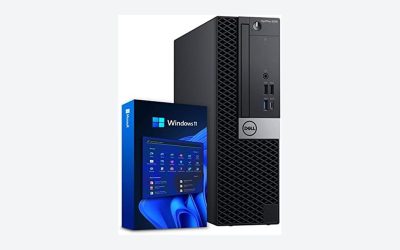
- Top Pick: BEASTCOM® Q3 Essential Gaming, 8 Threads Gaming PC, AMD Ryzen 5 4X4.20GHz, 4K Vega 11 Graphics, 16GB RAM, 512GB M.2 NVMe, 500W 80PLUS PSU, WiFi, Gaming Office Console, Towers Prebuilt PC
- Best Value: Skytech Gaming PC Shadow 5, Ryzen 7, RTX 5060 Ti 16GB, 16GB RAM, 1TB SSD
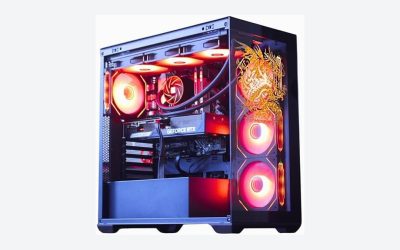
- Premium Choice: Skytech Gaming Azure 3 Desktop PC, Ryzen 7 7800X3D 4.2 GHz (5GHz Turbo), NVIDIA RTX 5060 Ti 16GB, 1TB Gen4 NVMe SSD, 32GB DDR5 RAM 6000 RGB, 650W Gold PSU, 360mm ARGB AIO, Wi-Fi, Win 11
Affiliate disclosure: As an Amazon Associate we earn from qualifying purchases. This post contains affiliate links — if you buy through them we may earn a small commission at no extra cost to you. This never affects our recommendations.
A $500 gaming setup in 2025 can deliver genuine 1080p gaming at 60–144 FPS with the right component choices. Budget doesn’t mean bad — it means prioritizing the components that provide the greatest gaming impact per dollar and finding the best value options in each category. This guide builds a complete gaming setup (PC + monitor + peripherals) for $500, with alternative configurations depending on whether you’re building from scratch or upgrading an existing setup.
As an Amazon Associate we earn from qualifying purchases at no extra cost to you.


In a hurry? See the top-rated $500 Gaming Setup deals available right now:
🛒 Check $500 Gaming Setup Prices on Amazon →🛒 Best Price Today on Amazon
Prime members get fast, free shipping on everything above, plus member-only deals. New members get a 30-day free trial — cancel anytime.
Start 30-Day Prime Free Trial →See Today’s Amazon DealsComplete $500 Gaming Setup Build List
Option A: PC-Focused Build (Existing Monitor)
If you already have a monitor (even a basic 1080p TV), allocate the full $500 toward PC hardware: Ryzen 5 5600 ($100) + B550 motherboard ($80) + 16GB DDR4-3200 ($35) + GTX 1660 Super or RX 6600 refurbished ($120–150) + 500GB NVMe SSD ($45) + 500W 80+ Bronze PSU ($55) + budget ATX case ($40) = approximately $475–505. This build runs 1080p high settings at 60+ FPS in current titles. Upgrade GPU first when budget allows.
Option B: Complete Setup Including Monitor and Peripherals
PC components ($280): Ryzen 5 5600 ($100) + B450 board ($65) + 16GB DDR4 ($35) + RX 6500 XT or GTX 1650 ($80) + 480GB SSD ($35). Monitor ($100): 24-inch 1080p 75Hz IPS (AOC, ViewSonic, or Acer budget options). Peripherals ($80): membrane gaming keyboard ($25) + optical gaming mouse ($25) + headset ($30). Total: ~$460 with wiggle room for sales. Performance target: 1080p medium-high settings, 60FPS in most titles.
Best Value Component Picks at $500 Budget
GPU Priority Rule
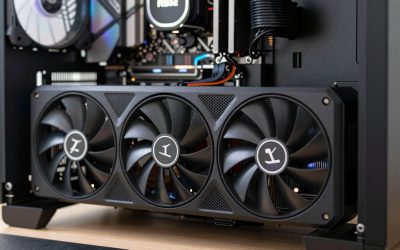
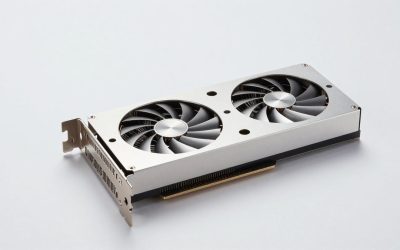
The GPU deserves the largest single component budget in a gaming build — 35–40% of total budget. At $500 total PC build cost, $150–200 GPU is the target. Used/refurbished previous-gen GPUs (GTX 1660 Super, RX 6600, RTX 3060) provide far better performance per dollar than new budget-tier cards. eBay, Facebook Marketplace, and Reddit r/hardwareswap offer vetted second-hand GPUs with seller ratings for risk reduction.
Where to Save vs Where to Spend
Spend more on: GPU (direct gaming impact), PSU (system stability and hardware safety), RAM (16GB minimum, don’t go less). Save on: CPU case aesthetics (function over form at budget tier), motherboard features beyond necessary connectivity, RGB lighting, and brand premiums on components where generic performs identically (SSD, RAM).
$500 Setup Upgrade Priority Path
Upgrade in this order as budget allows: 1. GPU upgrade to RX 6700 or RTX 3060 Ti ($150–200 used): biggest FPS impact. 2. Monitor upgrade to 1080p 144Hz IPS ($120–150): smoothness improvement. 3. RAM upgrade to 32GB ($35–50): prevents stuttering in memory-hungry titles. 4. SSD expansion (add 1TB): more game storage. 5. Keyboard and mouse quality upgrade: competitive input improvement. This path converts a $500 setup into a $900–1000 system incrementally without requiring full replacement.
Free Performance Optimizations
Software Tweaks for Budget Hardware
Budget PCs benefit most from software optimization. Enable Game Mode in Windows 11 Settings → Gaming. Disable Xbox Game Bar if not streaming (reduces background CPU usage). Set Windows power plan to High Performance or Balanced (not Power Saver). Update GPU drivers — AMD Adrenalin and NVIDIA GeForce Experience provide optimized per-game profiles. Reduce in-game resolution scale to 90% for 15–20% FPS boost with minimal visual quality reduction.
NVIDIA and AMD Upscaling Technologies
NVIDIA DLSS (RTX GPUs) and AMD FSR (any GPU) provide AI upscaling that renders games at lower resolution and upscales to display resolution — effectively giving 30–50% FPS increases with minimal visual quality reduction. AMD FSR 3.0 works on budget AMD and NVIDIA GPUs, making it particularly valuable for budget builds. Enable FSR in supported game settings for free performance gains on $500 hardware.
Frequently Asked Questions
Can you build a gaming PC for under $500?
Yes — a $400–500 PC build handles 1080p gaming at medium-high settings in most titles with used/refurbished components. New components at this budget deliver 1080p 60FPS at medium settings. The key is GPU prioritization and willingness to use previous-generation components that retail below current-gen pricing while delivering solid gaming performance.
Is a $500 gaming PC better than PS5 or Xbox Series X?
At $500 for just the PC (no monitor/peripherals), a $500 PC with a used RTX 3060 or RX 6700 provides similar or slightly better 1080p gaming performance than console. A complete $500 setup including monitor and peripherals uses a weaker GPU and performs below PS5/Series X in visual quality. For pure gaming performance per dollar at $500, console wins. PC wins at $700+ with monitor included.
Should I buy a budget pre-built or build my own at $500?
Build your own — at $500, pre-built manufacturers include lower-quality PSUs, cheap cases, and often sacrifice GPU tier to hit price points. A self-built $500 system with verified GPU, brand-name PSU, and quality SSD outperforms $500 pre-builds in both performance and reliability. The assembly process (3–4 hours following a YouTube guide) is manageable for first-time builders.
Related Articles
Looking for more on this topic? Browse the hand-picked guides below — each one applies the same scoring rubric used in this review.