🛒 Best Price Today on Amazon
Prime members get fast, free shipping on everything above, plus member-only deals. New members get a 30-day free trial — cancel anytime.
Top Webcams Streaming Gaming Sharp Cams Picks for 2026
Here are our current top webcams streaming gaming sharp cams picks, compared on real Amazon owner reviews, price, and features. Live prices update below.
As an Amazon Associate we earn from qualifying purchases at no extra cost to you.


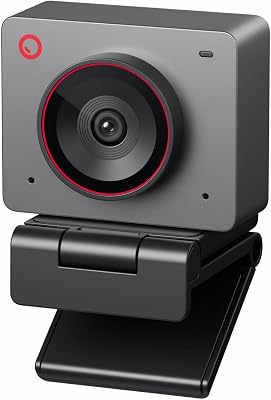

Top Picks at a Glance

AOC
Prime
AOC 4K Webcam for PC with 1/2.55'' Sensor, 1080P 60FPS Streaming Camera with PDAF Autofocus, Privacy Cover, Plug & Play computer camera 75° FOV for Zoom/Mac/Switch 2, Includes Tripod & USB A-C Adapter

Nnewline
Prime
4K Webcam for PC with Fast Autofocus and Sony Sensor, Dual Noise-Reduction Microphones, Auto Light Correction, 4K 30FPS UHD, 77° FOV USB Webcam with Tripod for Zoom, Teams, Mac and Streaming
EMEET
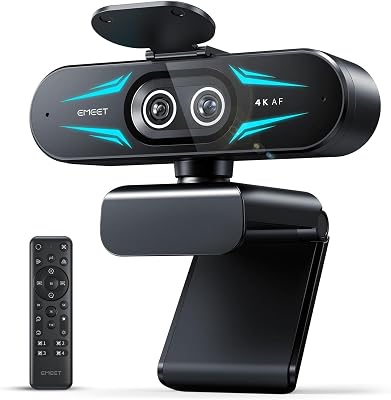
EMEET C60E Dual-Camera 4K Webcam for Streaming, Wide-Angle and Telephoto Cameras, Max 11X Hybrid Zoom & PDAF Autofocus, Remote Control, RGB Lighting, 2 Mics, Ideal for Livestreaming and Online Meeting
EMEET
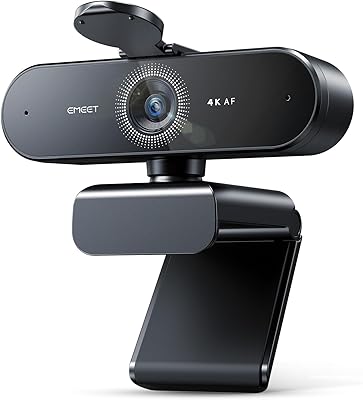
EMEET S600 4K Webcam for Streaming, Sony 1/2.55'' Sensor, PDAF Autofocus
EMEET
EMEET NOVA 4K Webcam for PC – Ultra 4K HD, PDAF Autofocus, Dual Omnidirectional Mics, 73° FOV, Auto Light Correction, USB-A, Privacy Cover, Ideal for High-End Business Meetings&Live Streaming
OBSBOT
OBSBOT Meet 2-4K Webcam for PC with 1/2" Sensor, AI Framing & Autofocus, Beauty Mode, Lightweight, Gesture Control, HDR, Dual Microphone, 60 FPS, Web Cam for Streaming, Meeting, Gaming. (Space Grey)
As an Amazon Associate we earn from qualifying purchases. Product prices and availability are accurate as of the date/time indicated.
Why 4K Matters for Streaming and Content Creation
For years, 1080p was the ceiling for webcam quality and nobody complained — because 1080p webcams were often the best available. That ceiling has lifted. 4K webcams are now available under $45, and the difference shows immediately: sharper facial detail, better performance when the camera is placed farther from your face, and future-proofing for streaming platforms that increasingly support 4K output.
The 4K designation on webcams does come with a nuance worth understanding. Many cameras capture at 4K resolution but stream at 1080p or 1440p — the 4K sensor provides oversampling benefits (better noise, sharper 1080p output) rather than a true 4K stream to viewers. Some models support genuine 4K streaming output. Know which mode matters for your use case before buying.
What to Evaluate in a 4K Webcam
Sensor Size and Brand
Sony sensors appear in multiple options here and are consistently well-regarded for low-light performance and color accuracy. The 1/2.55-inch Sony sensor is a specific quality benchmark — larger sensor = better performance in dim gaming rooms. Sensor quality at equivalent megapixel counts varies considerably between manufacturers; Sony is the safe benchmark.
Autofocus System
Phase-detection autofocus (PDAF) is faster and more accurate than contrast-detection AF, keeping your face sharp as you lean in or move. AI-powered face tracking (found in the OBSBOT) adds active framing that follows you if you step away from the desk. For streamers who gesture or move, fast AF prevents the blurry-face lag that looks unprofessional on stream.

Field of View
90-degree wide FOV works for single-person streaming. Dual-camera designs (like the EMEET C60E) cover wider angles for group calls or multi-person streaming setups. A narrow FOV (65-75 degrees) keeps background distractions out of frame for a cleaner stream background.
Privacy Shutter
A physical privacy shutter lens cover is increasingly standard and worth having — it’s a hardware guarantee the camera isn’t active when you don’t want it to be, independent of software.
Streaming vs. Video Call Use
Streamers need low latency, consistent frame rates, and compatibility with OBS/Streamlabs. Video call users prioritize noise reduction microphones and auto-exposure. Most 4K webcams cover both, but feature sets vary. Check OBS compatibility notes if streaming is the primary use case.
Best 4K Webcams in 2026
AOC 4K Webcam with 1/2.55″ Sony Sensor — Best Rated Budget 4K Cam
At just with a standout 4.9/5 rating — the highest in this roundup — the AOC 4K webcam is the opening recommendation. A large 1/2.55-inch Sony sensor at under $40 is a genuine market anomaly. The sensor size is what you’d expect in a $100+ camera, and the image quality reflects it: clean, sharp, natural-looking video even in imperfect lighting conditions. For a streamer or content creator who wants immediate webcam quality improvement at minimum cost, this is the purchase to make first.
4K Webcam with Sony Sensor and Dual Noise-Canceling Mics — Best for Voice + Video
At (4.6/5), this Sony-sensor 4K webcam adds dual noise-canceling microphones to the equation. Fast autofocus and the Sony sensor handle the video side; the dual mic array handles voice capture for creators who don’t yet have a separate microphone setup. An efficient single-device solution for streamers who want quality audio and video from one USB connection without additional gear.
EMEET C60E Dual-Camera 4K Webcam — Best for Wide Coverage
At (4.6/5), the EMEET C60E takes a unique approach: dual cameras cover both wide-angle and standard framing simultaneously. This is specifically useful for podcast setups, group video calls, or streamers who want a wide environmental view alongside a tighter face shot. The 4K resolution ensures the cropped/zoomed view still looks sharp. A specialized pick rather than a general recommendation, but unmatched in its niche.
EMEET S600 4K — Best All-Around EMEET Option
At (4.5/5), the EMEET S600 combines a Sony 1/2.55-inch sensor with PDAF autofocus in a clean, single-camera design. The Sony sensor and phase-detection AF combination delivers professional-quality video at a reasonable price. Privacy shutter included. A well-rounded streaming webcam for a creator who wants reliable quality without specialty features — the EMEET S600 consistently performs.
EMEET NOVA 4K — Feature-Rich Budget EMEET
At (4.5/5), the EMEET NOVA emphasizes ultra 4K HD output with PDAF autofocus and dual microphones at a $50 price point. Dual microphone integration and the PDAF system make it competitive for streamers who want solid all-in performance without stepping up to the S600. If the $4 price difference versus the S600 matters, the NOVA delivers comparable core features.
OBSBOT Meet 2 — Best AI-Powered 4K Webcam
At $129 (4.5/5), the OBSBOT Meet 2 operates in a different tier. The 1/2-inch sensor (larger than the Sony 1/2.55 standard), AI-powered framing that tracks your movement, gesture controls, and a premium build make this a creator-grade investment rather than a casual upgrade. For streamers who step away from their desk, react physically, or want a camera that actively keeps them centered without OBS scene-switching, the OBSBOT’s AI capabilities are genuinely useful and not just marketing features.
Quick Picks
Start with the AOC 4K at around $39 — the Sony sensor at that price is exceptional and the 4.9/5 rating reflects real-world quality. Upgrade to the EMEET S600 at $53 for PDAF autofocus. The OBSBOT Meet 2 at $129 is the investment pick for creators who move around and want AI tracking.
Related Guides
- Best Gaming Internet 2026: Speed, Latency & ISP Recommendations
- Best Projector for Gaming: Top Picks for Immersive Large-Screen Gaming in 2026
- Best CPU for Dota 2 in 2026 (Pro-Competitive Setup)
Frequently Asked Questions
Do 4K webcams actually stream in 4K?
Many 4K webcams capture at 4K but output at 1080p or 1440p for streaming — the 4K sensor provides oversampling benefits that make the lower-resolution output sharper and cleaner than a native 1080p sensor. Some models (including several EMEET options) support genuine 4K output. Check the spec sheet for “streaming resolution” versus “sensor resolution” to confirm what the camera outputs versus captures.
Is a Sony sensor webcam worth paying more for?
In most cases, yes — particularly for low-light performance. Gaming rooms are often dimly lit (intentionally), and a large-format Sony sensor captures significantly more light than smaller budget sensors. The AOC model in this roundup delivers a Sony 1/2.55-inch sensor at around $39, so you’re not necessarily paying more — you’re just prioritizing sensor spec when comparing options.
Can I use a 4K webcam as a camera in OBS for streaming?
Yes — all webcams in this roundup are standard UVC-compliant USB devices that OBS and Streamlabs recognize automatically without drivers. Add them as a Video Capture Device source in OBS. You can configure resolution, frame rate, and field of view within OBS camera settings. Verify the camera supports the resolution and frame rate combination you want (e.g., 4K at 30fps vs. 1080p at 60fps) before setting up your OBS scene.