Best CPU for Overclocking 2026: What to Buy and What to Check
Overclocking used to mean one thing: raise the clock multiplier, raise the voltage and hope the system stayed stable. Modern processors make the job more layered. Intel and AMD both ship chips with automatic boost behavior, and both offer tuning features that adjust clocks, voltage and power limits within safe ranges. Choosing the best CPU for overclocking in 2026 means understanding which chips are unlocked, what the motherboard and cooler must provide and how much headroom each platform really leaves you.
This is a buying and planning guide. It does not claim specific stable clock speeds, because those depend on the silicon lottery, the board, the cooler, the memory and the ambient temperature of your room. Treat any overclock as a result you reach on your own hardware, and verify it with stability testing before you rely on it.
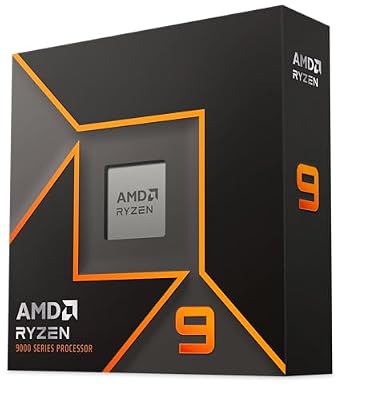
The listing below is the primary pick for this search. The alternatives are close options in the same product space. The listing above may not match the exact model you intend to buy, so check the card for the precise model, socket and price before ordering.


Intel Core Ultra 5 processor 250K Plus, 18 cores (6 P-cores + 12 E-cores) up to 5.3 GHz


What Overclocking Means on Modern CPUs
On current processors, the word overclocking covers several different actions. Some chips allow a manual all-core or per-core multiplier. Others rely on automatic tuning that pushes boost behavior until power, temperature or current limits are reached. Many builders get most of the practical benefit from tuning power limits and voltage curves rather than fixing one manual frequency across every core.
Unlocked Chips and Locked Chips
Intel’s K-series and KF-series chips are unlocked, and they pair with Z-series motherboards that expose overclocking controls. AMD’s Ryzen chips use a different model, where most desktop processors support automatic performance tuning and curve-based voltage adjustment rather than a simple fixed multiplier. Check the processor’s model suffix and the board’s feature list before assuming a chip can be tuned the way you expect. A locked model on a board that offers full controls will not gain the same freedom.
Automatic Tuning Versus Manual Control
Automatic tuning is the safer starting point. It lets the processor raise clocks as long as temperature and power allow, and it avoids forcing high voltage across every core. Manual control can squeeze out more on a suitable chip, but it asks more of the cooler, the power delivery and your research routine. For most builders, a moderate, stable tune beats an aggressive setting that crashes under load.
Intel® Core™ Ultra 9 Desktop Processor 285K, 24 Cores (8P + 16E), up to 5.7 GHz


As an Amazon Associate we earn from qualifying purchases. Product prices and availability are accurate as of the date/time indicated.
What Your Platform Must Provide
The processor is only one part of a tuned system. The motherboard decides how much power the chip can receive, how well its voltage regulators stay cool and which tuning options you can change. A strong board with robust VRM cooling and clear BIOS controls is essential for any serious tune. A budget board may limit a chip that could otherwise reach higher boosts.
Motherboard and Power Delivery
Look for a board with a well-cooled power stage, a sensible BIOS and the memory support you need. For Intel, the Z890 chipset is the relevant platform. For AMD, AM5 boards offer the tuning features that matter for Ryzen. The best Intel motherboard for gaming guide and the best AM5 motherboard for gaming guide cover boards suited to tuning.
Cooling for Sustained Boost
Overclocked and aggressively boosted chips generate more heat during sustained loads. A capable cooler keeps temperatures low enough that the processor can hold its boosts rather than throttling. A large tower cooler or a 240mm to 360mm AIO is a common choice for a tuned high-core chip. The CPU cooler guide for gaming and the budget AIO liquid cooler guide help match a cooler to your chip and case.
Memory Tuning Goes Hand in Hand
Memory speed affects how the processor performs in many workloads, so a memory overclock can matter as much as a CPU tune. Stable memory profiles on DDR5 require attention to the motherboard’s qualified list and to the kit’s timings. The guide to overclocking DDR5 safely explains how to approach memory tuning without risking instability.
Comparison Table: Overclocking-Oriented CPU Options
The table compares the listings by the tuning role they are likely to play. It avoids prices and ratings, which change and vary by seller, and it does not promise specific clock results.
| Option | Best for | Typical price range | Trade-off to check |
|---|---|---|---|
| Primary pick (hero listing) | Builders who want full tuning control | Check current price | Confirm the model suffix and board requirements |
| Alternative 1 | Enthusiasts who will invest in strong cooling | Check current price | Higher heat and power under tuned loads |
| Alternative 2 | Users who prefer automatic tuning | Check current price | Less manual headroom than a fully unlocked chip |
| Alternative 3 | Budget-focused tuners | Check current price | Older platform and upgrade limits |
| Alternative 4 | Builders matching an existing board | Check current price | Socket and memory compatibility |
The table is a shortlist. Start with the platform and cooler you can afford, then choose the chip that fits that foundation. A top-tier processor on a weak board and an inadequate cooler will not outperform a sensible mid-range chip on a well-built system.
How to Tune Safely
Start With Stock Settings and Record Them
Before you change anything, record the stock temperatures, clocks and power draw under a load you can repeat. That baseline tells you whether a change helped or hurt. Update the BIOS and chipset driver first, because newer firmware often improves tuning stability.
Change One Variable at a Time
Adjust one setting, such as a power limit or a voltage offset, then run a stability test. If the system crashes or throws errors, back off the last change. Changing several settings at once makes it hard to find the cause of an instability. Keep notes so you can reproduce a stable configuration later.
Test for Stability Under Realistic Load
A system that passes a short test can still crash during a long session. Test with the kind of work you actually do, such as a long render, a compile or a full gaming session. Check temperatures and watch for errors. The guide to checking GPU and CPU temperature explains how to monitor thermal behavior during our research.
Intel Core Ultra 5 processor 250K Plus, 18 cores (6 P-cores + 12 E-cores) up to 5.3 GHz


As an Amazon Associate we earn from qualifying purchases. Product prices and availability are accurate as of the date/time indicated.
Where the Best Overclocking Chip Fits Your Build
If you want the most tuning freedom and plan to invest in the platform, a high-end unlocked Intel chip on a strong Z890 board is one route. If you prefer AMD’s tuning model, a high-end Ryzen chip with curve-based adjustment and a capable AM5 board is another. The Intel versus AMD gaming comparison sets out the broader differences. For a specific AMD comparison, the Ryzen 7 9800X3D review covers a chip where manual tuning options are more limited, which is useful to know before you buy.
For builders who want a simpler machine, the tuning headroom may matter less than the stock performance and the cooling. The best CPU for gaming guide covers chips that perform well without manual work.
Frequently Asked Questions
Do I need a special CPU to overclock?
Usually yes, in the sense that the chip’s model must allow the tuning you want. Intel’s unlocked K-series and KF-series chips support manual tuning on Z-series boards. AMD Ryzen chips support tuning features on compatible boards, but the controls differ from Intel’s. Check the model and board before buying.
Will overclocking void the warranty?
Warranty terms vary by manufacturer and region, and they can change. Read the warranty policy for your specific chip and board before you tune. Many manufacturers treat unapproved changes differently from automatic boost, so confirm the rules you are operating under.
Does overclocking shorten the life of a CPU?
Running higher voltage and temperature for long periods can accelerate wear, which is why conservative tuning and good cooling are sensible. Keep temperatures within the manufacturer’s stated limits and avoid excessive voltage.
Is a motherboard upgrade needed before overclocking?
It depends on your current board. A weak board with limited power delivery or few tuning options may cap what the chip can do. If your board is solid and offers the controls you need, you may not need to upgrade.
Final Verdict
The best CPU for overclocking in 2026 is the one whose tuning model matches your platform, your cooling and your patience for testing. Unlocked Intel chips on Z890 boards and tunable Ryzen chips on AM5 both offer real headroom, but neither delivers it without a capable board and cooler. Start with stock settings, change one variable at a time and test for stability under realistic loads. Confirm the exact model, socket and price on the listing card before buying.