

Ryzen 9700X Gaming CPU Review 2026
The Ryzen 7 9700X is the non-X3D eight-core option in AMD’s Zen 5 desktop lineup. It has eight cores and sixteen threads, a 65W TDP rating and a standard 32MB of L3 cache. It does not carry the 3D V-Cache layer that defines the X3D chips, which makes it a different kind of gaming processor: cheaper, cooler and simpler to live with, but without the cache-driven frame rate edge.
This is a buying guide. It explains where the 9700X fits in a gaming build, which buyers should choose it over an X3D chip, and what it needs from the rest of the system. The listing below is the closest match for this query. Check the card for the exact model, bundled cooler and current price before ordering.


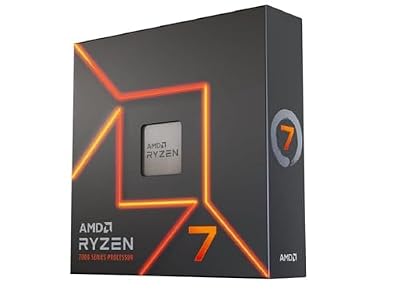


What the 9700X Is Built For
The 9700X is a mainstream gaming and general-purpose chip. Its design goal is strong single-thread performance and efficient power use at a reasonable price, rather than the maximum cache that the X3D chips use for games. For a build that spends most of its time on a graphics card in the upper mid range, that balance is often the right one.
Because the chip draws only 65W, the thermal and power requirements are gentle. A capable tower air cooler is enough for most users, a smaller case works well, and the power supply does not need to be oversized for the processor alone.
Key Specs and Platform Requirements
The published specification is eight cores, sixteen threads, 32MB of L3 cache and a 65W TDP. The chip uses AM5, DDR5 memory and a 600-series or 800-series motherboard. Maximum boost is in the 5.5GHz range, which gives it competitive single-thread speed for games that depend on high clock speed rather than cache.
Why the missing cache matters
Without 3D V-Cache, the 9700X will trail the 9800X3D in CPU-bound games, especially in titles that reuse large data sets heavily. The gap is most visible at 1080p with a fast graphics card, where the processor sets the frame rate ceiling. At 1440p and 4K, the graphics card takes on more of the work, and the difference narrows. Buyers should weigh the cost difference against their resolution and monitor.
Thermal and power advantages
A 65W chip generates less heat than a 120W part, so the cooler can be smaller and quieter. That matters in compact builds and in living rooms, where noise is a real factor. It also leaves more headroom in the case for a large graphics card.
Comparison Table: 9700X Against Nearby Options
| Processor | Cores / Threads | L3 Cache | Best For | Typical Price Range |
|---|---|---|---|---|
| Ryzen 7 9700X | 8 / 16 | 32MB standard | Mainstream gaming, easy cooling | Mid tier, check current price |
| Ryzen 7 9800X3D | 8 / 16 | 96MB with 3D V-Cache | Maximum CPU-bound gaming | Premium tier, check current price |
| Ryzen 5 9600X | 6 / 12 | 32MB standard | Budget AM5 build | Budget tier, check current price |
| Ryzen 9 9900X | 12 / 24 | 64MB standard | Heavier multi-core work | Upper mid tier, check current price |
The table shows the 9700X as the middle path. It costs less than the X3D chips, handles more threads than the 9600X and runs cooler than the 9900X. For many gamers that combination is the sensible default, provided the goal is not to squeeze out the last few frames in cache-heavy titles.
AMD Ryzen™ 7 9700X 8-Core, 16-Thread Unlocked Desktop Processor


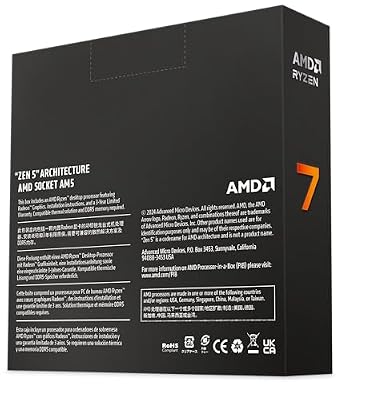
As an Amazon Associate we earn from qualifying purchases. Product prices and availability are accurate as of the date/time indicated.
Who Should Buy the 9700X
Gamers with a mid-range or high-end graphics card at 1440p
At 1440p, the graphics card is often the limit, so the 9700X keeps pace well enough for most titles. Spending the difference on a stronger GPU usually improves frame rates more than the cache premium on an X3D chip would. This is the buyer the chip suits best.
Builders who want a quiet, compact machine
The lower power draw makes the 9700X a good fit for small-form-factor builds and quiet systems. A mid-size cooler and a modest case fan layout are enough. Our air cooler guide lists options that suit this class of chip.
Who Should Skip It
Competitive players at 1080p
If you play CPU-heavy esports titles at 1080p with a top graphics card, the 9800X3D is the better fit. The cache advantage is most visible in exactly this scenario, and the best CPU for Valorant guide explains why high-frame-rate shooters reward cache.
Buyers who need many cores
Eight cores are fine for gaming plus streaming, but heavy rendering or large compile jobs are better served by a higher-core chip. The Ryzen 9 9900X review covers the step up in core count.
Platform and Build Notes
The 9700X runs on AM5, so the motherboard must be a 600-series or 800-series board. A B650 or B850 board is enough for most builds because the chip’s power draw is moderate. Our AM5 motherboard guide lists boards by budget. If you plan to upgrade to a stronger AM5 processor later, a board with better power delivery is a reasonable investment.
Memory choice follows the same logic as other Zen 5 chips. A quality DDR5 kit with a stable profile performs well, and the DDR5 6000MHz guide is a practical starting point. For the full build sequence, the step-by-step build guide shows the assembly order and the mistakes to avoid.
For the power supply, a reliable 650W to 750W unit is usually enough for the 9700X and a mid-range GPU. The power supply guide explains how to size the PSU for the graphics card you plan to install.
AMD Ryzen™ 5 9600X 6-Core, 12-Thread Unlocked Desktop Processor


As an Amazon Associate we earn from qualifying purchases. Product prices and availability are accurate as of the date/time indicated.
How It Compares With Intel and Other AMD Chips
Compared with Intel’s mid-range processors, the 9700X competes on platform cost and efficiency. Intel uses a different socket and motherboard family, so the comparison is about the whole build. Our Intel versus AMD gaming overview covers the wider choice, and the Core Ultra 7 265K review shows the closest Intel rival in price tier.
Frequently Asked Questions
Is the Ryzen 9700X good for gaming?
Yes. It is a strong gaming processor for most resolutions and graphics cards. It does not have the extra cache of the X3D chips, so it trails them in CPU-bound games, but for many players the difference will be small in practice.
Does the 9700X need a big cooler?
No. Its 65W rating means a good mid-size tower air cooler is sufficient for most builds. Larger coolers still help with noise and thermal headroom, but they are not required for normal gaming.
Should I pick the 9700X or the 9800X3D?
Pick the 9800X3D if you play CPU-heavy games at 1080p or want the best possible frame consistency. Pick the 9700X if you play at 1440p or 4K, care about cost and cooling, or want to put the savings into a stronger graphics card.
Is the 9700X compatible with older motherboards?
No. It requires AM5 and a 600-series or 800-series motherboard. Upgrading from AM4 means replacing the board and memory as well.
Final Verdict
The Ryzen 7 9700X is a sensible mainstream gaming processor with a moderate power draw and a balanced price. It is the right choice for players who want strong performance without paying for the X3D cache, especially at 1440p with a capable graphics card. For CPU-limited competitive gaming, the 9800X3D remains the stronger option. For most builds, the 9700X delivers the best balance of cost, heat and performance.







