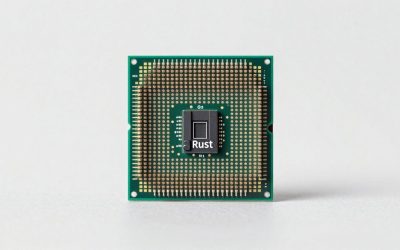
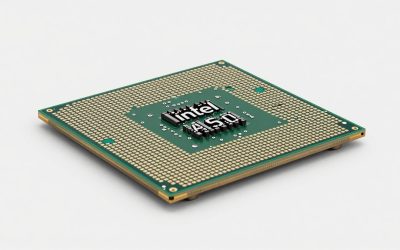
The RTX 5080 is one of the most capable GPUs you can drop into a modern build, but its real-world frame rates depend heavily on what sits in the socket beside it. At higher resolutions like 4K, the GPU handles most of the workload and CPU choice becomes less critical. At 1080p and 1440p, however, a weak processor can throttle your framerates into a narrow ceiling that no amount of VRAM will lift. That makes pairing the right CPU for the RTX 5080 a matter of matching your typical resolution, target framerate, and budget.
Platform cost is the other half of the equation. Some of these chips demand premium motherboards, fast DDR5 kits, and beefy coolers that add noticeably to your build sheet. Upgrade path matters too, especially in 2026, when socket longevity and PCIe lane availability shape whether your next GPU swap requires a full platform replacement or just a BIOS update.
As an Amazon Associate we earn from qualifying purchases at no extra cost to you.




Verdict at a Glance
- Best overall for the RTX 5080: AMD Ryzen 7 9800X3D, or the newer Ryzen 7 9850X3D if the price gap is small. Both are the fastest gaming CPUs available and keep the 5080 fed at 1080p and 1440p.
- Best value gaming chip: AMD Ryzen 7 7800X3D – most of the X3D advantage at a lower tier, on the same AM5 platform.
- Best budget: AMD Ryzen 5 9600X (or the Ryzen 5 7600) – enough for an RTX 5080 at 1440p and 4K, where the GPU does most of the work.
- Best Intel / best for gaming plus work: Intel Core Ultra 7 270K Plus – 24 cores, gaming close to the Ryzen 7 9700X according to TechPowerUp, and strong productivity for its tier.
Short answer: if you play at 4K, almost any modern six-core or eight-core CPU is fine with an RTX 5080. At 1080p and 1440p high refresh, an X3D chip is worth the extra money.
Quick Picks
| Pick | Tier | Why |
|---|---|---|
| AMD Ryzen 5 9600X | Budget | Handles the RTX 5080 comfortably at 1440p and above without breaking the bank |
| Intel Core Ultra 7 265K | Mid-Range | Strong all-around performer with excellent multi-threaded headroom for streamers and creators |
| AMD Ryzen 7 9700X | Mid-Range | Eight Zen 5 cores at a fair price, ideal for 1080p competitive gaming on the RTX 5080 |
| Intel Core Ultra 9 285K | High-End | 24-core productivity powerhouse that never holds the GPU back in mixed workloads |
| AMD Ryzen 7 9800X3D | Best Overall | 3D V-Cache delivers the highest single-thread gaming performance for maximum RTX 5080 utilization |
How We Chose
CPUs were compared on gaming throughput with the RTX 5080 across resolutions, multi-threaded capability for background tasks, thermal efficiency, platform cost, and socket longevity.
AMD Ryzen 5 9600X — Best Budget CPU for RTX 5080
As the budget pick, the 9600X is the most affordable entry that still keeps pace with the RTX 5080 at 1440p and 4K. Its six Zen 5 cores and 12 threads handle modern titles without obvious stutters, and reviews from outlets such as Hardware Unboxed show it delivering high frame rates at 1440p when paired with high-end GPUs. At 4K, the gap narrows to near-parity with pricier chips because the GPU becomes the limiting factor. The real draw is platform affordability: AM5 boards remain competitively priced, and your existing DDR5 kit carries over. The downside is that 1080p gaming in CPU-bound titles like Escape from Tarkov or heavily modded simulation games can expose its core-count limits.
Intel Core Ultra 7 265K — Best Mid-Range for Multitaskers
The 265K brings 20 cores and 20 threads to the table at a mid-range price. Tom’s Hardware noted strong single-thread scores and competitive gaming performance, though it trails AMD’s X3D chips in games. Its true strength is multi-threaded throughput, making it a smart choice for anyone who games while recording, streaming, or running AI-assisted workloads. The catch is platform cost: LGA 1851 motherboards at the mid-to-upper tier add expense, and a quality 240mm AIO or robust tower cooler is recommended for sustained all-core loads.
AMD Ryzen 7 9700X — Best 8-Core Sweet Spot
Priced in the mid-range, the 9700X sits in a compelling middle ground. Eight Zen 5 cores at 16 threads cover virtually any game title without bottlenecking the RTX 5080, and TechPowerUp’s benchmark suites place it close to the fastest non-X3D chips in games. At 1440p, the GPU does more of the lifting, but the 9700X keeps minimums high and frametime graphs flat. It runs cooler than many alternatives, meaning a mid-tier air cooler suffices and your overall platform spend drops. One consideration: Intel’s 265K outperforms it in heavily threaded productivity tasks, so creators who render or encode should weigh that trade-off carefully.
Intel Core Ultra 9 285K — Best for Heavy Multitasking and Productivity
As a premium-tier chip, the 285K is the productivity-first choice. Its 24 cores (8 P-cores plus 16 E-cores) and 5.7 GHz boost clock mean you can game, compile, render, and run local AI models simultaneously with less impact on frame rates than smaller chips. Gamers Nexus’ coverage found its gaming performance solid but behind AMD’s 3D V-Cache chips, which lead in pure gaming. The platform investment is real: you’ll want a Z890 board, a high-end cooler, and potentially faster DDR5 to maximize the memory controller. If your workload extends well beyond gaming, the 285K earns its price.
AMD Ryzen 7 9800X3D — Best Overall CPU for RTX 5080
The 9800X3D is the definitive gaming CPU. Its 3D V-Cache technology delivers a tangible frame-rate advantage, with TechSpot and Hardware Unboxed both ranking it at or near the top of their 1080p gaming charts — enough to keep the RTX 5080 fed at competitive refresh rates. At 1440p and 4K it still pulls ahead of non-3D-cache rivals by a few frames, keeping minimums noticeably higher in CPU-heavy scenarios. Its premium-tier pricing reflects its dominance, but the efficiency is remarkable: it draws less power than many competitors while outperforming them in games. The one knock is productivity throughput, where its eight cores trail Intel’s 24-core offerings in heavily threaded tasks.
AMD Ryzen 7 9850X3D — Fastest Gaming CPU for RTX 5080

AMD launched the Ryzen 7 9850X3D at CES 2026, and it went on sale on January 29, 2026. It is essentially a higher-binned 9800X3D: the same eight Zen 5 cores and 16 threads, the same 96MB of L3 cache (including 64MB of stacked 3D V-Cache under the compute die) and the same 120W TDP on AM5. The difference is a 5.6GHz boost clock, 400MHz higher than the 9800X3D.
Who it is for: RTX 5080 owners chasing the highest possible frame rates at 1080p and 1440p on high-refresh monitors, and builders who want the strongest gaming CPU on a platform with an upgrade path.
Strengths: Tom’s Hardware called it the world’s fastest gaming processor at launch. Wccftech reported gains of up to about 7% over the 9800X3D in some games. It runs at its rated clocks without manual overclocking, and it fits any AM5 board after a BIOS update.
Drawbacks: the uplift is small. Gamers Nexus found it at best about 4% faster than the 9800X3D and sometimes identical, and enabling PBO on a 9800X3D closes much of the gap. Reviewers also noted it runs hot under all-core loads, so plan for a 240-360mm liquid cooler or a high-end air cooler. Productivity performance still trails 16-core and 24-core chips.
Compared with the existing picks: it is a small step above our Best Overall 9800X3D. Buy it only if it costs about the same. Otherwise the 9800X3D delivers almost identical RTX 5080 performance.
AMD Ryzen 7 7800X3D — Best Value X3D

The 7800X3D is the previous-generation gaming champion: eight Zen 4 cores, 16 threads, 96MB of L3 cache with 3D V-Cache, a 5.0GHz boost and a 120W TDP on AM5. Because the 9800X3D and 9850X3D sit above it, it is now one of the best-value ways to get X3D gaming performance with an RTX 5080.
Who it is for: gamers who want most of the X3D advantage at 1080p and 1440p and would rather spend the savings on a better monitor, more storage or a quieter case.
Strengths: in launch and follow-up coverage of the 9800X3D, outlets including TechPowerUp and Hardware Unboxed placed the 7800X3D within roughly 10% of its successor in gaming, and the gap shrinks to almost nothing at 4K. It runs cool and efficient on a good dual-tower air cooler, and it works on inexpensive B650 boards.
Drawbacks: its multi-threaded performance is the weakest of the eight-core chips here, and the cache die limits manual overclocking. Its price also varies a lot as stock winds down.
Compared with the existing picks: it beats the Ryzen 7 9700X and Core Ultra 7 265K in most games and costs less than the 9800X3D. That makes it the sweet spot for a pure gaming RTX 5080 build.
Intel Core Ultra 7 270K Plus — Best Intel

Intel’s Arrow Lake Refresh arrived in March 2026, and the Core Ultra 7 270K Plus is its standout. It has 24 cores (8 Lion Cove P-cores and 16 Skymont E-cores) without Hyper-Threading, a 5.5GHz maximum boost, 36MB of L3 cache and a faster die-to-die interconnect than the original Arrow Lake chips. On paper it is a 285K with a slightly lower peak boost. It uses the LGA 1851 socket with 800-series boards, which may need a BIOS update.
Who it is for: RTX 5080 owners who game and also stream, edit video, compile code or run local AI models, and who prefer Intel’s platform.
Strengths: TechPowerUp found it matches the Ryzen 7 9700X in gaming, a clear improvement over the 265K it replaces. Notebookcheck measured productivity performance at the level of the 16-core Ryzen 9 9950X. It also officially supports faster DDR5 than earlier Arrow Lake parts.
Drawbacks: X3D chips are still faster for pure gaming, especially in 1% lows. It can draw up to about 250W under all-core loads. Tom’s Hardware also noted that the LGA 1851 platform is near the end of its life, so do not expect a future CPU upgrade on the same board.
Compared with the existing picks: it replaces the Core Ultra 7 265K as our Intel recommendation. It is faster in games and close to the 285K in multi-threaded work, at a lower tier.
Intel Core Ultra 5 250K Plus — Budget Intel Option

The Core Ultra 5 250K Plus is the cheaper half of Intel’s refresh. It has 18 cores (6 P-cores and 12 E-cores), a 5.3GHz boost, 30MB of L3 cache and a maximum turbo power of about 159W on LGA 1851.
Who it is for: budget RTX 5080 builds focused on 1440p and 4K, where the CPU matters less, especially for buyers who also want strong multi-threaded performance for the money.
Strengths: according to TechPowerUp, it has closed the gaming gap with the Ryzen 5 9600X that the older 245K had. It also offers far more cores than six-core Ryzen chips, and in some games it reportedly even beats the 270K Plus.
Drawbacks: some games, such as Total War: Warhammer III, still favor older Intel or AMD designs. LGA 1851 boards in the Z890 class cost more than entry AM5 boards, and the platform has no clear upgrade path.
Compared with the existing picks: it is the Intel alternative to the Ryzen 5 9600X. Choose it if you value core count for work, or the 9600X if you want the cheaper platform and an upgrade path to future AM5 chips.
Platform Costs to Budget For
Motherboard: AM5 boards (B650, B650E, X670E) start at the budget tier for the 9600X and climb to premium pricing for X670E options. LGA 1851 Z890 boards typically begin in the mid-range and reach premium pricing for top-tier SKUs.
RAM: All these CPUs require DDR5. A 32GB kit (2x16GB) at 6000 MT/s CL30 is the sweet spot for gaming. Intel’s Arrow Lake chips can benefit slightly from faster kits but diminishing returns arrive quickly.
Cooler: The 9600X and 9700X run efficiently enough for a budget tower air cooler. Both Intel K-series chips perform best with a 240mm or 360mm AIO, and the 9800X3D benefits from a strong tower cooler or 240mm AIO.
Bottleneck Check by Resolution
4K: GPU-bound. Any CPU on this list will deliver nearly identical framerates with the RTX 5080. Choose based on other priorities.
1440p: Slight CPU sensitivity in open-world and simulation titles. The 9600X may trail in the most demanding scenarios; everything else stays within a few percent.
1080p (competitive/high-refresh): Most CPU-dependent tier. The 9800X3D leads the 9700X and 265K by a clear margin in average framerates, and the 285K’s advantage over the 265K is marginal. The 9600X sits at the bottom of this group but still delivers smooth gameplay.
Resolution Bottleneck and Platform Cost Matrix
This table combines how much each CPU tier holds back an RTX 5080 at each resolution, based on the ranges reported by the outlets listed in our Sources section, with the total platform cost tier. That tier covers the motherboard, DDR5 and cooler, not just the CPU.
| CPU tier | Example chips | 1080p high refresh | 1440p | 4K | Platform cost tier |
|---|---|---|---|---|---|
| Budget 6-core | Ryzen 5 7600 / 9600X, Core Ultra 5 250K Plus | Noticeable CPU limit in CPU-heavy games | Minor limit in open-world and simulation titles | Effectively none | Budget (B650/B850 board, air cooler) |
| Mid-range 8-core and up | Ryzen 7 9700X, Core Ultra 7 265K / 270K Plus | Small limit | Within a few percent of the fastest chips | None | Mid-range (Intel boards cost more than entry AM5) |
| Value X3D | Ryzen 7 7800X3D | Very small limit | Negligible | None | Mid-range (cheap B650 boards work well) |
| Top gaming X3D | Ryzen 7 9800X3D / 9850X3D | Lowest CPU limit available | None in practice | None | Mid-range to premium (good cooler advised) |
| Workstation-class | Core Ultra 9 285K, Ryzen 9 9950X3D | Small limit (9950X3D close to 9800X3D) | Negligible | None | Premium (Z890/X870E board, 360mm AIO) |
The practical takeaway is that at 4K you should not overspend on the CPU. Put the money toward the GPU, monitor or storage instead. The X3D premium pays off when you play at 1080p or 1440p and want 1% lows that keep up with a 165-240Hz monitor.
Setup Tips for an RTX 5080 Build
- Update the BIOS before installing a new CPU. The Ryzen 7 9850X3D and Intel’s Core Ultra 200 Plus chips are newer than many boards on store shelves, so older firmware may not recognize them. Many AM5 boards support BIOS Flashback, which lets you update without a CPU installed.
- Enable EXPO or XMP. DDR5 runs at a slow default speed until you turn on the memory profile. A 6000 MT/s kit is the sweet spot for AM5, while the Arrow Lake Plus chips officially support faster kits.
- Turn on Resizable BAR (often listed as “Above 4G Decoding” or “Re-Size BAR Support”) for a small but free performance gain on RTX 50-series cards.
- Size the power supply properly. Nvidia recommends an 850W system power supply for the RTX 5080. Choose an ATX 3.1 unit with a native 12V-2×6 cable rather than relying on the included 8-pin adapter.
- Use your monitor’s refresh rate as the target. If you play at 4K/120Hz or below, a budget or mid-range CPU already gets there, so the extra money buys nothing you will see.
Our Verdict
For most RTX 5080 buyers, the Ryzen 7 9800X3D is the straightforward best pick — it maximizes what the GPU can do and runs efficiently. If budget is tight, the Ryzen 5 9600X is the smart entry point at 1440p and above. Creators and streamers who push multi-threaded workloads alongside gaming should lean toward Intel’s Core Ultra 7 270K Plus or 285K for their core counts. The 9700X is the balanced choice for pure gamers who want eight cores without the X3D premium.
FAQ
Will a cheaper CPU bottleneck the RTX 5080?
Yes, at lower resolutions. Below 1440p, the CPU can become the limiting factor in many titles. At 4K, the GPU dominates and a cheaper CPU like the 9600X performs nearly identically to the 9800X3D.
Do I need a new motherboard for an RTX 5080?
Not necessarily. The RTX 5080 uses a PCIe x16 slot, and PCIe 4.0 boards work fine. PCIe 5.0 is ideal but not mandatory for GPU performance. Only the CPU determines your socket requirement.
Is DDR5 required for these builds?
All the CPUs on this list require DDR5 memory. DDR4 boards are incompatible with both AM5 and LGA 1851 platforms.
Which CPU is best for 4K gaming with the RTX 5080?
At 4K, the differences shrink dramatically. The Ryzen 5 9600X delivers close to the framerate of the 9800X3D at this resolution in most games, making it the best value pick for 4K-focused gamers.
Is the Ryzen 7 9850X3D worth it over the 9800X3D for an RTX 5080?
Only if the price difference is small. Gamers Nexus found the 9850X3D at best about 4% faster than the 9800X3D and sometimes equal, because the two chips share the same cores, cache and power limits. With an RTX 5080, you are unlikely to notice that gap outside 1080p esports at very high refresh rates.
Is Intel’s Core Ultra 7 270K Plus good for gaming with an RTX 5080?
Yes. TechPowerUp measured it level with the Ryzen 7 9700X in games, a clear improvement over the 265K. It is the better choice if you also do heavy multi-threaded work. For the highest frame rates alone, AMD’s X3D chips are still faster.
Can I reuse a Ryzen 5 7600 or 7600X with an RTX 5080?
Yes, especially at 1440p and 4K. These six-core Zen 4 chips run within a few percent of the 9600X in most games. Upgrading to a 7800X3D or 9800X3D later is a simple drop-in swap on the same AM5 board, which makes a budget AM5 chip a reasonable first step.
Sources and Methodology
Performance ranges referenced in this guide are approximate and derived from publicly available launch and follow-up reviews by TechPowerUp, Tom’s Hardware, Gamers Nexus, Hardware Unboxed, and TechSpot. Framerate figures reflect typical averages across their tested title sets with comparable GPU pairings. Actual results vary by game, settings, drivers, and system configuration. This site does not conduct independent benchmark testing; all cited ranges are attributed to the named outlets.